
If btop opens to a black screen on an HP MicroServer G7 N40L, do not assume the AMD N40L CPU is unsupported by ZimaOS. The source user showed btop working on ZimaOS 1.5.0 and failing after the bundled btop was upgraded in 1.5.1/1.5.2 beta; IceWhale explicitly suspected the btop version change.
Upstream btop 1.4.x has also had black-screen/startup-hang reports, including GPU-detection and terminal-related cases. The right workflow is to identify the bundled btop version and logs, then update ZimaOS before changing CPU/kernel settings.
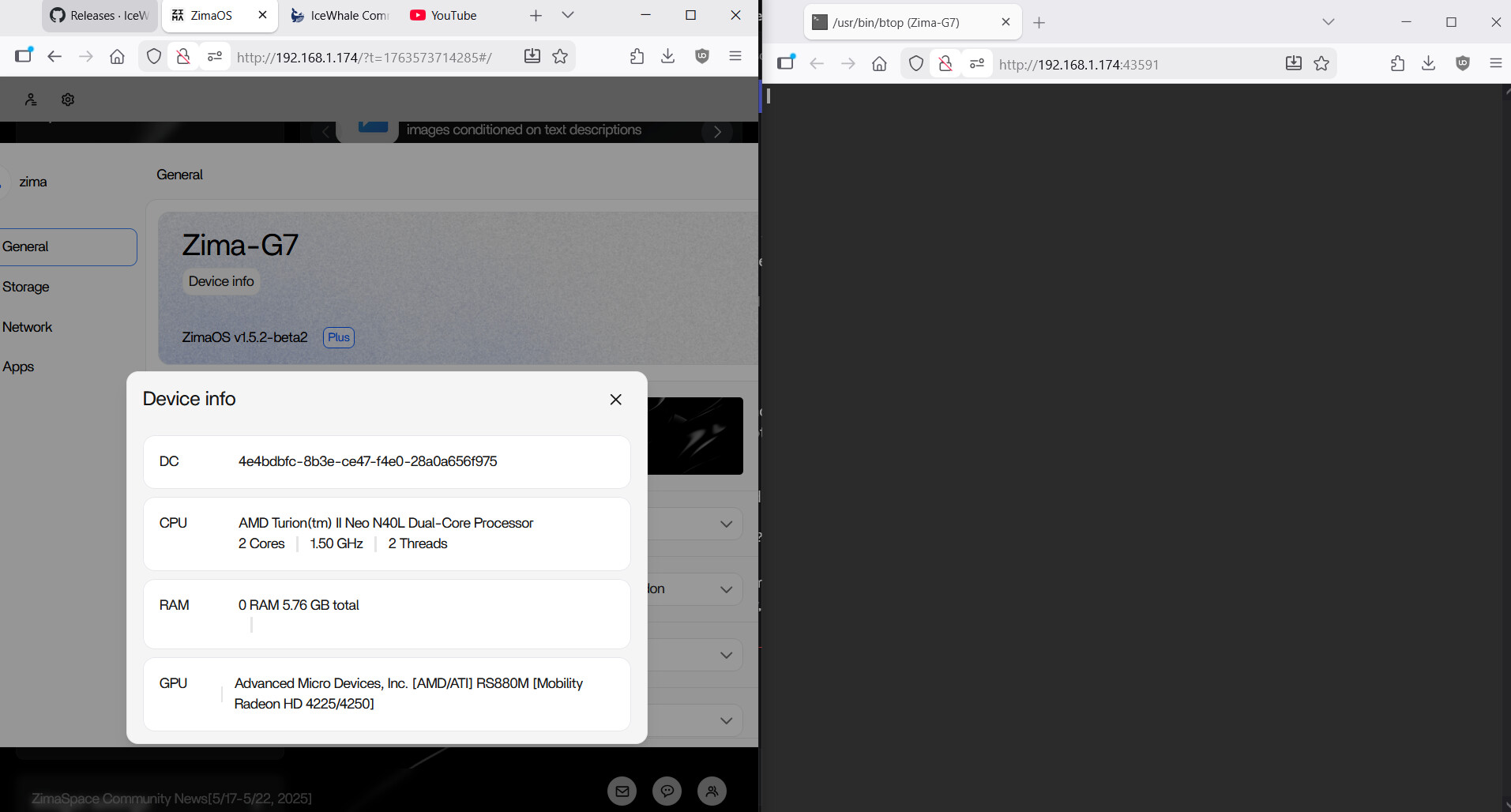
Confirm ZimaOS Still Detects the Hardware
uname -a
lscpu
free -h
If the system dashboard, shell, CPU, and memory are normal, the failure is localized to btop rather than the whole N40L platform.
Check the btop Version
btop --versionThe source regression appeared immediately after IceWhale upgraded btop. Record the exact version before comparing with upstream fixes.
Run btop with Debug Logging
Upstream btop documents logs under the user's btop config directory and has multiple reports where a black screen was caused by initialization bugs rather than a dead terminal.
Test Another Terminal Size and Path
The source user reproduced the black screen both in the web terminal and SSH, which reduces the likelihood of one browser-only rendering problem. Still, test a wider SSH terminal and a standard UTF-8 locale.
Do Not Roll Back the Whole OS Long-Term for One Utility
The source user temporarily rolled back to 1.5.0 because that restored btop. That was useful proof of regression, but current users should update forward to a fixed stable ZimaOS rather than stay on an old release for a monitoring tool.
Use top or ps as Temporary Alternatives
top
ps aux --sort=-%cpu | head
free -h
df -h
These provide basic resource visibility while btop itself is being diagnosed.
Upstream btop Still Supports x86_64 Linux
The current btop project publishes x86_64 Linux binaries and supports old Linux kernels, so the N40L's age alone is not enough to explain this regression.
Report the Regression with Reproducible Data
Include ZimaOS version, btop version, CPU model, terminal type, screenshot, and whether an older ZimaOS/btop build works. That directly matches the evidence IceWhale requested implicitly in the source thread.
The system troubleshooting guide provides a broader method.
FAQ
Is AMD N40L unsupported?
The source does not prove that. The same N40L worked with the earlier bundled btop.
Why does sudo btop also fail?
That suggests normal user permissions are not the primary issue.
Should I install another btop binary manually?
Use that only as a diagnostic if you understand the appliance environment; prefer a current ZimaOS fix for the bundled tool.
What can I use meanwhile?
top, ps, free, and the ZimaOS dashboard can cover basic monitoring.


