
The source YAML successfully launched BookLore on ZimaOS and is valuable as a proof that a two-service BookLore + MariaDB stack works on the platform. But it should not be copied unchanged today. BookLore's maintained deployment now uses updated image names, a clearer .env model, health checks, and explicit storage behavior such as DISK_TYPE.
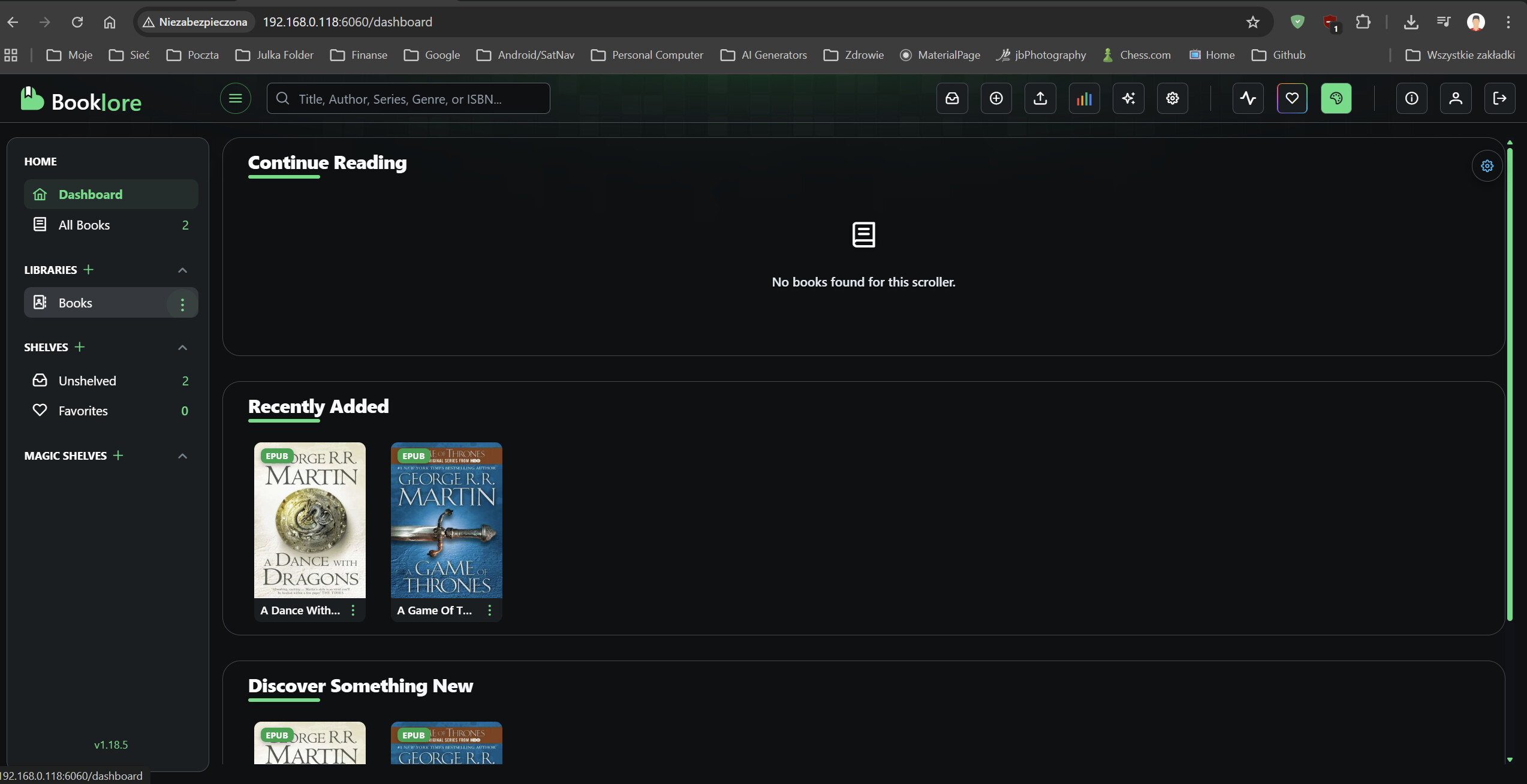
The Source Used BookLore Plus MariaDB
The YAML created two services on a private Docker network: BookLore on port 6060 and a LinuxServer MariaDB container. It also mapped application data, books, bookdrop, and MariaDB configuration to persistent host folders.
Do Not Reuse the Source Passwords
The posted YAML used password for the BookLore database password and MariaDB root password. Those values are public examples, not safe credentials.
Current upstream guidance moves secrets into an .env file and expects users to choose their own values.
Current Upstream Uses the booklore-app Image Namespace
Current BookLore documentation lists ghcr.io/booklore-app/booklore:latest as the main image and continues to use a MariaDB 11.4-based service.
Use the current BookLore deployment guide rather than freezing the February 2026 image tags.
Keep Data, Books, BookDrop, and Database Storage Separate
Current BookLore uses persistent mappings for:
-
/app/data— application data and metadata cache; -
/books— the managed library; -
/bookdrop— automatic import/drop folder; - MariaDB storage/config — the database state.
Do Not Default Large Libraries to ZimaOS-HD
The source mixed /media/ZimaOS-HD/AppData and /DATA/AppData. Current ZimaOS recommends keeping application data and libraries on a real storage pool rather than filling the system drive.
Verify USER_ID and GROUP_ID Instead of Assuming 1000
The source hard-coded UID/GID 1000. That may work on one environment, but current containers and host folders should be checked against the actual ownership/permissions of the chosen storage paths.
Current Compose Adds a BookLore Health Check
Modern upstream Compose includes an HTTP health check for BookLore and a database health dependency. That produces better startup behavior than merely starting both containers and hoping MariaDB is ready in time.
The Source's Mobile Problem Was Not a ZimaOS Install Failure
The author said the web interface was good but Komga-compatible mobile connection attempts were unsuccessful. They later said MoonReader worked through OPDS.
That should be diagnosed as BookLore/client protocol compatibility, not as proof the BookLore server itself failed.
OPDS Is a Better Fit for Many Reading Apps
Current BookLore emphasizes OPDS alongside web reading and library management. If a mobile app supports OPDS, use BookLore's current OPDS endpoint and authenticated user rather than forcing a Komga compatibility layer.
Back Up Both the Database and the Library
The database contains metadata, users, shelves, reading state, and configuration; the books folder contains the actual files. A backup plan should protect both.
Current BookLore Distinguishes LOCAL and NETWORK Storage
Modern BookLore includes a DISK_TYPE setting. LOCAL is the normal mode when BookLore can manage files directly. NETWORK is intended for NFS/SMB-style storage and disables some file-reorganization operations.
Choose the mode based on where the library is mounted rather than copying the source YAML without this newer behavior.
BookDrop Is an Import Inbox, Not the Canonical Library
The /bookdrop folder is designed for files you want BookLore to ingest. Keep it separate from /books so automated imports do not blur the distinction between new incoming files and the managed library.
Back Up MariaDB Consistently
Copying a live database directory is not always equivalent to a consistent database backup. For important libraries, use a MariaDB-aware dump or stop the database cleanly before filesystem-level backup, then verify restore procedures.
Pin or Review Versions Before Automatic Updates
The source used latest for BookLore. That is convenient, but a future pull can introduce application or database changes unexpectedly. If stability matters, review upstream release notes and back up the database before recreating the stack with a newer image.
BookLore on ZimaOS FAQ
Did the source YAML successfully start BookLore?
Yes. The author posted a working BookLore dashboard.
Should the public source password values be reused?
No. Generate unique BookLore and MariaDB credentials.
What mobile path worked for the source author?
They reported MoonReader working through OPDS, while their Komga-compatible attempts were unsuccessful.


