
This April 2026 thread began as a broad “new user overwhelmed by ZimaOS” post covering backup and self-hosted email. The email problem eventually became secondary: the user got Mailcow working well enough for their needs. The unresolved technical story was ZimaOS Backup, where displayed sizes were inconsistent, the first run usually completed, and later runs could freeze without further disk activity.
The source is especially useful because the user tested more than one ZimaBoard 2, multiple internal and external drives, a Synology network destination, and later ZimaOS 1.6.1. The issue therefore should not be summarized as a single bad USB disk or one incorrect network path.
The User Wanted a Simple Disaster Backup, Not an Archive Format
The desired workflow was straightforward: manually start a 1:1-style backup, preserve the recognizable folder structure, avoid encryption or opaque packages, and be able to recover quickly if an entire ZimaBoard 2 failed.
This expectation is different from versioned backup software that intentionally keeps historical copies. When version retention is enabled, destination usage can legitimately exceed the size of the current source dataset.
The Mail-Server Side Problem Was Eventually Separated
The original post also described difficulty replacing Synology Mail Plus. Zima-Jerry suggested Stalwart, but the user specifically needed POP3 retrieval. By April 16, the user reported that Mailcow was working and the other applications were satisfactory.
That outcome is worth preserving because it prevents the later Backup discussion from being misread as evidence that Mailcow itself caused the storage problem.
Backup Destination Sizes Did Not Match Reality
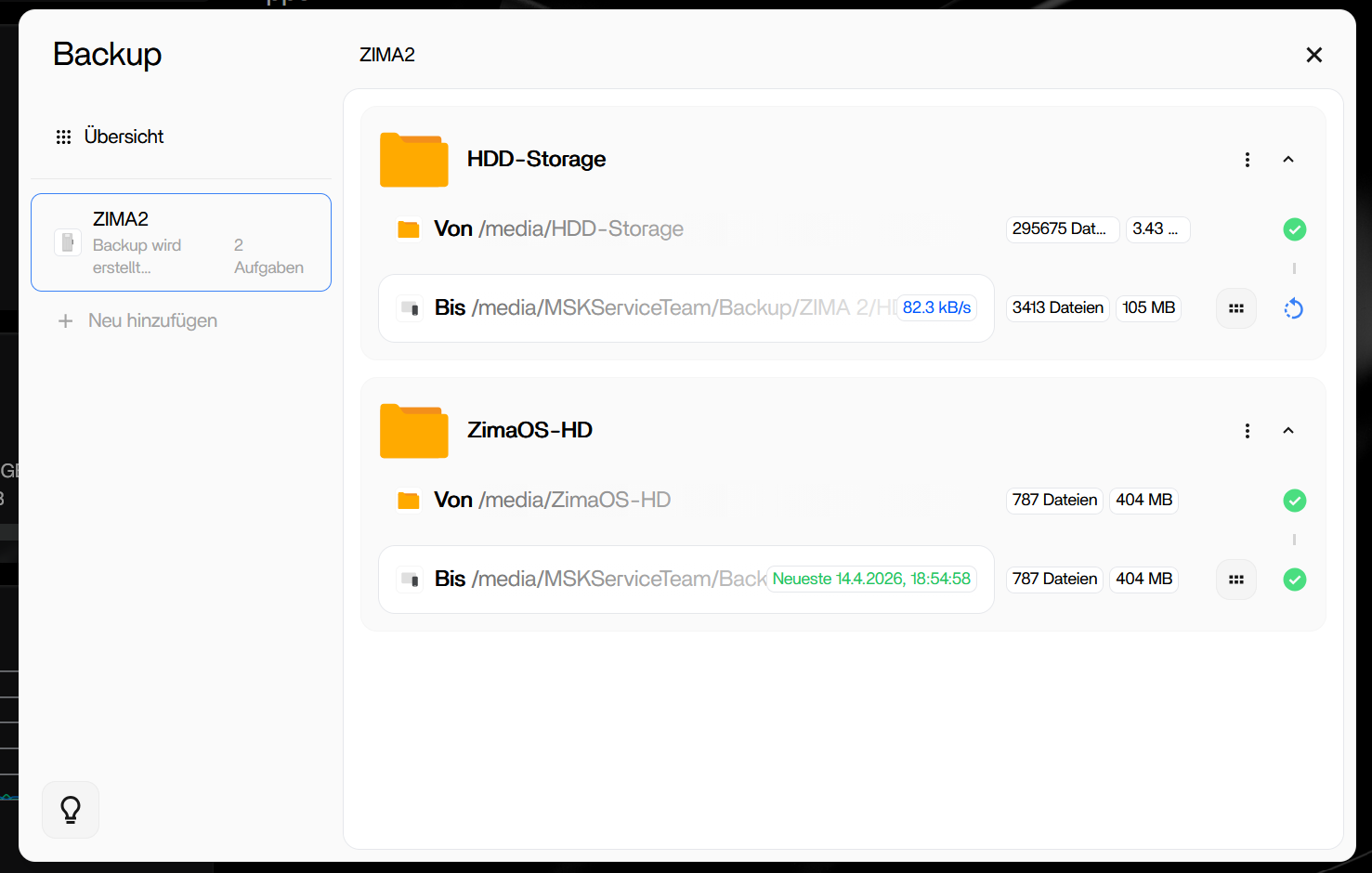
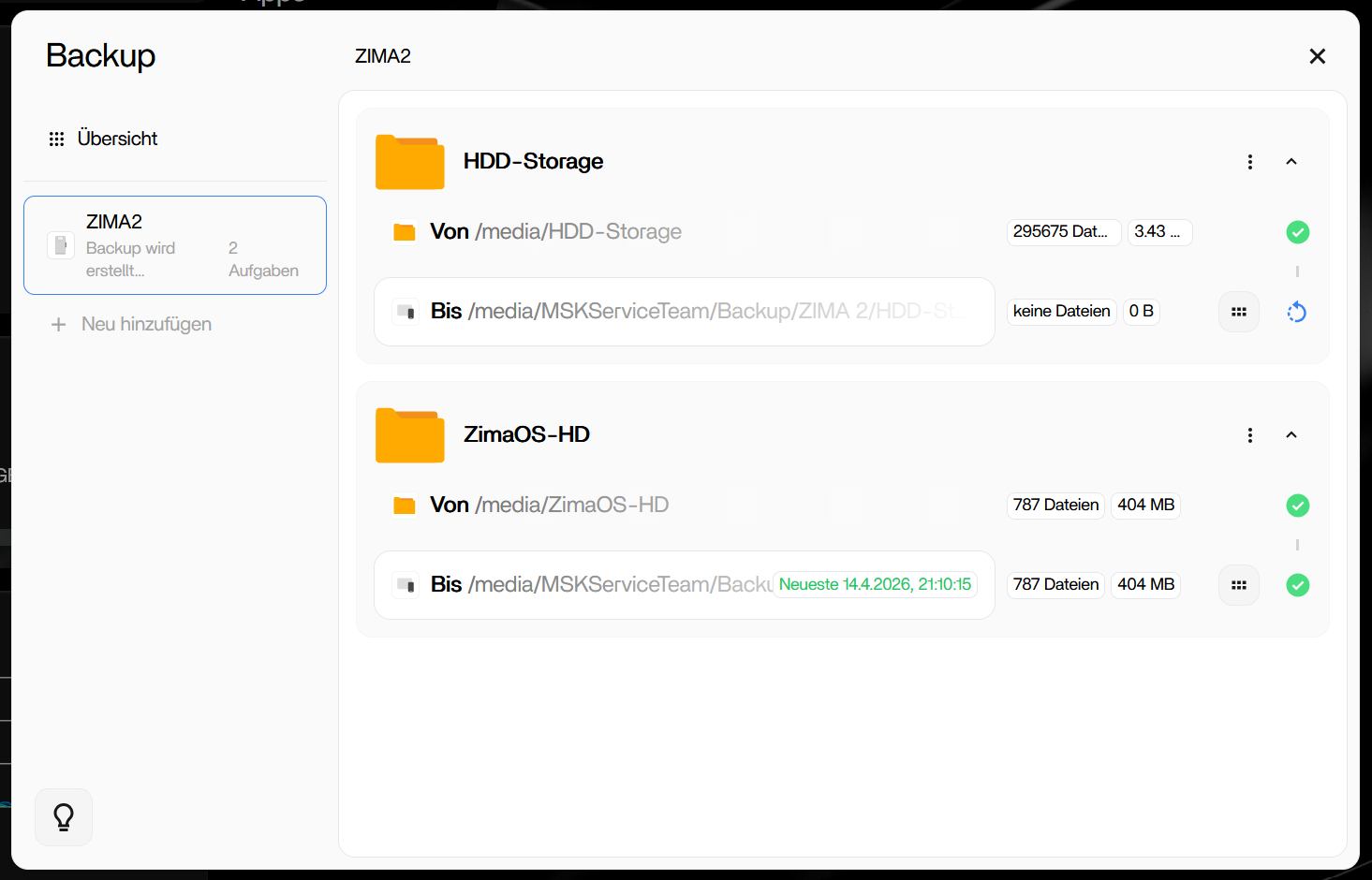
On one board, approximately 800 GB at the source corresponded to about 2.7 TB in the destination directory. On another, about 105 GB at the source appeared to be missing roughly 2 GB at the destination.
Version Retention Can Explain Some Growth, but Not a Frozen Second Run
Zima-Jerry asked whether the “reserved version” function was enabled. Keeping previous versions can legitimately make a backup destination larger than the current live source.
However, the source user later reset the test with a newly formatted external USB disk and documented a different failure: the first backup completed, the second backup copied some data and then stopped making progress.
The Clean USB Test Reproduced the Second-Run Failure
The user deleted old jobs, restarted the ZimaBoard 2, formatted an external drive, and created a new manual backup with versions enabled. The first run took almost two days and copied roughly 1.25 TB successfully.
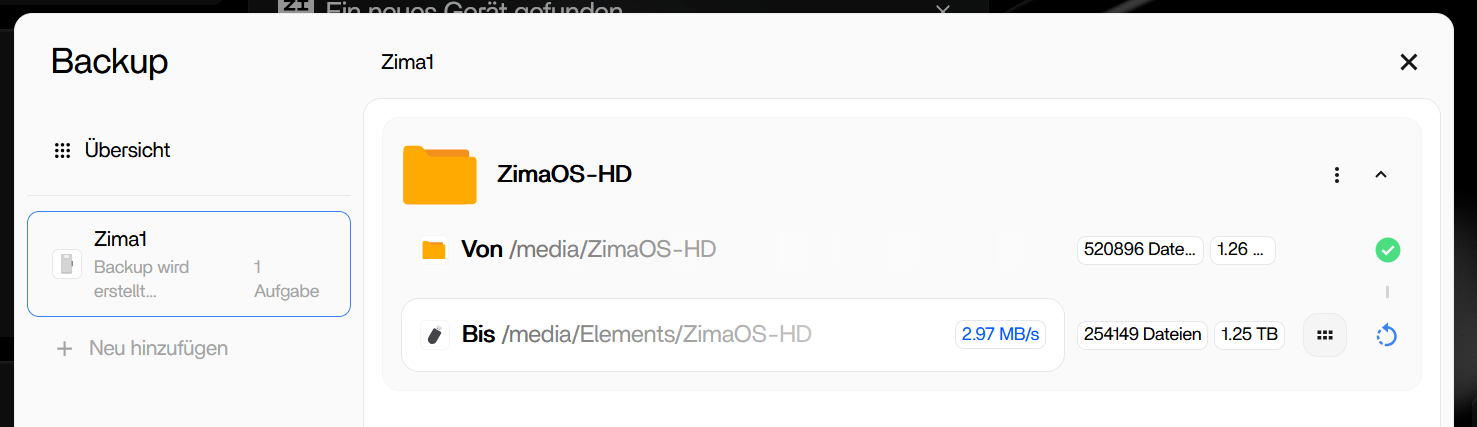
After disconnecting and reconnecting the drive through Files, the second run copied some changes, then the progress bar froze and the USB activity LED stopped. The same behavior had occurred with the Synology destination.
IceWhale Escalated the Backup Behavior
Zima-Jerry thanked the user for the controlled testing and said the issue would be forwarded to the development team for investigation.
A later IceWhale-related reply separated two known problem areas: backing up all of /media/ZimaOS-HD had previously included Docker pipe/socket content, and backup-progress display accuracy still needed improvement.
Backing Up the Entire System Drive Is Not the Same as a Restorable System Image
The discussion later turned to disaster recovery. A team reply explained that blindly backing up the whole system disk includes disposable Docker/runtime files and does not automatically provide a supported “restore this folder and the entire ZimaOS system returns exactly as before” workflow.
For disaster planning, distinguish user data, application data, databases, configuration, and replaceable container images.
ZimaOS 1.6.0 Changed Storage-Recovery Metadata
A later official reply said that beginning with ZimaOS 1.6.0, information describing how a storage device should be mounted was also written to the storage itself. The intent was to make RAID or single-disk storage easier to recognize again after a system-disk problem.
This improves array recovery, but it does not turn RAID into backup and does not fix the source user's second-run Backup hang by itself.
The User Still Reproduced the Problem on ZimaOS 1.6.1
On April 27, the original poster reported that the first backup still worked but the second and later runs hung for more than six hours with no further write activity. Closing and reopening Backup could show the destination as 0 B.
They said the pattern had been tested with four internal drives, two external USB drives, and three ZimaBoard 2 systems.
Current Backup Workflow Has Evolved
Current ZimaOS documentation now describes scheduled backup tasks across local, USB, NAS, and cloud destinations as part of a 3-2-1 strategy.
Use the current ZimaOS backup workflow and destination options rather than assuming the 1.5.x/1.6.1 interface behaves identically today.
The current guide does not by itself prove that every historical second-run bug in this thread was fixed, so verify real restore behavior on the version you run.
Verify the Backup Outside the Progress Bar
- compare source and destination file counts where practical;
- inspect real destination capacity rather than only the Backup UI;
- test a second and third incremental/versioned run;
- restore representative files to another location;
- document which application databases and settings must be backed up separately.
ZimaOS Backup FAQ
Did the source issue occur only with a Synology NAS?
No. The user reproduced similar freezing with an external USB drive.
Did the first backup fail?
The controlled first run completed; the recurring problem appeared on later runs.
Was the issue gone in ZimaOS 1.6.1?
No. The original poster explicitly said it still reproduced there.
Can a backup destination legitimately be larger than the current source?
Yes when version retention is enabled, but that does not explain every display or frozen-job symptom in the thread.


