
This beginner tutorial solved a real source of confusion: the name and path shown in ZimaOS Files is not automatically the path an application sees inside its Docker container. The original poster used the web terminal to inspect disk mount points, then mapped the host storage folder into Immich or Syncthing under a simpler container path such as /SYNC.
The thread later received an important correction: raw mount paths should not be treated as the preferred long-term app-storage interface when ZimaOS can provide a managed storage path. Current ZimaOS makes this much easier than the 2025 workflow.
The Original Tutorial Started in Developer Mode
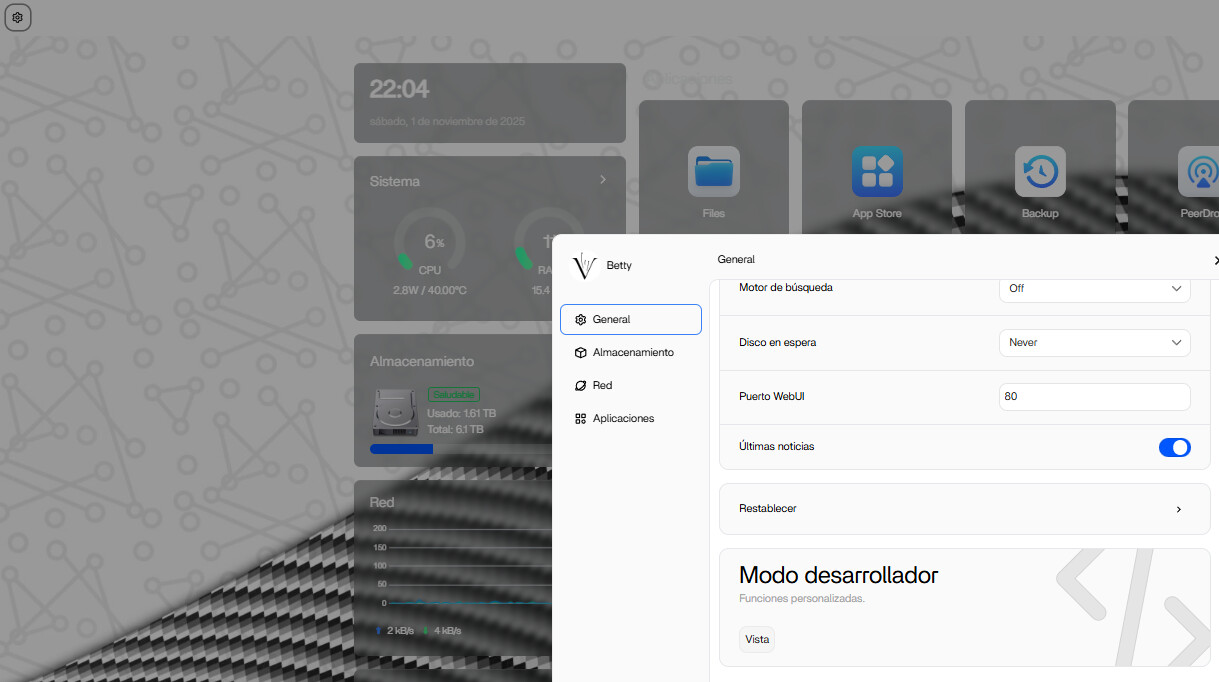
The User Used lsblk to Inspect Mount Points

Open the App Settings and Add a Volume

The Host and Container Columns Mean Different Things
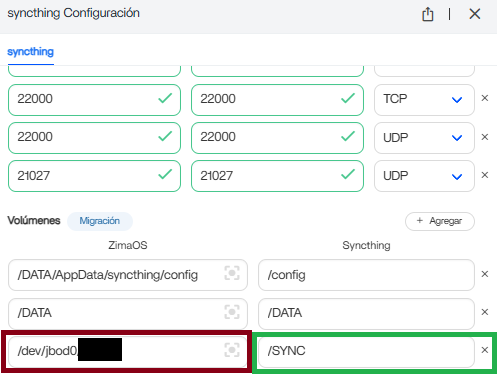
If the container path is /SYNC, then the application should use /SYNC or a subfolder such as /SYNC/Photos. It should not be pointed back to the host mount path.
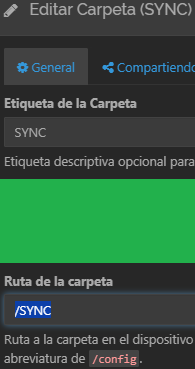
A Community Reply Warned Against Raw /mnt Paths
Another participant pointed out that direct raw mount paths can change after disk refresh, pool rebuild, or other storage operations and can bypass assumptions in the ZimaOS storage layer.
The responder recommended mapping stable ZimaOS-managed storage such as /DATA/Media or the intended AppData location instead of building an app around an arbitrary raw mount identifier.
IceWhale Clarified External Media Is Under /media by Default
Zima-Giorgio added that external storage media paths are placed under /media by default. That official note helps distinguish external storage from the internal application-data examples under /DATA.
Current ZimaOS Makes the Path Model More Explicit
By August 2026, the original tutorial author told a later user that newer ZimaOS versions made this process much easier.
Current IceWhale guidance explains how ZimaOS host storage and container paths are mapped in app settings. Start there before manually building paths from low-level mount output.
Use the File Picker or Managed Storage When Available
For normal apps, the safest current workflow is to select a real folder on the intended ZimaOS storage space in the app's volume settings, choose or preserve the container path expected by the app, save, then use that container path inside the application.
Do Not Use a Raw Device Node as an Application Folder
The source screenshot includes a path beginning with /dev/... in an experimental volume mapping. A block-device node is not the same thing as a mounted filesystem directory. Normal applications such as Syncthing and Immich should receive a mounted folder, not an unmounted raw disk device.
/DATA Is a ZimaOS Data Location, Not a Placeholder for Every Disk
A later beginner asked whether /DATA simply means “start every path here.” It does not. /DATA is a managed ZimaOS data location used for system-managed application and user data. Separate external storage can appear under /media or another managed storage path depending on how ZimaOS registered it.
The important rule is to select the actual host folder from the intended storage space, then map it to a stable container path.
The Tutorial Author Later Said Newer ZimaOS Makes This Easier
In August 2026, the original author returned and told another beginner that newer ZimaOS releases simplify the workflow. That later comment reinforces the historical boundary: use the 2025 terminal screenshots to understand host-versus-container paths, not as a requirement to manually discover every current mount point.
External Drive Access FAQ
Which side of a Docker volume is the real disk path?
The Host side.
Which path should Immich, Syncthing, or another app use internally?
The Container-side path configured in the volume mapping.
Should every app be pointed directly at /mnt or a device node?
No. Prefer stable managed storage paths when ZimaOS provides them.
Where did IceWhale say external media is mounted by default?
Zima-Giorgio said external storage media is under /media by default.


