
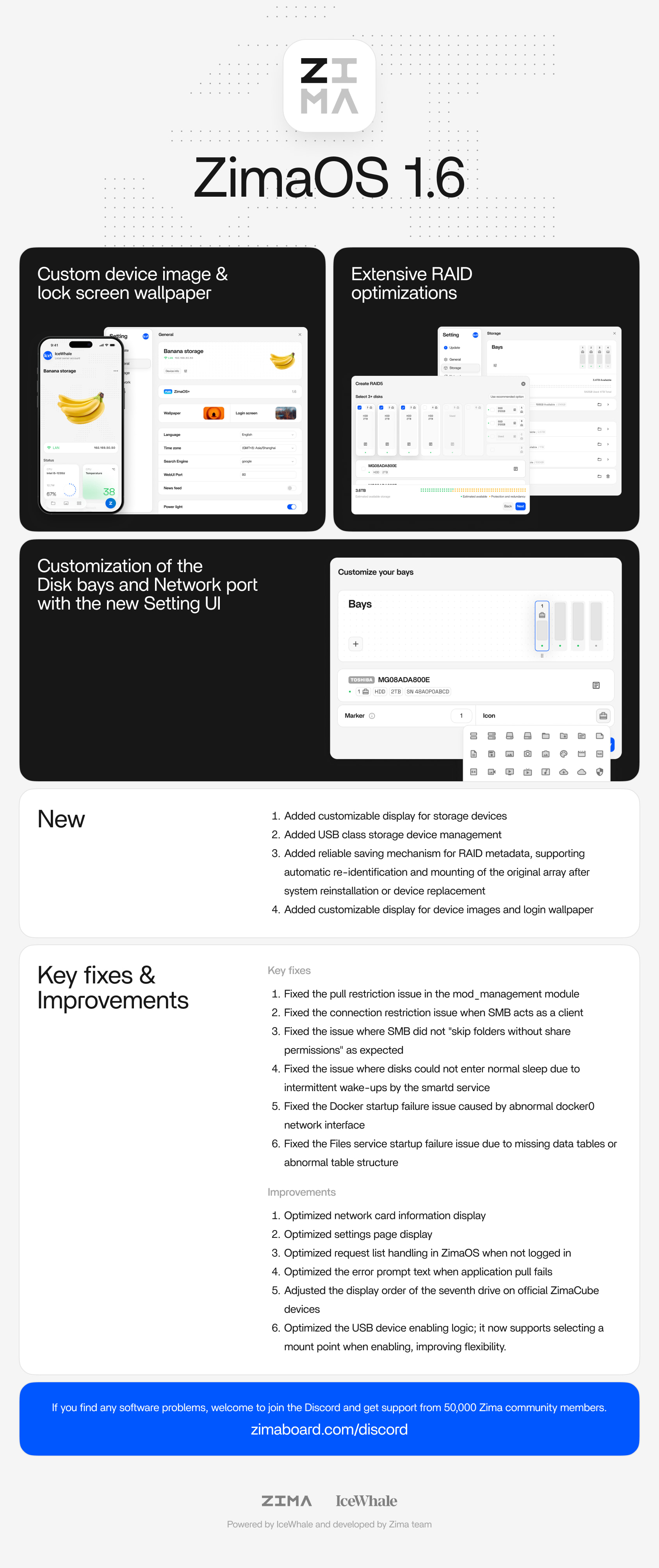
ZimaOS 1.6.0 was released on April 17, 2026 with a strong focus on storage management, personalization, USB devices, RAID recovery, and system reliability. The announcement highlighted four new capabilities, eight fixes, and several interface and storage optimizations.
The community thread is also useful because it records what happened after real users upgraded. Some systems updated without problems, while others reported missing USB drives, blank Files pages, broken mount references, or unexpectedly full system storage. Those reports should not be treated as proof that every 1.6.0 installation was broken. They do, however, explain why ZimaOS 1.6.1 was released quickly with specific USB mount and backup fixes, followed later by 1.6.2 with additional storage, compatibility, and security changes.
What Was New in ZimaOS 1.6.0?
Customizable Storage Device Display
ZimaOS 1.6.0 added customization for how storage devices appear in the interface. This was part of a broader effort to make the dashboard represent the user's actual hardware more clearly.
USB Class Storage Device Management
The release added dedicated management for USB-class storage devices. It also changed the USB enabling workflow so users could select the intended mount point when enabling a device.
This was one of the most visible 1.6.0 changes, and it was also the area where several early upgrade reports appeared.
More Reliable RAID Metadata Recovery
ZimaOS 1.6.0 added a stronger RAID metadata saving mechanism designed to identify and remount an existing array after system reinstallation or device replacement.
This addresses an important NAS recovery scenario: the operating system can be replaced without treating an existing RAID as if it were a completely new set of disks.
Custom Device Images and Login Wallpaper
The release also added customizable device imagery and login wallpapers, moving ZimaOS beyond purely functional NAS settings toward a more personalized interface.
What ZimaOS 1.6.0 Fixed
The official release notes listed fixes for:
- pull restrictions in the
mod_managementmodule; - connection restrictions when SMB acts as a client;
- SMB share-permission folder skipping;
- disks being prevented from sleeping because of intermittent
smartdwakeups; - Docker startup failures caused by an abnormal
docker0interface; - Files service startup failures caused by missing or abnormal database tables;
- storage appearing missing when vfat disks were present;
- incorrect Recycle Bin display.
The official release history is available from the ZimaOS GitHub releases page.
Other 1.6.0 Optimizations
The release also improved:
- network-card information display;
- the Settings page layout;
- request-list handling when users are not logged in;
- error messages when an application pull fails;
- the display order of additional drives on official ZimaCube devices;
- USB enabling and mount-point selection.
What Users Reported After Upgrading
The replies are important because they document several distinct post-upgrade symptoms. They should not be merged into one universal bug.
Blank Files Page
Some users reported that the Files app opened as a blank page immediately after upgrading. In at least two replies, opening the page from another browser or clearing browser cache restored the Files view.
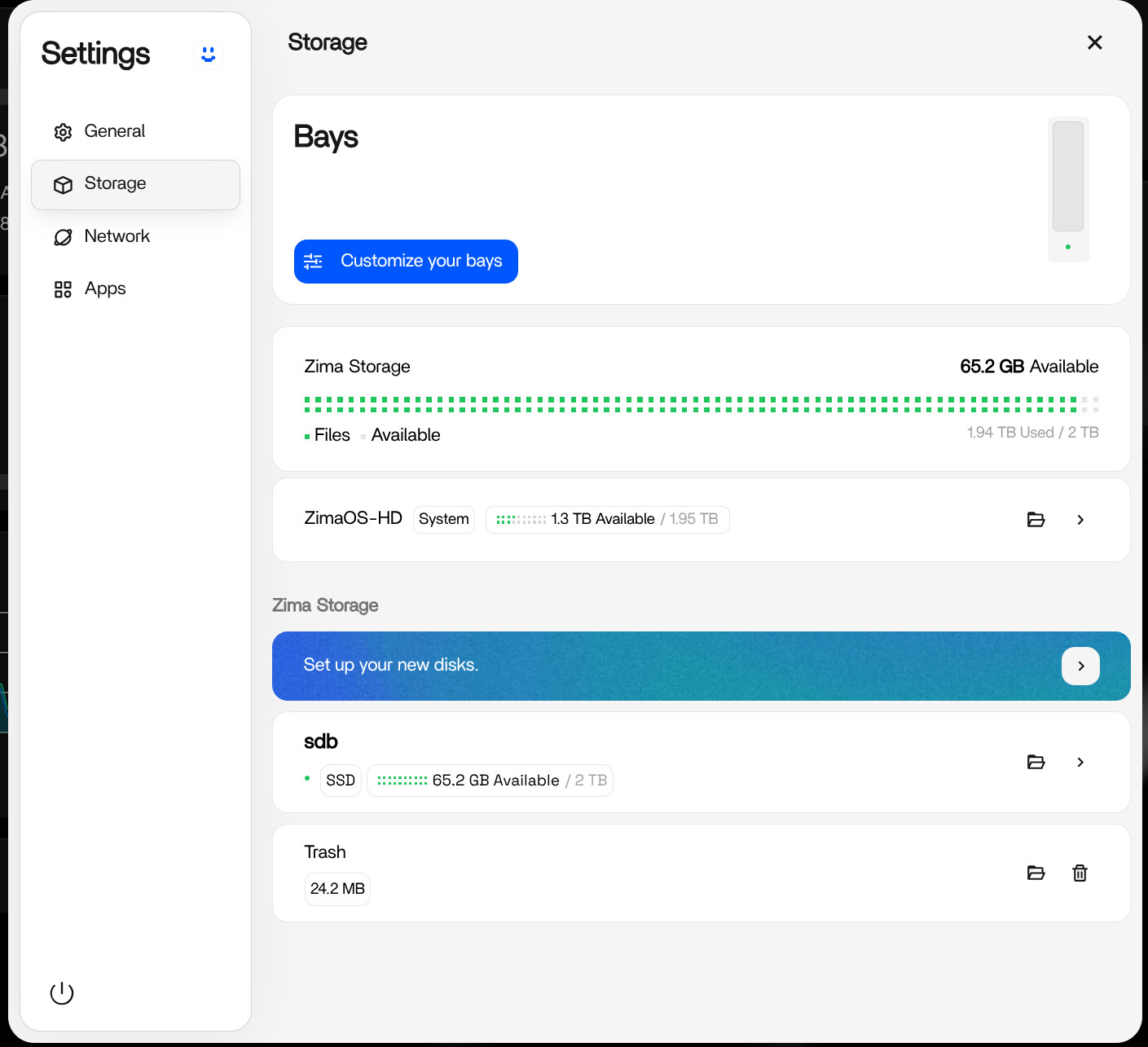
That browser-side result is different from a genuinely missing disk or broken mount. If the storage still appears correctly in terminal and applications continue to use it, test browser cache before modifying disks.
USB Drives Appearing as New or Missing
Several users reported that previously used USB disks appeared under a setup flow after the 1.6.0 upgrade. One user successfully restored access by choosing the non-formatting Enable action and re-entering the previous disk label.
The source reply explicitly warned not to choose Enable (Format all) when the goal is to recover access to existing data.
Some Users Rolled Back
A few users temporarily rolled back to 1.5.x after 1.6.0 storage problems. This is historical evidence of the early release experience, not a current recommendation to downgrade every 1.6+ system.
Before using an old OTA downgrade command from a forum reply, check the current release status and official support guidance. Downgrades can have their own compatibility risks if system databases or storage metadata have changed.
Reports of ZimaOS-HD Becoming Full
One user reported both /DATA and the root filesystem as 100% full after upgrading. The same discussion contained several manual cleanup commands, swap changes, and deletion attempts.
Another experienced community member strongly warned against random destructive commands and recommended diagnosing in this order:
Disk → Docker → Mounts → LogsThat troubleshooting order is safer than deleting system folders because a missing mount can make applications write into a fallback directory on the system disk, creating the appearance that the OS suddenly consumed all available space.
A Safer Post-Upgrade Diagnostic Order
If storage or applications look wrong after an update, start with read-only inspection:
lsblk -o NAME,SIZE,FSTYPE,MOUNTPOINT
df -h
docker ps
docker ps -a
For one affected container:
docker inspect CONTAINER_NAME
docker logs CONTAINER_NAME
Check whether:
- the expected disk is still mounted under the same path;
- the container's bind-mount source still exists;
- Docker is running normally;
- logs show missing files, permission failures, or missing devices.
ZimaOS 1.6.1 Directly Addressed Early USB Upgrade Problems
ZimaOS 1.6.1 was released shortly after 1.6.0 and its official fixes map directly to several community complaints. It fixed:
- USB devices not automatically mounting after an upgrade;
- backup tasks continuing to write to the system mount point after the intended mount point was lost;
- mod-module service policy problems after reboot;
- mount-point names not matching device names containing spaces.
This follow-up release is important context. A problem reported against the first 1.6.0 build should not automatically be described as a current ZimaOS issue months later.
ZimaOS 1.6.2 Added More Storage Fixes and Security Changes
ZimaOS 1.6.2 later added additional storage and USB corrections, including:
- fixing duplicate USB mount-point assignment at startup;
- fixing legacy suffixes when USB mount points conflicted;
- fixing RAID degradation after reboot in a same-serial-number scenario;
- optimizing file migration and other high-frequency file operations.
It also delivered multiple high-risk security fixes, disabled root SSH remote login by default, added SSH brute-force protections, and disabled NFS by default.
ZimaOS Has Continued Beyond 1.6.x
As of August 2026, the ZimaOS GitHub release history has moved beyond 1.6.x into the 1.7 series. That means this page should be read as a record of what changed in 1.6.0 and what users experienced during that transition—not as a description of the current feature set or current outstanding bugs.
Before Upgrading an Older ZimaOS Installation
- Back up important application databases and irreplaceable files.
- Record current disk names and mount points with
lsblk. - Record important Docker bind-mount paths.
- Make sure the system disk is not already close to full.
- Read the release notes for the target version and any intermediate storage migrations.
- After reboot, verify storage mounts before starting destructive troubleshooting.
- If Files appears blank but storage/services still work, test another browser or clear cache.
- Never choose a formatting action when trying to recover an existing disk unless you intend to erase it.
ZimaOS 1.6.0 FAQ
What were the biggest new features in ZimaOS 1.6.0?
Custom storage-device display, USB-class storage management, stronger RAID metadata recovery, and custom device/login visuals were the headline additions.
Did every user have storage problems after upgrading?
No. The community thread includes both successful upgrades and systems with USB, Files, storage, or mount issues.
Were the USB auto-mount problems fixed later?
ZimaOS 1.6.1 specifically lists a fix for USB devices not auto-mounting after an upgrade, along with a fix preventing backup tasks from writing to the system mount point after a mount was lost.
Is 1.6.0 the current ZimaOS release?
No. ZimaOS has continued through later 1.6.x updates and into the 1.7 series. Use this page for the 1.6.0 change history and upgrade context.


