
ZimaOS 1.5 was presented as a major step toward a NAS operating system built around three ideas: simplified operation, focused data management, and an open ecosystem. The release was not positioned as a collection of isolated features. Instead, it brought the dashboard, storage tools, file management, backup, remote access, hardware support, and App Store into a more consistent experience.
The goal was to reduce the amount of system administration required for everyday tasks without removing the controls experienced users expect. For someone building a personal cloud, home media server, backup destination, or self-hosted application platform, that means spending less time moving between utilities and more time using the server.
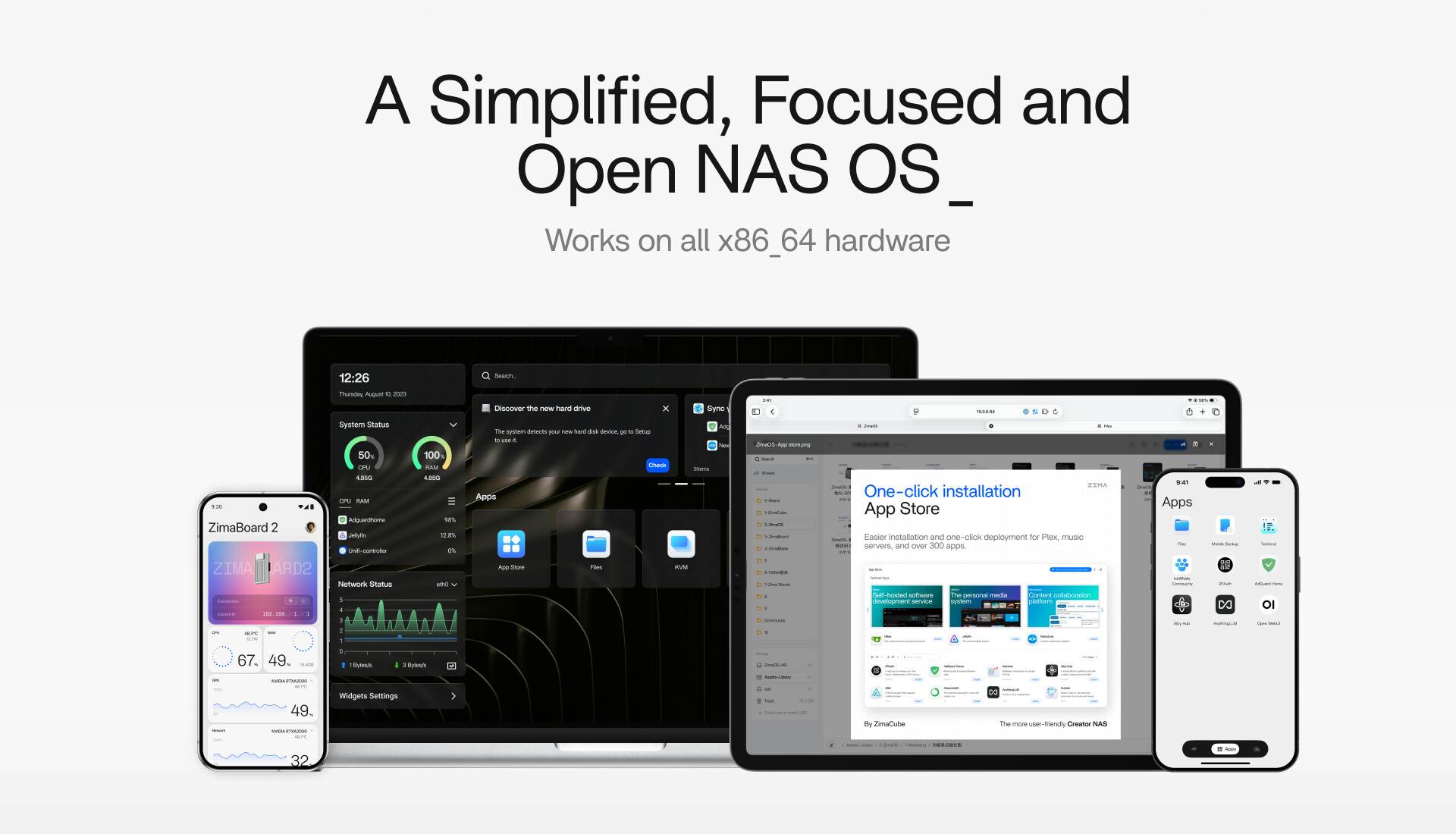
Simplified Does Not Mean Removing Useful Controls
For ZimaOS, simplified means presenting complex NAS functions through a consistent design language. The dashboard opens around the applications and information a user needs most, while widgets surface system status without forcing users through several layers of menus.
A Dashboard Built Around Everyday Tasks
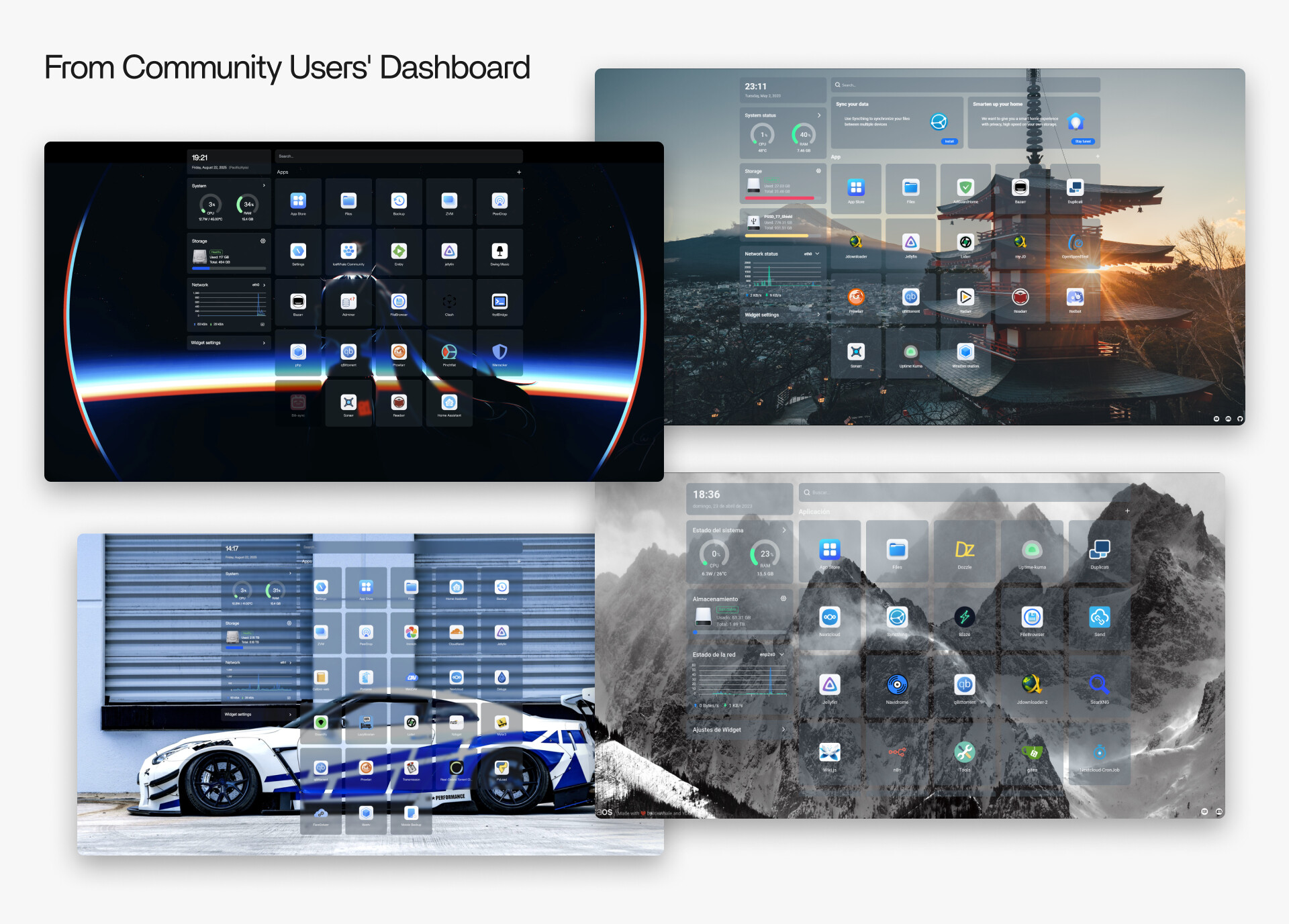
The ZimaOS dashboard places installed applications at the center of the experience. Storage status, system information, and commonly used tools remain visible without turning the home screen into a dense administration console. This structure is particularly useful for households and small teams whose users may understand their applications but do not want to manage a traditional enterprise NAS interface.

Storage Arrays With a Shorter Setup Path
Storage creation was designed around a straightforward sequence: connect the drives, select the intended layout, review the result, and create the array. The simplified workflow does not prevent advanced inspection. Users can still examine drive and storage details when they need more control.
This balance is important because a NAS must serve two different moments. Initial setup should be approachable, while later troubleshooting, expansion, and maintenance still require clear technical information.
A More Capable Files Application
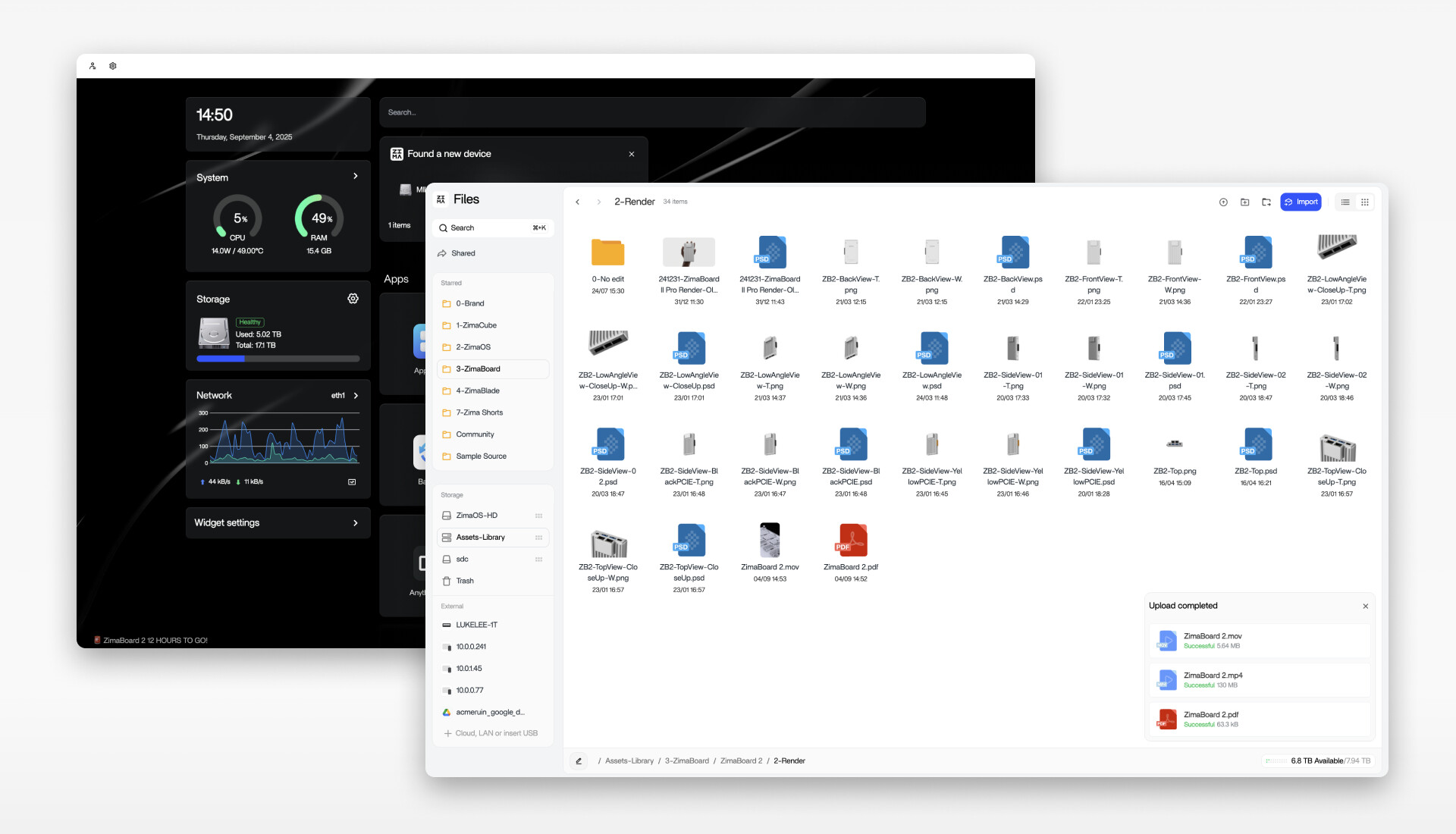
The Files application received improvements to transfers, previews, video playback, and document handling. It also works as an aggregation layer across local disks, LAN shares, and supported cloud services. Instead of treating every storage location as a separate island, users can manage more of their data through one interface.
That unified view can reduce manual work when moving files between a computer, another NAS, a local disk, or a connected cloud account. The release also highlighted automatic migration between supported cloud services, allowing recurring transfers to be handled by the server rather than repeated from a desktop.
Focused Data Management Across Devices
Focused does not mean limiting the number of things the system can do. It means organizing features around a smaller number of understandable workflows. ZimaOS 1.5 applied this idea to backup, synchronization, and remote access.
Backup Defined by Source and Destination
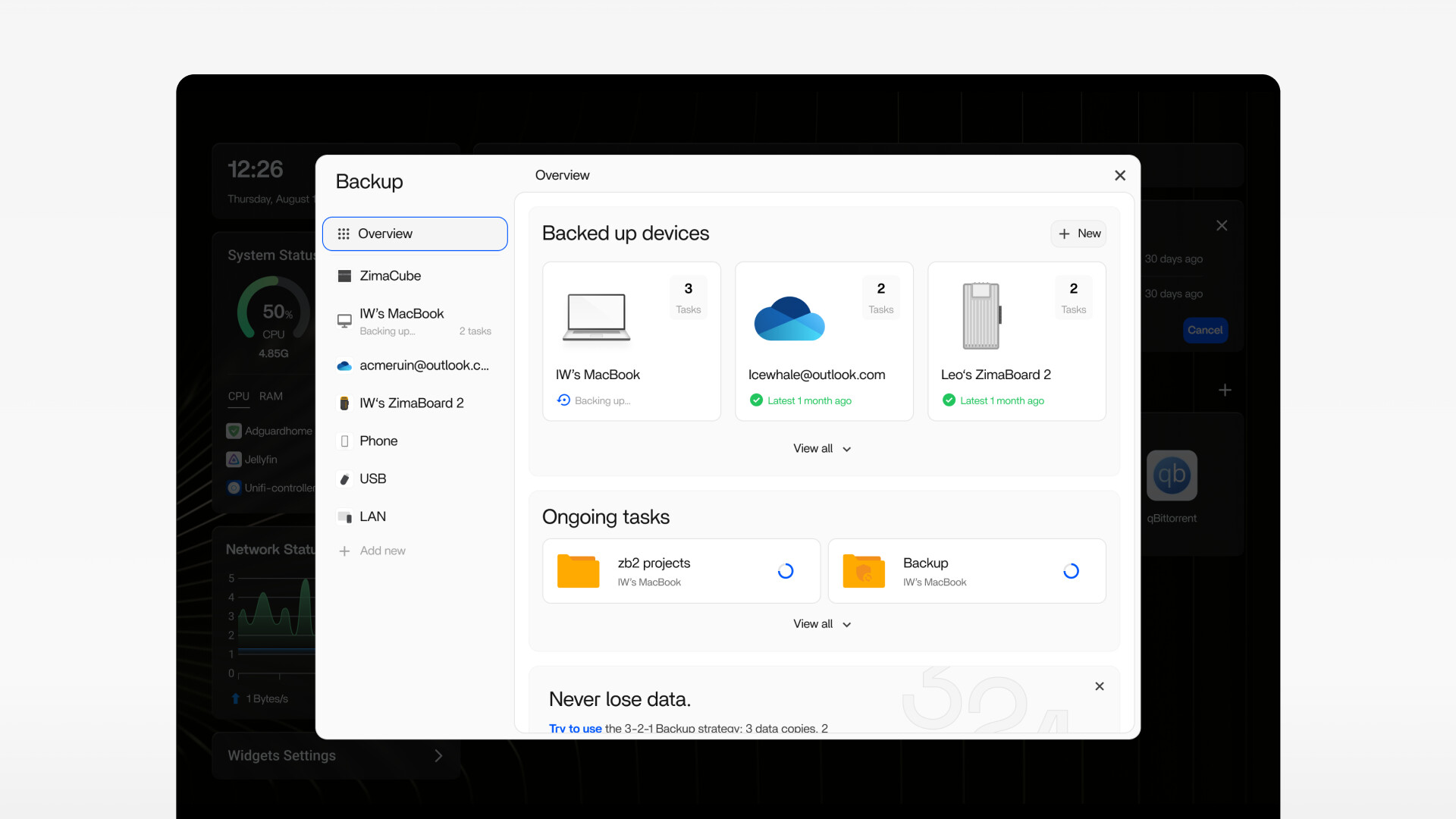
Rather than requiring a different utility for every backup type, the backup workflow is based on two questions: where is the data now, and where should it go? A source might be a laptop, mobile device, local folder, LAN share, or cloud service. The destination might be the ZimaOS server, another device, or supported remote storage.
This source-to-destination model makes it easier to understand scheduled jobs, current progress, and the direction in which data is moving. It also creates a more consistent experience for users who need several backup tasks but do not want to learn a different interface for each one.
Remote Access Through Zima Client
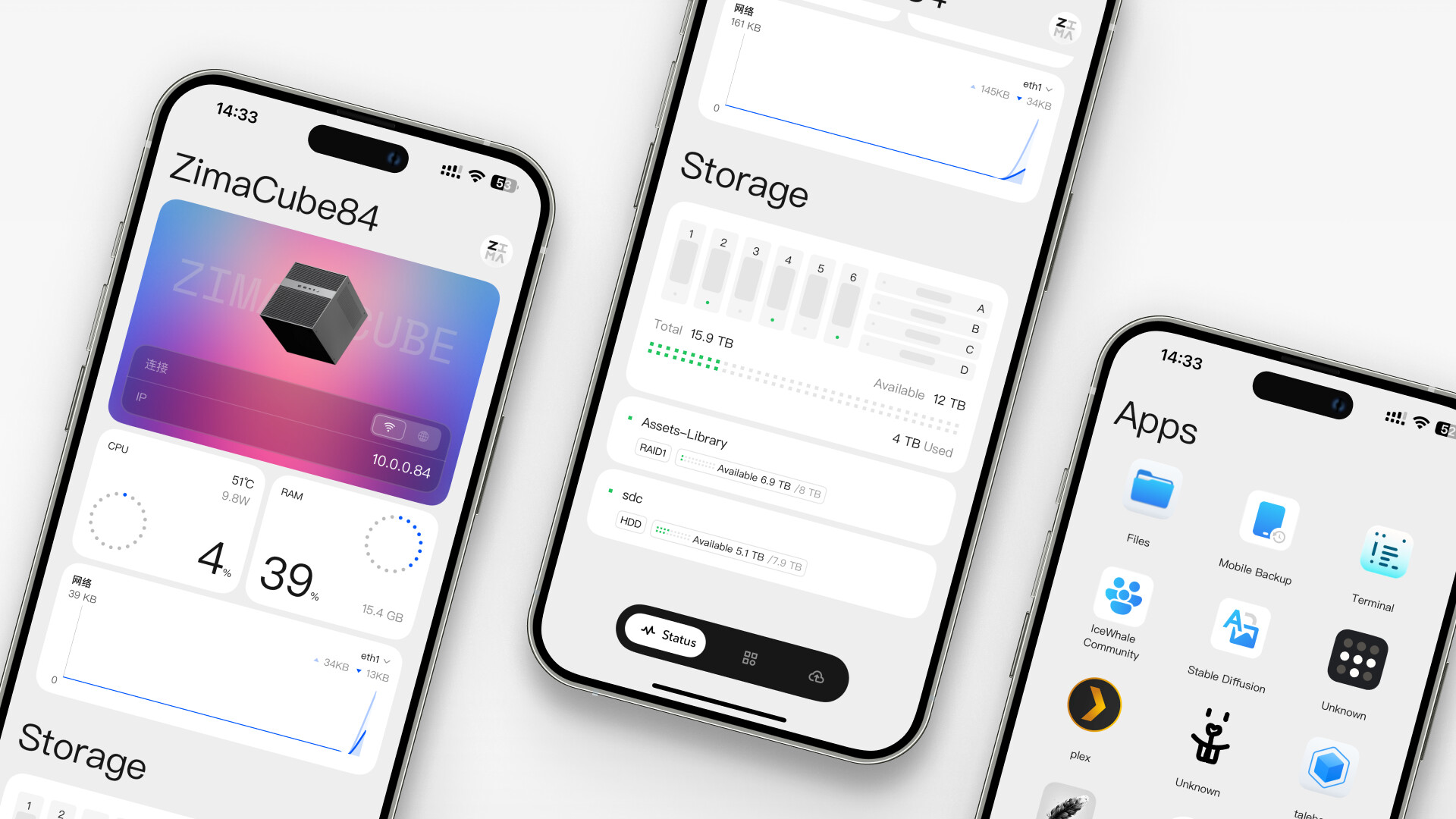
Zima Client extends the same workflow beyond the local network. The mobile application was announced for iOS and Android, while desktop access supports Mac and Windows. The stated design uses peer-to-peer direct connections where available, allowing users to reach files and services without treating a third-party cloud account as the owner of their data.
Remote access is most useful when it feels like part of the same storage system rather than a separate product. A user should be able to check a device, reach a service, transfer a file, or back up phone data without rebuilding the workflow on every platform.
Open Hardware, Development, and Applications
Openness in ZimaOS 1.5 was described at three levels: the hardware it can run on, the way community feedback influences development, and the applications users can install.
Broad x86-64 Hardware Support
ZimaOS is designed for x86-64 systems, including self-built servers, mini PCs, and Zima hardware. Actual compatibility can still depend on storage controllers, network adapters, GPUs, firmware, and other components, so broad architecture support should not be treated as a guarantee that every device will work without additional drivers.
The release introduced a driver feedback and update process intended to improve support for expansion hardware over time. Users considering a new installation should check current compatibility information before migrating important storage. Those who want a ready-made x86 platform can also review ZimaBoard 2, which combines an Intel N150 processor with native SATA, PCIe, and dual 2.5GbE networking.
Community Feedback as a Development Input
The release continued the community-oriented direction established with CasaOS. Feedback from the forum, Discord, YouTube, and other channels has influenced features including DLNA, virtual machines, and SSL support. Community replies to the ZimaOS 1.5 announcement also asked for clearer quarterly updates, public roadmaps, changelogs, and easier access to release notes.
The development team acknowledged that request and said it was compiling updates into a timeline while considering a changelog area that could partly serve as a roadmap. The discussion also highlighted a useful distinction: a roadmap can communicate core priorities and community requests without revealing every experimental idea before it is ready.
An App Store Built Around Self-Hosted Workloads
At the time of the announcement, the ZimaOS App Store contained more than 800 applications. The catalog covered media servers, game servers, smart-home tools, network utilities, productivity services, and private knowledge bases. This gives beginners a graphical installation path while allowing advanced users to continue working with third-party Docker applications and custom configurations.
The important point is not only the number of applications. An open NAS platform becomes more useful when users can adapt it to changing needs without replacing the operating system every time a new workload appears.
Privacy, Local Accounts, and Offline Operation
The ZimaOS 1.5 announcement described the NAS as a private digital space in which account sovereignty remains with the owner. Device identity is generated locally, and the normal local account setup does not require an email address or phone number. The system can also operate without a continuous internet connection.
The announcement further states that ZimaOS uses no tracking or telemetry to collect user data. As with any NAS, installed third-party applications and externally connected cloud services may follow their own privacy policies, so users should review each service separately.
For the latest overview of supported features, privacy design, applications, and system requirements, visit the official ZimaOS page.
How ZimaOS 1.5 Updates Were Delivered
One of the most common questions in the community replies was whether existing systems would update automatically. The team explained that an available release appears as a red notification dot next to the Settings icon. Users can open General Settings and select the upgrade action when the prompt becomes available.
The rollout was staged, so the notification did not necessarily reach every system at the same time. For the 1.5 release, the team advised that global availability could take approximately one or two days. This timing applied to that release and should not be assumed for every future update.
Manual Update Method Shared in the Community
The team also shared a command-line option for advanced users. Before using a manual update, back up important data, confirm the desired release, and understand that forcing an older version may behave differently from a normal upgrade through Settings.
sudo -i

# Install the historical ZimaOS 1.5.0 release
curl -fsSL 'https://ota.zimaos.com/1.5.0' | sh

# Update according to the current stable or beta channel
curl -fsSL 'https://ota.zimaos.com/' | sh
SSH access can be enabled from Settings > General > Developer Mode > SSH Access. Commands that download and execute a remote script should only be run on a system you control and from an official source you have verified. For a normal production system, the graphical update notification remains the simpler path.
Where to Find Release Notes
The community requested a clearer changelog, and the official reply directed users to the ZimaOS releases page on GitHub. Because ZimaOS continues to evolve beyond version 1.5, the releases page is a better source for current fixes and version-specific changes than a historical announcement.
What the Community Asked About Plus and Virtual Machines
A user running ZimaOS 1.5 in a virtual machine reported that the interface did not show a Get Plus option after purchasing a Plus license. The team explained that upgrading the existing virtual machine had already granted that device Plus access. The separately purchased license could therefore be used for another device or refunded.
If a Plus or activation state does not match what appears in General Settings, collect screenshots of the settings panel and explain the intended activation in the support request. The contact address shared in the discussion was community@icewhale.org.
Who Was ZimaOS 1.5 Designed For?
ZimaOS 1.5 was aimed at users who want NAS capabilities without turning storage administration into a separate hobby. Its clearest use cases include:
- Families centralizing photos, documents, mobile backups, and shared files.
- Creators moving large projects between local storage, computers, and supported cloud services.
- Home-lab users running Docker applications, media services, virtual machines, or smart-home tools.
- Small teams that need shared storage and remote access through a consistent interface.
- Owners of compatible x86-64 systems who want an approachable alternative to a traditional NAS administration interface.
ZimaOS 1.5 is now best understood as an important milestone rather than the final state of the platform. New users should review the current system before installation and use the historical 1.5 discussion to understand the product philosophy and the community priorities that shaped later releases. The current installer is available from the official ZimaOS download page.
Frequently Asked Questions
What were the main ideas behind ZimaOS 1.5?
The release was organized around simplified operation, focused data management, and an open hardware and application ecosystem. It improved how the dashboard, storage, Files, backup, remote access, and applications worked together.
Does ZimaOS 1.5 support every x86-64 computer?
ZimaOS is designed for broad x86-64 hardware support, but individual storage controllers, network adapters, GPUs, firmware versions, and expansion devices can still affect compatibility. Check current hardware information before migrating important data.
How did existing users receive the ZimaOS 1.5 update?
The update appeared as a red notification dot beside the Settings icon. Users could open General Settings and start the upgrade after the release reached their device.
Why did the update notification not appear immediately?
The 1.5 rollout was distributed gradually. The team advised that availability across all systems could take one or two days. Future releases may follow a different schedule.
Where are the official ZimaOS release notes?
Version-specific notes are published on the official ZimaOS GitHub releases page.
Does ZimaOS require an email address or phone number?
The local account and device identity described in the announcement are generated locally and do not require an email address or phone number. Connected third-party applications and cloud services may have separate account requirements.
Can ZimaOS work without an internet connection?
The core system can operate offline. Internet access is still required for activities such as downloading updates, installing online applications, reaching remote services, or connecting supported cloud accounts.


