
A Windows user reported that ZimaClient 2.0.0 consumed substantial resources on an older Lenovo laptop. They paired ZimaClient once, stopped its processes, removed the bundled ZeroTier installation, and used the official ZeroTier One client to reach the ZimaOS virtual-network address directly.
IceWhale did not endorse this as the replacement architecture. The official response requested versioned CPU and memory evidence and confirmed that ZimaClient performance was being improved. Treat the workaround as a historical user experiment.
What the Community Workaround Did
- Install and pair ZimaClient with the ZimaOS Network ID.
- Record the virtual remote IP shown in ZimaOS network settings.
- Stop ZimaClient and disable its Windows startup entry.
- Replace the installed ZeroTier component with the standard ZeroTier One Windows client.
- Join the same ZimaOS Network ID and enable client startup at login.
- Use the virtual IP for the dashboard or SMB mapping.
The source user also described joining from Android and resetting the Network ID when the old virtual network became stale. Resetting a Network ID changes connectivity for every client, so document affected devices before doing it.
Dashboard and SMB Access
In the thread, the dashboard was opened at the ZimaOS virtual IP, commonly in a 10.240.x.x range, and Windows SMB used a UNC path such as \\10.240.x.x. Do not assume that range is universal; use the current virtual address shown on your own system.
Current ZimaOS explains where to find the identifier in the official Network ID guide.
Measure the Performance Problem Before Replacing Components
IceWhale asked the user to provide the ZimaClient version, hardware details, screenshots of resource use, and an expected CPU/RAM target. The user supplied comparisons for idle Windows, ZimaClient running, and ZeroTier One running.
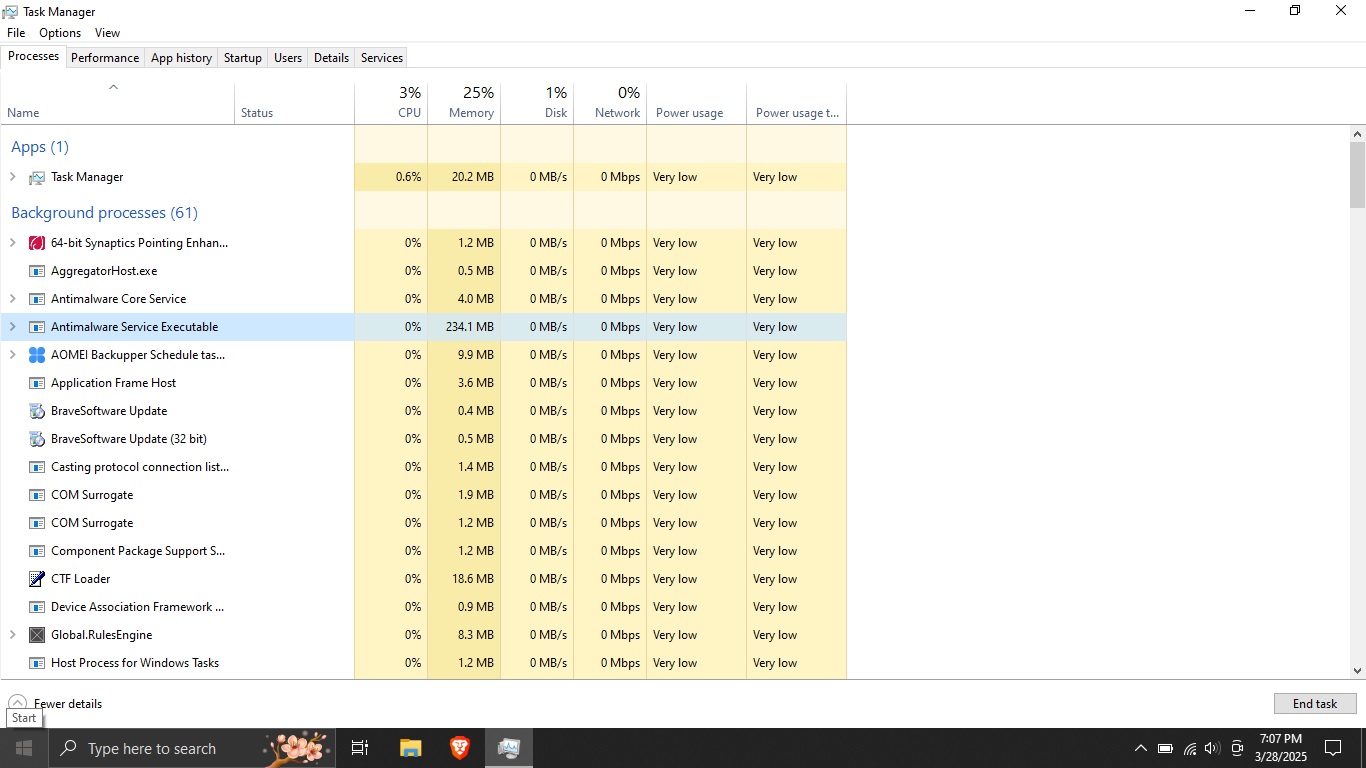
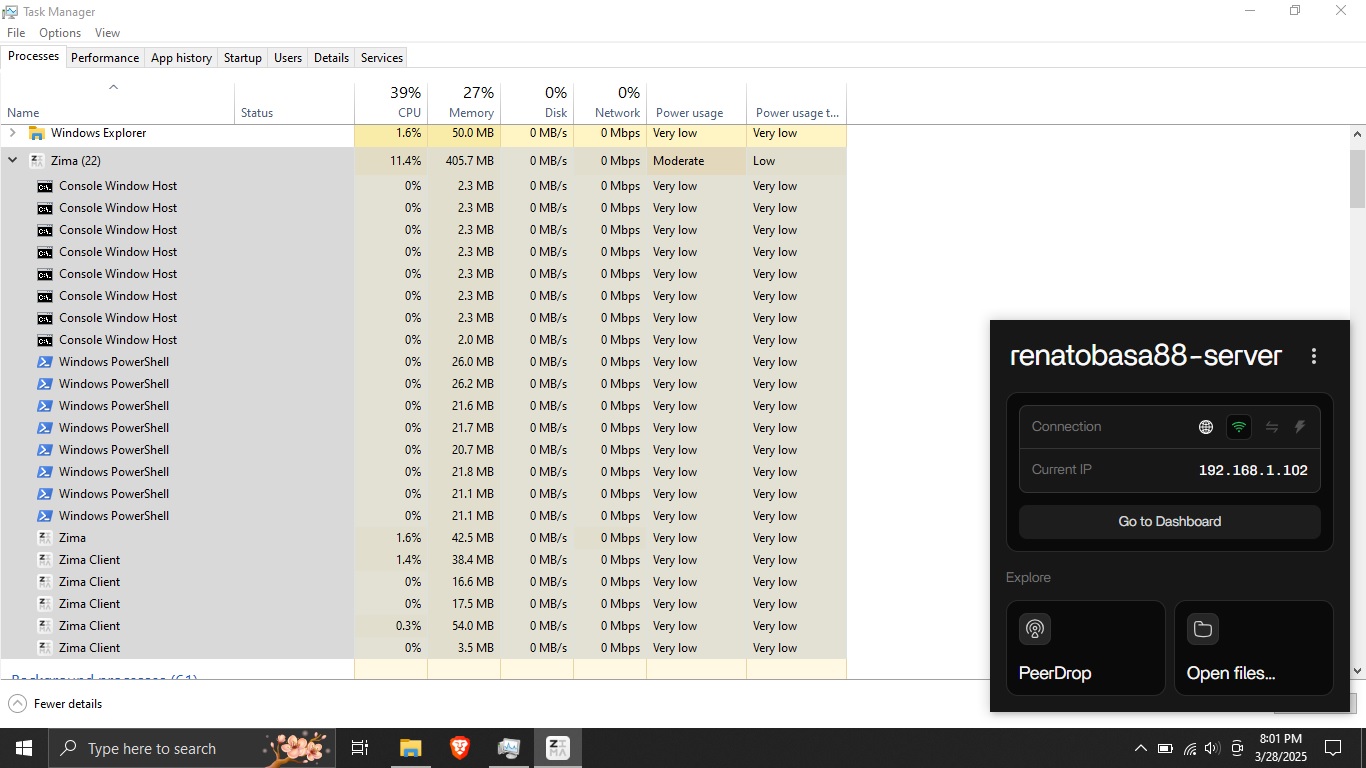
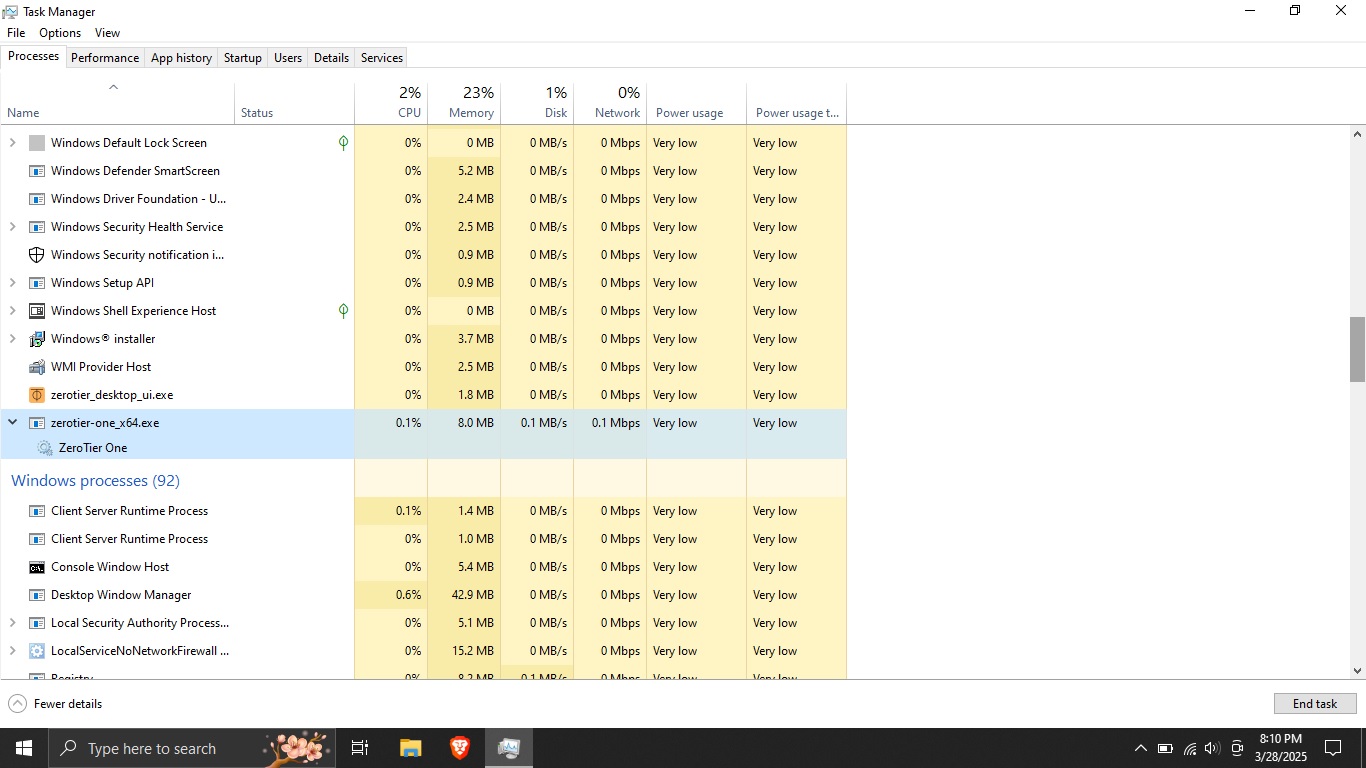
These screenshots represent one laptop and one 2025 client version. They are not a current cross-device benchmark.
Current ZimaClient Guidance
The current ZimaClient installation guide still recommends ZimaClient and explains that it uses a self-deployed network controller with ZeroTier discovery. It also provides Windows log locations for performance reports.
If resource use is still high today, record CPU, memory, process names, client version, Windows version, connection type, and steps to reproduce before altering the installation.
What You Lose by Running ZeroTier Alone
Direct ZeroTier access may preserve IP connectivity and SMB, but ZimaClient also provides discovery, connection selection, Finder/Explorer integration, backup, Peer Drop, and other product workflows. Confirm which features you need before disabling it.
Security and Recovery Boundaries
- Do not publish the Network ID as if it were a password, but still treat it as infrastructure information.
- Keep ZimaOS and Windows account credentials separate from network membership.
- Remove old network memberships after a Network ID reset.
- Test LAN and remote access before uninstalling the supported client.
- Keep a recovery path on the local network.
ZimaClient CPU Usage FAQ
Did IceWhale confirm ZeroTier One as the official replacement?
No. IceWhale requested diagnostics and said ZimaClient performance was being improved.
Can SMB work over the virtual IP?
The source user reported mapping SMB through the ZimaOS virtual-network address.
Do the screenshots prove current ZimaClient is heavy?
No. They show one Windows laptop running ZimaClient 2.0.0 in March 2025.


