
IceWhale's March 2024 3D-printing challenge produced nine competition entries for ZimaBoard and ZimaBlade, plus a large set of additional community models shared for inspiration. The designs were not limited to decorative cases: users built HDD/SSD racks, active-cooling mounts, monitor/VESA brackets, cluster frames, modular storage expansions, and compact stands that preserved PCIe or cable access.
This page is an archive of that historical event, not a current contest or prize offer. The original submission window ran March 1-20, voting ran March 21-31, and the thread's visible archive does not contain a final winner announcement. Model files remain community designs, so verify dimensions, airflow, screw length, cable clearance, and hardware revision before printing or mounting valuable equipment.
The Challenge Focused on Useful Hardware Supports
IceWhale provided reference 3D files for ZimaBoard, ZimaBlade and the two-bay ZimaBlade HDD rack. Entries were ranked by forum likes, with a ZimaBoard 832 and ZimaBlade 7700 listed as the top prizes during the historical event.
The thread records nine formal design entries by the voting phase.
ZimaBoard Two-Bay HDD Stand
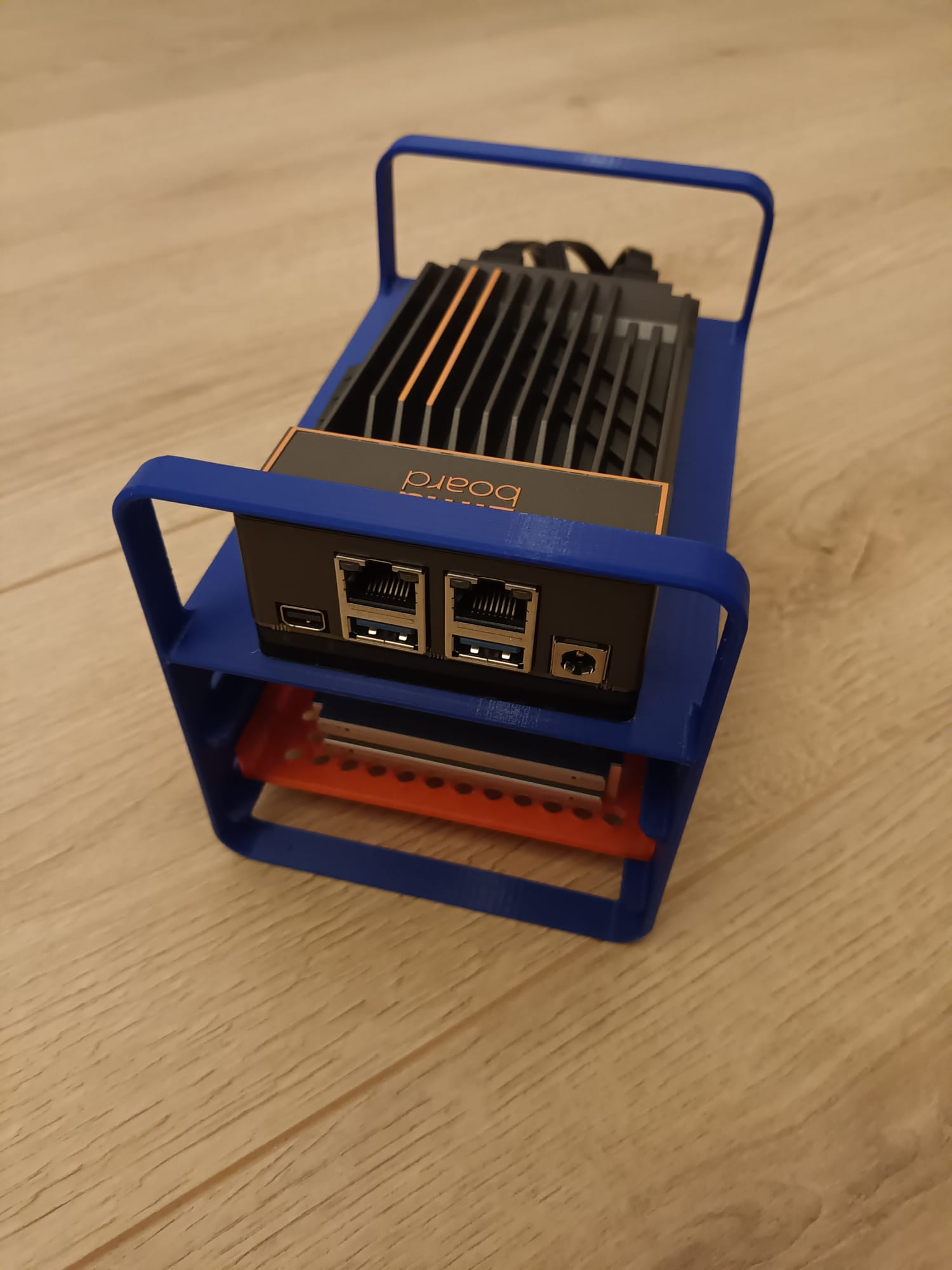
The design emphasizes simple physical integration: keep the board accessible while supporting storage underneath. For HDD designs, leave room for SATA connectors, airflow, vibration isolation and drive-removal access.
Modular SSD/HDD Enclosures
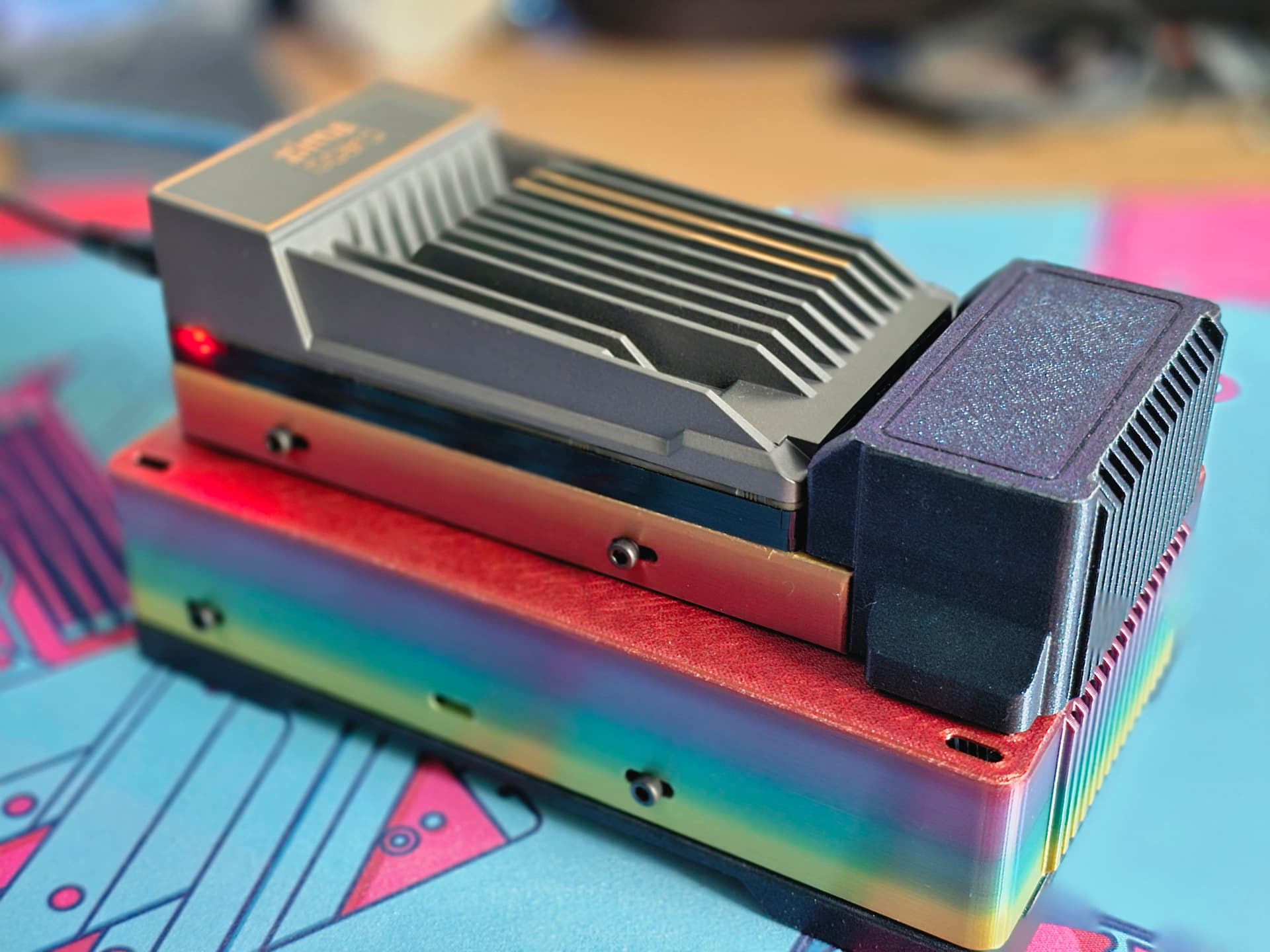
Another submission described a modular enclosure able to hold one SSD, two SSDs, one HDD, two HDDs, or a mixed SSD/HDD arrangement. This illustrates a useful design rule: build storage mounts around replaceable modules rather than locking the enclosure to one drive layout.
VESA and Display Mounts
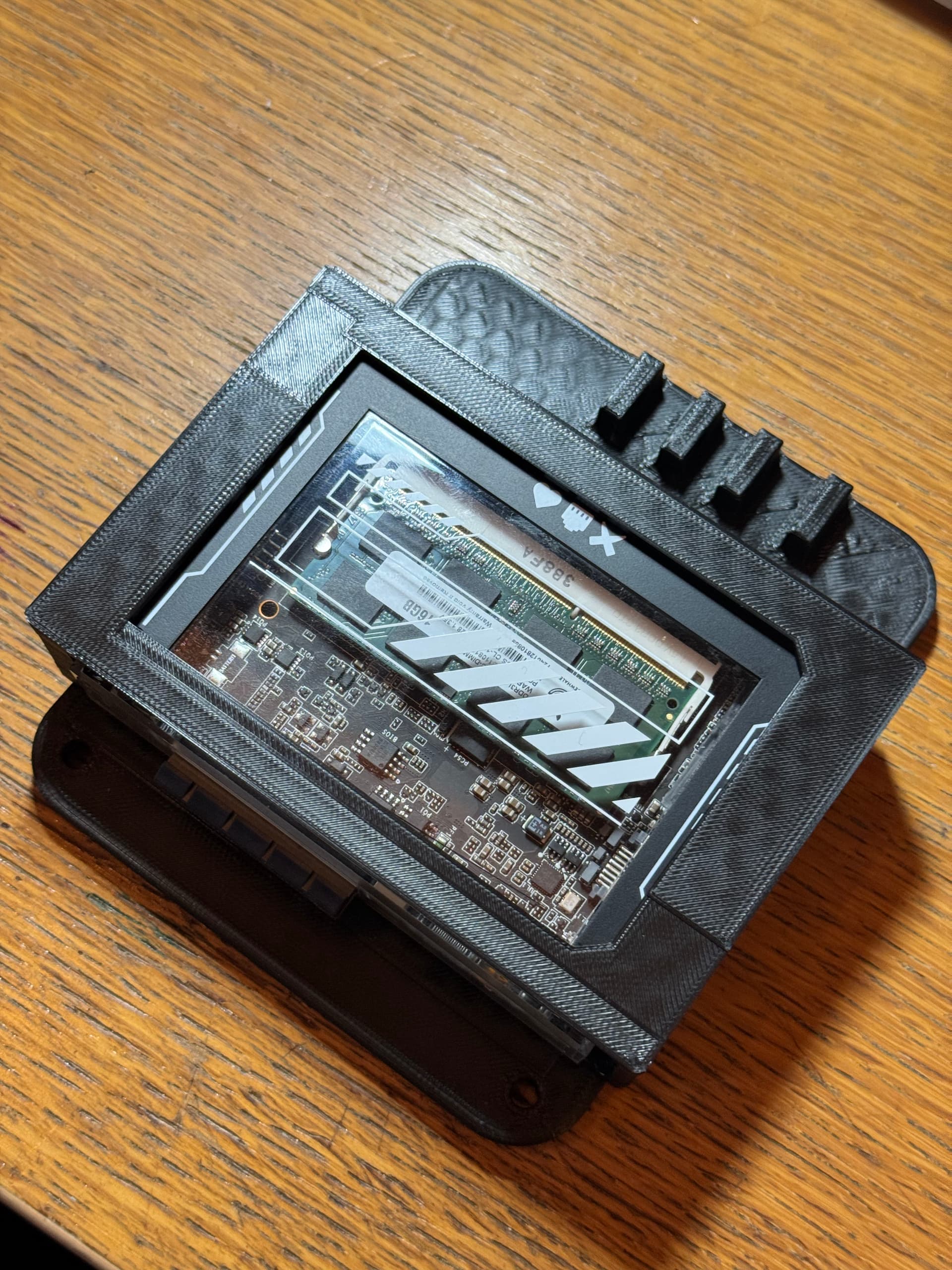
VESA-oriented entries are especially relevant for kiosks and digital signage. Check display heat, USB-C/power routing and physical access to the Ethernet/USB ports before mounting the server behind a panel.
Compact One- or Two-Drive Cases

Modular Expansion Around the Two-Bay Rack
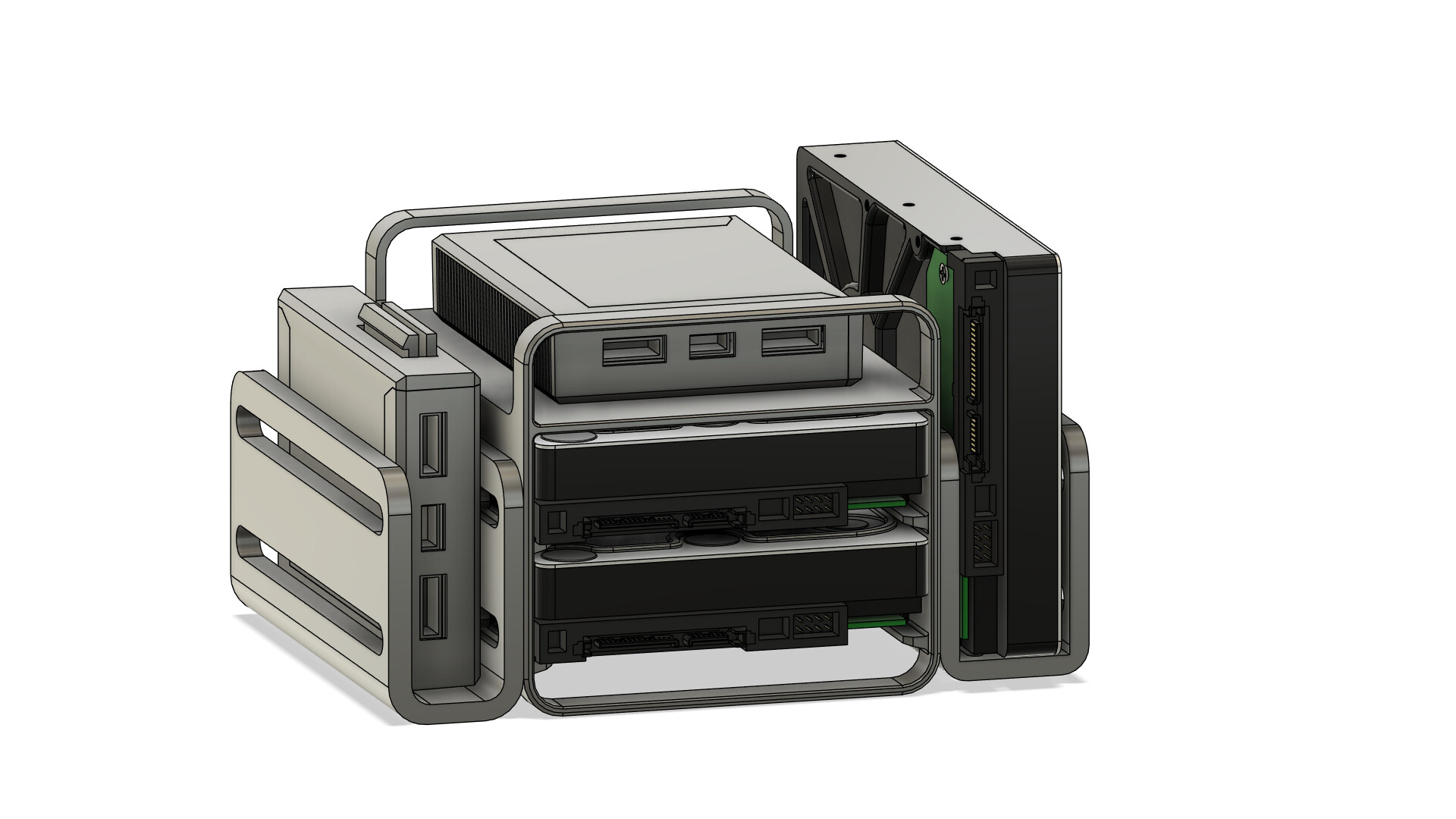
jerryk's design used the existing HDD screw points to add storage/board modules without placing extra load on the drive mounts. The post also warned that its designs were based on IceWhale's reference files and had not yet been physically tested.
Cooling Was a Repeated Design Theme
Several community models integrated 60 mm, 80 mm or 120 mm fans, open airflow paths, or room for extra heatsinks. Active cooling can help sustained workloads, but printed plastic should not obstruct the board's main heatsink fins or trap hot air around drives.
The Voting Collage Captured the Breadth of the Entries

Before Printing a Community Model
- confirm the model targets your exact ZimaBoard/ZimaBlade revision;
- check screw diameter and length against the real hardware;
- leave airflow around heatsinks and drive electronics;
- avoid strain on SATA, PCIe and power connectors;
- choose a material appropriate for the operating temperature;
- test fit without drives before assembling a full NAS.
Zima 3D Print FAQ
Was this event still active in 2026?
No. The design and voting windows were in March 2024.
How many formal competition entries were recorded?
IceWhale's voting post says there were nine entries.
Were all models officially validated by IceWhale?
No. They were community submissions, and at least one author explicitly noted that the model had not yet been physically tested.


