
A CasaOS user reported that Prowlarr worked on its own and could successfully connect to Radarr, yet its indexers would not sync into Radarr. Manually adding the same indexers in Radarr worked, which narrowed the problem to Prowlarr's application-sync path rather than the indexers being completely unusable.
The useful clue came from the screenshots: Prowlarr was labeling the affected indexers only as Other. Community member goultron pointed out that the categories should normally include media types such as Movies and TV. The author later confirmed that this was the relevant clue and reported that switching the CasaOS Prowlarr app to the latest version fixed the indexer problem.
What Was Not Working?
The original report described a partial integration failure. Prowlarr itself was configured and operational, but it did not push its indexers to Radarr as expected. Before asking the community, recox had already checked four common points:
- The Radarr API key entered in Prowlarr was correct.
- Indexer synchronization was enabled in Prowlarr's Radarr application settings.
- The connection test from Prowlarr to Radarr completed successfully.
- A manual refresh or sync still did not send the indexers to Radarr.
The author also verified that manually adding indexers inside Radarr worked. That detail matters because it shows that a green connection test does not guarantee that Prowlarr has usable category data to synchronize.
Why the Successful Connection Test Was Not Enough
One screenshot shows the Prowlarr application configuration with Full Sync selected, separate Prowlarr and Arr server addresses, an API key, and a Test button. This supported the author's statement that the basic application connection had already been configured.
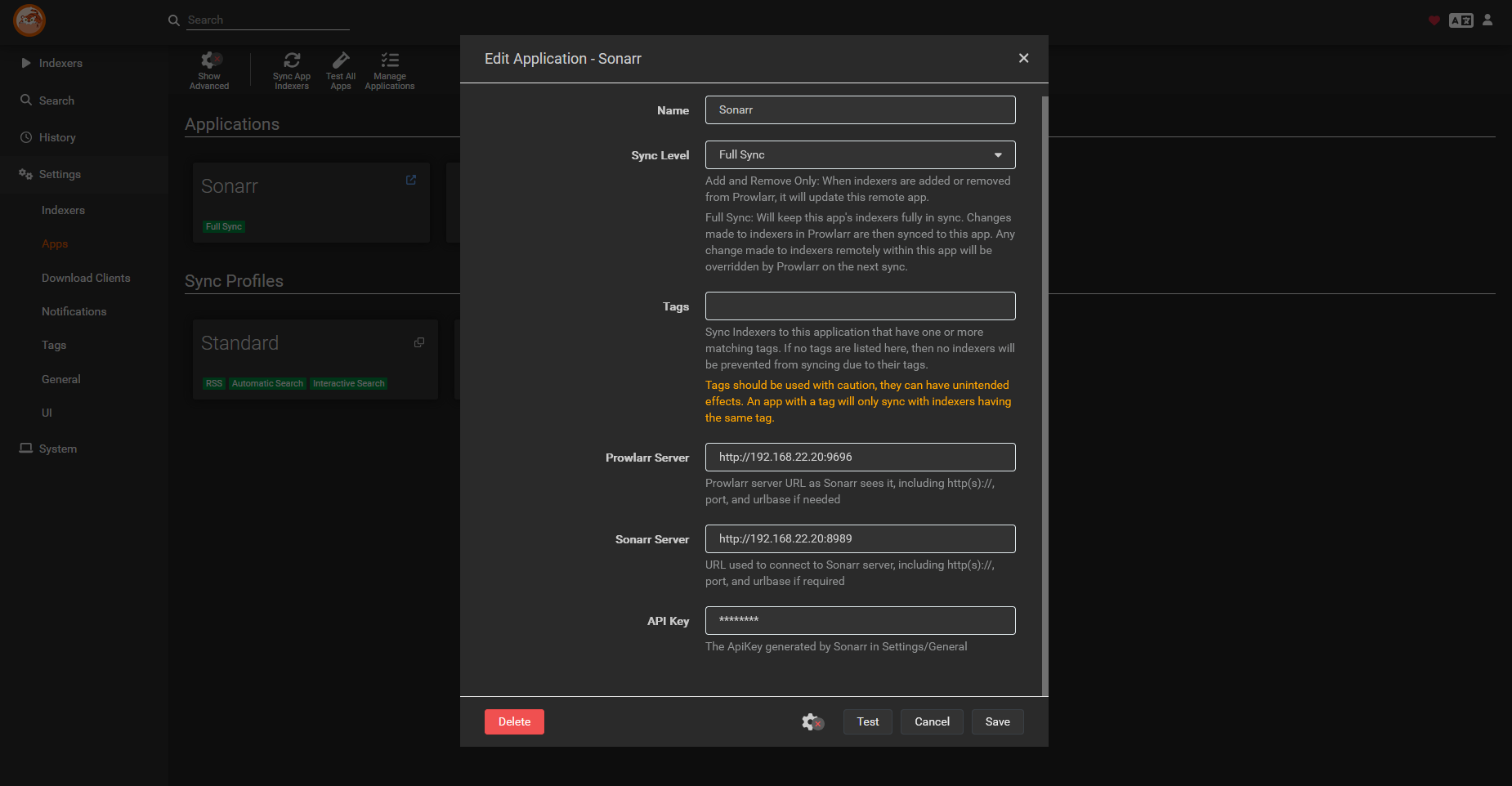
Because the test succeeded, repeatedly replacing the API key was unlikely to explain this particular case. The next useful evidence was not the connection status but the metadata attached to the indexers.
The Key Clue: Indexers Were Categorized Only as Other
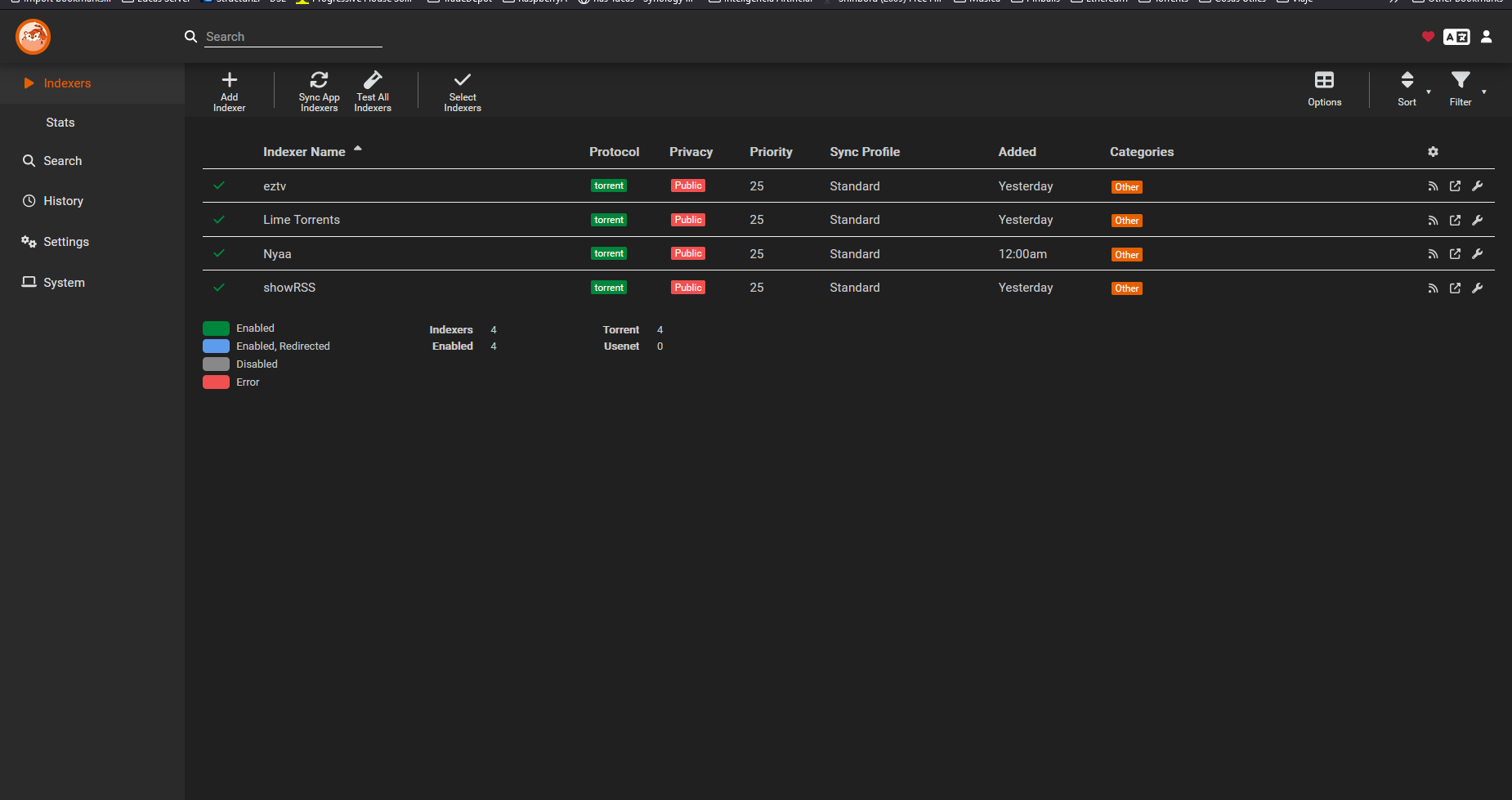
In the desktop Prowlarr screenshot, the configured indexers were enabled and displayed green status marks, but every row showed the category Other. Community member goultron suggested that this was abnormal and that the rows should contain a mix of categories such as TV and Movies. The official Prowlarr quick start guide explains that only selected categories and indexers supporting those categories are synchronized to an application.
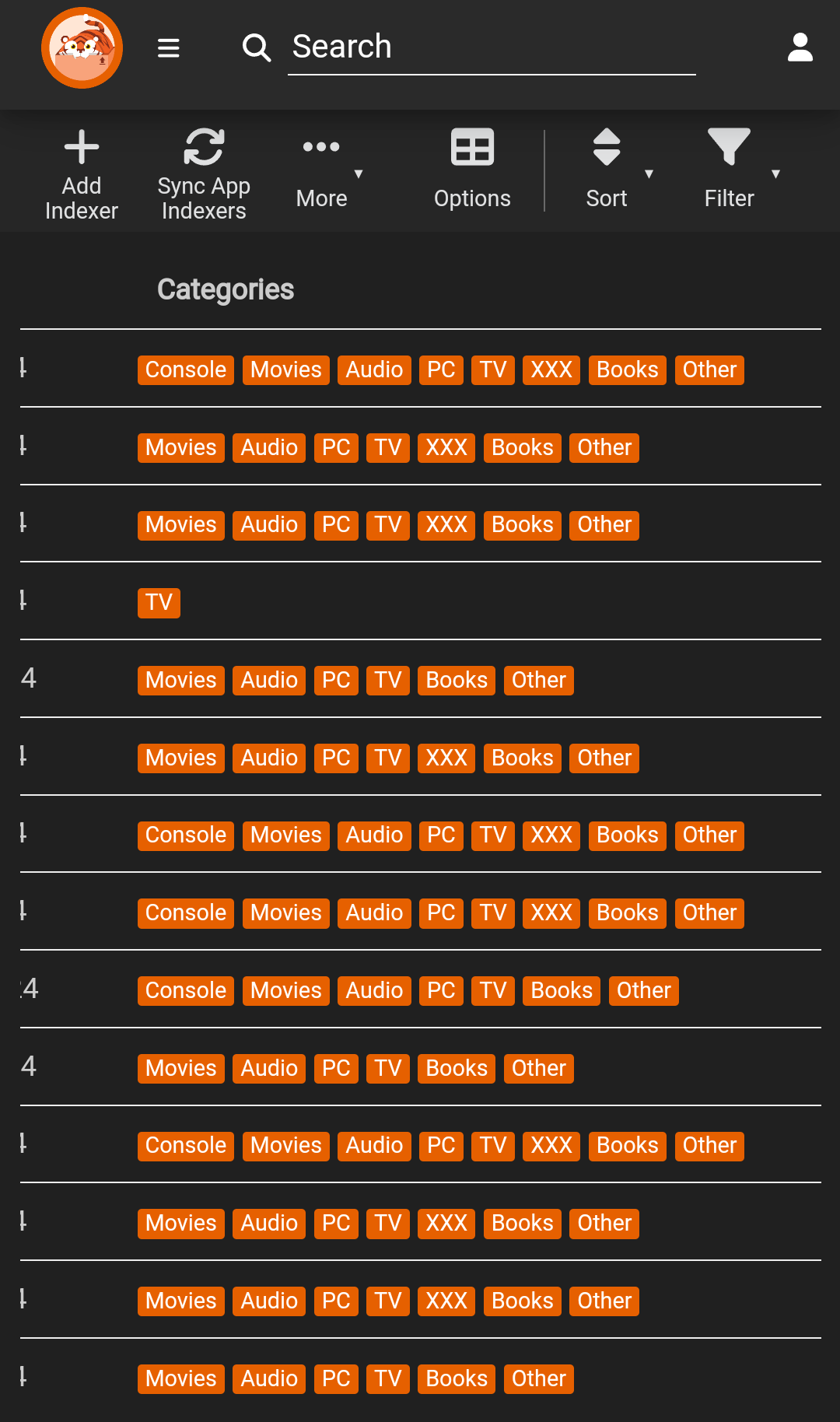
Goultron attached a comparison screenshot in which indexers expose media-specific categories including Movies, TV, Audio, Books, Console, PC, and others. The exact category mix depends on the indexer, but the comparison made the missing Movies and TV mappings visible.
The Fix Reported by the Original Author
Recox returned to the thread and confirmed that the category observation was relevant. The author then changed the Prowlarr version in CasaOS to the latest available version. After that update, the indexer problem was fixed and many of the indexer definitions or category entries changed.
The thread therefore supports this case-specific sequence:
- Confirm that the Prowlarr-to-Radarr API test succeeds.
- Confirm that the application is set to sync indexers.
- Open the Prowlarr indexer list and inspect the Categories column.
- If media indexers appear only as Other, compare the installed CasaOS Prowlarr version with the latest version available in the app settings.
- Update Prowlarr, allow its indexer definitions to refresh, and then run Sync App Indexers again.
- Return to Radarr and verify that the synchronized indexers now appear instead of relying only on the connection-test result.
The discussion does not record the exact old and new Prowlarr version numbers, and it does not include logs proving which internal definition changed. The safest conclusion is that updating Prowlarr refreshed the affected indexer data in this installation; it is not proof that every Prowlarr-to-Radarr sync failure has the same cause.
What to Verify After Updating Prowlarr
After the update, first revisit the indexer list. The important visual change is that compatible indexers should expose relevant categories such as Movies or TV instead of only Other. Then use Prowlarr's Sync App Indexers action and check the target Arr application.
If Radarr still receives nothing, compare the current state with the facts in the original case: does the API test pass, is the sync level enabled, are tags filtering which indexers can sync, and do the indexers now advertise movie categories? The thread resolved the outdated-category case, but it did not test other possible causes such as container networking, tag mismatches, permissions, or unsupported indexer capabilities. For failures outside this confirmed case, use the official Prowlarr troubleshooting guide to collect logs and connection details before changing unrelated settings.
Important Boundaries in the Community Evidence
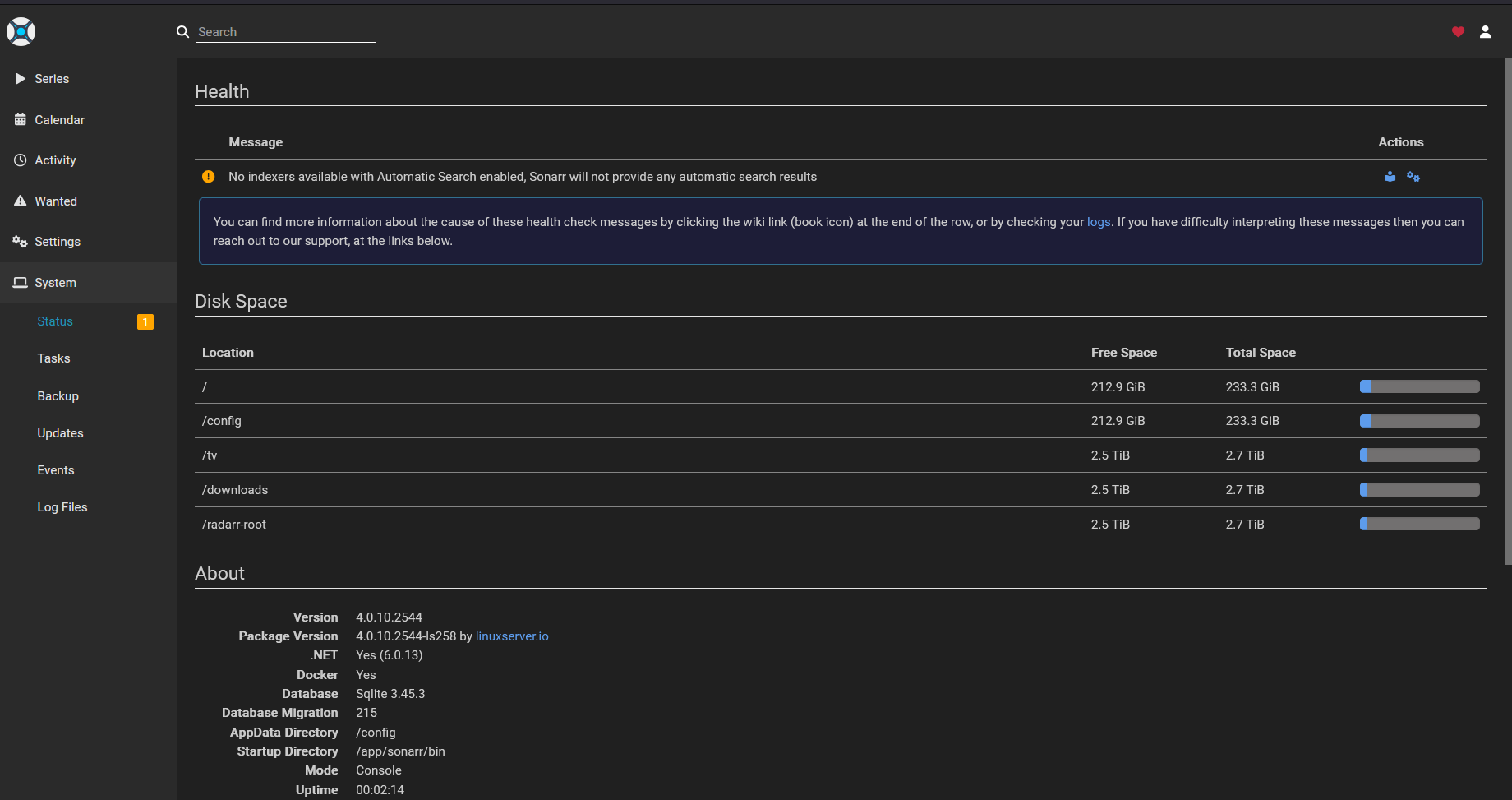
The post consistently names Radarr, while the attached configuration and health screenshots visibly show Sonarr. Both applications use Prowlarr's Arr integration model, but the images should not be presented as direct proof of a Radarr screen. They are best read as diagnostic evidence for the Prowlarr sync configuration and category problem described by the author.
The solution is also a report from one CasaOS installation, not an official universal repair notice. The strongest confirmed outcome is the author's own follow-up: the category clue was correct, and moving Prowlarr to the latest version available in CasaOS fixed the indexer issue.
Prowlarr and Radarr Sync FAQ
Why can the API test pass while no indexers appear in Radarr?
A successful test verifies that Prowlarr can reach the application and authenticate. In this thread, it did not prove that the installed indexer definitions exposed the Movies or TV categories needed for useful synchronization.
Does an Other category always mean the indexer is broken?
No. Some indexers may legitimately expose Other. The suspicious pattern in this case was that every configured media indexer showed only Other, while the comparison screenshot showed indexers normally advertising a mix of media categories.
What fixed the problem for the original author?
Recox changed the CasaOS Prowlarr app to the latest available version. The author reported that many indexer entries changed and that synchronization then worked.
Why did manually added Radarr indexers still work?
Manual configuration bypassed the failing Prowlarr-to-Radarr indexer push. That helped isolate the issue to synchronization or the metadata being synchronized rather than a complete inability to use the indexers.
Which Prowlarr version should I install?
The thread says only that the author selected the latest version in CasaOS; it does not record version numbers. Check the current Prowlarr option available in your CasaOS app settings and back up the application's configuration before changing versions.


