
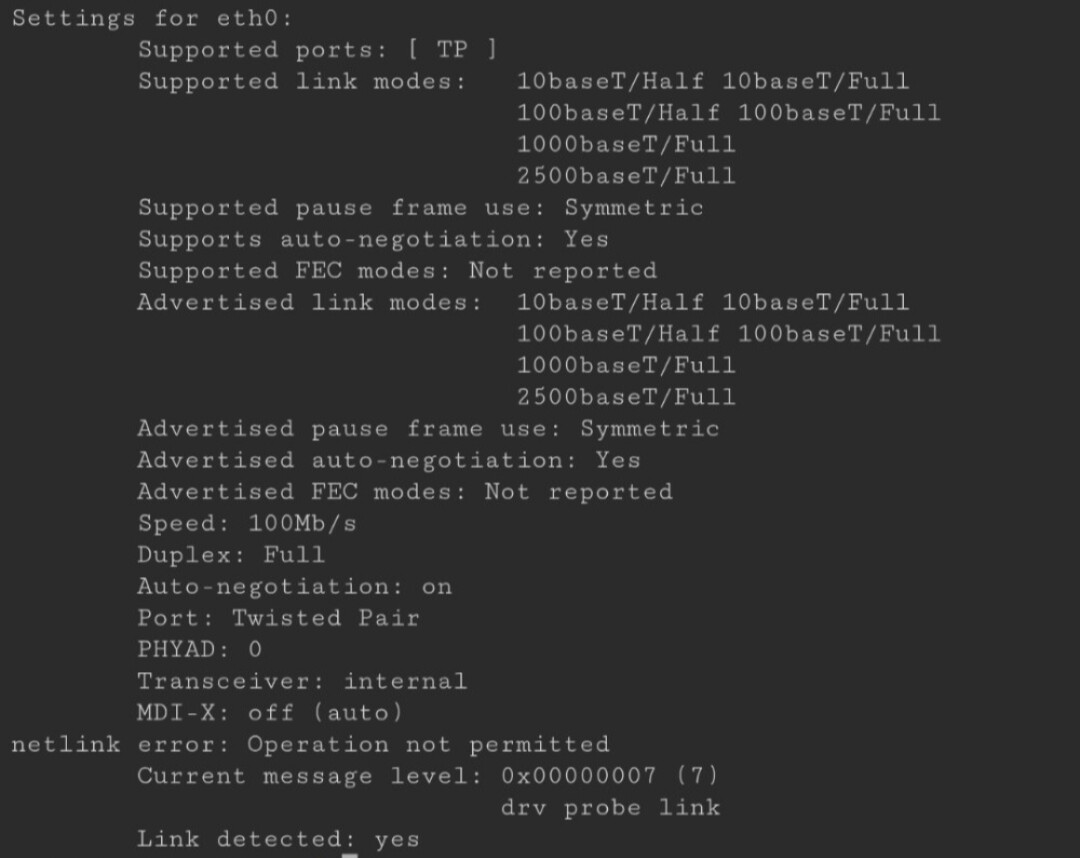
An AOOSTAR WTR PRO R7 running ZimaOS repeatedly linked at 100 Mbps even though the router was gigabit-capable. The connection sometimes reached 1 Gbps briefly, then fell back. Forcing the link to 1 Gbps made the system feel slow or unstable rather than producing a reliable connection.
The discussion explored autonegotiation, cable and router compatibility, Energy Efficient Ethernet, firmware, power saving, and driver behavior. None became a confirmed root cause for the original machine, and another user later reported 2.5 Gbps on the same hardware model and ZimaOS 1.5.4.
The Link Reached Gigabit Only Briefly
The author tested several cables, including one sold as Cat 7, and tried different LAN ports on a Huawei WS7001 router. Both Ethernet ports on the mini PC behaved similarly. The link LEDs appeared inconsistent, and automatic negotiation sometimes established 1 Gbps only for a short time before dropping to 100 Mbps.
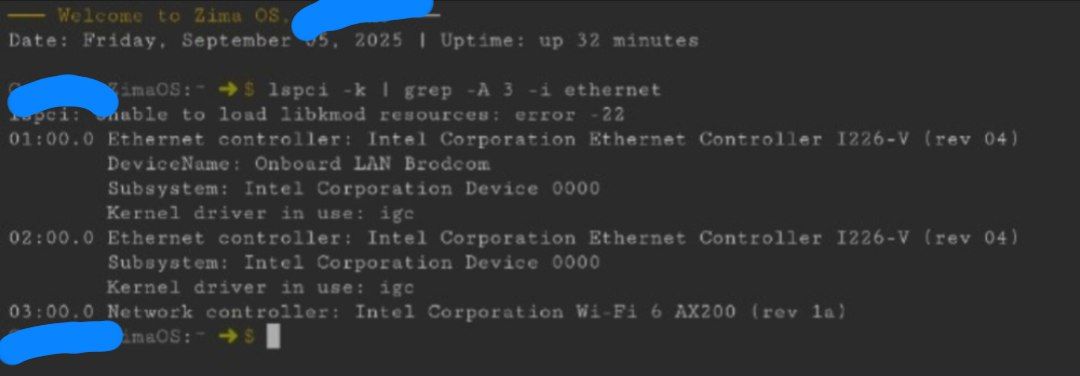
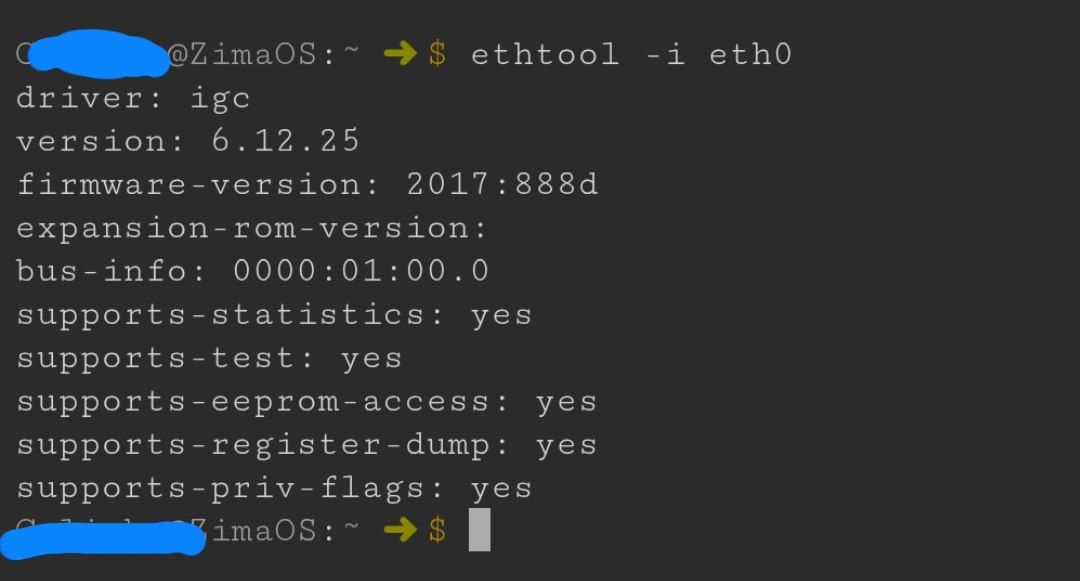
Why the Community Advised Against Forcing 1 Gbps
A community responder characterized the pattern as a 100 Mbps autonegotiation fallback. Their reasoning was that 1000BASE-T depends on negotiation at both ends; forcing one side can create a mismatch rather than repair the link.
The suggested isolation test was to leave autonegotiation enabled, bypass wall jacks or other intermediate hardware, and use a short known-good Cat 5e or Cat 6 cable with another router or switch port. The responder also suggested checking whether the link partner advertised 1000BASE-T full duplex.
Cable, Router, EEE, and Firmware Were All Considered
The community suggested disabling Energy Efficient Ethernet for the link and updating the board BIOS, network firmware, and router firmware. An unmanaged gigabit switch between the router and server was proposed as a practical experiment if the router and I226-V were failing to negotiate cleanly.
These were diagnostic suggestions, not confirmed repairs. The author had already tested more than one router port and later disabled available CPU, GPU, and LAN power-saving controls without improving the 100 Mbps link.
The USB Ethernet Test Did Not Isolate the NIC
The author bought a USB-C Ethernet adapter to compare with the built-in I226-V. It worked on a notebook but still did not reach 1 Gbps on the ZimaOS server. That result weakened a simple “built-in NIC only” explanation, but did not prove whether the remaining factor was the server platform, ZimaOS, the router path, or configuration.
In February 2026, another AOOSTAR WTR PRO R7 owner reported the same behavior under Proxmox and said Windows with the official drivers did not show it. The original author suspected a Linux-side issue and used Wi-Fi instead, but no kernel or driver fix was identified in the thread.
A Matching Hardware Report Showed 2.5 Gbps
A third participant with an AOOSTAR WTR PRO R7 and ZimaOS 1.5.4 posted link information showing 2.5 Gbps, full duplex, and autonegotiation enabled without a special change. This counterexample means the thread does not support declaring the entire hardware model, I226-V controller, or ZimaOS release inherently limited to 100 Mbps.
The community evidence supports an unresolved compatibility or environment-dependent problem. The original poster did not confirm a wired fix before the discussion ended.
FAQ
Did forcing the Intel I226-V to 1 Gbps solve the problem?
No. The author reported instability and poor performance when forcing the speed. Community advice was to keep autonegotiation enabled while isolating the cable, port, and link partner.
Did the thread prove that ZimaOS was the cause?
No. One participant saw similar behavior under Proxmox, while another user with the same AOOSTAR model reached 2.5 Gbps on ZimaOS 1.5.4. The original case remained unresolved.


