
There Is No Confirmed Global HTTPS Switch for Every App
The community thread did not identify a ZimaOS button that automatically gives every installed application a valid HTTPS endpoint. Each app can listen on a different port, use different web features, and require separate routing behavior.
The user was reaching storage through a domain and static public IP but still received an insecure-connection warning. A domain name alone does not create TLS. The browser must reach an endpoint that presents a certificate valid for that hostname.
Begin by listing each app, its internal port, the hostname you want to use, and whether access is local-only, private remote access, or public internet access. That scope determines the right ingress design.
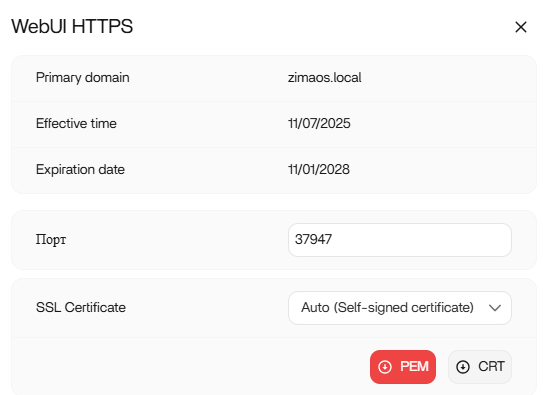
Choose One Ingress Model for the Actual Access Goal
A reverse proxy can terminate TLS on port 443 and route different hostnames to separate internal app ports. This fits a domain-based design where one controlled frontend serves multiple applications.
A managed tunnel can provide an HTTPS entry point without directly forwarding every application port from the router. A private overlay such as Tailscale solves a different problem: authenticated devices join a private network and can reach services without making them generally public.
Choose one model before configuring certificates. Stacking direct port forwarding, a tunnel, and an overlay without a defined reason increases the number of paths that must be secured and debugged.
Certificates Belong at the TLS Termination Point
A Let's Encrypt certificate can be used by a reverse proxy or other service that controls the HTTPS connection. It is not installed “on the domain,” and obtaining one does not automatically teach every backend app how to use it.
Map one hostname to the chosen proxy or tunnel, issue or attach the certificate there, and route that hostname to one internal app. Keep the backend port private unless the architecture specifically requires direct access.
If the browser shows a warning, inspect the hostname on the certificate, DNS destination, certificate chain, and the component actually answering on port 443. Do not bypass the warning as a permanent solution.
Validate One Application Before Repeating the Pattern
Test login, uploads, downloads, live updates, and any websocket-dependent features through the HTTPS hostname. A page that loads but cannot upload or maintain a session is not fully configured.
Restart the proxy or tunnel and the target app, then repeat the same workflow. Confirm that HTTP is redirected only where intended and that raw backend ports are not unintentionally exposed to the internet.
Once one app works, repeat the hostname-to-backend mapping for the next app. Roll back only the failing route if a service has special proxy requirements instead of dismantling working HTTPS endpoints.
Remote HTTPS Does Not Replace Access Control
TLS encrypts traffic and authenticates the hostname, but it does not decide who should use the application. Keep strong app authentication, limited exposure, updates, and audit logs in place.
The thread recommends researching Cloudflare Tunnels, Tailscale, or a reverse proxy such as Caddy, but it does not document a completed deployment. These are architecture directions, not a source-confirmed step-by-step ZimaOS recipe.
Stop before public exposure if the chosen method, certificate ownership, or authentication boundary is unclear. Validate on a noncritical service first or use private remote access while designing the public path.
FAQ
Can one certificate automatically secure every ZimaOS app?
Not by itself. A proxy or other TLS endpoint still needs a hostname and routing rule for each backend service.
Do I need to expose each app port for remote HTTPS?
Not necessarily. Reverse proxies and managed tunnels are designed to centralize ingress, while private overlays avoid general public exposure.
Is Tailscale the same as a reverse proxy?
No. Tailscale creates private network reachability between authorized devices; a reverse proxy accepts web requests and routes hostnames to backend services.


