
The original community tutorial shows a simple way to run Firefox inside Docker on CasaOS and access the browser through a web interface. It uses the jlesage/firefox image, maps the web interface to port 5800, and stores persistent Firefox data in the container's /config directory.
This source post is a CasaOS tutorial from December 2024, not a ZimaOS-specific test. The useful part is that its core Docker parameters still match the current upstream documentation for jlesage/firefox.
The Three Core Container Settings
The community guide used three important pieces:
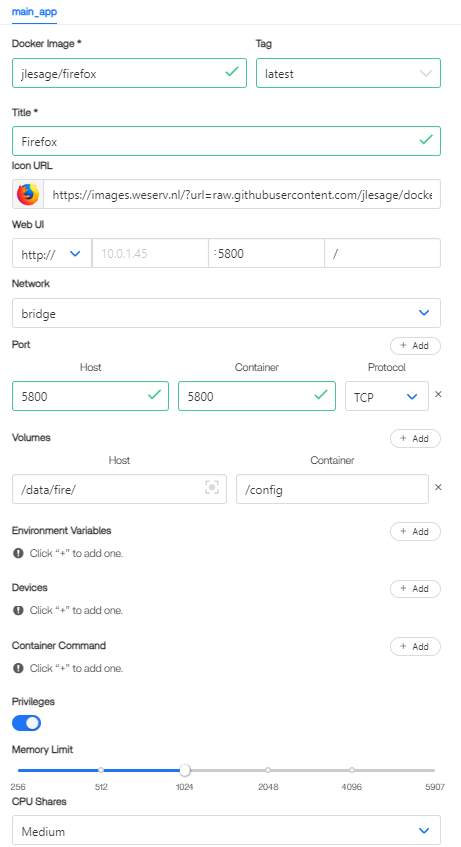
jlesage/firefox, host and container port 5800, and a host volume mapped to /config.- Docker image:
jlesage/firefox; - web interface container port:
5800; - persistent configuration directory inside the container:
/config.
The current upstream project still documents the same basic model. It maps a host directory to /config and serves the browser UI through port 5800.
current jlesage/firefox container options
Why /config Matters
The /config volume stores Firefox application configuration, state, logs, and other persistent data. If the container is recreated while the same host directory remains mapped to /config, the upstream project states that the application can resume with that saved state.
Choose a host path that is appropriate for your CasaOS storage layout and backup plan. The source author mentioned paths such as /DATA/AppData/firefox, but the exact host path is not universal.
Access the Browser Through Port 5800
With the default bridge-network example, the web interface is exposed on TCP port 5800. After the container starts, the upstream project describes accessing Firefox at the host IP on that port.
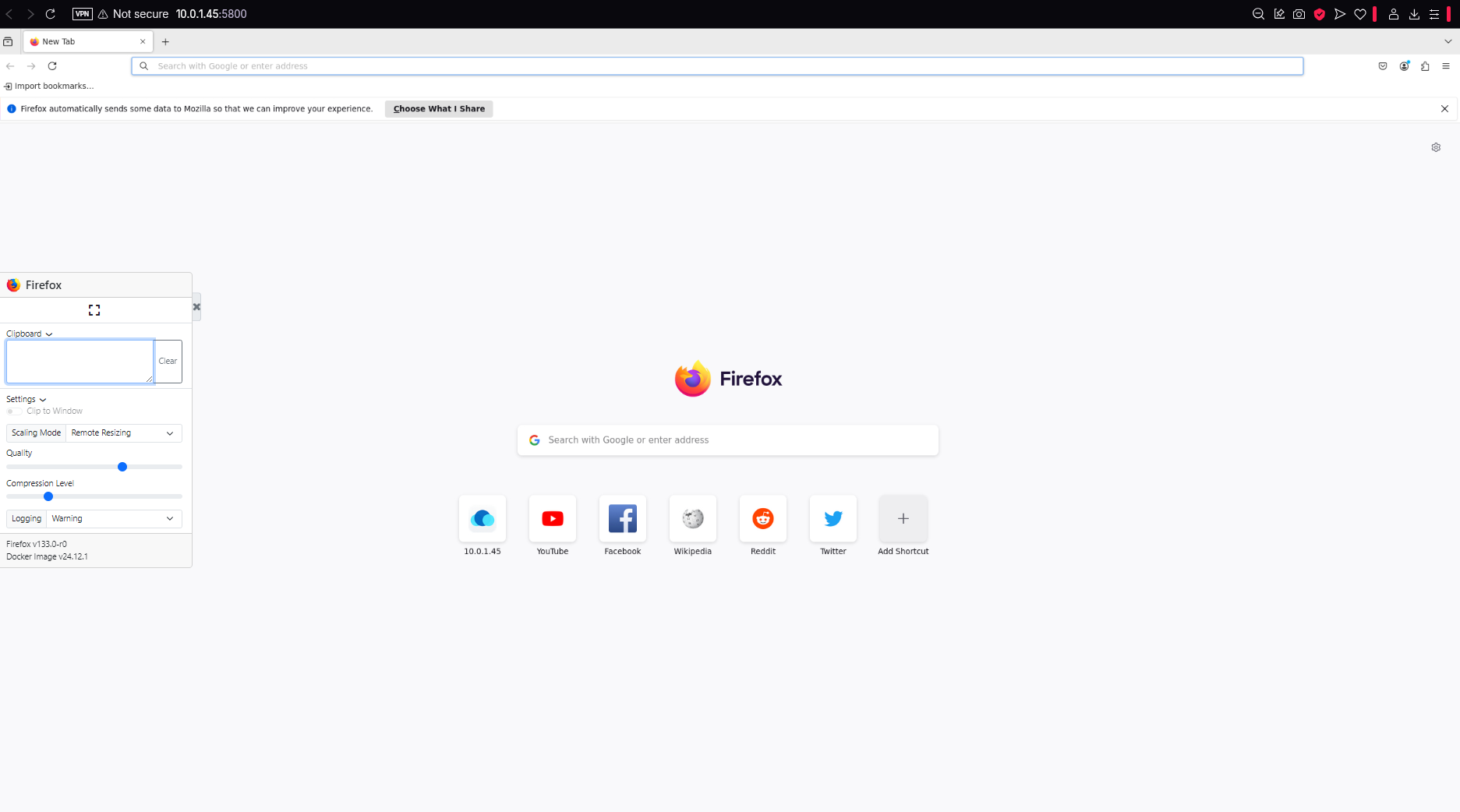
If port 5800 is already in use on the host, map a different host-side port while keeping the container-side application port consistent with the image documentation.
Privileged Mode Was Not Established as a Requirement
The community author enabled privileges “just in case.” That is not the same as demonstrating that privileged mode is required.
Do not grant a browser container broader host privileges than it needs. Start with the upstream image requirements and add extra capabilities only when a documented feature requires them.
The Source Used a 1 GB Memory Limit
The author set a 1024 MB memory limit and described that as sufficient for their light use. Treat this as one user's allocation, not a universal minimum. Browser memory use depends heavily on tabs, websites, media playback, extensions, and session length.
Can the Same Image Run on ZimaOS?
The source post did not test ZimaOS, so it should not be presented as proof of ZimaOS compatibility. However, ZimaOS supports custom Docker applications, and the same upstream container parameters can be adapted to a ZimaOS Docker Compose import if you choose to test it there.
For current ZimaOS custom-app behavior, see the current ZimaOS custom-app workflow.
Firefox Docker FAQ
Which Docker image did the community tutorial use?
jlesage/firefox.
Which port serves the Firefox web interface?
The community tutorial and current upstream documentation both use TCP port 5800 for the web interface.
Which container path stores persistent Firefox data?
/config. Map that path to a persistent host directory if you want the browser state to survive container recreation.
Do I need privileged mode?
The source author enabled it as a precaution, but the thread did not establish it as a required setting. Use the minimum privileges required by your actual deployment.


