
Current ZimaOS lets you enable SSH directly from the web interface. The community tutorial was originally created around an older process that required a connected display and keyboard, but it was later updated for ZimaOS 1.2.5 and explicitly marked that original workflow as obsolete.
For a current system, the normal path is Settings > Developer Mode > SSH Access. ZimaOS also exposes a Web-based Terminal from the same developer-oriented area, so many command-line tasks no longer require an external monitor or a separate SSH client.
How to Enable SSH in Current ZimaOS
The updated IceWhale tutorial gives three steps:
- Open Settings.
- Navigate to Developer Mode.
- Toggle SSH Access to On.
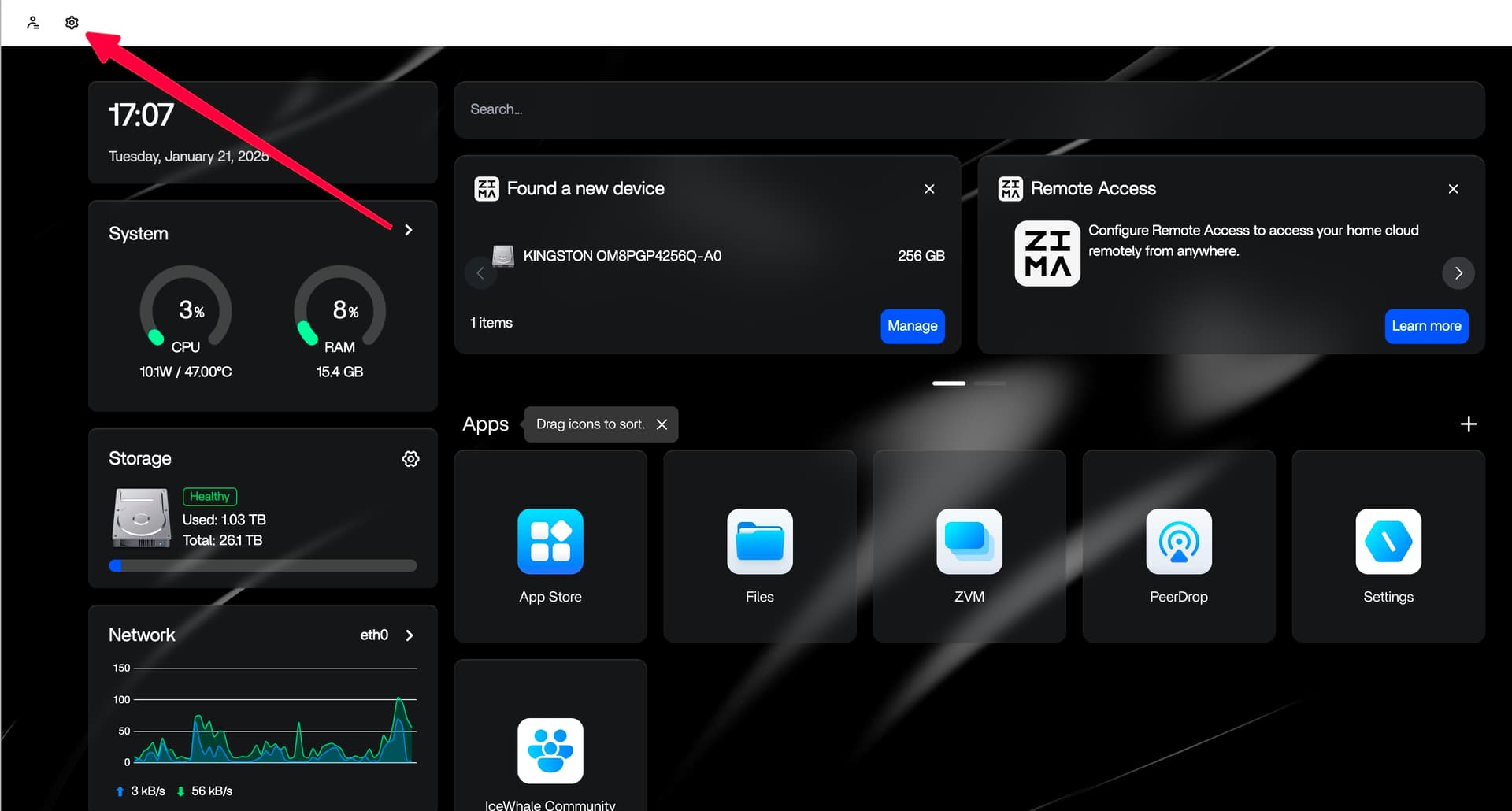
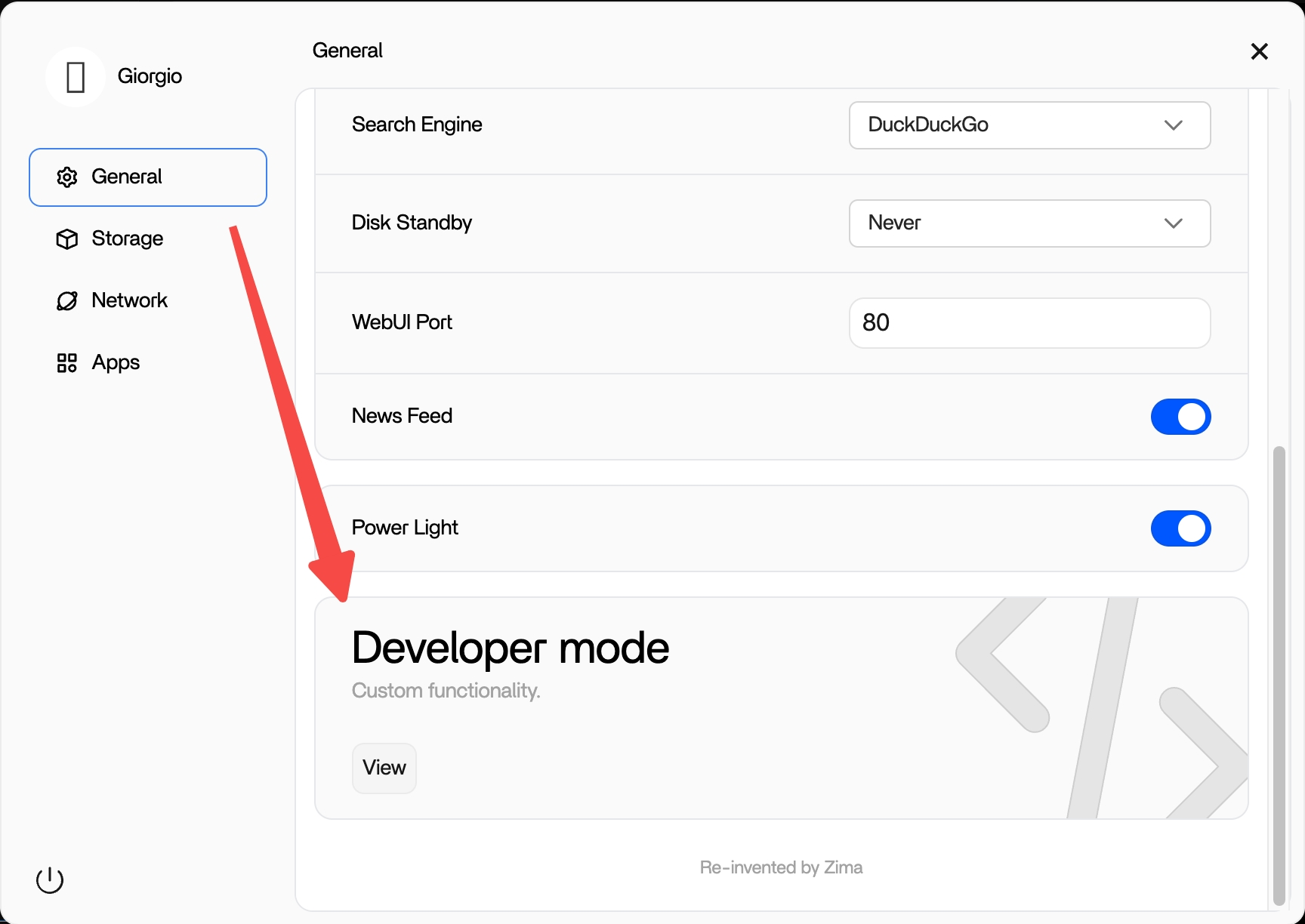
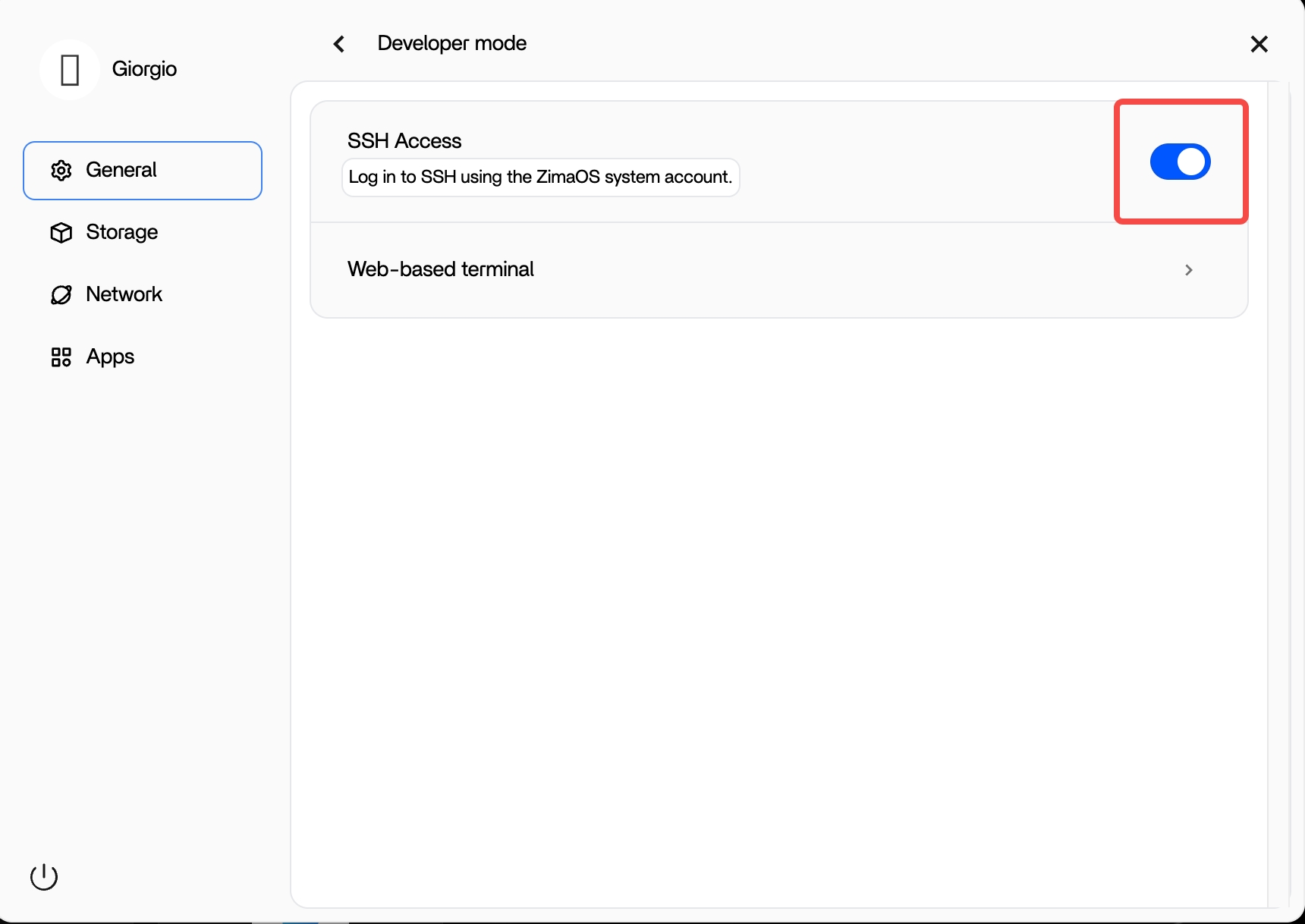
The current ZimaOS SSH guide documents the same Developer Mode workflow and was updated in August 2026.
How to Connect After SSH Is Enabled
From another computer on the same trusted network, use an SSH client and the ZimaOS server's LAN IP:
ssh USERNAME@ZIMAOS_LAN_IPThe exact username and authentication method depend on the account you intend to use. Current ZimaOS SSH documentation states that ZimaOS user accounts can be used for login, while root access has a separate password setup boundary. Do not assume there is one universal default root password.
Keep SSH limited to trusted networks unless you intentionally configure a secure remote-access layer. Enabling SSH in the UI does not mean you should forward port 22 directly from your router to the public internet.
Use the Built-In Web Terminal Without a Separate SSH Client
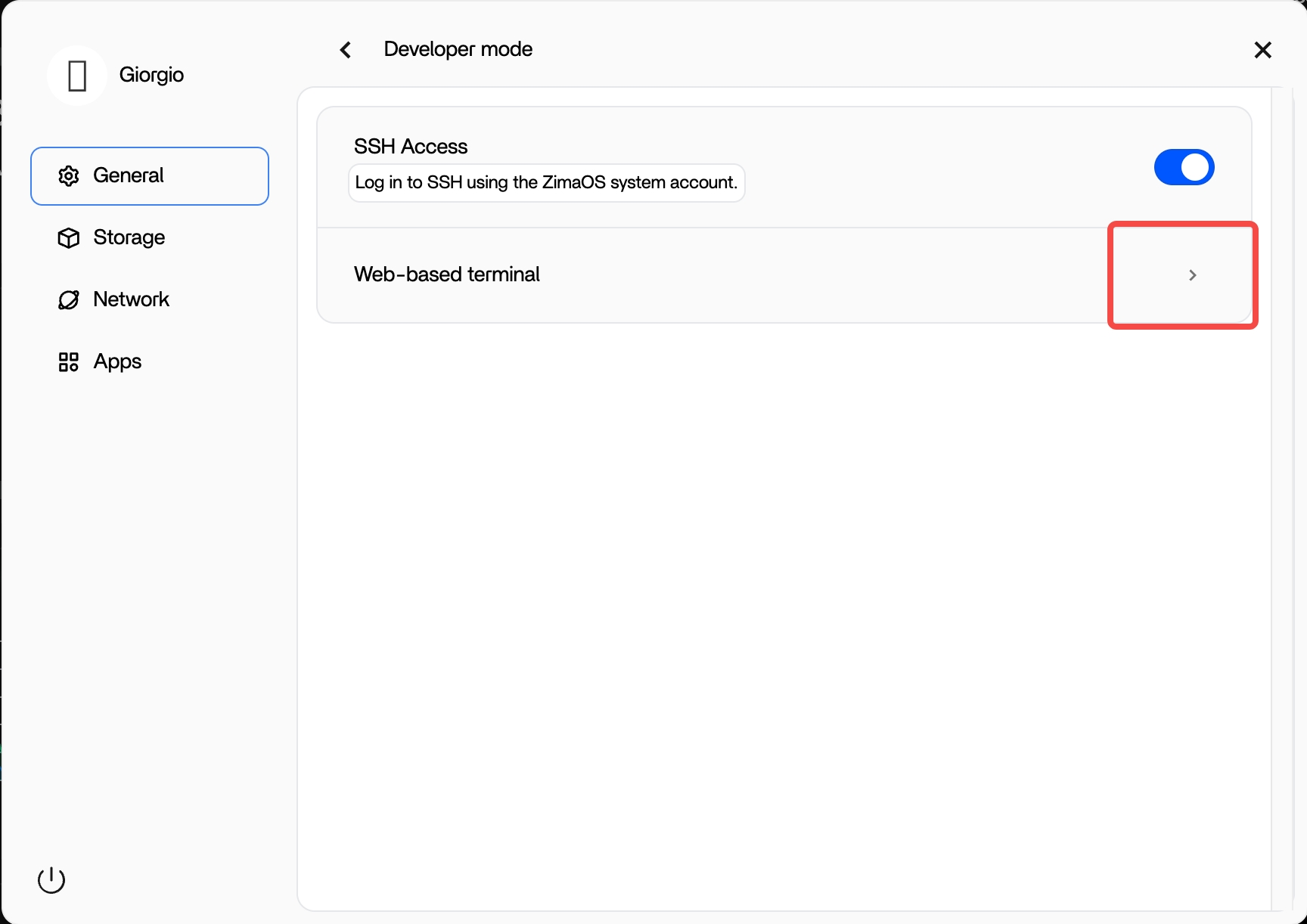
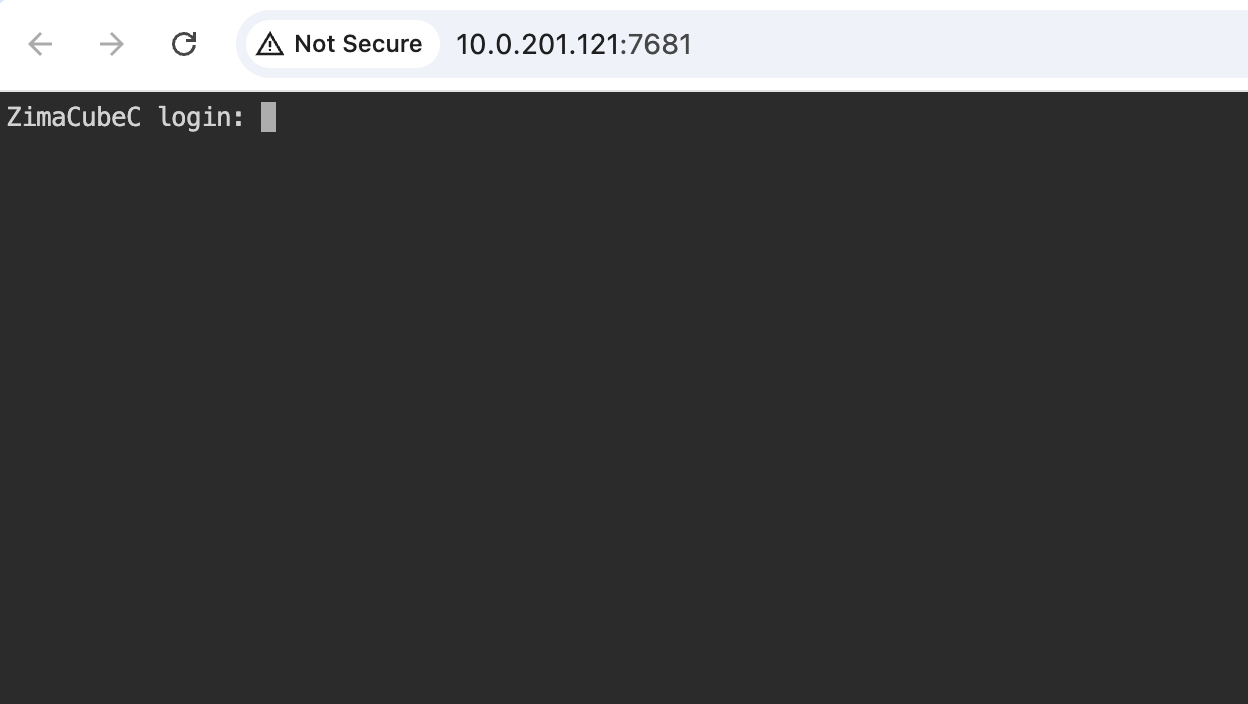
The updated community tutorial also shows a Web-based Terminal toggle. This lets administrators access a shell from the ZimaOS browser interface without opening a separate terminal application on another computer.
Root Password and SSH Access Are Related but Not Identical
A current ZimaSpace SSH reference states that the root password must be created through the local-console setup path when root authentication is required, while ZimaOS user accounts can also be used for SSH login. That means turning on the SSH Access switch does not magically create a universal root credential.
If your goal is routine administration, use the least-privileged account that supports the task and elevate only when necessary. Avoid enabling root remote login solely for convenience.
For current credential behavior and terminal options, see the ZimaOS SSH Setting documentation.
The Old Monitor, Alt+F2 and passwd-root Method Is Obsolete
The community post preserves an older procedure but places it under a clear “The following is obsolete” notice. That historical workflow required:
- connecting a display and keyboard;
- switching to a console with
Alt + F2; - logging in as
root; - running the historical
passwd-roothelper; - then enabling SSH.
Do not present that sequence as the first-line procedure for a current ZimaOS installation. The UI toggle added in ZimaOS 1.2.5 was specifically created to remove that inconvenience for most users.
Why ZimaOS Moved SSH Into the Web UI
The replies document the product decision clearly. Users complained that setting up root access through a local monitor was inconvenient, especially on headless NAS hardware. IceWhale initially explained that the extra friction was intended to protect SSH security, then said the team was working on a more convenient approach.
When another user suggested adding SSH enable/disable controls directly to the Web UI, the IceWhale author replied that the feature would arrive in the next version. The original post was later updated with the ZimaOS 1.2.5 Developer Mode workflow.
What If You Have No Monitor?
Before the built-in Developer Mode terminal existed, the community suggested installing ttydBridge from the ZimaOS App Store when the Web UI was already accessible. Current ZimaOS documentation still lists ttydBridge as another terminal-access option, but the built-in Web Terminal is now simpler for many users.
If the native terminal toggle is available on your current ZimaOS build, use it before adding another application only to reach a shell.
Is There a Default ZimaOS Root Password?
The community later received a question from a user who could not authenticate in the Web-based Terminal and asked for a default root password. The thread does not provide a universal default root credential. Current ZimaOS documentation instead describes explicit account/password setup.
Do not copy old CasaOS or appliance credentials into ZimaOS and assume they will work. A failed SSH login can result from the wrong username, a root password that has never been created, disabled SSH access, or an account that is not permitted to authenticate remotely.
SSH Is Not a Replacement for Every Factory-Recovery Procedure
A 2025 reply asked how to factory-reset a legacy ZimaBoard without a display when SSH authentication was unavailable. An IceWhale team member pointed to the recovery documentation and said that specific recovery workflow still required a display.
When a legacy ZimaBoard appears in current Shop content, the product migration route is the current ZimaBoard 2 single-board server. The product link does not imply that recovery instructions for the older hardware and the current product are identical.
SSH Security Checklist for ZimaOS
- Enable SSH only when you need remote shell access.
- Use a strong unique password or supported key-based authentication for the account.
- Do not assume root has a default password.
- Prefer a normal ZimaOS user account for routine work where supported.
- Do not expose port 22 directly to the public internet without a deliberate security design.
- Disable SSH again if the service is no longer needed.
- Keep ZimaOS updated so the Developer Mode and authentication behavior match current documentation.
ZimaOS SSH FAQ
Where do I enable SSH in ZimaOS?
On current ZimaOS builds, open Settings > Developer Mode and turn on SSH Access. This is the current workflow introduced with ZimaOS 1.2.5.
Do I still need a monitor to enable SSH?
Not for the normal current SSH Access toggle when the ZimaOS Web UI is available. The older monitor-and-keyboard activation workflow in the original community post is explicitly marked obsolete. Some root-password or recovery scenarios can still have separate local-console requirements.
What is the difference between the Web Terminal and SSH?
The Web Terminal provides shell access inside the ZimaOS browser interface. SSH lets another SSH client connect over the network. Both give command-line access, but they use different access paths and may have different authentication context.
What is the default root password?
The source does not provide a universal default root password, and current ZimaOS documentation describes explicit account setup instead. Do not rely on guessed default credentials.
Do I still need ttydBridge?
Usually not if your current ZimaOS build provides the built-in Web Terminal and that meets your needs. ttydBridge remains an alternative terminal-access option documented by ZimaSpace.


