
Best Local Coding Models for 8GB, 12GB, 16GB & 24GB VRAM


The best local coding model in 2026 depends less on the biggest model you can technically load and more on how much VRAM remains after the model starts working. For 8GB GPUs, Qwen3.5-9B at Q4 is a practical starting point. At 12GB, the interesting trade-off is a smaller model at higher precision versus a 24B model at roughly 3-bit. At 16GB, Devstral Small 2 and gpt-oss-20b become realistic coding-agent options. At 24GB, Qwen3-Coder-30B-A3B and Qwen3.8-27B are much better fits than forcing an 80B MoE model into extreme quantization.
This guide focuses on debugging, multi-file edits, repository understanding, test generation, refactoring, and agentic coding. It is intentionally separate from UI-specific testing such as React visual quality or screenshot-to-code.
Quick Answer: Best Local Coding Model by VRAM
| VRAM | Best Starting Point | Recommended Quant | Best For |
|---|---|---|---|
| 8GB | Qwen3.5-9B | Q4_K_M | General coding, debugging, small repositories |
| 12GB | Gemma 4 12B | Q5 / Q6-class | Balanced coding at higher precision |
| 12GB Alternative | Devstral Small 2 24B | IQ3_XS / IQ3_M | Multi-file coding at aggressive quantization |
| 16GB | Devstral Small 2 24B | IQ4_XS | Repository work and agentic coding |
| 16GB Alternative | gpt-oss-20b | Native MXFP4 | Reasoning-heavy debugging and tool use |
| 16GB Coding Specialist | Qwen3-Coder-30B-A3B | Q3_K_M | Agentic coding with tighter memory |
| 24GB | Qwen3-Coder-30B-A3B | Q4_K_M | Coding agents, repo editing, tool use |
| 24GB Alternative | Qwen3.8-27B | Q4_K_M | Strong coding plus broader reasoning |
A GGUF file fitting inside your VRAM does not mean the model is a good fit. Context, KV cache, runtime buffers, and tool-driven workflows also consume memory.
What Does “Fits in VRAM” Actually Mean?
The most common mistake in local-model recommendations is comparing the model file size directly with GPU memory.
A coding session needs memory for more than weights:
- model weights;
- KV cache;
- prompt and repository context;
- runtime buffers;
- tool-calling overhead;
- additional components used by the inference engine.
A 15.8GB model on a 16GB GPU may technically load while leaving almost no useful room for context. For coding, that is often worse than running a slightly smaller model at a better configuration.
The practical rule is simple:
Do not choose the largest GGUF file that fits. Choose the largest model that still leaves enough memory to work.
How We Evaluate Local Coding Models
Generic coding benchmarks are useful background signals, but everyday software work is broader than completing isolated functions.
A practical local coding comparison should include six tasks.
1. Code Completion
Give the model an incomplete implementation and require it to finish the function without changing the public API.
This tests whether the model can make a narrow change instead of unnecessarily rewriting surrounding code.
2. Debugging
Provide a real bug and ask the model to identify the root cause and make the smallest safe fix.
This separates models that explain code well from models that can actually repair it.
3. Multi-File Refactoring
Ask the model to move shared logic into a reusable module while preserving existing behavior across several files.
This matters more for coding agents than one-shot code generation.
4. Test Generation
Require the model to add a test that reproduces the bug before changing the implementation.
Weak models often write tests that merely confirm their own fix rather than reproduce the original failure.
5. Repository Navigation
Ask the model to locate where a feature is implemented and identify which files need to change before editing anything.
This tests repository understanding and whether the model invents nonexistent paths or APIs.
6. Agentic Repair Loop
The model should inspect the repository, edit code, run tests, read the failure, make another change, and rerun the tests.
For modern coding models, recovery after a failed first attempt is often more important than the first answer.
Best Local Coding Models for 8GB VRAM
Qwen3.5-9B — Best Overall Starting Point
Qwen3.5-9B is currently one of the cleanest fits for an 8GB coding setup.
The official Qwen3.5-9B is a modern 9B model with strong general reasoning and coding capability.
Current Q4_K_M GGUF builds are roughly 6GB, leaving considerably more operating room than attempting to squeeze a much larger model into the same GPU.
That matters for coding because even a relatively small repository can quickly consume thousands of context tokens.
Best for: code completion, debugging, scripts, small repositories, and local coding assistants.
Not ideal for: very large repositories or long agentic workflows that require extensive context.
Gemma 4 E4B — Best Lightweight Alternative
Gemma 4 E4B is worth considering when inference speed matters more than maximum coding capability.
Google's current Gemma 4 benchmark table reports a LiveCodeBench v6 score of 52.0 for Gemma 4 E4B, compared with 72.0 for the larger Gemma 4 12B.
That gap illustrates the trade-off clearly: smaller models can be faster and easier to run, but coding quality does not stay constant as model size decreases.
Best for: quick completions, lightweight coding help, and latency-sensitive local setups.
Not ideal for: complex debugging or repository-scale refactoring.
Is Qwen2.5-Coder 7B Still Worth Using?
Yes, but it is no longer the automatic 8GB recommendation it once was.
Qwen2.5-Coder 7B remains mature, widely supported, and easy to run. If an existing setup already works well, there is no urgent reason to replace it.
For a new deployment in late 2026, however, newer compact models deserve priority because they offer stronger general reasoning, better agent compatibility, and newer training.
The useful comparison is therefore not “Is Qwen2.5-Coder bad?” but:
Does the stability of an older coding specialist still outweigh the capability improvements of a newer 9B model?
Best Local Coding Models for 12GB VRAM
Gemma 4 12B — Best Balanced 12GB Choice
Gemma 4 12B is a strong fit for users who prefer keeping a medium-sized model at relatively high precision instead of aggressively quantizing a larger model.
Google reports a LiveCodeBench v6 score of 72.0 for Gemma 4 12B on its official model card.
At this VRAM tier, the model can be run at a much healthier precision than a 24B model forced toward roughly 3 bits.
Best for: general coding, debugging, reasoning, and developers who prefer a balanced setup.
Not ideal for: users specifically targeting repository-scale agentic coding.
Devstral Small 2 24B — Best Large-Model Experiment on 12GB
Devstral Small 2 is the more interesting choice if the priority is multi-file software engineering rather than comfortable quantization.
Devstral Small 2 is a 24B model designed around agentic coding, codebase exploration, multi-file editing, and tool use.
Mistral reports 68.0% on SWE-bench Verified for Devstral Small 2.
Current GGUF builds show the hardware trade-off clearly:
- IQ3_XS: about 9.9GB;
- IQ3_M: about 10.7GB;
- Q3_K_M: about 11.5GB;
- IQ4_XS: about 12.8GB.
That makes IQ3_XS or IQ3_M realistic on a strict 12GB card. IQ4_XS belongs more naturally in the 16GB tier.
Best for: users who value repository edits and agentic behavior enough to accept lower-bit quantization.
Not ideal for: users who prioritize model fidelity and large context windows.
12B High Precision vs 24B Low Precision
This is one of the most useful comparisons in the 12GB tier.
There are two competing strategies:
Gemma 4 12B at higher precision
versus
Devstral Small 2 24B at roughly 3-bit.
The larger model has more parameters and stronger software-engineering specialization. The smaller model preserves its weights more accurately and usually leaves more room for context.
Parameter count alone cannot answer which strategy is better for your repository.
Best Local Coding Models for 16GB VRAM
Devstral Small 2 IQ4_XS — Best Balanced Coding-Agent Choice
At 16GB, Devstral Small 2 becomes substantially more attractive because it no longer needs to be compressed as aggressively.
An IQ4_XS build is around 12.8GB, leaving more realistic room for context and runtime overhead than on a 12GB card.
This is the tier where Devstral's intended strengths—repository exploration, editing multiple files, tool use, and debugging—become much easier to use in practice.
Best for: repository-level coding, refactoring, coding agents, and test-driven repair workflows.
gpt-oss-20b — Best Reasoning-Heavy Alternative
gpt-oss-20b is not a dedicated coding model, but it is particularly relevant at the 16GB tier because OpenAI designed it specifically for efficient local deployment.
The official gpt-oss announcement states that gpt-oss-20b can run with 16GB of memory using its native MXFP4 weights.
The model has 21B total parameters with 3.6B active parameters and supports configurable reasoning, function calling, structured outputs, and agentic tool use.
That makes it interesting for coding tasks where planning and debugging matter as much as raw code generation.
Best for: debugging, reasoning through unfamiliar code, tool calls, and structured coding workflows.
Not ideal for: users who want a model trained primarily as a coding specialist.
Qwen3-Coder-30B-A3B Q3 — Best Coding Specialist to Push Into 16GB
Qwen3-Coder-30B-A3B is one of the most relevant local coding models in this article, but 16GB requires compromise.
The official Qwen3-Coder-30B-A3B contains 30.5B total parameters with 3.3B activated per token and is designed specifically for agentic coding and repository-scale work.
Current community GGUF builds place Q3_K_M around 14–15GB, while Q4_K_M is roughly 18GB or more depending on the build.
That makes Q3 the realistic 16GB choice.
Best for: users who specifically want Qwen3-Coder on a 16GB card and accept lower quantization quality.
Best Local Coding Models for 24GB VRAM
Qwen3-Coder-30B-A3B Q4_K_M — Best Coding Specialist for 24GB
Twenty-four gigabytes is where Qwen3-Coder-30B-A3B starts to make much more sense.
A Q4_K_M build is roughly 18GB, leaving significantly more usable headroom than on a 16GB GPU.
The model is specifically optimized for:
- agentic coding;
- repository understanding;
- tool use;
- long-context software engineering;
- coding-agent frameworks.
Its native context window is much larger than what most 24GB users should actually run, but the architecture is still useful for repository-scale workflows.
Best for: coding agents, multi-file editing, repository navigation, and local IDE/CLI integration.
Qwen3.8-27B Q4_K_M — Best General Coding Challenger
Qwen3.8-27B is the strongest alternative when you want high-end coding capability without committing to a coding-only model.
The official Qwen3.8-27B model card reports strong results across competitive coding, repository generation, software engineering, terminal coding, and agentic workloads.
Qwen reports 90.3 on LiveCodeBench v6 and 61.7 on SWE-bench Pro under its published evaluation setup.
Current Q4_K_M GGUF builds are around 17–18GB, making a 24GB GPU a much healthier fit than 16GB.
Best for: developers who want strong coding plus broader reasoning and multimodal capability.
Gemma 4 26B A4B — High-Precision MoE Alternative
Gemma 4 26B A4B provides another useful 24GB comparison because it combines a larger total model with relatively low active compute.
Google reports a LiveCodeBench v6 score of 77.1 for Gemma 4 26B A4B.
Its main role in this comparison is not to replace coding-specialized models, but to test whether a general MoE model at a healthy quantization can outperform a coding specialist in mixed reasoning-and-coding workloads.
Best for: mixed reasoning and coding workloads where coding is important but not the only task.
Why Qwen3-Coder-Next Is Not Our 24GB Recommendation
Qwen3-Coder-Next is one of the most important models to understand—and one of the easiest to misclassify by VRAM.
The official Qwen3-Coder-Next model card describes an 80B total-parameter model with only 3B parameters activated for each token.
That low active parameter count improves compute efficiency.
It does not mean the model only needs the memory of a 3B model.
The full MoE weights still need to be stored.
Current GGUF sizes make the difference obvious:
| Quant | Approx. File Size |
|---|---|
| Q4_K_M | ~48.5GB |
| IQ4_XS | ~42.7GB |
| Q3_K_M | ~38.3GB |
| Q2_K | ~29.2GB |
| UD-IQ2_XXS | ~23.3GB |
| UD-IQ1_S | ~21.5GB |
| UD-TQ1_0 | ~18.9GB |
A 24GB GPU therefore requires extremely aggressive quantization before Qwen3-Coder-Next fits at all.
Even then, the model must share that memory with context and KV cache.
For most 24GB users, Qwen3-Coder-30B-A3B at Q4 is a more balanced coding configuration than Qwen3-Coder-Next at roughly 1–2 bits.
Active Parameters Are Not VRAM Requirements
This distinction matters for every MoE model.
For example:
- Qwen3-Coder-30B-A3B has 30.5B total parameters but about 3.3B active;
- gpt-oss-20b has 21B total parameters but 3.6B active;
- Qwen3-Coder-Next has 80B total parameters but 3B active.
The active count primarily affects computation per token.
The total weights still strongly affect how much memory is required to hold the model.
Do not choose a local model based on the active-parameter number alone.
Bigger Low-Quant Model vs Smaller High-Quant Model
Every VRAM tier eventually faces the same question:
Should you run a larger model at low precision or a smaller model at higher precision?
There is no universal answer.
A larger model may bring:
- better repository understanding;
- stronger reasoning;
- better multi-file planning;
- better recovery from failed tool calls.
A smaller high-precision model may bring:
- better instruction fidelity;
- more room for context;
- lower latency;
- less quantization damage.
This is why the 12GB comparison between Gemma 4 12B and Devstral Small 2—and the 16GB comparison between Devstral, gpt-oss-20b, and Qwen3-Coder—are more useful than a single universal leaderboard.
256K Context Does Not Mean You Should Run 256K Locally
Several current coding models advertise context windows above 200K tokens.
That number describes architectural capability, not necessarily the right local configuration.
KV cache grows with context, which means a model that fits comfortably at 16K tokens may become impractical at 128K or 256K.
A reasonable starting point is:
| VRAM | Practical Starting Context |
|---|---|
| 8GB | 8K–16K |
| 12GB | 16K–32K |
| 16GB | 16K–32K |
| 24GB | 32K–64K |
Increase context only when the repository or task actually requires it.
Coding Model vs Coding Agent
A strong model does not automatically produce a strong coding agent.
The model provides reasoning and code generation. The surrounding coding harness determines how the model:
- reads files;
- searches a repository;
- runs commands;
- applies patches;
- executes tests;
- reads failures;
- retries after mistakes.
This means the same local model can behave very differently depending on whether it is used as a chat model, autocomplete engine, CLI coding assistant, or autonomous repair agent.
When comparing models, keep the harness constant whenever possible.
Which Local Coding Model Should You Choose?
| Your GPU | Start With | Try Next | Main Trade-Off |
|---|---|---|---|
| 8GB | Qwen3.5-9B Q4 | Gemma 4 E4B | Quality vs speed |
| 12GB | Gemma 4 12B | Devstral Small 2 IQ3 | Higher precision vs larger model |
| 16GB | Devstral Small 2 IQ4 | gpt-oss-20b | Coding specialization vs reasoning |
| 24GB | Qwen3-Coder-30B-A3B Q4 | Qwen3.8-27B Q4 | Coding specialist vs stronger general model |
Frequently Asked Questions
What is the best local coding model for 8GB VRAM?
Qwen3.5-9B at Q4 is a strong starting point because its roughly 6GB weight footprint leaves more usable memory for context than forcing a much larger model into 8GB.
What is the best coding model for a 12GB GPU?
Gemma 4 12B is a balanced option if you value higher precision. Devstral Small 2 is more interesting for agentic coding but requires roughly 3-bit quantization to fit comfortably.
Can a 16GB GPU run a 30B coding model?
Yes, with aggressive quantization. Qwen3-Coder-30B-A3B can fit using Q3-class builds, but Q4 belongs more naturally on a 24GB card.
What is the best local coding model for an RTX 4090?
For a 24GB RTX 4090, Qwen3-Coder-30B-A3B at Q4 is one of the most practical coding-specialist configurations. Qwen3.8-27B at Q4 is a strong alternative if you want broader reasoning capability.
Can Qwen3-Coder-Next run on 24GB VRAM?
Only at very aggressive quantization. Its normal Q4 and Q3 builds are far above 24GB because Qwen3-Coder-Next contains 80B total parameters even though only about 3B are active per token.
Does 3B active parameters mean a model needs the memory of a 3B model?
No. Active parameters describe how many parameters participate in computation for each token. The rest of the MoE model weights still need to be stored, so total parameter count remains important for VRAM planning.
How much context should I use for local coding?
Use the smallest context that contains the files and information needed for the task. On 8GB to 24GB GPUs, running the maximum advertised 128K or 256K context can consume too much memory and reduce the usefulness of the model.
Is the largest model always the best local coding model?
No. A larger model at extreme quantization may lose more quality and leave less room for context than a smaller model at a healthier precision. The best configuration balances model capability, quantization, context, and runtime headroom.

추천 제품

기술 및 AI 허브
더 읽어보기
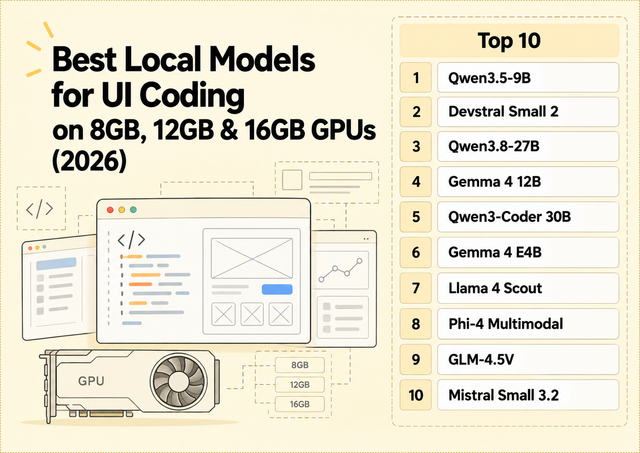
Best Local Models for UI Coding on 8GB, 12GB & 16GB GPUs (2026)
Compare local models for React, Tailwind and screenshot-to-code across 8GB, 12GB and 16GB GPUs, with practical VRAM guidance.
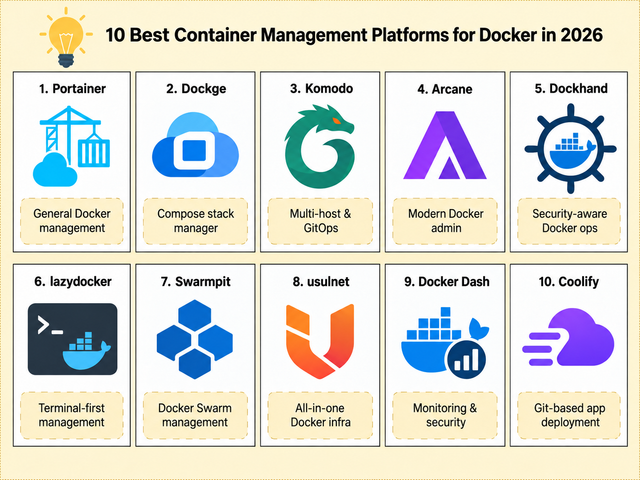
2026년 Docker를 위한 최고의 컨테이너 관리 플랫폼 10선
Compose, 다중 호스트 제어, GitOps, 보안, Swarm, 모니터링 및 셀프 호스팅 배포를 위한 Docker 관리 플랫폼 10가지를 비교합니다.
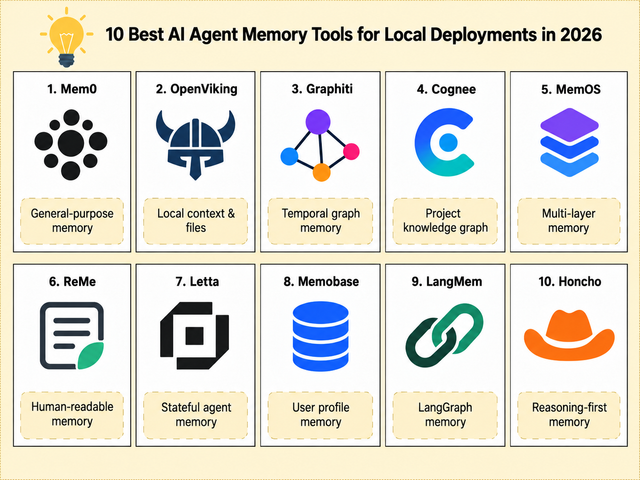
2026년 로컬 배포를 위한 AI 에이전트 메모리 도구 10선
로컬 배포, 지속적인 컨텍스트, 파일, 그래프, 사용자 프로필 및 상태 저장 에이전트를 위한 10가지 AI 에이전트 메모리 도구를 비교해 보세요.


