


特徴
- Run Plex, Pi-hole, Proxmox, or even Minecraft - 24/7, cool and silent.
ZimaBoard 2 handles media streaming, firewalls, homelabs, and AI containers with ease. Low power, high reliability. - Native SATA & PCIe - no hats, no hassles.
Plug in 2.5" HDDs/SSDs, install a 10G NIC, GPU, or NVMe adapter. It's ready for your personal storage or expansion needs. - Dual 2.5G Ethernet built-in.
Ideal for fast local NAS, low-latency remote access, or routing multiple network services at home. - Run what works for you - ZimaOS, TrueNAS, Proxmox, Debian, pfSense…
Users love testing different OS setups for backups, Plex servers, Docker labs, or cluster builds. - Small, hackable, and kind of cute. Many call it "a mini server that looks like a toy but runs like a beast." Perfect for creative DIYers and tech lovers.
送料
This model is currently available for pre-order, and the next batch is expected to arrive mid-December.
If you prefer faster shipping, you can upgrade to the 1664 model for an additional fee.
The 1664 version is in stock and ships within 72 hours.
支払い方法


保証とサポート
- 2 years for deliveries within the EU
- 1 year for all other regions
数分で高性能なホームまたはオフィス用ファイアウォールを構築。
ZimaBoard 2 (832) ファイアウォールキットでネットワークを制御しましょう。クリエイター、自宅サーバーユーザー、ITプロ向けに高性能をコンパクトにまとめたオールインワンバンドルです。
内容物
-
ZimaBoard 2 (832) - Intel N150クアッドコアプロセッサ、デュアル2.5GbEイーサネットポート、デュアルSATA IIIポート、8GB LPDDR5x RAM、32GB eMMC、ZimaOSプリインストール。
-
PCIe x4 4ポート 2.5Gイーサネットアダプター(Intel I225チップセット) - ZimaBoard 2を強力なマルチポートルーターやファイアウォールにアップグレード。
-
12 V / 5 A電源アダプター - 安定かつ効率的な電力供給。
-
SATA Yケーブル - ログやローカルストレージ用のHDD/SSD拡張が簡単。
-
冷却ファン - フルネットワーク負荷時でもシステムを冷却します。
なぜ素晴らしいのか
-
pfSense、OpenWRT、OPNsense、ZimaOSなどがすぐに使えます
-
最大 4× 2.5 GbE 高度なルーティングやマルチLAN構成のための接続性。
-
静音のファン補助冷却で24時間365日の連続稼働を実現。
-
コンパクトなデザインで、どんなデスク、ラック、ミニラボ環境にもフィットします。
に最適
- ホームラボのファイアウォールまたはルーター
- VPNゲートウェイまたはリモートアクセスハブ
- 安全なIoTエッジデバイス
- ネットワークテスト&パケットキャプチャ
ZimaBoard 2 832 & 1664モデルが出荷準備完了。NASのセットアップをアップグレードしましょう。早めに確保して、ZimaBoard 2でネットワークを強化する最初のユーザーになりましょう。
Customer Reviews
Used to run my selfhosted services with docker on my Synology NAS for years and decided I needed more powerful and dedicated hardware for this purpose with lower power consumption...
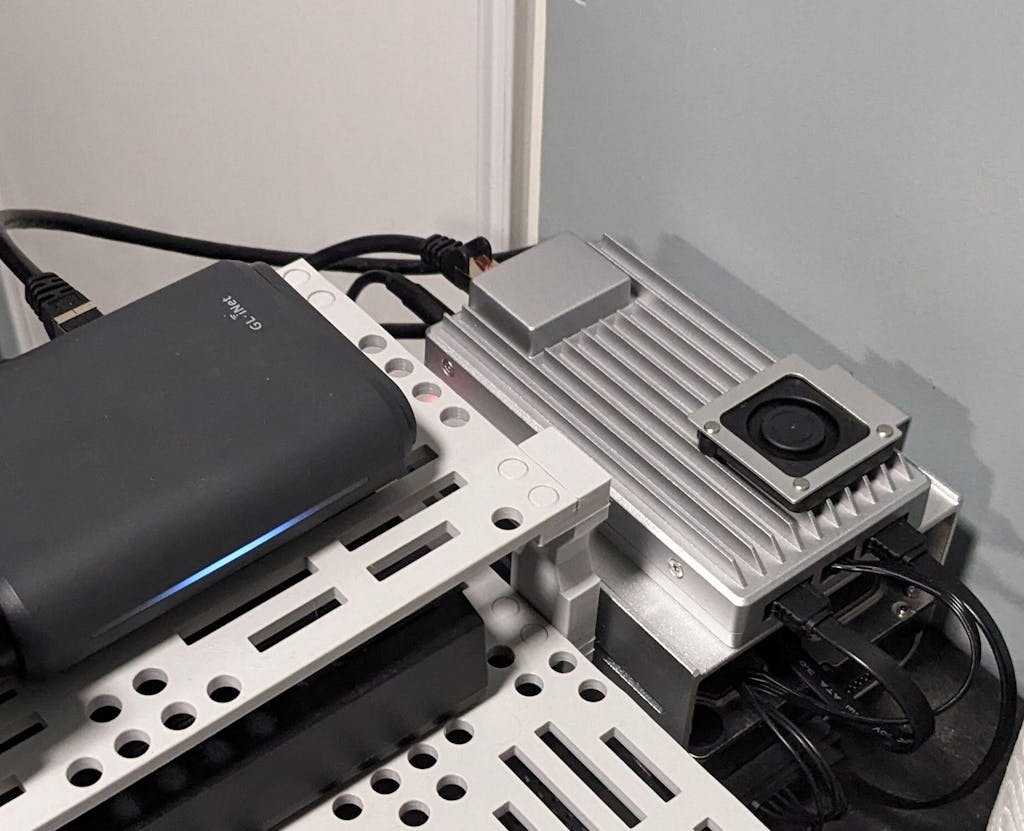
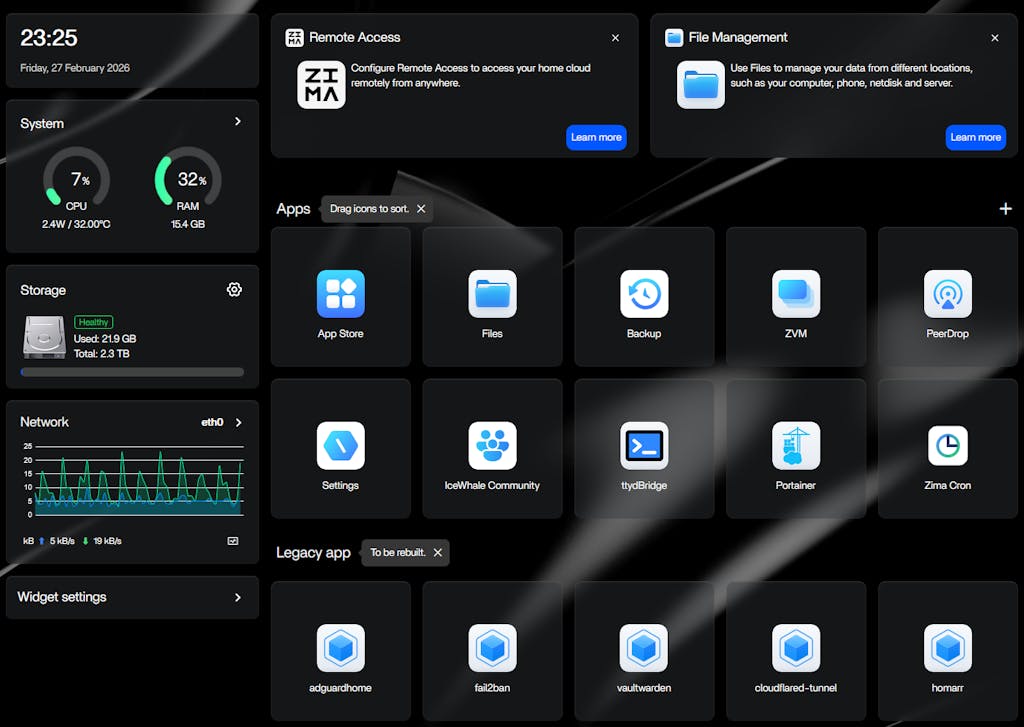
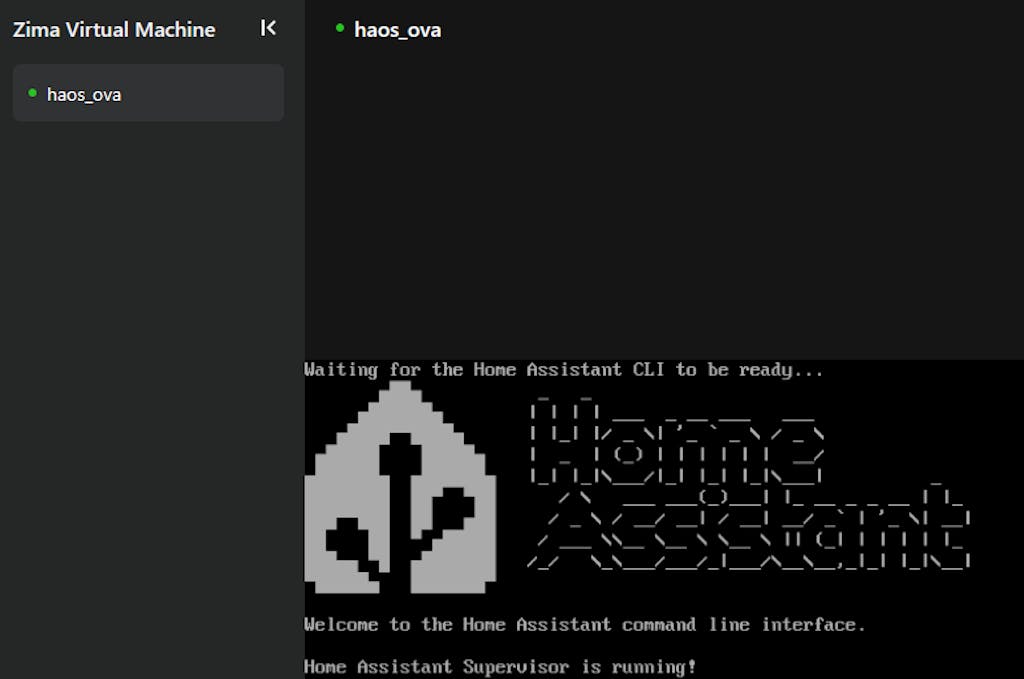
Now my Zimaboard 2 1664 (with 2TB 3.5" SATA HDD and 250GB 2.5" SATA SSD) is running my password manager, mediacenter, local DNS + adblocker, home assistant (fully managed in ZVM) and is much snappier than my 8 years old NAS and with very low power budget compared to my NAS.
Home Assistant and password manager are made available externally with cloudflare tunnel (cloudflared docker container).
Every container managed as stack in portainer (installed from the Zima appstore)
Perfect selfhosting device for me ... poweful but power efficient.
Not a single second of regret, would buy again (to build a cluster?).
Little trick/tip it you want your VM to auto start on zimaboard reboot ... can be achieved with the following commands in ttybridge :
sudo virsh list --all (to get your vm id/name)
then :
sudo virsh autostart (to set your vm to autostart when your zimaboard reboots)
Reviews in Other Languages
カートは現在空です。
<p>ショッピングを開始</p>-

 ZimaBoard 2 - ハイパーパフォーマンス シングルボード ホームサーバー から $279.00 USD /
 -

 ZimaBlade - サイバーネイティブ向けシングルボードサーバー から $69.00 USD /
 -
 ZimaBoard 2 ミニNASキット ホームサーバー&パーソナルクラウド用 から $409.00 USD /


