
This October 2025 thread captures two valid ways users were getting the Tailscale app enrolled on ZimaOS: an interactive login URL obtained from the container terminal, and an auth-key workflow linked by Zima-Giorgio from an earlier solved thread. The original poster initially saw nothing when following the terminal approach, then used the auth-key instructions and explicitly marked the problem solved.
A complete modern setup needs one additional piece that the short source discussion did not explore: the Tailscale state directory must persist so the node stays the same machine after ZimaOS or the app restarts.
First Confirm the Tailscale Container Is Actually Running
Authentication only helps if the container has started successfully and can reach the Tailscale control plane. If the app is stopped, crash-looping, or missing required network capabilities, a login URL will not solve the runtime problem.
Open the application terminal or logs and confirm the Tailscale process is alive before changing credentials.
Method 1: Use the Login URL from the Container
One community participant opened the Tailscale app terminal and ran:
tailscale statusBecause the node was logged out, Tailscale returned a browser authentication URL.
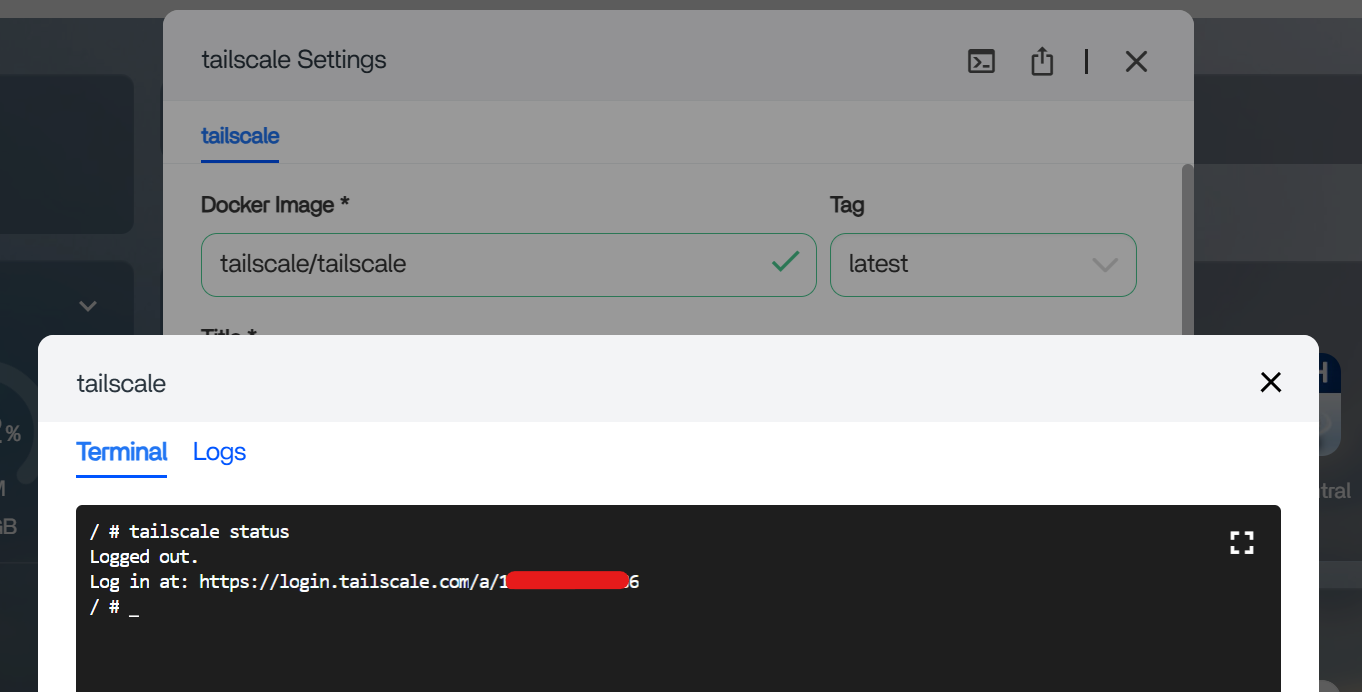
Open the URL on a trusted device where you are already signed in to the correct Tailscale account.
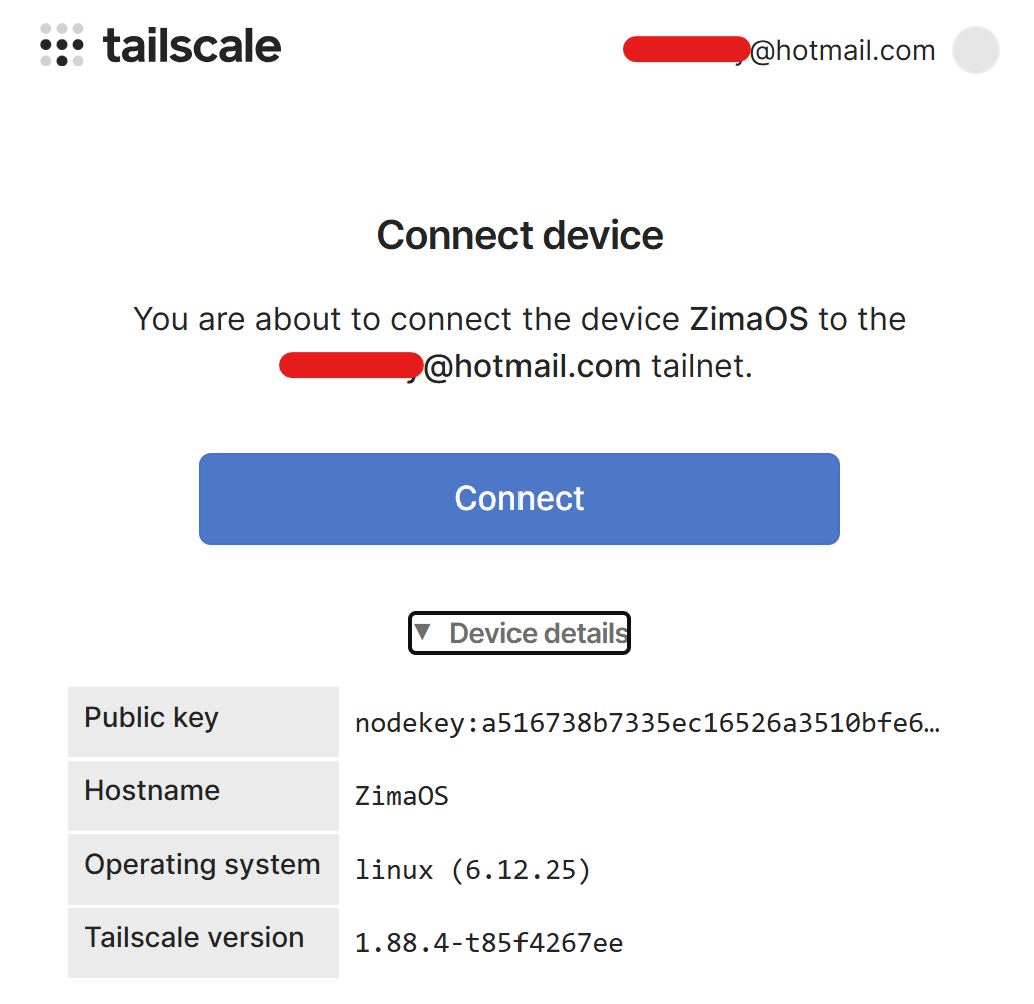
Method 2: Use an Auth Key in the App Configuration
Zima-Giorgio linked an earlier solved thread where the user generated an authorization key and placed it into the Tailscale app's environment configuration. The original poster of this thread later said that following those instructions solved the problem.
Generate your own credential from the Tailscale admin console. Auth keys should be treated like passwords: do not publish them, reuse someone else's value, or store them in screenshots.
The Source User Needed the Right Tailscale Permission to Generate the Key
The final source reply says that after following the instructions to set the account appropriately, the user was able to generate the key and complete the setup. That is a useful reminder that a missing auth-key option may be an account-role issue rather than a ZimaOS application problem.
Verify the Node Appears in the Tailscale Admin Console
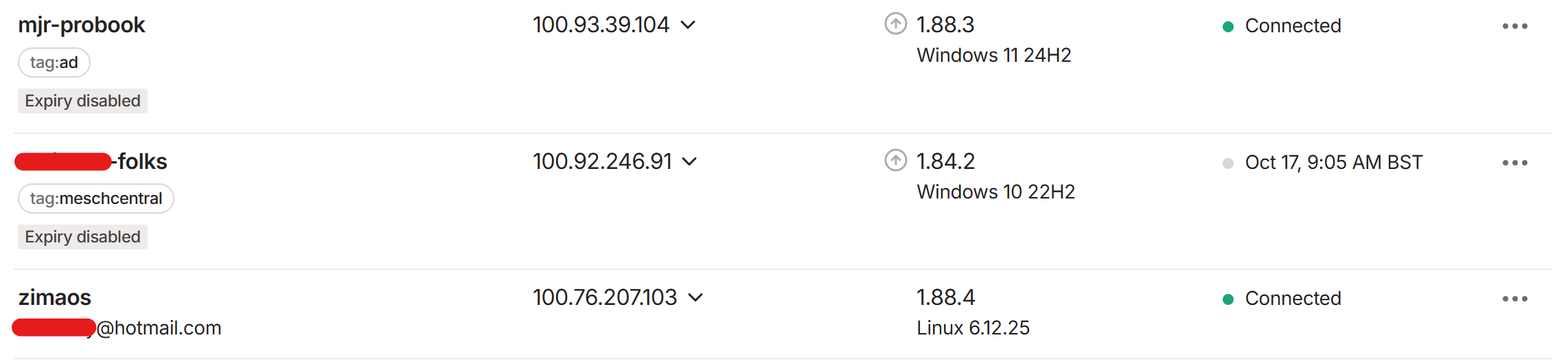
Once the node appears, test reachability from a second tailnet device instead of assuming an online status means every ZimaOS service is reachable.
Persist the Machine State
Current Tailscale Docker deployments use TS_STATE_DIR to define where tailscaled stores identity and login state. That directory should be mapped to persistent ZimaOS storage.
Without persistent state, a container recreation can appear to Tailscale as a completely new machine even though the hostname is unchanged.
Review the current Tailscale Docker authentication and state options before finalizing a permanent ZimaOS node.
Use TS_AUTH_ONCE for Automated Enrollment with Persistent State
If an auth key is intentionally kept in the container configuration, current Tailscale can use TS_AUTH_ONCE=true. This tells the container to authenticate only when it does not already have valid state.
That prevents a deployment from behaving like a fresh machine simply because the service restarts.
Which Method Is Better?
For a personal server, an interactive login URL is easy to audit because no reusable key has to remain in the app configuration. An auth key is convenient for automated deployment, especially when combined with persistent state and one-time authentication.
Both are legitimate. The source thread demonstrates that one user succeeded with an auth key while another participant succeeded with the login URL.
Tailscale Configuration FAQ
Can I join Tailscale without an auth key?
Yes. The thread shows a browser login URL generated from the app terminal.
Did the original poster solve the configuration?
Yes. They later said the auth-key workflow solved it.
Why might the node appear again as a new machine after restart?
The state directory may not be persistent or the container may be forcing a fresh authentication.
Should a reusable auth key be visible in screenshots or forum posts?
No. Treat it as a secret credential.


