
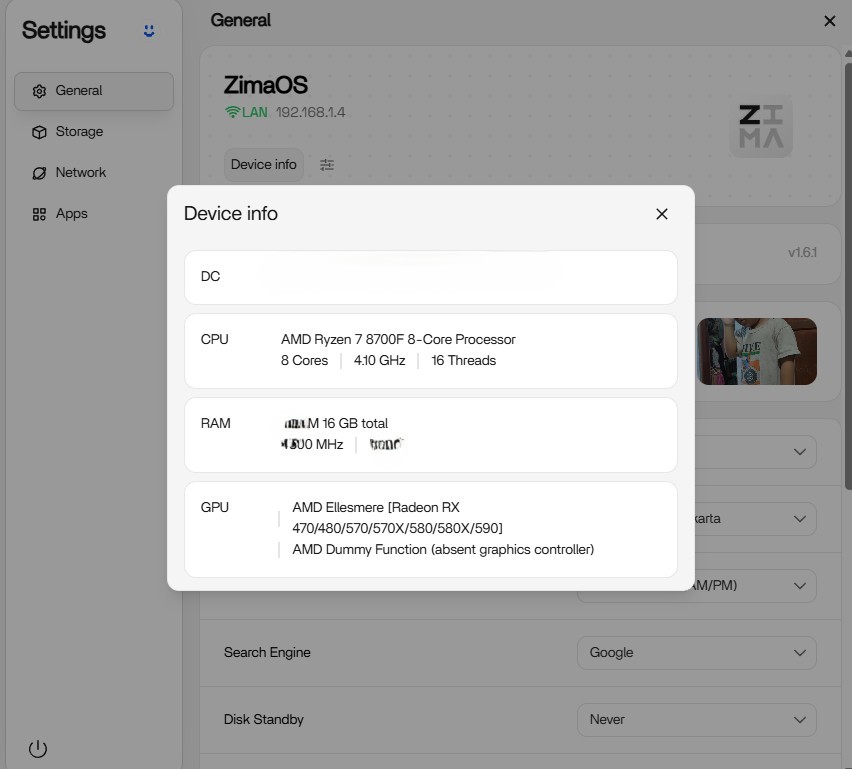
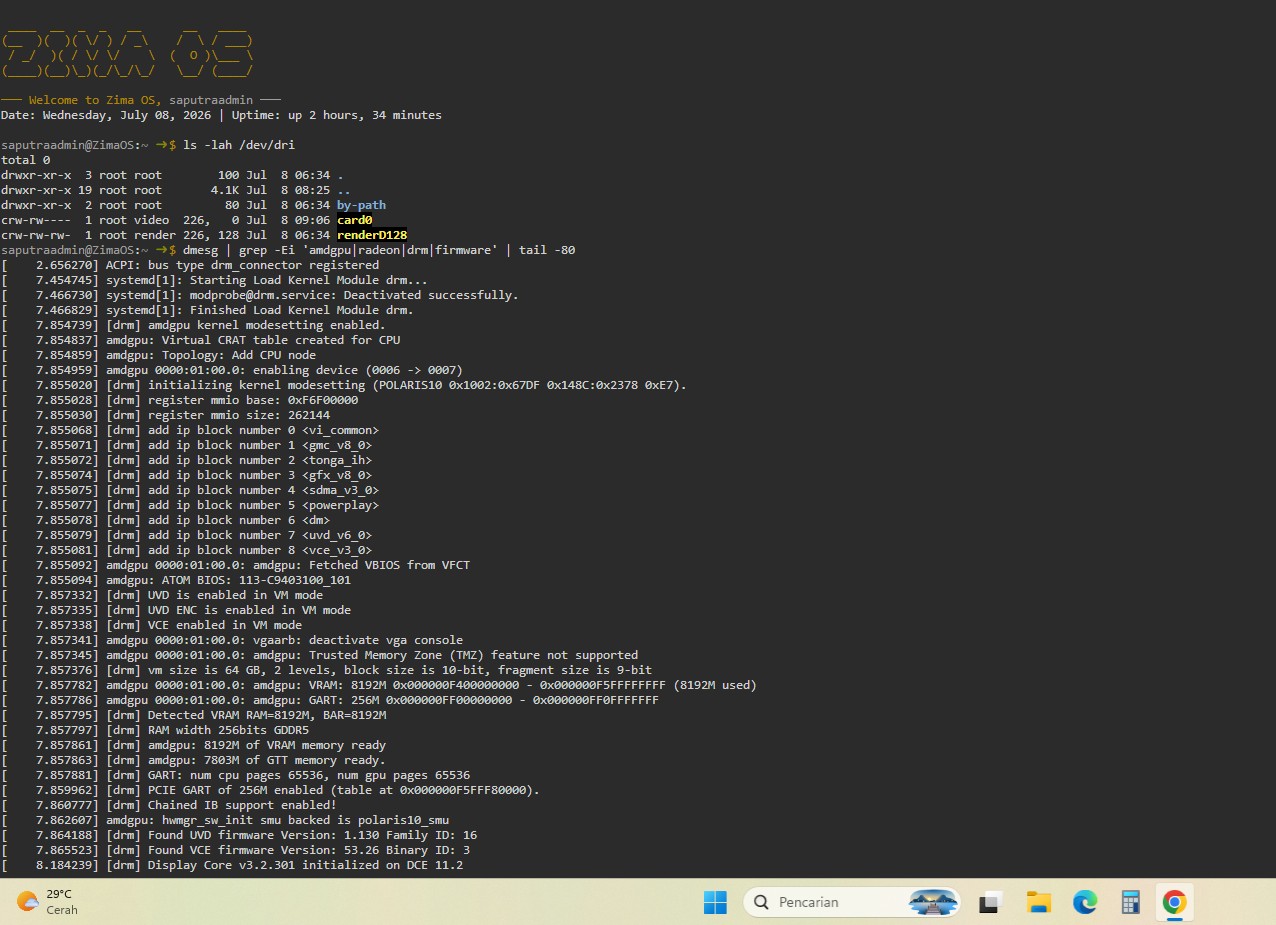
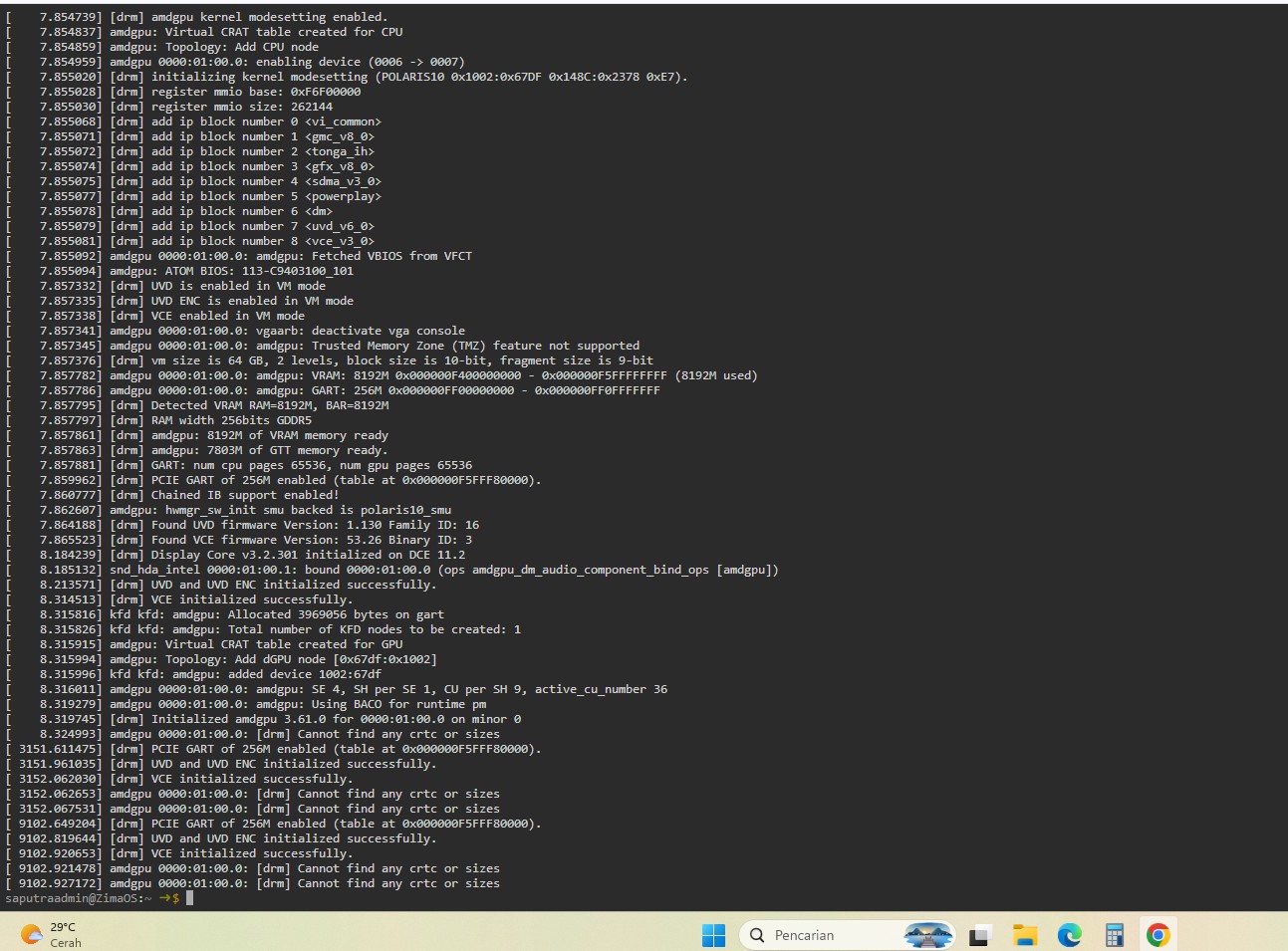
The RX 580 in the source thread was not missing from ZimaOS: the host detected it, loaded amdgpu, created /dev/dri/card0 and renderD128, and initialized UVD/VCE. What happens next depends on whether you want display output, media transcoding, or Ollama acceleration.
That distinction matters in 2026 because Ollama now enables Vulkan by default on a wider range of AMD and Intel hardware. The RX 580 is still not on Ollama's older official ROCm support list, but “not supported by ROCm” no longer automatically means “cannot accelerate Ollama at all.”
Step 1: Confirm the Host Side
lspci -nnk | grep -A3 -Ei 'vga|3d|display'
ls -lah /dev/dri
dmesg | grep -Ei 'amdgpu|radeon|drm|firmware' | tail -100
If renderD128 exists and amdgpu initializes cleanly, the basic kernel driver path is working.
Display Output Is a Separate Problem
The source logs included Cannot find any crtc or sizes. That points toward display/EDID/mode detection rather than a failed GPU driver. Test the physical output and monitor separately.
Media Transcoding Uses /dev/dri
For Jellyfin, Plex, Emby, FFmpeg, or VAAPI-capable apps, pass the relevant /dev/dri render device into the container and test an actual hardware encode/decode workload.
RX 580 and Ollama: ROCm vs Vulkan
Ollama's older AMD support list does not include RX 580 among its supported ROCm cards. However, the current Ollama Vulkan update says Vulkan is now enabled by default and extends acceleration to a wider range of AMD and Intel devices.
Test Current Ollama Before Replacing the GPU
Use the current Ollama package/runtime and inspect logs while loading a model. Compare CPU-only speed with the current GPU path. Do not assume an old ROCm compatibility table is the final answer for Vulkan-capable inference.
Do Not Expect the Dashboard Widget to Prove Compute Support
ZimaOS Device Info detecting a GPU, a dashboard widget showing utilization, and a container using GPU compute are three separate layers. Verify the workload inside the actual app.
Know the Age Boundary of Polaris
RX 580 is an older Polaris GPU. Even if Vulkan works for some LLM workloads, newer frameworks, ROCm features, AI image pipelines, or codec paths can still have stricter requirements.
The Ollama hardware guide helps decide whether an upgrade is worthwhile.
Use One Workload to Prove Each Layer
For display, test a monitor. For media, run a real transcode and inspect hardware use. For Ollama, compare model throughput and application logs. Do not treat one successful workload as proof that every AMD acceleration path works.
Check Container Device Access
If the host has /dev/dri/renderD128 but Jellyfin or another app still uses CPU, verify that the render device is actually mapped into the container and that the process has permission to open it.
FAQ
Does ZimaOS detect RX 580?
Yes in the source case: amdgpu loaded and /dev/dri render devices were present.
Why is there no monitor output?
The source log suggests display-mode/EDID detection, not missing amdgpu.
Can RX 580 accelerate Ollama?
It is not on Ollama's old ROCm list, but current Ollama Vulkan support broadens the hardware path. Test the current runtime rather than assuming either success or failure.
Can RX 580 transcode video?
The source logs initialized UVD/VCE. Container mapping and codec/application support still need to be verified.


