
ZimaBoard 2 vs Beelink EQ13: Board or Mini PC?
A practical comparison of an integrated x86 server board and a compact N100 mini PC, centered on drive attachment, networking, expandability, and the amount of hardware assembly each build requires.
Updated September 21, 2026
ZimaBoard 2 832 vs Beelink EQ13 N100 16GB: Verdict and Best Use Cases
Start with the direct answer, then use the scenario matrix to see which NAS fits each workload.
The integrated x86 server board
The ZimaBoard 2 product page combines Intel N150, 8GB LPDDR5, 32GB eMMC, dual 2.5GbE, two powered SATA 3 ports, and an open-ended PCIe 3.0 x4 slot. ZimaOS Plus is preinstalled, so storage and services can start without first selecting RAM, a boot SSD, or an enclosure.
An enclosed N100 mini PC for general computing
The EQ13 N100 configuration is commonly sold with 16GB DDR4, a 500GB PCIe 3.0 SSD, dual 1GbE, Wi-Fi 6, dual HDMI, a second M.2 position, and an internal power supply. It is a tidy small computer first; using it as a NAS still requires a USB or network storage plan because it does not provide ZimaBoard 2's powered dual SATA layout.
| Use Case | Better Choice | Why |
|---|---|---|
| Two-drive mirrored NAS | ZimaBoard 2 | Two powered SATA 3 ports are a native storage path; the EQ13 needs external storage hardware or a different enclosure. |
| Quiet desktop or office PC | EQ13 N100 | The enclosed chassis, included memory and SSD, Wi-Fi 6, and dual HDMI reduce assembly and cable planning. |
| Dual 2.5GbE router or firewall | ZimaBoard 2 | Two 2.5GbE interfaces are available on the board without USB adapters. |
| Turnkey boot drive | EQ13 N100 | A representative bundle includes a 500GB SSD, while ZimaBoard 2 starts from 32GB eMMC and expects storage planning around SATA or PCIe. |
| PCIe NIC, HBA, or accelerator | ZimaBoard 2 | Its open-ended PCIe 3.0 x4 connector is designed for an add-in card. |
| Dual-display office workstation | EQ13 N100 | Dual HDMI and a compact case fit a conventional desk deployment. |
ZimaBoard 2 832 vs Beelink EQ13 N100 16GB Specifications
The main table compares the closest standard configurations only, so higher-end SKUs do not distort the baseline comparison.
| Specification | ZimaBoard 2 | Beelink EQ13 |
|---|---|---|
| Processor | Intel N150, 4 cores, up to 3.60GHz | Intel N100, 4 cores/4 threads, up to 3.40GHz |
| Memory | 8GB LPDDR5 4800 onboard | 16GB DDR4 in the representative bundle; check SKU |
| Boot storage | 32GB eMMC onboard | 500GB PCIe 3.0 SSD in the representative bundle |
| Native SATA | 2 × SATA 3 with drive power | No native powered SATA pair; external storage is required |
| Networking | 2 × 2.5GbE | 2 × 1GbE |
| Expansion | Open-ended PCIe 3.0 x4 | Second M.2 position; lane and device support depend on EQ13 revision |
| Wireless | No onboard Wi-Fi listed | Wi-Fi 6 and Bluetooth in the representative configuration |
| Display | Mini DisplayPort 1.4 up to 4K60 | 2 × HDMI |
| Power and enclosure | 12V 5A board supply; open board | Built-in power supply; enclosed mini-PC chassis |
Primary comparison baseline: Both are low-power x86 platforms, but they package the ownership task differently. ZimaBoard 2 fixes memory and boot eMMC while exposing server interfaces. The EQ13 N100 fixes a more conventional mini-PC bundle, but its N100 is slightly lower-clocked and its storage and network layout are less NAS-oriented. Beelink sold both N100 and N200 EQ13 variants, so this page explicitly uses the N100 16GB configuration.
Category-by-Category Comparison
What the specification differences mean for storage, networking, software, self-hosting, media, and local AI.
Storage Topology Is the Main Divide
ZimaBoard 2 makes a small NAS straightforward: two SATA 3 connections include power, eMMC can hold the system, and PCIe remains available for a future controller or accelerator. That arrangement is suited to a mirrored pair of SSDs or hard drives where direct attachment and predictable recovery matter.
The EQ13 N100 is easier to deploy as a desktop because its representative bundle already has a 500GB SSD. Its second M.2 position can add flash storage depending on the exact revision, but that is not the same as two powered SATA ports. A multi-drive array would need a USB enclosure, a network shelf, or custom cabling, changing both bandwidth and failure planning.
Category verdict: ZimaBoard 2 is the cleaner two-drive server; EQ13 is the cleaner single-box desktop with included flash.
Networking: Two Fast Links vs Two Ordinary Links
Dual 2.5GbE gives ZimaBoard 2 a direct role as a router, firewall, isolated storage host, or lab appliance. The second port can separate WAN and LAN or carry a dedicated storage segment without consuming the PCIe slot.
EQ13's dual 1GbE is still useful for a small router or network-service box, and Wi-Fi 6 helps when the machine is placed as a desktop or media client. It should not be described as an equivalent bandwidth path: two 1GbE ports require bonding or routing support and do not turn one transfer into 2Gbps automatically.
Category verdict: Choose ZimaBoard 2 when 2.5GbE or wired segmentation is a requirement; choose EQ13 when wireless convenience and ordinary office networking are enough.
Performance: N150 and N100 Are Close, but the Workload Decides
Both chips are four-core low-power Intel processors. N150 reaches up to 3.60GHz in ZimaBoard 2, while N100 reaches up to 3.40GHz in the representative EQ13. Neither should be treated as a workstation-class CPU; sustained transcoding, many VMs, and heavy databases need testing rather than a marketing-tier assumption.
EQ13's included 16GB memory and 500GB SSD can make the first boot feel more complete than an 8GB board with eMMC. ZimaBoard 2 can offset that with the 1664 model or a PCIe storage path, but those are separate SKU and expansion choices. Compare the complete bill of materials, not only the processor name.
Category verdict: The CPU gap is secondary; memory, storage, and the final service topology are the practical performance gates.
Ownership: Appliance Board or Finished Mini PC
ZimaBoard 2 assumes the owner will choose drives, mounting, and possibly a PCIe card. That flexibility is valuable for a server built around SATA, but the open board needs a case or shelf, drive power distribution, cooling decisions, and safe cable routing.
EQ13 packages its board, cooling, wireless module, storage, memory, and power inside a small enclosure. That shortens the path to Windows, Linux, or a light container host. The trade-off is fewer physical server interfaces and less freedom to turn the machine into a custom storage appliance.
Category verdict: Use EQ13 when the enclosure and included parts remove project friction; use ZimaBoard 2 when the server layout itself is the project.
Pros, Cons, and Which One Should You Buy?
Bring the important trade-offs and final buyer recommendations together in one decision section.
Start With the Physical Storage and Network Plan
Draw the finished system before choosing. If it needs two directly attached drives and two fast Ethernet paths, the Board wins. If it needs a quiet general-purpose computer with Wi-Fi, an included SSD, and dual display output, EQ13 is the more coherent package.
| Buyer | Recommended Model | Decision Rule |
|---|---|---|
| First two-drive home server | ZimaBoard 2 832 | Powered SATA and eMMC create a direct storage topology with fewer adapters. |
| Office, kiosk, or light desktop | Beelink EQ13 N100 | Included RAM, SSD, Wi-Fi 6, and dual HDMI make the enclosed PC easier to place. |
| Router plus local services | ZimaBoard 2 832 | Dual 2.5GbE and PCIe expansion preserve network headroom. |
| Small computer with an existing NAS | Beelink EQ13 N100 | Use its SSD and displays for compute while leaving bulk storage on the separate NAS. |
Bottom line: ZimaBoard 2 is the better server foundation when native SATA and dual 2.5GbE matter. The EQ13 N100 is the better finished mini PC when included memory, SSD, wireless, displays, and a tidy enclosure matter more than direct-drive storage.
SKU Family: What Changes Above the Standard Models?
The head-to-head comparison stays focused on ZimaBoard 2 832 and Beelink EQ13 N100 16GB. Higher-end variants are explained separately here.
Compare the Complete EQ13 Bundle With the Board Build
The EQ13 N100 is often sold as a 16GB/500GB bundle, while ZimaBoard 2 832 includes 8GB and 32GB eMMC but needs data drives and a physical deployment plan.
| Configuration | What Changes | Who It Fits |
|---|---|---|
| ZimaBoard 2 832 | 8GB LPDDR5, 32GB eMMC, dual 2.5GbE, dual powered SATA | Two-drive server, router, or PCIe lab node |
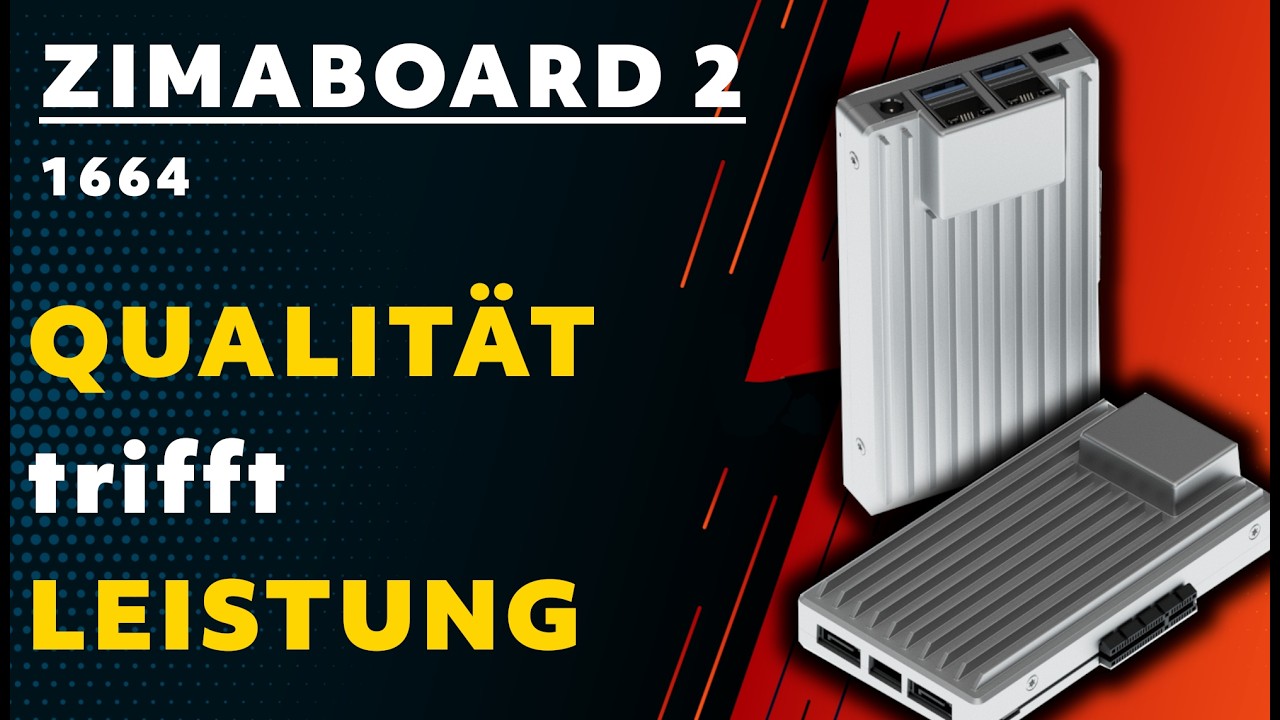
| ZimaBoard 2 1664 | 16GB LPDDR5, 64GB eMMC, same server I/O | More containers without changing the board |
| EQ13 N100 16GB/500GB | 16GB DDR4, 500GB PCIe SSD, dual 1GbE, Wi-Fi 6 | Enclosed desktop, utility PC, or light host |
Watch and Read More About ZimaBoard 2
Three creator videos and three related Zima articles add real-world context beyond the comparison tables.
Watch Creator Videos



Frequently Asked Questions
Long-tail buying questions, SKU questions, and query fan-out from the comparison.
ZimaBoard 2 vs Beelink EQ13 FAQ
Which EQ13 model is compared?
This article uses the N100 version with a representative 16GB DDR4 and 500GB SSD bundle. Beelink also sold an N200 version, so confirm the listing before purchase.
Does EQ13 have two 2.5GbE ports?
No. The representative EQ13 N100 configuration has dual 1GbE. ZimaBoard 2 has two 2.5GbE ports.
Can EQ13 run a NAS?
Yes, with external or network-attached storage, but it does not provide ZimaBoard 2's two powered native SATA connections.
Does ZimaBoard 2 include Wi-Fi?
Wi-Fi is not listed as onboard in this configuration. A compatible USB or PCIe adapter can add wireless connectivity.
Which one is quieter?
Both can be quiet when lightly loaded, but EQ13's enclosed cooling and ZimaBoard 2's fanless board design are different thermal solutions. Check the complete build, drives, and enclosure.
Is the EQ13 second M.2 slot guaranteed to be NVMe?
Confirm the exact EQ13 revision and manual. Slot function and lane allocation can vary; do not assume a second full-speed NVMe path without documentation.


