
How YOTECH Evaluates ZimaBoard 2 as a Compact Home Server


Thank you to YOTECH for presenting a concise French-language introduction to ZimaBoard 2 and the hardware decisions that distinguish it from a conventional mini PC or closed NAS appliance.
Rather than hiding storage and expansion inside a sealed plastic enclosure, ZimaBoard 2 exposes the interfaces home-server builders are most likely to need: native SATA, dual 2.5GbE networking, USB, direct display output, and PCIe expansion.
YOTECH’s review focuses on that physical flexibility. He examines the aluminum enclosure, included cables, optional cooling fan, and metal drive rack before considering whether the system deserves to be described as a leading compact home server.
The answer depends on what the owner wants to build. ZimaBoard 2 is compelling for users who value expansion, x86 compatibility, direct storage connections, and a graphical server operating system. It is less suitable for someone who wants a sealed appliance with no assembly, storage planning, updates, or administrative responsibility.
Watch before reading: The original video provides a close look at the board, accessories, cooling system, drive frame, enclosure construction, and YOTECH’s overall assessment.
Disclosure: YOTECH identifies the video as a commercial collaboration. This article independently reorganizes the hardware information and observations shown in his ZimaBoard 2 review. It does not treat a sponsored product introduction as an independent long-term reliability test.
The video does not present controlled storage benchmarks, network throughput measurements, simultaneous transcoding results, long-duration thermal testing, or a direct comparison with every competing home server. Performance still depends on the selected configuration, operating system, storage, applications, cooling, and network.

YOTECH begins with the central question of the review: can this compact aluminum x86 board serve as the foundation of a complete home server?
What Makes ZimaBoard 2 a Home Server Rather Than a Normal Mini PC?
A mini PC is usually designed as a finished desktop computer. Its processor, memory, storage, ports, and cooling are enclosed in a case, and expansion is often limited to an internal SSD slot or several USB devices.
ZimaBoard 2 takes a more modular approach. It combines a compact x86 system with interfaces normally associated with a NAS, router, homelab node, or small server.
- Intel N150 x86 processor: Supports conventional Linux distributions, containers, selected virtual machines, and compatible Windows environments.
- LPDDR5 memory: Available configurations provide memory for applications, containers, media services, and lightweight virtualization.
- eMMC system storage: Provides onboard space for ZimaOS and its supporting system files.
- Two SATA 3.0 ports: Connect SSDs and hard drives directly without requiring USB storage bridges.
- Two 2.5GbE ports: Support faster local transfers and network projects that benefit from two independent interfaces.
- PCIe 3.0 ×4 expansion: Provides a path for storage controllers, faster networking, compatible accelerators, and other PCIe hardware.
- Mini DisplayPort: Allows direct display output for setup, diagnostics, and alternative operating systems.
- USB 3 connectivity: Supports installation media, external drives, input devices, and other peripherals.
These interfaces allow one board to change roles without replacing the entire platform. A simple two-drive NAS can later gain additional storage, faster networking, or another PCIe device as the owner’s homelab grows.

The Aluminum Enclosure Is Also the Main Heatsink
One of the first details visible in YOTECH’s review is the aluminum enclosure. The deep fins are functional: they increase the available surface area for transferring heat away from the processor and internal components.
This passive design has two advantages for an always-on server:
- There is no small internal fan producing constant noise during light workloads.
- There are fewer moving cooling components that can wear out or become obstructed by dust.
Passive cooling does not mean the enclosure remains cold. The aluminum surface is expected to become warm because it is carrying heat away from the processor. Builders should leave space around the fins and avoid placing the board inside a tightly closed cabinet without airflow.
Sustained CPU workloads, virtualization, local AI, multiple drives, or a heat-producing PCIe card can create different thermal conditions from basic file serving. That is why an optional fan appears among the accessories YOTECH examines.
The Included Cables Support Direct SATA Storage
YOTECH next examines the supplied cables and power accessories. Native SATA is one of the most important differences between ZimaBoard 2 and many compact computers.

The included connection hardware allows SSDs and hard drives to be attached directly to the board’s SATA interfaces.
USB drives are convenient for temporary transfers and portable backups, but direct SATA connections provide a cleaner path for permanent server storage. They avoid some of the bridge-chip, cable, and power-management inconsistencies that can appear in long-running USB storage configurations.
A direct SATA connection still requires appropriate drive power, secure mounting, and stable cables. Large 3.5-inch hard drives generally consume more startup and operating power than 2.5-inch SSDs, so the complete power budget must be considered before adding several drives or expansion cards.
Why Storage Choice Matters More Than Capacity Alone
A home server often combines different storage types because no single device is ideal for every workload.
| Storage Type | Best Use | Main Limitation |
|---|---|---|
| Onboard eMMC | Operating system and lightweight supporting files | Limited capacity for large personal libraries |
| SATA SSD | Applications, containers, databases and responsive working storage | Higher cost per terabyte than mechanical drives |
| SATA HDD | Media libraries, archives and large backup datasets | Lower random performance, noise and mechanical wear |
| PCIe NVMe storage | High-speed applications, virtual-machine disks and caches | Consumes the PCIe interface and may require additional cooling |
A sensible setup might keep ZimaOS and applications on solid-state storage while using larger hard drives for media, archives, and backups. The correct arrangement depends on whether the system is intended for file storage, media playback, virtual machines, databases, or AI workloads.
The Optional Fan Supports Sustained Workloads
The next accessory in YOTECH’s sequence is the dedicated cooling fan. It mounts near the aluminum fins and moves air across the surface of the enclosure.

The optional fan adds airflow for sustained processing or expansion configurations that generate more heat.
Not every home-server workload requires active cooling. File serving, DNS, light Docker applications, and routine backups can place relatively modest demands on the processor. The fan becomes more relevant when the system runs:
- Several active containers or virtual machines
- Continuous media indexing or transcoding
- Local AI inference
- Computer-vision services
- Long data-compression or encryption tasks
- A warm PCIe network, storage, or accelerator card
Temperature should be measured under the intended workload rather than judged only by touching the enclosure. The outer surface may feel hot precisely because it is functioning as the system’s heatsink.
The Metal Rack Turns the Board Into a Complete Storage Build
YOTECH then shows the metal mounting frame. The rack gives the board and its storage a more permanent structure than leaving drives loose on a desk.

The open metal frame provides a structured mounting location for the board, drives, cables, and selected expansion hardware.
A proper frame solves several practical problems:
- Drives are less likely to move and pull on SATA connectors.
- Cables can follow a predictable route.
- The heatsink remains exposed to surrounding air.
- Expansion hardware can receive physical support.
- Individual components remain accessible for replacement or upgrades.
The open design also means the hardware is not protected from spilled liquids, conductive objects, dust accumulation, children, or pets. Its placement should balance cooling and accessibility with physical safety.
Dual 2.5GbE Provides More Than Faster File Transfers
The two onboard 2.5GbE interfaces can provide higher local-network throughput when the switch, client, cabling, and storage also support it. One 2.5GbE link has a theoretical rate of 2.5 gigabits per second, although real file transfers are lower after protocol and storage overhead.
Two independent interfaces also enable network designs that are difficult with a single-port mini PC:
- Separating server-management and storage traffic
- Building a software router or firewall with different WAN and LAN interfaces
- Connecting one port to the main network and another to a dedicated client
- Separating trusted devices from selected lab or IoT networks
- Testing bridges, VLANs, and virtual network appliances
Two ports do not automatically combine into a single 5Gbps connection. Link aggregation requires compatible switch support and does not necessarily make one client transfer twice as fast. Its main value is often redundancy or distributing multiple connections.
For an example of expanding beyond the onboard interfaces, INFO SPEED HARDWARE’s direct 10GbE ZimaBoard 2 NAS build uses PCIe networking to create a faster workstation-to-server path.
PCIe Keeps the Server From Being Locked to One Configuration
PCIe expansion is one of the strongest arguments for choosing ZimaBoard 2 over a sealed compact computer. The interface can support compatible hardware such as:
- Additional SATA controllers for more drives
- NVMe adapters for faster solid-state storage
- Faster or additional network interfaces
- Selected Wi-Fi adapters
- Compatible graphics cards and compute accelerators
- Specialized capture, communication, or controller cards
Physical connection is only the first compatibility requirement. A card also needs suitable drivers, enough PCIe bandwidth, adequate power, cooling, and proper physical support.
A full-size graphics card may require an external power supply and a supported riser or frame. A server-oriented 10GbE card may need active airflow. An NVMe adapter can improve storage performance but occupies the slot that might otherwise be used for networking or an accelerator.
ZimaOS Lowers the Initial Self-Hosting Barrier
Hardware expansion is only useful when the operating system can manage the resulting storage and applications. ZimaBoard 2 ships with ZimaOS, which provides browser-based administration and an application store for common self-hosted services.
Users can begin by following the official ZimaOS getting-started guide. After the first login, the interface provides access to storage, files, networking, applications, system monitoring, and other server functions.
The graphical interface reduces how often a beginner needs to work directly with Docker commands. It does not remove the underlying responsibilities of self-hosting. Owners still need to understand where application data is stored, which users can access it, how it will be updated, and how it will be restored after a failure.
Practical Home-Server Roles for ZimaBoard 2
| Role | Why the Hardware Fits | What Still Needs Planning |
|---|---|---|
| Personal NAS | Native SATA, multigigabit networking and expandable storage | RAID layout, backups, drive monitoring and recovery |
| Private cloud | Local storage, browser access and mobile connectivity | Secure remote access, accounts and off-site backups |
| Media server | x86 software compatibility and direct drive connections | Codec support, transcoding load and client compatibility |
| Docker host | Intel x86 processor, multiple memory configurations and ZimaOS applications | Container updates, volumes, ports and permissions |
| Home router | Two independent 2.5GbE ports | Firewall configuration, recovery access and network downtime |
| Virtualization lab | x86 virtualization support and expandable storage | Memory allocation, VM performance and backup strategy |
| Local AI node | PCIe expansion and support for compatible applications | Model size, memory, accelerator power, cooling and software support |
Media and Personal-Cloud Projects Are Natural Starting Points
A first home server does not need to begin with virtual machines or advanced networking. File storage, photo backup, and media libraries provide immediate value while introducing the owner to permissions, storage paths, and backup planning.
The official Jellyfin media-server guide explains how a locally stored video library can be organized and streamed to compatible clients.
For a broader private-cloud example, the related Bighenet private-cloud walkthrough covers local file control, remote access, and mobile photo backup.
Local storage should not be mistaken for automatic backup. If the only copy of a family photo library exists on one server, that library remains vulnerable to drive failure, accidental deletion, malware, theft, and physical damage.
Can ZimaBoard 2 Support Local AI?
The Intel N150 can run selected small models and API-connected AI applications, but it is not a replacement for a high-end GPU workstation. Local performance depends heavily on model size, quantization, available memory, and the selected inference engine.
PCIe creates an upgrade path for compatible accelerators, but an external GPU introduces additional power, cooling, driver, and enclosure requirements. The related ZimaBoard 2 local AI review explains these tradeoffs in greater detail.
YOTECH’s Evaluation Focuses on Design and Possibility
As YOTECH moves toward his conclusion, the strongest impression is the amount of hardware flexibility contained in a small footprint.

YOTECH’s assessment emphasizes the board’s compact construction, accessories, expansion options, and range of possible home-server roles.
This is best understood as a hardware introduction rather than a controlled comparative benchmark. The video shows what is included and what can be built around the platform, but it does not establish that ZimaBoard 2 is fastest in every workload.
The “best” home server depends on the buyer’s priorities:
- A closed two-bay NAS may be easier for someone who wants a finished storage appliance.
- A large desktop server may offer more memory, PCIe lanes, and drive capacity.
- A used business PC may provide lower initial hardware cost.
- ZimaBoard 2 emphasizes compact size, direct storage, low-power operation, graphical management, and accessible expansion.
The Industrial Design Is Meant to Remain Visible
The final hardware view shows the clean metal underside and minimal Zima branding. The enclosure is compact enough to remain on a desk, shelf, or small homelab frame rather than being hidden in a full-size server rack.

The compact metal enclosure gives the board a finished appearance while remaining part of its passive-cooling system.
The visual simplicity should not obscure the exposed nature of a complete build. Once drives, SATA cables, PCIe hardware, and an optional fan are attached, the system needs a stable location with clear airflow and protection from accidental contact.
Is ZimaBoard 2 Really the King of the Home Server?
YOTECH’s question does not have one universal answer. ZimaBoard 2 is strongest when a buyer wants a compact x86 server that remains physically expandable and can begin with a relatively approachable operating system.
Its combination of native SATA, dual 2.5GbE, PCIe, aluminum passive cooling, and ZimaOS is unusual in this size class. Those features support a wider range of projects than a basic sealed mini PC.
The platform still has boundaries. Memory is not user-replaceable, the number of onboard SATA ports is finite, PCIe expansion must be shared among competing upgrade priorities, and every self-hosted service adds maintenance responsibilities.
ZimaBoard 2 therefore makes the most sense as a flexible foundation, not a claim that one device is automatically ideal for every NAS, AI, networking, media, or virtualization workload.
What YOTECH’s Review Demonstrates
| Area | What the Video Shows | What Requires Further Testing |
|---|---|---|
| Construction | A compact aluminum enclosure designed to dissipate heat passively | Long-duration temperatures under specific workloads |
| Storage | Native SATA cables and a rack for building a permanent drive setup | Throughput, RAID behavior and drive-specific reliability |
| Cooling | An optional fan can add airflow across the aluminum heatsink | Noise and temperature differences under repeatable loads |
| Networking | Two onboard 2.5GbE interfaces support multigigabit and dual-port projects | Real throughput with the selected switch, clients and storage |
| Expansion | PCIe provides a path for storage, networking and accelerators | Card-specific drivers, power, cooling and bandwidth |
| Home-server fit | The platform can be adapted to several self-hosted roles | Long-term maintenance and workload-specific comparisons |
A Compact Home Server That Leaves Room to Grow
YOTECH’s review presents ZimaBoard 2 as a physically small server that avoids many of the expansion limits associated with sealed mini PCs. Its direct SATA connections, two 2.5GbE interfaces, PCIe slot, optional fan, and metal rack provide building blocks for storage, networking, media, virtualization, and selected AI projects.
ZimaOS complements that hardware with browser-based management and an application store that lowers the initial barrier to self-hosting. As the project grows, the same x86 platform leaves room for advanced operating systems and custom services.
The result is not a maintenance-free appliance or the automatic winner of every home-server comparison. It is a flexible foundation for users who want control over how their server is assembled, expanded, and used.
Watch YOTECH’s complete ZimaBoard 2 review for the original hardware presentation, accessory overview, enclosure close-ups, and final assessment.
If you are deciding how to configure your ZimaBoard 2 or choosing between NAS, media, networking, virtualization, and AI workloads, join the ZimaSpace community to compare configurations with other home-server builders.
FAQ
Does ZimaBoard 2 include storage drives?
The board provides onboard system storage and native SATA interfaces, but the SSDs or hard drives used for personal data depend on the selected kit and configuration. Check the current product contents before purchasing.
Can ZimaBoard 2 run without the optional fan?
Yes. Its aluminum enclosure functions as a passive heatsink. Active cooling becomes more relevant for sustained processing, warm environments, multiple drives, or heat-producing PCIe hardware.
Can ZimaBoard 2 work as a NAS?
Yes. Native SATA, multigigabit networking, x86 compatibility, and storage management make NAS one of its most natural roles. A complete NAS still requires suitable drives, redundancy planning, monitoring, and independent backups.
Can both 2.5GbE ports be combined for 5Gbps?
Not automatically. Link aggregation requires compatible network equipment and generally distributes multiple connections rather than doubling the speed of one ordinary file transfer.
Can ZimaBoard 2 run Docker applications?
Yes. ZimaOS uses containerized applications, and other compatible x86 Linux distributions can also run Docker. Application performance depends on memory, CPU, storage, and the number of simultaneous services.
Can a graphics card be connected through PCIe?
A compatible card can be connected, but full-size GPUs may require external power, a riser, physical support, cooling, and suitable drivers. PCIe bandwidth and the Intel N150 processor can also limit some workloads.
Is ZimaBoard 2 suitable for beginners?
It can be. ZimaOS simplifies storage and application management, while the modular hardware leaves room to learn more advanced concepts later. Beginners still need to create backups, protect administrator credentials, and maintain installed services.

Recommended products

Zima Campaign Hub
More to Read
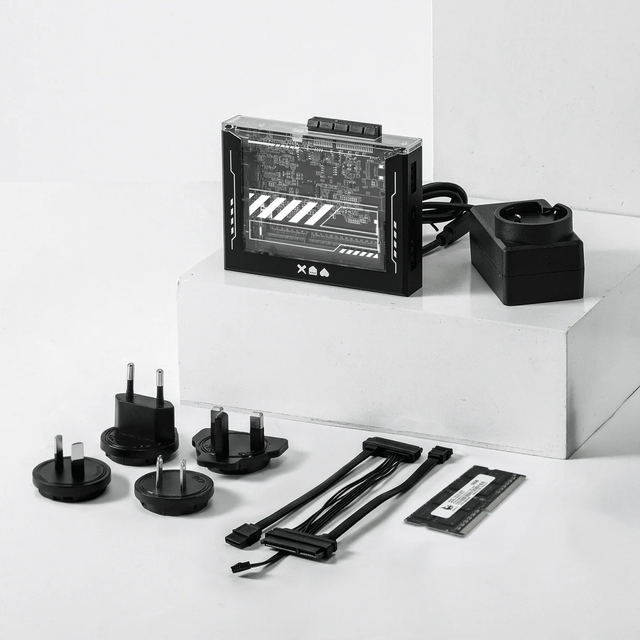
ZimaBlade Is Now ZimaBoard SE: What Changes and Which Kit to Choose
ZimaBlade becomes ZimaBoard SE with installed 8GB or 16GB RAM, 64GB eMMC and ZimaOS Plus. Compare specifications, Starter and NAS Kits, pricing and FAQs.
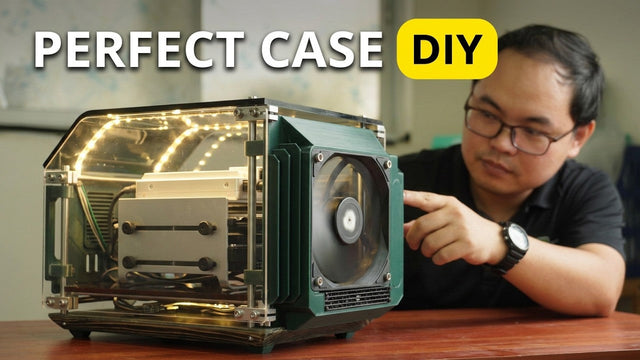
How The TKT Works Builds a Custom Acrylic Case for ZimaBoard 2
Follow The TKT Works’ custom ZimaBoard 2 case build, covering the rod frame, acrylic panels, front display, cable routing, and cooling considerations.
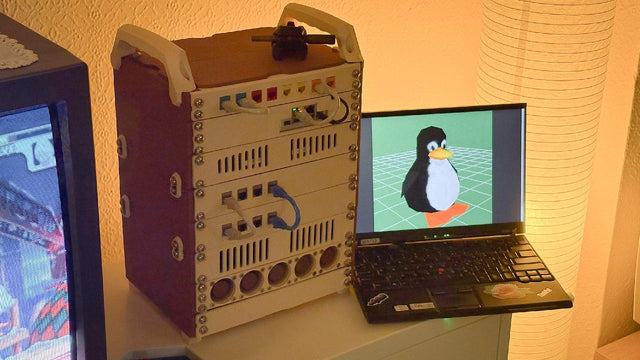
How kabuto Builds a Modular 10-Inch Homelab with ZimaBoard 2
Explore kabuto’s modular 10-inch homelab with ZimaBoard 2, printed patch panels, reused hardware, Immich, Nextcloud, and remote access through Tailscale.


