
National Coding Week 2026: Beginner Projects, Learning Paths, and Event Ideas


National Coding Week is an invitation to stop treating software as something only specialists can understand and start making something with it. Beginners can build a first web page, automate a repetitive task, design a small game, explore data, or join a workshop; experienced developers can mentor, document an open-source project, or help a local group run an accessible coding session.
For 2026, participating organisations currently list National Coding Week for September 14–20. Because some third-party calendars publish conflicting dates and the main UK careers resource does not currently show a dated programme, confirm the schedule used by your school, library, employer, or event host before promoting a session. The useful goal is not to master programming in seven days. It is to complete one small project, understand how it works, and leave with a clear next step.
What Is National Coding Week?
National Coding Week is a UK-founded campaign that encourages adults and children to learn and share digital skills. It is designed to make coding more approachable for people who may not have studied computer science, while giving schools, libraries, businesses, community groups, and experienced developers a reason to create practical learning opportunities.
Coding is the process of writing instructions that a computer can follow. Different languages are suited to different kinds of work: HTML and CSS describe and style web pages, JavaScript adds browser behaviour, Python is widely used for automation and data work, and Scratch uses visual blocks to teach programming logic without requiring beginners to memorize syntax.
The UK National Careers Service coding guide explains that programming can develop problem-solving skills, automate tasks, improve communication with developers, and open routes into many industries. Those benefits are more credible when the week produces a working project rather than a list of tutorials someone intended to watch.
When Is National Coding Week 2026?
Current 2026 announcements from participating organisations list Monday, September 14 through Sunday, September 20. The Radio Society of Great Britain, for example, published a National Coding Week 2026 activity announcement for those dates. However, online awareness calendars are inconsistent, so organisers should verify the date with the campaign or the specific host before printing posters, booking rooms, or publishing registration pages.
National Coding Week is not one centralized conference with a single venue. Activities can take place in classrooms, libraries, community centres, workplaces, online meetings, clubs, or at home. Each host may set its own timetable, age range, registration requirements, equipment policy, and safeguarding arrangements.
Who Can Take Part in National Coding Week?
No computer science qualification is required. A useful National Coding Week programme can support several audiences without pretending they all need the same lesson.
- Children and families: Visual programming, interactive stories, simple games, sensors, and creative web pages.
- Teenagers and students: Portfolio sites, Python utilities, data projects, APIs, version control, and introductory AI experiments.
- Adults changing careers: Fundamentals, realistic role exploration, small portfolio projects, and conversations with working developers.
- Non-technical employees: Automation, data cleaning, website basics, responsible AI use, and better collaboration with technical teams.
- Experienced programmers: Mentoring, beginner-friendly documentation, code review, open-source contributions, and accessible workshop design.
- Schools, libraries, and community groups: Taster sessions that reduce the cost and intimidation of trying coding for the first time.
Accessibility should be planned, not added at the last minute. Hosts should consider keyboard-only navigation, screen-reader compatibility, readable contrast, captioned instruction, adjustable pace, quiet working options, loan devices, and a route for people who cannot install software.
Choose a First Coding Project Before Choosing a Language
Beginners are often told to choose the “best” programming language before they know what they want to make. Reverse that decision. Pick a result that can be finished in one or two sessions, then choose the simplest tool that can produce it.
| What you want to build | Practical starting tool | Concepts you will learn |
|---|---|---|
| Interactive story or simple game | Scratch | Events, sequence, loops, conditions, variables |
| Personal or club web page | HTML and CSS | Document structure, styling, links, accessibility |
| Browser-based quiz or calculator | HTML, CSS, and JavaScript | Input, functions, conditions, DOM events |
| Rename files or process a text list | Python | Variables, loops, file handling, validation |
| Explore a public dataset | Python notebook or spreadsheet formulas | Cleaning, filtering, analysis, visualization |
| Control lights, sensors, or radio data | Microcontroller or single-board computer | Inputs, outputs, timing, hardware constraints |
The right first project is small enough to finish but open enough to personalize. “Build a complete social network” hides too many systems. “Create a page that introduces three local clubs and filters them by activity” has a visible output and a manageable set of concepts.
Seven National Coding Week Project Ideas
1. Build a One-Page Personal Website
Create a semantic HTML page with a short introduction, project list, contact method, and accessible navigation. Add CSS only after the structure makes sense. This teaches beginners that websites are documents before they are visual effects.
2. Make a Quiz With Immediate Feedback
Use JavaScript to read an answer, compare it with expected values, update a score, and explain mistakes. The project naturally introduces variables, conditions, functions, browser events, and basic state without requiring a backend.
3. Automate a Safe Repetitive Task
Write a Python script that standardizes copied filenames, sorts a sample list, summarizes a text file, or converts units. Work only on duplicate sample data during the lesson. File automation becomes a poor beginner exercise if one bug can rename or overwrite the learner's real documents.
4. Create a Small Data Story
Choose a modest public dataset, state one question, clean only the columns needed, and create a chart with a short explanation. Record the source, license, missing values, and transformations. The lesson is not simply drawing a chart; it is learning why data needs context.
5. Design a Scratch Game or Interactive Story
Let learners choose a character, goal, obstacle, score, and ending. Scratch makes loops and conditions visible, while sounds and art give participants with different interests a way into the project. The official Scratch project ideas provide tutorials for stories, games, animation, music, and interactive art.
6. Build an Accessibility Checker Checklist
Create a simple web tool that asks whether an image has useful alternative text, a form has labels, keyboard focus is visible, and headings follow a logical order. It will not replace a professional accessibility audit, but it connects coding with responsibility and user needs.
7. Publish a Tiny Local Web App
Build a classroom notice board, household task page, club resource directory, or status dashboard that initially runs only on the learner's computer or local network. This introduces the difference between writing application code, running a service, storing data, and exposing something to the public internet.
A Five-Day Learning Path for Complete Beginners
A week works better when each session adds one capability to the same project. The following plan assumes 45 to 90 minutes per day and can be compressed into a workshop.
- Day 1 — Define the outcome: Choose the user, problem, input, and visible result. Complete a short guided exercise in the selected tool.
- Day 2 — Build the smallest version: Make one path work from start to finish, even if it looks plain and accepts only one input.
- Day 3 — Handle mistakes: Test empty input, unexpected values, missing files, or the wrong button order. Add useful feedback.
- Day 4 — Improve for another person: Ask a peer to use the project without explanation. Fix the first points of confusion and check accessibility.
- Day 5 — Explain and share: Add a README or project note covering purpose, setup, use, limitations, and the next improvement.
This sequence teaches an important professional habit: working software is more than code that succeeds once on its creator's machine. It needs understandable inputs, failure handling, documentation, and feedback from another user.
Free Resources for Learning to Code
Choose one structured resource that matches the project instead of opening ten courses. A learner who repeatedly switches languages and platforms may stay busy without completing anything.
- Web development: MDN Learn Web Development covers HTML, CSS, JavaScript, accessibility, and browser fundamentals.
- Python: The official Python tutorial is useful once a learner understands basic computing concepts; complete beginners may prefer a guided introductory course before using it as a reference.
- Visual programming: Scratch offers browser-based tutorials and starter projects for children, families, and first-time coders.
- Version control: GitHub Skills provides interactive exercises for repositories, branches, pull requests, and related workflows.
Installing tools can consume an entire beginner session. Browser-based editors are useful for the first lesson, while a local editor and runtime become valuable when participants are ready to understand files, dependencies, terminals, and repeatable setup.
How Schools and Libraries Can Host a Coding Session
A successful beginner session needs a clear audience, a tested environment, and enough helpers—not an ambitious list of languages. Select one project, publish prerequisites, test the venue network, and prepare an offline fallback.
- Define the audience. State age range, required experience, session length, accessibility support, and whether an adult must accompany a child.
- Set one observable outcome. Every participant should leave with a small file, project link, or documented result they understand.
- Test every device. Confirm browser versions, account creation, filters, keyboards, chargers, permissions, and display visibility before attendees arrive.
- Prepare starter files. Reduce typing that does not teach the core concept, but avoid giving participants a finished project they merely run.
- Plan for different speeds. Include a working minimum, optional improvements, and a helper route for anyone who falls behind.
- Protect participants. Use age-appropriate accounts, avoid publishing personal information, and follow the host's safeguarding and consent policies.
- Provide a next step. End with one suitable project, club, course, or practice routine—not a wall of links.
For a broader set of hands-on activities spanning code, networking, automation, and computing infrastructure, the student STEM project ideas can help organisers design follow-on sessions after the introductory week.
How Workplaces Can Participate Without Running a Fake Hackathon
A workplace activity should connect learning with real employee needs while keeping production systems out of the classroom. Useful options include a beginner automation clinic, an accessibility repair session on a sample site, a developer career Q&A, documentation day, open-source contribution workshop, or paired exercise that helps non-technical teams understand APIs and software delivery.
Do not ask beginners to deploy to production, copy confidential data into a tutorial platform, paste proprietary code into an AI assistant, or compete against experienced engineers. A short session becomes inclusive when success is defined by learning and explanation rather than code volume.
Teams can make the week more useful by collecting small internal problems in advance. Mentors should convert each one into a sanitized exercise with sample data, explicit boundaries, and a rollback-free environment. If a prototype later deserves adoption, it should enter normal review, security, testing, ownership, and maintenance processes.
Use AI Coding Assistants Without Skipping the Learning
AI can explain an error, suggest test cases, translate documentation, or generate a first draft. It can also produce insecure, outdated, overcomplicated, or simply incorrect code. During a beginner week, every AI-assisted change should pass three questions: Can the learner explain it? Can they test it? Can they remove or repair it when it fails?
- Ask for an explanation before asking for a complete solution.
- Share the smallest safe code example, never credentials or private data.
- Request tests and edge cases, then run them independently.
- Check APIs and syntax against current official documentation.
- Record where AI contributed when a course, employer, or competition requires disclosure.
- Treat generated dependencies and shell commands as untrusted until reviewed.
The aim is not to ban assistance. It is to preserve the feedback loop that makes coding educational: predict what the program should do, observe what it does, locate the difference, and change one thing for a reason.
Move From a Laptop Project to a Shared Coding Environment
Most National Coding Week projects should begin in a browser or on a learner's existing computer. A separate machine becomes useful only when the next learning goal requires Linux administration, containers, databases, network services, shared repositories, scheduled automation, or an application that remains available after the laptop closes.
Before building that environment, decide who can access it, whether it needs internet exposure, how projects will be backed up, and how a broken experiment will be restored. The related student coding environment guide explains why experimental services, coursework, and personal files should have clear boundaries.
For learners or clubs that have already reached that stage, ZimaBoard 2 Mini Home Server is one possible compact x86 platform for a local Linux and container lab. It is unnecessary for a first HTML page or Python exercise, and it should not replace proper backups, network isolation, or supervision. Choose hardware only after the project requirements are clear.

National Coding Week 2026 Planning Checklist
For individual learners
- Choose one project with a visible finish line.
- Select one language or tool that fits the result.
- Schedule five short sessions instead of one exhausting day.
- Work on safe sample files and keep backups.
- Test with another person and write a short README.
- Choose one next project before the week ends.
For event hosts
- Confirm the date, venue, audience, capacity, and registration rules.
- Test accounts, devices, connectivity, and an offline fallback.
- Publish prerequisites and accessibility information.
- Prepare starter files, extension tasks, and helper roles.
- Follow safeguarding, privacy, licensing, and consent requirements.
- Collect feedback and provide a realistic continuation path.
National Coding Week 2026 FAQ
What dates are National Coding Week 2026?
Participating organisations currently list September 14–20, 2026. Because several online calendars disagree, confirm the dates used by the campaign or your specific school, library, workplace, or event host before making plans.
Is National Coding Week only in the UK?
It began as a UK initiative, but coding activities can be organised anywhere. Availability depends on local schools, libraries, clubs, employers, community groups, and online hosts.
Do I need coding experience to participate?
No. Many activities are designed for complete beginners. Check the stated experience level and prerequisites before registering, since individual hosts may also offer intermediate or specialist sessions.
Is National Coding Week for children or adults?
It is for both. Children may encounter coding through school or clubs, while the campaign also helps adults develop digital skills, explore career options, or start learning after formal education.
What is the best coding language for beginners?
There is no universal best language. Scratch suits visual games and stories, HTML and CSS suit first web pages, JavaScript suits browser interaction, and Python suits readable automation and data exercises. Choose according to the first project.
Can I learn coding in one week?
You can learn core concepts and complete a small project, but fluency requires continued practice. Use the week to establish a routine, understand one tool, and choose the next achievable project.
What can I build for National Coding Week?
Good beginner projects include a personal web page, quiz, Scratch game, simple Python utility, small data story, accessibility checklist, or local club directory. Keep the first version narrow enough to finish.
Can I participate without installing software?
Yes. Browser-based tools can support web development, Scratch, notebooks, and guided coding exercises. Local tools become useful later when you want to learn runtimes, files, terminals, dependencies, and deployment.
Can I join National Coding Week online?
Yes, if a host offers an online workshop or you follow a self-directed project. Check time zones, account requirements, age restrictions, captioning, and whether the session will be recorded.
How can a school celebrate National Coding Week?
A school can run one guided project, invite a developer to discuss careers, organise peer mentoring, connect code with another subject, or showcase student work. Activities should match age, curriculum, safeguarding, and available devices.
How can a business take part?
Businesses can offer beginner workshops, mentoring, career talks, accessibility sessions, documentation work, or safe automation exercises. Avoid using unreviewed workshop code or confidential data in production.
Are free coding resources enough to get started?
Yes. High-quality free resources can teach fundamentals. Progress depends more on choosing an appropriate course, writing code regularly, completing projects, and getting feedback than on buying a large course library.
Do I need a powerful computer to learn coding?
No. Basic web, Scratch, and Python projects run on modest computers or browser platforms. More memory, storage, graphics performance, or a separate server matters only for specific workloads such as large datasets, virtual machines, local AI models, or multiple hosted services.
Is it safe to use AI for beginner coding projects?
AI can help explain concepts and errors, but learners should review, test, and understand its output. Never paste passwords, personal data, proprietary code, or confidential coursework into an unapproved service.
How do I continue learning after National Coding Week?
Improve the same project, publish clear documentation, join a supportive club, follow one structured course, and set a weekly practice time. A small second version is usually more valuable than immediately abandoning the project for a new language.

Recommended products

Zima Campaign Hub
More to Read

ZimaBlade Is Now ZimaBoard SE: What Changes and Which Kit to Choose
ZimaBlade becomes ZimaBoard SE with installed 8GB or 16GB RAM, 64GB eMMC and ZimaOS Plus. Compare specifications, Starter and NAS Kits, pricing and FAQs.

How The TKT Works Builds a Custom Acrylic Case for ZimaBoard 2
Follow The TKT Works’ custom ZimaBoard 2 case build, covering the rod frame, acrylic panels, front display, cable routing, and cooling considerations.
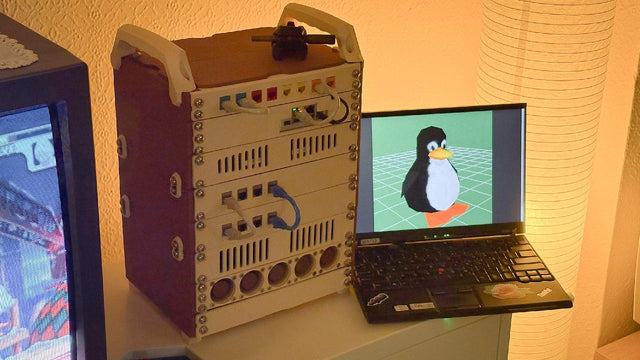
How kabuto Builds a Modular 10-Inch Homelab with ZimaBoard 2
Explore kabuto’s modular 10-inch homelab with ZimaBoard 2, printed patch panels, reused hardware, Immich, Nextcloud, and remote access through Tailscale.


