
Banana Pi BPI-M5 Review: Performance & Features Test


Banana Pi 5, often searched as Banana Pi BPI-M5, is still a useful single-board computer for makers who want an ARM board with built-in eMMC, Gigabit Ethernet, and a Raspberry Pi-like form factor. But the decision in 2026 is no longer only “Banana Pi vs Raspberry Pi.” The more practical question is whether you need a maker board, a media board, or a small home server that can run storage, Docker apps, and remote access more reliably.
This refreshed Banana Pi 5 review keeps the comparison with Banana Pi and Raspberry Pi, but it also adds a clearer buying path for users who are choosing between an SBC, a lightweight NAS, and a self-hosted personal cloud.

Banana Pi 5 Review: What Is It Best For?
Banana Pi 5 is best understood as a compact ARM-based single-board computer for DIY projects, lightweight Linux use, media experiments, and embedded applications. The BPI-M5 generation is especially interesting because it adds onboard eMMC storage, which can feel more stable than relying only on a microSD card.
According to the official Banana Pi BPI-M5 hardware specification, the board uses an Amlogic S905X3 quad-core Cortex-A55 processor, 4GB LPDDR4 memory, 16GB eMMC storage, four USB 3.0 ports, Gigabit Ethernet, and HDMI output. That makes it more capable than many older hobby boards for local services, basic media playback, and lightweight development.
The key limitation is not raw hardware alone. Banana Pi boards usually require more attention to OS image selection, community documentation, and accessory compatibility than Raspberry Pi. If you like experimenting and troubleshooting, that is acceptable. If you want the easiest learning path, Raspberry Pi still has the broader ecosystem.
Quick Verdict: Should You Buy Banana Pi 5 in 2026?
Buy Banana Pi 5 if you want an affordable ARM board with built-in eMMC, USB 3.0 ports, and enough performance for small Linux services, media experiments, and maker projects. It is especially suitable when you already know how to flash images, test Linux builds, and solve board-specific compatibility issues.
Choose Raspberry Pi 5 instead if you want the strongest beginner ecosystem, better accessory availability, and a smoother path for tutorials, camera projects, education, and community support. The official Raspberry Pi 5 hardware baseline also sets a much newer performance reference, with a 2.4GHz Cortex-A76 CPU, RAM options up to 16GB, USB 3.0, and PCIe expansion through an adapter.
Choose a single-board server instead if your real goal is not GPIO learning but 24/7 storage, Docker apps, home media, VPN, remote access, or a personal cloud. That is where a board like ZimaBoard fits better than a traditional maker SBC.
Banana Pi 5 vs Raspberry Pi 5: The Real Differences
CPU and Daily Performance
Banana Pi BPI-M5 is based on a Cortex-A55 class CPU, while Raspberry Pi 5 uses a newer Cortex-A76 class CPU. For desktop-like use, browser sessions, heavier development tasks, and modern Raspberry Pi OS support, Raspberry Pi 5 is usually the stronger default choice.
Banana Pi 5 can still handle lightweight server tasks, basic scripts, small dashboards, and local media use. The experience depends heavily on which OS image you choose and how well that image supports the board’s hardware acceleration, networking, and storage features.
Storage and I/O
Banana Pi 5 has a practical advantage for some projects because the BPI-M5 includes onboard eMMC. That can make system boot and small service hosting feel more dependable than a microSD-only setup.
Raspberry Pi 5, however, has a stronger modern expansion story because of its PCIe 2.0 x1 interface. With the right HAT or adapter, it can boot from and use M.2 SSD storage, which is important for users who want faster storage without moving to a larger server device.
Software and Community
Raspberry Pi wins on ecosystem depth. More tutorials, accessories, cameras, HATs, operating system images, and community fixes are written for Raspberry Pi first. That matters if you are a beginner or if you need a project to work quickly.
Banana Pi can work well, but users should check current OS support before buying. The Armbian Banana Pi M5 supported images page is a useful place to verify whether current Debian or Ubuntu-based images are available for the board before starting a Linux project.
Banana Pi 5 Specs That Actually Matter
Older SBC comparisons often list every port and CPU detail without explaining what they change in real use. For Banana Pi 5, these are the specs that matter most:

| Spec Area | Why It Matters | Practical Takeaway |
|---|---|---|
| CPU | Determines how well the board handles scripts, dashboards, containers, and light desktop tasks. | Good for lightweight services, not ideal for heavy multitasking. |
| 4GB RAM | Limits how many services can run at the same time. | Fine for one-purpose projects; tight for many Docker apps. |
| 16GB eMMC | Improves boot reliability compared with microSD-only workflows. | Useful for always-on light services. |
| USB 3.0 | Helps with external drives, adapters, and peripherals. | Better than older USB 2.0-only SBCs for file movement. |
| Gigabit Ethernet | Defines the ceiling for local network file transfer and service access. | Enough for small projects, but below 2.5GbE home server setups. |
| OS support | Decides how easy the board is to maintain over time. | Always check current images before buying. |
What Can You Use Banana Pi 5 For?
Media Playback and Lightweight Streaming
Banana Pi 5 can be used for media experiments, basic playback projects, and lightweight streaming setups. The hardware is capable enough for many home media tasks, but the final result depends on software support, codec handling, and the operating system image.
If your goal is simply to learn Linux media workflows, Banana Pi 5 can be a fun board. If your goal is to build a stable Jellyfin or Plex-style media server with large drives, a dedicated single-board server or NAS-style device is a better fit.
Small Linux Services
Banana Pi 5 can run small services such as a local dashboard, DNS tool, simple web app, file sync experiment, or development sandbox. The board is compact and low-power, which makes it attractive for always-on projects.
The main caution is memory and storage planning. A few lightweight services are reasonable. A full stack of containers, databases, download tools, and media services can quickly outgrow the board.
IoT and GPIO Projects
Banana Pi remains useful for IoT and maker projects where GPIO, sensors, and hardware control matter. It is a more hands-on device than a mini PC or NAS, and that is part of its appeal.
For beginners, however, Raspberry Pi may still be easier because more tutorials and accessories are written around the Raspberry Pi GPIO ecosystem.
Where Banana Pi 5 Falls Short
It Is Not the Easiest Beginner Board
The biggest challenge is not that Banana Pi 5 lacks capability. The challenge is that tutorials, images, and fixes may be more fragmented than the Raspberry Pi ecosystem. A task that takes one guide on Raspberry Pi may require checking forums, docs, and image versions on Banana Pi.
It Is Not a Full NAS Replacement
Banana Pi 5 can connect external storage, but it is not designed around multi-drive NAS workflows. If you want reliable storage expansion, app management, Docker services, and remote access, the board may become more of a DIY project than a finished home server.
It Is Not the Best Choice for Heavy Docker Workloads
With 4GB RAM and ARM software compatibility considerations, Banana Pi 5 is better for focused services than for running many containers at once. Docker can work on ARM, but some images, plugins, and acceleration paths are easier on x86 hardware.
Alternative to Banana Pi 5: ZimaBoard as a Single-Board Server
If your interest in Banana Pi comes from wanting a small, affordable machine for storage, media, Docker, or self-hosting, then a single-board server is often a better category than a maker SBC. One option is the ZimaBoard Single Board Server, which is designed around home server and personal cloud use rather than GPIO-first experimentation.

The difference is category fit. Banana Pi is a maker board. ZimaBoard is closer to a compact server: it is better suited for home storage, Docker apps, media libraries, remote access, VPN projects, and personal cloud services.
That matters because many users who search for Banana Pi alternatives are not actually looking for GPIO pins. They want a small always-on device that can host files, media, backups, and apps without relying on a full-size desktop PC.
Banana Pi 5 vs ZimaBoard: Which One Fits Your Project?
| Project Goal | Better Fit | Reason |
|---|---|---|
| Learning Linux on an ARM SBC | Banana Pi 5 | Compact, low-cost, and suitable for hands-on experiments. |
| GPIO, sensors, and maker projects | Banana Pi 5 or Raspberry Pi | Maker boards are built around direct hardware control. |
| Small personal cloud | ZimaBoard | Better category fit for storage, apps, and remote access. |
| Docker apps and self-hosting | ZimaBoard | x86 software compatibility and server-oriented interfaces are more practical. |
| Media server with external drives | ZimaBoard | Storage expansion and 24/7 server use matter more than GPIO. |
| Beginner tutorials and accessories | Raspberry Pi 5 | The ecosystem is still the easiest for learning and troubleshooting. |
What Can You Do With ZimaBoard Instead?

Create a Home Media Server
ZimaBoard can be used to store and stream movies, TV shows, music, and personal media. Compared with a maker SBC, the value is not just CPU speed. It is the storage-oriented design and the ability to run a media stack as part of a broader home server.
Run Docker Apps and Self-Hosted Services
If you want to run apps such as file managers, dashboards, download tools, DNS services, or lightweight web apps, ZimaBoard is usually easier to treat as a 24/7 app box. You can pair it with Casaos – Personal Cloud for a simpler app-management experience.
Build a Private Cloud or Backup Box
A Banana Pi can teach you how a Linux board works. A ZimaBoard-style server can become part of your real home infrastructure. That makes it more suitable for file storage, personal backup, LAN services, and remote access experiments.
How to Set Up a Small Home Server After Moving Beyond Banana Pi

Step 1: Decide Whether You Need GPIO or Storage
If your project is about sensors, robotics, or physical computing, stay with an SBC like Banana Pi or Raspberry Pi. If your project is about files, media, backups, or apps, start with a server-style board.
Step 2: Pick the Operating System First
For Banana Pi, check the available images before buying. For ZimaBoard, consider whether you want a simple app UI, a standard Linux distribution, or a NAS-oriented system. The best hardware choice depends on the software you actually plan to run.
Step 3: Plan Networking and Remote Access
A board used only for local experiments does not need much network planning. A home server does. Think about Ethernet speed, remote access, VPN, domain access, and whether the device will run 24/7.
Step 4: Add Storage Based on Workload
For an SBC, eMMC or microSD can be enough for experiments. For a personal server, plan SSDs or HDDs based on your media library, backup size, and app data.
Final Verdict: Banana Pi 5 Is Good, But Not for Every Job
Banana Pi 5 is still a capable board if you want an ARM-based SBC with eMMC, USB 3.0, Gigabit Ethernet, and enough power for lightweight projects. It is a good fit for users who enjoy Linux experimentation and do not mind checking documentation and community images.
Raspberry Pi 5 is the safer choice for beginners, education, accessories, and tutorial-driven projects. It has the strongest ecosystem and a newer hardware baseline.
ZimaBoard is the better direction when your goal is not a maker experiment but a real home server: media storage, personal cloud, Docker apps, backups, VPN, and remote access. In that case, the best alternative to Banana Pi is not always another ARM board. It may be a small server designed for always-on use.
FAQ About Banana Pi 5
Is Banana Pi 5 better than Raspberry Pi 5?
Not generally. Banana Pi 5 can be attractive if you want onboard eMMC and a different ARM board to experiment with. Raspberry Pi 5 is usually better for beginners, accessories, tutorials, and overall ecosystem support.
Can Banana Pi 5 run Linux?
Yes. Banana Pi 5 can run Linux images, but you should verify current support before buying. Armbian and Banana Pi documentation are useful references for checking image availability and board-specific notes.
Is Banana Pi 5 good for a NAS?
It can be used for simple file-sharing experiments, but it is not the strongest NAS platform. For serious media storage, Docker apps, and always-on home services, a single-board server or dedicated NAS-style device is usually more practical.
Does Banana Pi 5 fit Raspberry Pi cases?
Not reliably. Even when boards look similar in size, port placement and mounting details can differ. Always use a case designed for your exact Banana Pi model.
What is the best Banana Pi 5 alternative?
For maker projects, Raspberry Pi 5 is the easiest alternative. For home server, NAS, Docker, media, and personal cloud workloads, ZimaBoard is the more practical alternative category.

Zima Campaign Hub
More to Read
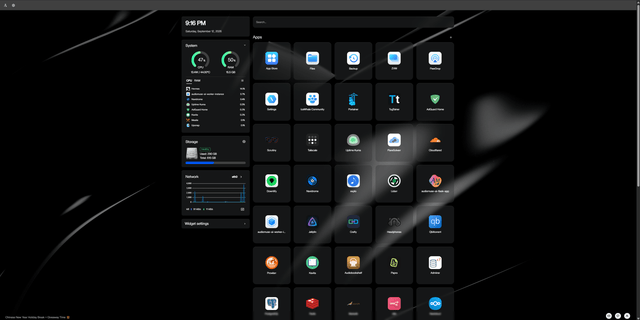
ZimaBlade + OpenClaw: A Real-World AI-Assisted Homelab Setup
A real ZimaBlade homelab using OpenClaw, Hermes, Docker, monitoring, smart-home tools, and AI-assisted server administration.

Tokyo Game Show 2026: From Game Console to Gaming Stack
TGS 2026 turns 30. See how games now span devices, compute, data, cloud services, AI and self-hosted infrastructure.

Xen Summit 2026: VM vs Docker vs Bare Metal for Self-Hosting
Choose VM, Docker or bare metal by isolation, hardware ownership and failure domains—not just CPU and RAM.


