
What to Prepare for Back to School 2026: A Late-Summer Checklist for College Students


The final weeks before college are not only about buying notebooks and decorating a dorm room. Students also need to confirm housing details, understand their meal plan, prepare for communal living, check their school accounts, and leave enough room in the budget for costs that appear after move-in.
This late-summer checklist covers what U.S. college students should finish before arriving, what is actually useful in a dorm, what can wait until syllabus week, and how students in technical or creative majors can prepare for larger projects.
What Should You Finish Before Move-In Day?
Check your college email regularly during the final weeks of summer. Housing assignments, roommate information, orientation schedules, financial-aid notices, tuition deadlines, parking permits, health forms, and class changes may all arrive through the student portal or school email.
Before leaving home:
-
Confirm your dorm or apartment move-in window.
-
Review the housing rules and prohibited-item list.
-
Contact your roommate before buying shared items.
-
Check your meal-plan level and dining-hall hours.
-
Download the campus map and transportation app.
-
Confirm your student ID, parking, or transit arrangements.
-
Sign in to the learning management system.
-
Save copies of housing, insurance, and registration documents.
Do not plan a major laptop migration or operating-system upgrade the night before moving. Use the final weekend to charge devices, test logins, pack documents, and confirm where you need to go when you arrive.
What Should You Actually Pack for a College Dorm?
Dorm rooms are usually smaller than students expect, and many items marketed as “college essentials” are rarely used. Start with enough supplies for the first week, then buy anything else after seeing the room, meeting your roommate, and learning how the building works.
For the room and bathroom
-
Twin XL bedding if required by the college
-
Mattress pad or topper
-
Towels and shower shoes
-
Shower caddy
-
Laundry basket or bag
-
Laundry detergent
-
Basic cleaning supplies
-
Approved power strip
-
Small first-aid kit
-
Earplugs or headphones
For classes and daily campus life
-
Student ID and photo identification
-
Laptop or tablet
-
Laptop and phone chargers
-
Notebook, pens, and pencils
-
Reusable water bottle
-
Backpack
-
Umbrella or light rain jacket
-
Any required medication
-
A few easy breakfasts or snacks
Check whether laundry machines require an app, campus card, or separate payment. Students should also learn how to wash and dry their own clothes before move-in rather than trying to understand unfamiliar machines during a busy Sunday night.
What Should You Wait to Buy?
Do not buy every textbook before the first day unless the professor has clearly said it will be used immediately. A listed book may be optional, the edition may change, or the course may require an online access code bundled with a particular version.
Wait until the syllabus or first class confirms the need for:
-
Expensive textbooks
-
Online homework access codes
-
Specialized calculators
-
Paid software subscriptions
-
Laboratory or art supplies
-
Professional cameras and microphones
-
A personal printer
-
Extra dorm furniture
-
Another Wi-Fi router
-
Additional cloud-storage subscriptions
Roommates should coordinate appliances, televisions, printers, rugs, and storage furniture. It is easier to make a Target or Walmart run after move-in than to carry duplicate equipment into a room with limited floor space.
How Should You Handle Syllabus Week?
The first week is not necessarily an easy week. Professors may introduce major assignments, attendance rules, grading policies, required software, and deadlines that affect the entire semester. Read every syllabus and transfer important dates into one calendar.
During the first week:
-
Walk the route to each class before you are in a hurry.
-
Record assignment, exam, and add/drop deadlines.
-
Check whether attendance affects the grade.
-
Join the official class communication channel.
-
Find the library, tutoring center, and academic-advising office.
-
Introduce yourself during office hours when appropriate.
-
Attend the student organization or club fair.
-
Avoid joining so many activities that the schedule becomes unmanageable.
Students do not need to find their closest friends during orientation weekend. Clubs, residence-hall activities, intramural sports, campus jobs, and repeated contact with classmates usually provide more natural opportunities to build relationships over time.
What Costs Can Appear After Move-In?
Tuition and housing are not the only college expenses. Students may also spend money on laundry, course access codes, printing, transportation, club dues, pharmacy items, late-night food, coffee, dorm supplies, and trips to stores that are not within walking distance.
Before the semester begins, create a small weekly budget for:
-
Food outside the meal plan
-
Laundry
-
Public transportation or gas
-
Personal-care items
-
School supplies and printing
-
Club or activity fees
-
Entertainment
-
Emergency purchases
Understand how the meal plan works before adding extra dining dollars or buying groceries. Students living on campus may already have most meals covered, while students in apartments may need to plan shopping, cooking, and food storage around classes and work shifts.
How Should You Prepare Your Laptop and Schoolwork?
A student laptop needs to survive crowded lecture halls, shared rooms, coffee shops, libraries, and frequent travel between home and campus. Install confirmed applications early, test the charger and Wi-Fi, enable a screen lock, record the device serial number, and avoid leaving the laptop unattended in a public area.
Organize schoolwork before assignments begin:
-
Create one main folder for the academic year.
-
Add a folder for each course.
-
Save each syllabus inside its course folder.
-
Separate readings, notes, assignments, and projects.
-
Rename downloads when they are saved.
-
Back up important work automatically.
-
Test that at least one file can be restored.
Cloud synchronization is convenient, but it should not be the only copy of an important project. A laptop can be damaged by a spill, lost during travel, or become unavailable after an update, while an accidental deletion may also synchronize across devices.
When Do Personal Server Make Sense for Students?
Most college students do not need a personal server. However, computer science, cybersecurity, networking, software engineering, and some artificial-intelligence students may want a separate system for Linux practice, Docker containers, databases, code repositories, network labs, and portfolio projects.

For students working from an off-campus apartment, rental home, or approved dorm network, ZimaBoard 2 Mini Home Sercer provides an Intel N150 processor with up to 3.6GHz performance, 8GB or 16GB of memory, dual 2.5GbE ports, two SATA 3.0 connections, and PCIe 3.0 expansion. It can support a compact development server, personal cloud, automated laptop backup, or first homelab without requiring the student’s main laptop to remain online all day.

ZimaCube 2 AI NAS is aimed at a narrower group of students whose coursework produces substantially more data. Film, video production, photography, animation, architecture, design, game development, and research projects may generate raw footage, large datasets, cache files, and multiple project versions. Its six-HDD and four-NVMe storage layout, dual Thunderbolt 4 connections, and Intel Core processor options can provide a centralized workspace for active media, team folders, device backups, and long-term project archives. Students should still check residence-hall network and electrical policies before bringing any always-on equipment to campus.
FAQs
Should I Buy College Textbooks Before the First Day?
Buy a book early only when the professor or department confirms that it is required immediately. Otherwise, wait until you review the syllabus and confirm the correct edition, access code, and format.
What Do Students Commonly Forget for a Dorm?
Frequently overlooked items include shower shoes, laundry supplies, basic medicine, an umbrella, an approved power strip, earplugs, important documents, and chargers that have been tested before move-in.
Do I Need a Printer in My Dorm?
Many students can use campus libraries, computer labs, or departmental printers. Check the school’s printing system before buying a printer that will occupy limited dorm space.
How Much Spending Money Does a College Student Need?
The amount varies by campus, city, meal plan, transportation, and personal habits. Build a weekly budget around actual costs such as laundry, food outside the meal plan, transit, supplies, and social activities.
Is a Laptop Enough for a Computer Science Major?
For most classes, a suitable laptop and access to campus computing resources are enough. A separate server becomes useful when a student wants to practice Linux administration, run persistent services, build a cybersecurity lab, or maintain personal projects outside the laptop environment.
Can I Run a Personal Server in a Dorm?
It depends on the college’s housing and network policies. Some residence halls allow ordinary Ethernet devices but restrict routers, servers exposed to the public internet, or equipment that interferes with the managed network.

Recommended products


Zima Campaign Hub
More to Read
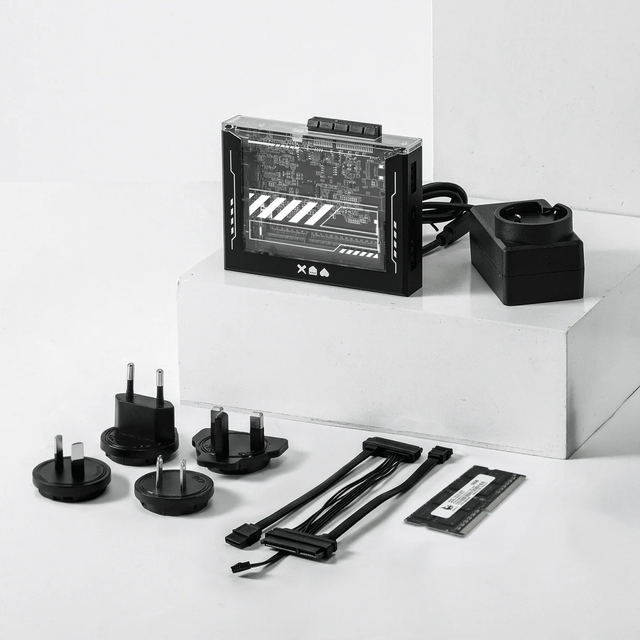
ZimaBlade Is Now ZimaBoard SE: What Changes and Which Kit to Choose
ZimaBlade becomes ZimaBoard SE with installed 8GB or 16GB RAM, 64GB eMMC and ZimaOS Plus. Compare specifications, Starter and NAS Kits, pricing and FAQs.

How The TKT Works Builds a Custom Acrylic Case for ZimaBoard 2
Follow The TKT Works’ custom ZimaBoard 2 case build, covering the rod frame, acrylic panels, front display, cable routing, and cooling considerations.
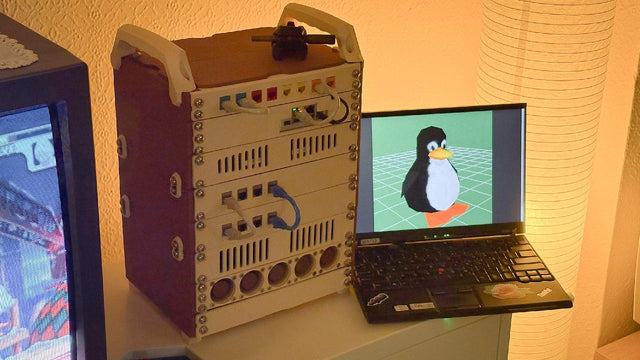
How kabuto Builds a Modular 10-Inch Homelab with ZimaBoard 2
Explore kabuto’s modular 10-inch homelab with ZimaBoard 2, printed patch panels, reused hardware, Immich, Nextcloud, and remote access through Tailscale.


