
Why Does Home Assistant Performance Change When Another Container Starts?


Home Assistant performance changes when another container starts because isolation separates processes, not the CPU, memory, storage, network, and cooling they still share.
Container startup can unpack layers, initialize databases, scan files, allocate memory, compile code, or probe the network. Those short bursts may delay Home Assistant's event loop or Recorder writes even when both services look idle moments later. The diagnosis requires aligned timestamps for user-visible latency and host resource pressure, because a long average can completely hide startup contention.
CPU Startup Bursts Increase Scheduling Delay
A starting service may use several cores for decompression, initialization, indexing, or runtime compilation. Home Assistant's short callbacks then wait longer to be scheduled, increasing event-to-action latency without necessarily causing an error. CPU percentage averaged over a minute may dilute a five-second burst that users clearly notice.
The noisy-neighbor mechanism extends beyond two processes requesting the same core. Intel's analysis of shared-resource contention describes cache, memory-controller, and I/O interference that can persist even when workloads are assigned separate cores.
CPU is the likely cause when latency begins with the startup timestamp, runnable queues rise, and storage or network remain quiet. Limit or schedule the new service only after reproducing that relation. A container restart that does not repeat the slowdown weakens the CPU hypothesis.
Memory Allocation Can Trigger Reclaim or Swap
Startup often creates the service's largest rapid memory demand: loading indexes, models, language runtimes, or caches. If free memory is low, the host may reclaim filesystem cache, compress pages, swap, or kill a process. Home Assistant can slow before its own memory usage changes because the whole host is doing recovery work.
Resource-isolation guidance frames memory pressure as a host-wide effect rather than a private container problem. This explanation of noisy-neighbor isolation connects CPU, RAM, disk, and network limits to more predictable multi-tenant behavior.
Look for reclaim, swap activity, memory-pressure stalls, or container restarts at the same moment. Do not set an arbitrary low limit on Home Assistant; that can create a new outage. Reserve measured peak working memory plus recovery margin and constrain the bursty neighbor when it owns the pressure.
Storage and Network Initialization Can Dominate
Image extraction, database migration, media scanning, and log replay can saturate a shared storage queue. Service discovery, package retrieval, or cache filling can consume network and DNS capacity. Home Assistant then waits on Recorder commits, integration callbacks, or name resolution even while its CPU allocation remains available.
A case report of container resource spikes shows why sudden Docker-host behavior needs evidence from the host and individual containers instead of an assumption that application code changed.
Separate storage from network by watching block latency, throughput, retransmissions, DNS response time, and Home Assistant logs. Different volume names do not prove different physical devices. The failure boundary is repeated queueing that violates automation latency or causes Recorder errors during a normal neighbor restart.

Run a Timestamped A-B-A Test
Capture a five-minute baseline, start the neighbor with the same data and cache state, then stop it and repeat the baseline. Measure Home Assistant event-to-action median and tail latency, Recorder response, host CPU queue, memory pressure, block I/O latency, network errors, and temperatures at short intervals.
Use the ZimaSpace guide to background-work spikes to convert the observed startup effect into a sustained coexistence decision.
Accept coexistence only if repeated A-B-A runs show latency and errors within the household target and no thermal or recovery penalty. If the slowdown repeats, change one control—schedule, CPU weight, memory limit, storage placement, or concurrency—and rerun. Correlation across identical starts is the exit criterion.

Recommended products

Tech & AI HUB
More to Read

Open Models Are Catching Frontier AI—Is 2026 the Year Local AI Becomes Good Enough?
Open models are getting good enough for more local AI workloads, while frontier cloud models remain useful for the hardest reasoning and agent tasks.
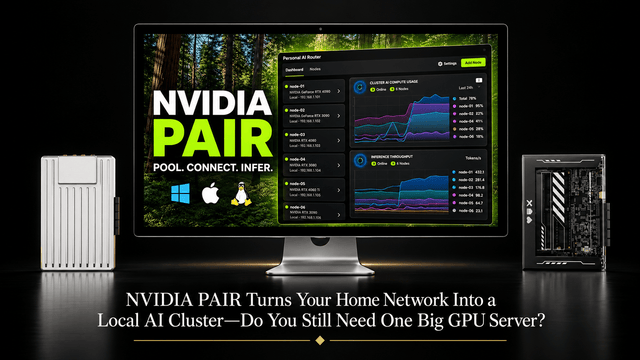
NVIDIA PAIR Turns Your Home Network Into a Local AI Cluster—Do You Still Need One Big GPU Server?
NVIDIA PAIR spreads local AI requests across multiple PCs, making compute more elastic while one home server can keep data and state persistent.
Why Does Immich Feel Faster on LAN Than on Remote Connections?
LAN requests usually take a shorter, lower-latency path. Remote access adds WAN capacity limits and may add DNS, TLS, proxy, VPN, or relay hops.


