
Top 10 Open-Source AI Assistants You Can Self-Host


Self-hosting gives you control over the application, chat history, user accounts, knowledge bases, and deployment environment. It does not automatically make every conversation private. If your assistant still calls a cloud model, search API, transcription service, or remote embedding endpoint, data can leave your network. A genuinely private setup requires both a self-hosted assistant and local or explicitly approved model and tool backends.
This guide compares ten assistants with standard open-source licenses and practical self-hosting paths. We evaluated each project for assistant capability, local-model support, document retrieval, deployment difficulty, multi-user readiness, and licensing. Project details were checked against official documentation and repositories on August 24, 2026.
Best Open-Source AI Assistants: Quick Picks
- Best overall self-hosted AI assistant: LibreChat
- Best for chatting with documents: AnythingLLM
- Best agentic personal assistant: OpenClaw
- Best for organizational knowledge: Onyx Community Edition
- Best personal knowledge assistant: Khoj
- Best offline desktop assistant: Jan
- Best self-hosted AI search assistant: Vane, formerly Perplexica
- Best extensible reference chat interface: Hugging Face Chat UI
- Best lightweight web assistant: NextChat
- Best for character chat and prompt control: SillyTavern
Self-Hosted AI Assistant Comparison
| Assistant | License | Best For | Local Models | Typical Deployment | Setup Level |
|---|---|---|---|---|---|
| LibreChat | MIT | All-purpose private AI chat | Yes | Docker or npm | Intermediate |
| AnythingLLM | MIT | Document RAG and workspaces | Yes | Docker or desktop app | Beginner–Intermediate |
| OpenClaw | MIT | Agentic personal automation | Yes | Gateway on a server or computer | Advanced |
| Onyx CE | MIT | Team knowledge and enterprise search | Yes | Docker Compose or Kubernetes | Advanced |
| Khoj | AGPL-3.0 | Personal notes, research, and automations | Yes | Docker or Python package | Intermediate |
| Jan | Apache-2.0 | Offline desktop AI | Yes | Desktop app; agent on VM/container | Beginner |
| Vane | MIT | Private AI web search | Yes | Docker with private metasearch | Intermediate |
| Hugging Face Chat UI | Apache-2.0 | Custom model-routing chat | Yes | SvelteKit, MongoDB, Docker | Advanced |
| NextChat | MIT | Fast, lightweight AI chat | Via compatible backend | Docker or web deployment | Beginner |
| SillyTavern | AGPL-3.0 | Character chat and prompt control | Yes | Local Node.js or Docker | Intermediate |
What Counts as Open Source in This Guide?
Public source code and permission to self-host are not, by themselves, proof that a current release is open source. For this ranking, a project needed an identifiable standard open-source license such as MIT, Apache-2.0, or AGPL-3.0, plus a realistic way to run the software on hardware or infrastructure you control.
This is why several popular self-hosted tools are not in the numbered list. Open WebUI's current codebase includes an additional branding restriction. LobeHub uses the LobeHub Community License, and Dify adds conditions to its community license. All three may still be useful and self-hostable, but they belong in a broader “source-available” comparison unless you verify that your use and redistribution plans satisfy their current terms. This is a technical selection rule, not legal advice.
How We Chose the Top 10
Each assistant was evaluated across six practical dimensions:
- Self-hosting quality: Is there a maintained installation path for a local machine, server, VM, or container?
- Assistant usefulness: Does it provide more than a raw model endpoint, such as chat history, files, search, tools, memory, or actions?
- Model choice: Can it connect to local models or multiple providers without forcing one hosted model?
- Privacy boundaries: Can operators identify where conversations, documents, embeddings, and credentials are stored?
- Operational fit: Does it support the intended user type, from one offline desktop user to a multi-user organization?
- License clarity: Is the community edition covered by a recognized open-source license?
1. LibreChat — Best Overall Open-Source AI Assistant
LibreChat is the best starting point for users who want a familiar AI chat experience without locking the entire interface to one model company. It unifies major cloud providers and compatible local backends in one self-hosted web application.
Its feature set goes well beyond basic chat. LibreChat supports AI agents, MCP servers, custom actions, artifacts, conversation search, file workflows, and multi-user authentication. That makes it useful for both an individual homelab and a small organization that wants one governed gateway to several models.
The application itself is licensed under MIT. Deployment is more involved than installing a desktop program because a serious LibreChat setup includes application configuration, a database, authentication choices, and model credentials. Some optional integrations may also use separate services or licenses, so “LibreChat is self-hosted” should not be interpreted as “every connected feature is automatically local and free.”
Best for: Users and teams that want a capable, multi-provider ChatGPT alternative with agents and MCP.
Main limitation: More dependencies and configuration than lightweight single-user interfaces.
2. AnythingLLM — Best for Documents, RAG, and Shared Workspaces
AnythingLLM is designed around the idea that users want to talk to their own information, not only a model's training data. Its workspaces let you organize documents and conversations around separate subjects, teams, or projects. The Docker edition supports both single-user and multi-user deployment.
The application can connect to local or hosted LLMs, embedding models, and vector databases. It also includes agent capabilities, but its clearest advantage remains document-centered retrieval with relatively little setup. This makes it a strong fit for manuals, research collections, policies, notes, and internal reference libraries.
Best for: Private document chat, small-team knowledge bases, and users who want an approachable RAG interface.
Main limitation: Retrieval quality still depends on document parsing, chunking, embeddings, and model quality. A polished interface cannot compensate for a poorly prepared knowledge base.
For a deeper explanation of how local files, embeddings, retrieval, and the language model fit together, see our guide to a private AI assistant on a NAS.
3. OpenClaw — Best Agentic Personal Assistant
OpenClaw is different from most tools in this list. It is a self-hosted gateway that connects an always-available AI assistant to messaging channels such as Slack, Telegram, Discord, Signal, Matrix, and others. It is designed around tool use, sessions, memory, and routing rather than a single browser chat page.
That makes OpenClaw the most compelling option here for users who want an assistant to act: operate files, invoke services, execute controlled workflows, or respond through the communication tools they already use. It is MIT licensed and can run on a personal computer or server.
The same capabilities create the largest security burden in this ranking. A gateway connected to messaging accounts, shell tools, files, and external services has a much wider attack surface than a read-only chat interface. Use a dedicated account, limit tool permissions, isolate the runtime, protect the gateway from the public internet, and require confirmation for irreversible actions.
Best for: Technical users who want a persistent, multi-channel personal agent that can take real actions.
Main limitation: Advanced setup and substantially greater permission risk than a conventional chat assistant.
4. Onyx Community Edition — Best for Organizational Knowledge
Onyx is a self-hostable AI chat and knowledge platform built for organizations rather than only individual document uploads. Its Community Edition covers core chat, RAG, agents, and actions under the MIT license.
Onyx can connect AI chat to company knowledge sources and supports local or cloud models. Its platform includes retrieval, deep-research-style workflows, custom agents, MCP support, and a connector-oriented approach to information. The result is closer to an internal knowledge assistant than a private ChatGPT clone.
Best for: Teams that want AI search and chat grounded in organizational documents, applications, and shared knowledge.
Main limitation: The architecture is heavier than a personal assistant, and some enterprise-focused capabilities live outside the MIT-licensed Community Edition. Check the edition boundary against your authentication, permissions, and governance requirements.
5. Khoj — Best Personal Knowledge and Research Assistant
Khoj describes itself as a personal AI or “second brain.” It can answer general questions, search private notes and documents, retrieve information from the web, create custom agents, schedule automations, and perform deeper research tasks.
Its integrations with browser access, Obsidian, Emacs, and document formats make it especially attractive to people whose assistant should live alongside an existing personal knowledge system. Khoj can be installed with Docker or Python and can operate with local models for an offline-oriented deployment.
Khoj uses AGPL-3.0. That is a genuine open-source license, but organizations that modify the software and make it available over a network should understand the AGPL's source-sharing obligations.
Best for: Notes, personal research, scheduled briefings, custom agents, and an AI assistant grounded in a long-lived knowledge base.
Main limitation: More moving parts than a simple chat UI, and AGPL compliance needs attention in modified organizational deployments.
6. Jan — Best Offline Desktop AI Assistant
Jan is an Apache-2.0-licensed alternative to ChatGPT that runs models locally on macOS, Windows, and Linux. It can also connect to cloud models when local inference is not the right fit.
Jan is the most approachable option in this list for a user who wants to download an application, select a local model, and start chatting without first assembling a Docker stack. In 2026 the Jan ecosystem also distinguishes the desktop experience from Jan Agent, which can run separately on a VM or container, and a self-hosted backend layer.
Best for: Individuals who want an offline desktop assistant with minimal setup and the option to grow into a server-backed system.
Main limitation: A desktop-first workflow is less suitable than LibreChat or Onyx for centralized multi-user access, shared governance, and organization-wide knowledge.
7. Vane (Formerly Perplexica) — Best Private AI Search Assistant
Vane, known as Perplexica before its 2026 rebrand, is a privacy-focused answer engine that runs on your infrastructure. It combines web retrieval with an LLM to generate synthesized answers with cited sources.

It supports local models through Ollama as well as hosted providers. Search modes let users trade speed for depth, while source selection can focus on the broader web, discussions, or academic material. Its self-hosted search layer makes it a better fit than a general chat assistant when fresh web evidence is the main requirement.
Best for: A private Perplexity-style research experience with cited web results and flexible model choice.
Main limitation: The assistant is specialized around search. It is not a replacement for a multi-user document workspace or a tool-rich automation agent.
8. Hugging Face Chat UI — Best Extensible Reference Chat Interface
Hugging Face Chat UI is the Apache-2.0-licensed codebase behind HuggingChat. The current version connects to OpenAI-compatible API endpoints, including Ollama, llama.cpp, OpenRouter, and the Hugging Face router.
It supports tools through MCP, multimodal inputs on compatible models, intelligent routing across models, and optional OpenID authentication. Because it is built with SvelteKit and MongoDB, it is better viewed as an extensible foundation for a custom chat service than as the easiest turnkey private assistant.
Best for: Developers who want to build or customize a polished multi-model chat experience on a well-defined API boundary.
Main limitation: You are responsible for the model endpoint and surrounding infrastructure. The move to OpenAI-compatible APIs simplifies the interface but removes some older provider-specific behaviors.
9. NextChat — Best Lightweight Web Assistant
NextChat is an MIT-licensed, cross-platform AI assistant focused on speed and a compact interface. It supports major hosted providers and can connect to compatible self-hosted model backends. Deployment options include Docker and conventional web hosting.

NextChat is useful when the goal is simple: place a responsive personal chat interface in front of model APIs without deploying a full knowledge platform. It supports preset prompts, cross-platform clients, and a relatively lightweight operational footprint.
Best for: Personal deployments, small servers, and users who value a fast chat interface over enterprise connectors or advanced RAG.
Main limitation: It does not provide the same depth of organizational knowledge, agent automation, or governance as the heavier platforms above.
10. SillyTavern — Best for Character Chat and Prompt Control
SillyTavern is an AGPL-3.0-licensed local interface for text-generation models, image generators, and text-to-speech systems. It emphasizes detailed prompt control, personas, character cards, group conversations, context management, and extensions.
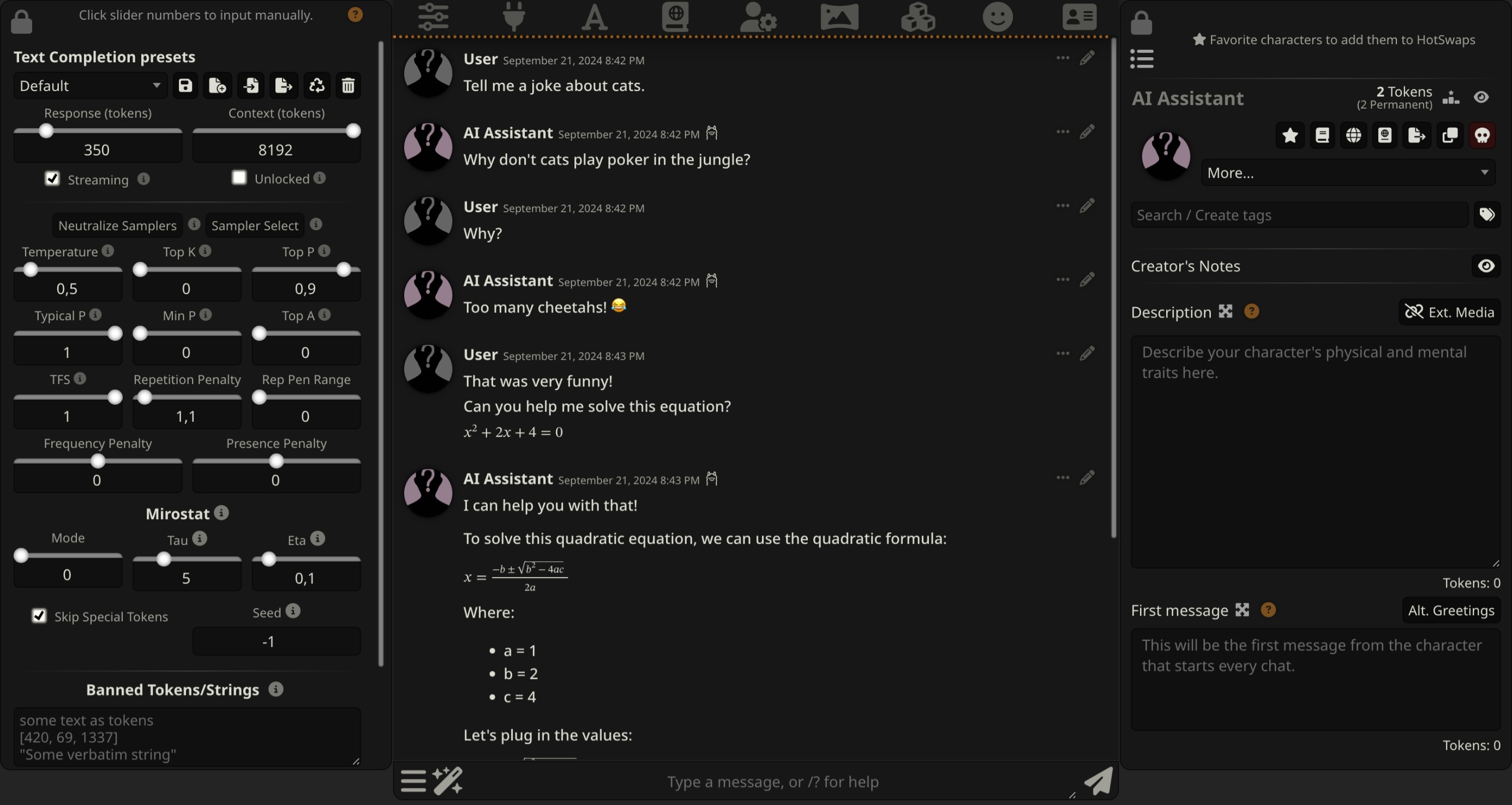
SillyTavern does not include an LLM. It connects to local or cloud backends, including OpenAI-compatible endpoints and specialized local inference servers. Its depth makes it popular with creative users and prompt enthusiasts, but the interface deliberately exposes more controls than a mainstream assistant.
Best for: Interactive fiction, character chat, roleplay, custom personas, and users who want fine-grained control over context and generation.
Main limitation: A steep learning curve and limited fit for conventional team knowledge or business workflows.
Which Self-Hosted AI Assistant Should You Choose?
| If You Want To... | Start With | Reason |
|---|---|---|
| Replace a hosted AI chat service | LibreChat | Balanced chat, agents, tools, and user management |
| Ask questions about private files | AnythingLLM | Document RAG and workspaces are central features |
| Use an assistant through messaging apps | OpenClaw | Multi-channel gateway with action-oriented agents |
| Search organizational knowledge | Onyx CE | Connector and enterprise-knowledge architecture |
| Build an AI second brain | Khoj | Notes, research, web access, and scheduled automations |
| Run AI offline on one computer | Jan | Easy desktop experience and local model management |
| Self-host an AI answer engine | Vane | Web research with cited sources |
| Build a custom chat product | Hugging Face Chat UI | Extensible UI over a standard model API |
| Use the lightest web chat option | NextChat | Simple deployment and low interface overhead |
| Create character-driven conversations | SillyTavern | Personas, context controls, and extensions |
What Hardware Do You Need to Self-Host an AI Assistant?
The assistant interface itself is usually not the demanding part. Databases, document parsing, embeddings, and model inference determine the hardware requirement. If you use a cloud model, a compact home server can comfortably run the UI, database, reverse proxy, retrieval services, and automations. Fully local inference requires enough system memory or GPU memory for the model you select.
A ZimaBoard 2 is a practical always-on host for lighter assistant stacks. Its x86 platform, up to 16GB of LPDDR5 memory, dual 2.5GbE networking, SATA storage, and PCIe 3.0 expansion suit containerized chat interfaces, small-model experiments, retrieval services, and private tool servers. Our guide to local AI workloads on a low-power home server explains what belongs on this class of hardware and what should move to a stronger system.
For larger knowledge bases, multiple users, heavier container stacks, or a future GPU, ZimaCube 2 provides six HDD bays, additional SSD storage, Thunderbolt 4, PCIe expansion, and configurations with more CPU and memory headroom. It is better suited to combining the assistant with the documents, backups, vector data, and media already stored on a personal cloud.
If you are planning the entire stack rather than choosing only the interface, follow the homelab guide to self-hosting a private local LLM assistant.
Five Security Rules for Self-Hosted AI Assistants
1. Do Not Expose the Assistant Directly to the Internet
Put remote access behind a VPN, authenticated reverse proxy, or zero-trust access layer. A login page alone does not make an experimental AI application safe to publish.
2. Separate the Interface From the Model and Tools
Treat the chat UI, model server, vector database, and tool services as separate trust boundaries. Use internal networks and allow only the connections each component requires.
3. Give Agents the Minimum Permissions
A document assistant rarely needs unrestricted shell, browser, email, or file-write access. Mount files read-only when possible and require approval before external communication, deletion, purchasing, or code execution.
4. Protect Logs, Embeddings, and Backups
Private information can appear in more places than the original document. Secure conversation history, vector stores, traces, temporary uploads, database snapshots, and backups with the same care as source files.
5. Audit Every External Service
Check the configured model, embedding model, search engine, speech service, telemetry, plug-ins, and MCP servers. One remote dependency can invalidate an otherwise local privacy claim.
FAQs About Open-Source Self-Hosted AI Assistants
What is the best open-source AI assistant to self-host?
LibreChat is the best general-purpose option for most users because it combines multi-provider chat, agents, MCP, and multi-user features under the MIT license. AnythingLLM is better for document RAG, while OpenClaw is better for an action-oriented personal assistant.
Is Open WebUI open source?
Open WebUI is self-hostable and its source is public, but its current codebase includes an additional branding restriction. That is why this guide treats it as source-available rather than placing it in a strict list of projects under standard open-source licenses. Users should review the current Open WebUI License for their deployment and redistribution plans.
Is self-hosted AI completely private?
Only when every relevant component stays under your control. A self-hosted interface connected to a cloud LLM still sends prompts and selected context to that provider. Local models, local embeddings, local search, and self-hosted speech services are required for a fully local data path.
Can I self-host an AI assistant without a GPU?
Yes. You can run the assistant interface locally while using an approved cloud model, or run smaller quantized models on a CPU. A GPU becomes valuable for faster responses, larger models, more concurrent users, and workloads such as image generation or speech processing.
What is the easiest self-hosted AI assistant for beginners?
Jan is the easiest option for one offline desktop user. AnythingLLM is approachable for document chat, especially through its desktop edition. NextChat is one of the lighter web deployments. LibreChat provides more features but requires more configuration.
Which self-hosted assistant is best for private documents?
AnythingLLM is the simplest focused choice for private document workspaces. Khoj is better when documents form part of a personal knowledge and research system. Onyx Community Edition is better for shared organizational knowledge and connected sources.
Do I need Ollama to self-host an AI assistant?
No. Ollama is a convenient local model backend, not the assistant itself. Depending on the project, you can use llama.cpp, vLLM, a Hugging Face endpoint, another OpenAI-compatible server, or a hosted model API. The assistant provides the user experience; the model backend performs inference.
What is the difference between an AI assistant and an LLM runner?
An LLM runner loads models and exposes inference. An assistant adds the user-facing layer: conversations, accounts, files, retrieval, memory, search, tools, personas, or actions. Many self-hosted stacks combine a runner such as Ollama with an assistant such as LibreChat or AnythingLLM.
Final Verdict
Start with LibreChat if you want the best balance of chat, model choice, agents, and multi-user capability. Choose AnythingLLM when your documents are the center of the experience, OpenClaw when the assistant must act through messaging channels, Onyx for organizational knowledge, or Khoj for a personal second brain. Jan is the easiest offline desktop option, Vane is purpose-built for cited web research, Hugging Face Chat UI is the strongest customizable reference interface, NextChat stays lightweight, and SillyTavern offers unmatched control for character-driven conversations.
Whichever assistant you choose, keep the architecture honest: self-host the interface, identify every outbound service, restrict tool permissions, and size the hardware around the model and data rather than the chat page. For the next layer of capability, explore the top AI agent skills for self-hosted automation in 2026.

Recommended products


Tech & AI HUB
More to Read
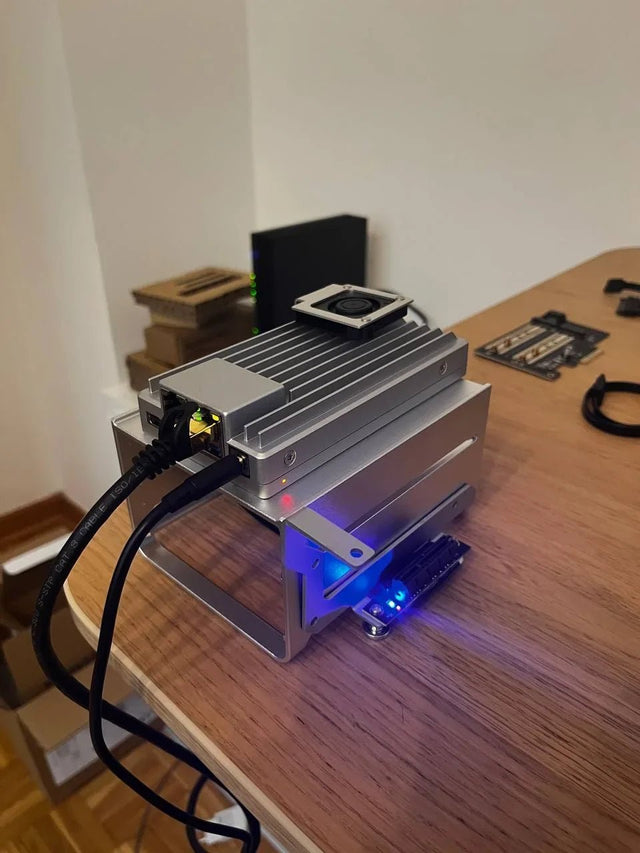
Why Does Local AI Heat Feel Different in an Open Shelf Than in a Closed Cabinet?
Trace heat generation, air exchange, and recirculation across open and enclosed placements, then measure the variables that distinguish them.
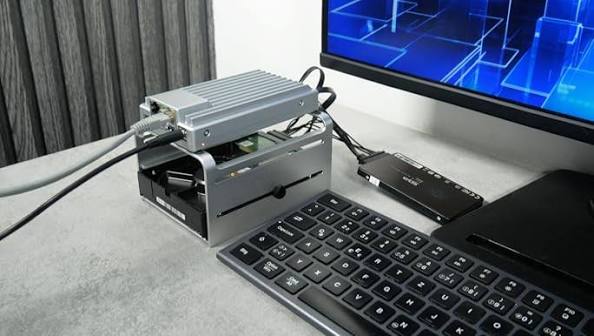
Why Does a Home Server Feel Quieter at Night Even at the Same Fan Speed?
Understand why unchanged fan speed does not guarantee unchanged perceived loudness and how to separate masking, room conditions, and real acoustic change.
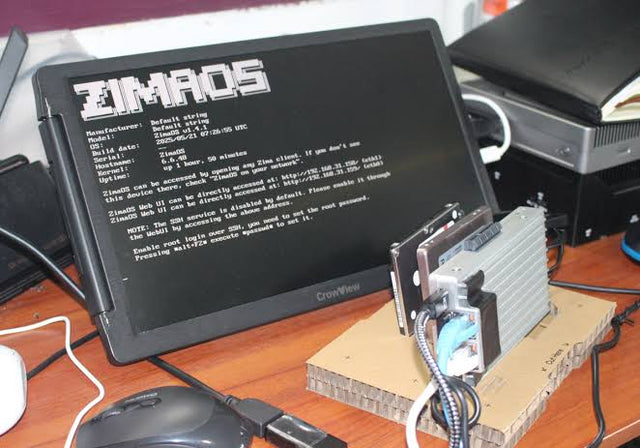
Why Do Deduplicated Backups Look Smaller Than Their Restore Footprint?
See how deduplication changes stored bytes but not restored meaning, why sparse and compressed files complicate totals, and how to size a restore test.


