
When Should You Worry About Repeated ZFS Checksum Corrections?


Worry when checksum errors return after you record and clear the old baseline, not simply because a counter is nonzero.
ZFS can repair a bad block when redundancy provides a valid copy, but the repair does not explain why the wrong data arrived. Save zpool status -v and relevant system logs, verify backups, then use recurrence, affected-device pattern, and a clean scrub to decide whether the event was isolated or the fault is still active.
Record what ZFS corrected before clearing anything
Save the full pool status, scrub timestamp, error counts by device, and any permanent-error list. Also capture kernel messages for link resets, command timeouts, controller faults, machine checks, and unexpected power events at the same time.
A detailed community explanation of repaired ZFS checksum counters and their possible causes distinguishes corrected blocks from the cable, power, controller, memory, or disk fault that may have produced them. The repair does not certify the hardware path.
Confirm that another usable copy of important data exists before stressing the pool. Clearing counters is acceptable only after the evidence is saved, because the next decision depends on whether genuinely new errors appear.
Use recurrence and scope as the decision threshold
After the baseline is saved, clear the counters and run one scrub during a stable power and temperature window. If the scrub completes cleanly and normal use produces no new errors, monitor rather than replacing hardware from one historical event.
If the same disk gains fresh checksum errors, inspect its data and power path, SMART history, link statistics, and controller port. If several disks gain errors together, prioritize shared components such as the HBA, backplane, power supply, cabling, memory, or system stability.
Any permanent data error, repeated I/O error, pool suspension, or rapidly increasing count raises the urgency. Stop nonessential writes, refresh the backup, and isolate the suspect layer before another scrub adds load.
Change one layer and prove the result
With the system powered down, reseat or replace the suspected data and power cable, or move the device to a known-good port. Do not swap several layers at once or the clean result will not identify which component changed the outcome.
For a device-specific pattern, run the drive vendor test or a controlled read after reviewing SMART history. For a multi-device pattern, test memory and power stability and inspect the controller path before assuming several drives failed simultaneously.
The home-server OS guide helps identify where pool health, kernel logs, and controller management live across common NAS and Linux platforms.

Verify recovery under the original workload
Run a full scrub after the isolated repair, then repeat the workload that previously exposed the issue. Recovery means the scrub finishes without new checksum, read, or write errors and the counters stay flat through a reboot and another representative workload window.
Replace a drive when evidence follows it across a known-good path, SMART or self-tests also degrade, or it produces new errors after cabling and power are cleared. Replace or service the shared layer when errors stay with a port, enclosure, controller, or power event.
Escalate immediately for permanent errors, a degraded pool without adequate redundancy, or uncertainty about which copy is authoritative. A corrected event is a warning to diagnose; a repeatable fresh correction is evidence that diagnosis cannot be deferred.
FAQ
Does zpool clear fix the cause? No. It resets recorded counters after you save the evidence; only a clean scrub and stable follow-up workload show that the underlying path is no longer producing bad data.
Can one corrected checksum error be ignored? Treat it as a recorded warning. If it does not recur after a cleared baseline and clean scrub, monitoring may be proportionate; recurrence or related I/O faults require isolation.
Does a healthy SMART report clear the disk? No. SMART may miss cable, controller, power, and some device faults, so combine it with ZFS scope, system logs, controlled swaps, and post-repair scrubs.

Recommended products

Support & Tips
More to Read
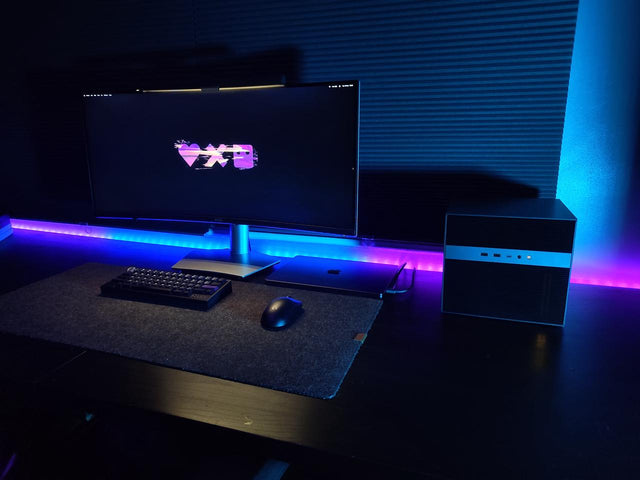
What Display Brightness Helps Reduce Eye Fatigue During Long NAS File Reviews?
There is no universal brightness percentage; match a white screen to the room, control glare, keep text legible, and validate during a timed review.
How to Reduce Neck Strain When a Home Server Console Is Mounted Too Low
Move routine work off the low console or raise the visual target safely while keeping the keyboard lower and retesting a real admin session.
Why Do My Eyes Feel Tired After Monitoring a Bright Server Dashboard at Night?
Night dashboard fatigue often combines brightness mismatch, glare, sustained focus, and reduced blinking; adjust one factor and retest safely.


