
SMB vs NFS vs iSCSI: Which File Sharing Method Should You Use?


Quick Answer
Use SMB when you want simple shared folders for Windows, macOS, mixed-OS homes, office file sharing, and media libraries. Use NFS when your environment is mostly Linux, Unix, server-to-server, or automation-heavy. Use iSCSI when a client needs block-level storage that behaves more like a local disk, such as for virtual machines or disk-like workloads.
The core rule is simple:
-
SMB and NFS share files and folders.
-
iSCSI presents block storage to a client.
-
SMB and NFS are usually better for shared folders.
-
iSCSI is usually better when one host needs disk-like access.
Do not choose only by asking which protocol is fastest. The better question is: what operating systems need access, are you sharing files or presenting a disk, do multiple users need concurrent access, and how will permissions and remote access be controlled?
SMB vs NFS vs iSCSI: The Core Difference
SMB, NFS, and iSCSI all let a client use storage over a network, but they do not expose storage in the same way. SMB and NFS expose file-level shares, while iSCSI exposes block-level storage.
That difference affects permissions, multi-user access, app compatibility, backup behavior, and the risk of data corruption.
SMB and NFS Are File Sharing Protocols
SMB and NFS are file-level access methods. A server owns and manages the file system, and client devices ask the server to open, read, write, move, or delete files.
This makes SMB and NFS suitable when multiple users, computers, or apps need access to the same folder structure. The server remains responsible for file organization, locking behavior, share permissions, and export rules.
Microsoft describes SMB as a network file sharing protocol that lets users or applications read, create, and update files on a remote server. It also explains that when a user maps a network drive or accesses a UNC path such as
\\server\share, the SMB client initiates and manages that connection through the Microsoft SMB file sharing overview.iSCSI Is Block-Level Storage
iSCSI is different. Instead of exposing a shared folder, an iSCSI target presents storage to an initiator as a block device. The client may treat that network storage more like a local disk.
That is why iSCSI often appears in virtual machine, database, lab, or storage infrastructure discussions. The client usually formats the presented storage with its own file system, which changes the risk model.
If you only need a folder that multiple people can open from laptops and desktops, iSCSI is usually the wrong starting point.
Why the Difference Matters Before You Choose
The file-level versus block-level difference affects almost every later decision.
| Question | SMB | NFS | iSCSI |
| Storage type | File-level sharing | File-level sharing | Block-level storage |
| Typical client fit | Windows and mixed OS | Linux, Unix, servers | VM hosts or disk-like workloads |
| Multi-user shared folder use | Common | Common | Not the normal use case |
| Permission model | User accounts, credentials, ACLs | Host access, UID / GID, exports, Kerberos options | Initiator access, ACLs, CHAP, LUN mapping |
| Best beginner use | Network drive or shared folder | Linux server mount | Only when a disk-like target is needed |
| Main risk | Credential and permission confusion | UID / GID and export mistakes | Treating a block device like a normal shared folder |
A good choice starts with the workload, not the protocol name.
When Should You Use SMB?
Use SMB when you want broad compatibility and simple file access across Windows, macOS, and mixed client environments. It is often the default choice for home NAS folders, office shares, family files, media libraries, and general drag-and-drop storage.
SMB is also usually easier for non-technical users because network drive mapping and file explorer workflows are familiar.
Best Fit for Windows and Mixed-OS File Sharing
SMB is usually the best first choice when Windows devices are involved. Windows has built-in SMB client and server roles, so users can map network drives, access UNC paths, and work with shared folders without adding a separate storage protocol.
SMB also works well in mixed environments because macOS and many NAS systems can connect to SMB shares. For most homes or small teams, this makes SMB the most practical general-purpose sharing method.
Choose SMB when:
-
Windows clients are common;
-
users need shared folders, not raw disks;
-
people need to open, copy, rename, and save files;
-
you want familiar network drive behavior;
-
you need user credentials or ACL-style permissions.
When SMB Works Well for macOS and Media Libraries
SMB is also a common choice for macOS access to NAS folders. Finder can connect to SMB shares, and many NAS systems expose SMB URLs for manual mounting.
For media libraries, SMB often works well when your media server or playback device can reliably read from the share. It is usually simple enough for movies, music, photos, and shared home folders.
However, app behavior matters. Some applications handle network shares well, while others expect local disk behavior. If an app refuses to use a network path, the issue may not be SMB itself but the app’s storage expectation.
Common SMB Permission and Credential Issues
SMB problems often come from credentials and permissions rather than the protocol being “broken.” A user may connect with the wrong saved account, have read-only access, or try to reuse a stale network drive mapping.
Common SMB issues include:
-
Windows remembers the wrong credentials;
-
the user can read files but cannot write;
-
the network drive does not reconnect after reboot;
-
macOS connects as guest when a registered user is needed;
-
the share exists, but the user account lacks permission;
-
the NAS and client are not on the same reachable network.
When SMB fails, check the account, password, share permission, file permission, and network path before changing protocols.
When Should You Use NFS?
Use NFS when your clients are mostly Linux, Unix, or server-to-server systems. It is common in homelabs, Linux media servers, virtualization environments, and automated mounts.
NFS can be lightweight and convenient, but it is not permission-free. UID / GID mapping, export rules, host access, and security options matter.
Best Fit for Linux, Unix, and Server-to-Server Mounts
NFS fits environments where Linux or Unix-like systems are the main clients. It is commonly used to mount shared directories between servers or to give a Linux application access to a NAS path.
This is useful when you want predictable mounts for services, scripts, media servers, or homelab nodes. NFS can be easier to automate than SMB in Linux-native workflows.
Choose NFS when:
-
most clients are Linux or Unix-like;
-
services need server-to-server access;
-
you understand UID / GID ownership;
-
host-based exports are acceptable;
-
you want a mount that fits Linux workflows.
Why NFS Can Be Useful for Media Servers and Homelabs
Media servers often run on Linux. If the media app and NAS are both Linux-friendly, NFS can be a natural way to mount a media directory.
NFS can also be useful for homelab nodes, containers, and automation tasks that expect Unix-style paths and permissions. In many cases, the setup can feel cleaner than using SMB credentials inside Linux services.
The trade-off is that NFS identity handling is different from SMB. If the service user on the client does not match the ownership expected on the server, the mount may appear but writing or editing files can fail.
Common NFS UID, GID, and Permission Problems
Red Hat describes NFS as suitable for transparent sharing of file systems with many known hosts, while also warning that NFS security depends heavily on export controls and client permissions. In traditional AUTH_SYS mode, Red Hat notes that the client states the UID and GID of the user, which means a malicious or misconfigured client can represent the wrong identity through the Red Hat NFS security model.
That is why UID and GID matter. If the client and server do not agree on user and group identity, the user may see permission denied errors or unexpected file ownership.
Common NFS problems include:
-
the client host is not allowed by the export rule;
-
the user ID on the client does not match the server-side owner;
-
root squashing changes how root access behaves;
-
the share is exported read-only when write access is expected;
-
Kerberos or stronger security options are not configured when needed.
NFS is powerful, but it works best when client identity and host access are intentionally designed.
When Should You Use iSCSI?
Use iSCSI when a client needs block-level storage over the network. It is not a normal shared folder protocol.
iSCSI is most relevant when a system expects a disk-like device rather than a file share. This can include VM storage, lab environments, certain database-like workloads, or applications that do not work well on SMB or NFS paths.
Best Fit for Virtual Machines and Block Storage Workloads
iSCSI can be useful when a host needs storage that behaves more like a directly attached disk. A VM host, for example, may connect to an iSCSI target and use the presented storage for virtual disks depending on the platform and file system design.
The key point is that iSCSI presents storage blocks, not a shared folder tree. This gives it a different role from SMB and NFS.
Choose iSCSI when:
-
the client expects a local-disk-like device;
-
the workload is designed for block storage;
-
only the right host or clustered system will access the target;
-
you understand initiators, targets, LUNs, and access controls;
-
you have a backup and recovery plan before formatting or using the target.
Why iSCSI Is Not the Same as a Shared Folder
Red Hat explains that an iSCSI target lets a client-side initiator access storage devices on the server, and that the target can export local storage resources backed by files, volumes, local SCSI devices, or RAM disks. Its Red Hat iSCSI target configuration guide also describes backstores, portals, LUNs, ACLs, and CHAP authentication.
This is a different model from SMB or NFS. With SMB or NFS, the server manages the file system and clients access files. With iSCSI, the client may see a block device and format it with its own file system.
That is why iSCSI can be the right tool for disk-like access but the wrong tool for casual shared folders.
The Risk of Mounting One iSCSI Target From Multiple Clients
The main iSCSI mistake is treating one LUN like a shared folder. A regular file system on an iSCSI LUN usually expects one owner unless the storage stack is designed for clustered access.
If multiple normal clients write to the same block device without a clustered file system or proper coordination, data corruption can happen. The clients may each assume they control the disk layout.
For most home NAS users, this means iSCSI should not be used when the goal is “several computers need the same files.” SMB or NFS is usually safer for that.
SMB vs NFS vs iSCSI Decision Checklist
The fastest way to choose is to answer six practical questions. This is the role of The Storage Access Fit Matrix.
| Decision Layer | Key Question | What It Helps You Decide | Best-Fit Direction |
| Access Type | Are you sharing files or presenting a disk? | Whether you need file-level sharing or block-level storage | SMB / NFS for files; iSCSI for block storage |
| Client Environment | Which operating systems need access? | Whether the clients are Windows, macOS, Linux, servers, VMs, or media apps | SMB for Windows / mixed OS; NFS for Linux / Unix; iSCSI for disk-like workloads |
| Concurrency Boundary | Will multiple users or devices access the same data? | Whether a shared folder is required or a single-client block device is acceptable | SMB / NFS for shared access; iSCSI only with correct exclusive or clustered design |
| Permission Model | How should users, devices, and apps authenticate? | Whether credentials, ACLs, UID / GID mapping, host access, or initiator access matters most | SMB for user-based access; NFS for Unix-style identity; iSCSI for host-level access |
| Network Boundary | Is access limited to LAN, VPN, or remote private access? | Whether the protocol should stay local or be reached through a private network path | Keep storage protocols off the public internet |
| Validation Check | How do you know the choice works? | Whether files open, save, reconnect, and perform correctly for the workload | Test before using it for important data |
Which Operating Systems Need Access?
If Windows is central, start with SMB. If Linux or Unix servers are central, consider NFS. If a VM host or application expects a disk, evaluate iSCSI carefully.
macOS can often use SMB for everyday shares. Linux can often use SMB too, but NFS may fit better for server-to-server mounts and automation.
The operating system does not decide everything, but it narrows the first choice.
Are You Sharing Files or Presenting a Disk?
This is the most important question. If you want users to browse folders, open documents, stream media, or share files between devices, use a file-sharing protocol such as SMB or NFS.
If the client needs a disk-like block device to format and manage, iSCSI may be relevant.
Do not choose iSCSI just because it sounds more advanced. It solves a different problem.
Do Multiple Users or Devices Need Concurrent Access?
For shared folders, multiple users or devices commonly need access to the same data. SMB and NFS are designed around file-level access patterns.
For iSCSI, be careful. A LUN mounted by one host is not the same as a folder shared to many clients.
If more than one regular client needs to work with the same files, SMB or NFS is usually the better path.
How Important Are Permissions, Performance, and Simplicity?
For most home and small-office users, simplicity and correct permissions matter more than theoretical performance. A protocol that is easy to mount, reconnect, and troubleshoot may be better than one that benchmarks faster in a narrow case.
Use these rules:
-
Pick the protocol that matches the access type.
-
Match it to the main client operating systems.
-
Confirm the permission model is something you can manage.
-
Keep the access path local or private.
-
Test open, save, reconnect, and workload behavior before relying on it.
Performance tuning should come after the protocol fits the workload.
Common Mistakes When Choosing a Sharing Method
Most protocol mistakes happen because users choose based on speed claims or isolated examples. The safer approach is to match protocol behavior to the workload.
Using iSCSI When You Really Need a Shared Folder
iSCSI is not a better SMB. It is a different storage model.
If the real need is “my laptop, desktop, and media server need to see the same files,” use SMB or NFS. If you use iSCSI incorrectly, you may create a disk that one client controls rather than a safe shared folder.
This is especially important before formatting an iSCSI LUN or putting important files on it.
Using SMB or NFS for Apps That Expect a Local Disk
Some apps do not behave well on network shares. They may expect local disk semantics, direct block access, or file locking behavior that does not match SMB or NFS.
In that case, iSCSI might be considered, but only if the access pattern is appropriate. For a single host running a workload that expects a local disk, iSCSI can make more sense than a shared folder.
Still, you should confirm app support before moving data.
Ignoring LAN, VPN, and Permission Boundaries
SMB, NFS, and iSCSI should generally be treated as private network storage protocols. Do not expose them directly to the public internet as a convenience shortcut.
For remote access, use a private network path such as a VPN or another secure access method, then mount the share through that private connection. The storage protocol should not become your public-facing security boundary.
Also confirm who has access. A technically working mount can still be wrong if the wrong users can read or write files.
Assuming One Protocol Must Handle Every Use Case
Many NAS and private cloud setups use more than one protocol. SMB may serve desktop users, NFS may serve Linux services, and iSCSI may be reserved for a specific VM or lab workload.
You do not need to force every workload into one method. The better approach is to map each use case to the protocol that matches its access pattern.
The only caution is complexity. More protocols mean more permissions, mounts, logs, and failure points to manage.
How to Check Whether Your File Sharing Setup Is Working
A file sharing setup is not finished when the mount appears. It should be tested with the actual workload and permission model you plan to use.
Files Open and Save Correctly From the Client Device
Open a real file, edit it, save it, close it, and reopen it. Then create a new file and delete a test file.
This confirms more than basic connectivity. It verifies that the client can read and write in the way the workload requires.
For iSCSI, do not test it like a shared folder. Validate that the intended host sees the target correctly and that the storage is used according to the design.
Permissions Match the Intended Users or Devices
For SMB, confirm the right user can access the share with the intended permission level. If the client is using cached credentials, remove the old mapping and reconnect with the correct account.
For NFS, confirm UID / GID behavior, export rules, and read/write access. A mount can succeed while write access still fails.
For iSCSI, confirm the correct initiator has access to the intended LUN, and that unintended initiators do not.
Reconnect Works After Reboot or Network Change
A good setup should survive normal restarts. Reboot the client and confirm the share or target reconnects as expected.
If the mount breaks after reboot, check saved credentials, mount options, network timing, service startup order, and whether the NAS IP address changed.
For mobile or remote workflows, also test after switching networks. A setup that only works on one LAN may need VPN or private remote access planning.
Performance Is Acceptable for the Workload
Performance should be judged by the workload, not only by a speed test. A media server needs reliable streaming. A photo library may need responsive browsing. A VM workload may need stable latency and write behavior.
If performance is poor, check network link speed, Wi-Fi versus wired connection, disk performance, client CPU load, protocol settings, and whether the chosen protocol fits the workload.
Do not change protocols before confirming the bottleneck.
How This Works in a Private Cloud or NAS Workflow
In a real NAS or private cloud workflow, protocol choice becomes a setup path. You first choose the access method, then create the shared folder or storage target, then mount it from the correct client system, then validate permissions and reconnect behavior.
For SMB specifically, a device-specific guide may show how this looks in practice. The ZimaOS SMB share connection workflow describes creating a shared folder, getting mount URLs, connecting from Windows, mapping a network drive, and mounting from macOS Finder. It also shows why the client, credentials, LAN reachability, and mount method matter after the protocol decision is made.
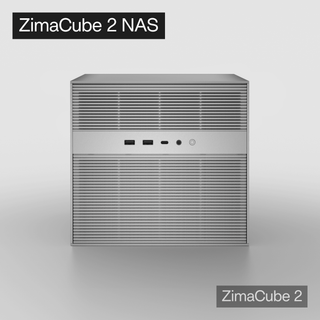
For storage-heavy private cloud or home NAS workflows, ZimaCube 2 personal cloud NAS fits the kind of multi-drive device category where SMB, NFS, remote file access, media storage, and private cloud file workflows often need to be planned together. It is not the only way to use these protocols, but it is a relevant example of the NAS-side environment where protocol choice becomes a real user workflow.
The same principle applies to any NAS: choose the protocol based on workload first, then follow the system-specific guide for shares, permissions, client mounting, and verification.
FAQ
Is SMB better than NFS?
SMB is better when you mainly use Windows, macOS, mixed desktop clients, or simple shared folders. NFS is often better for Linux, Unix, server-to-server mounts, and automation-heavy workflows. Neither is universally better; the right choice depends on clients, permissions, and workload.
Is NFS faster than SMB?
NFS can feel faster in some Linux and server-side workloads, especially when identity and permissions are configured cleanly. SMB may be more convenient and compatible for Windows and mixed-OS users. Treat performance as workload-specific rather than assuming one protocol always wins.
Should I use iSCSI for a home NAS?
Use iSCSI only if you need block-level storage for a specific host or workload. It is not the best choice for ordinary shared folders, family files, or multiple desktop clients browsing the same files. For most home NAS users, SMB or NFS should be considered first.
Can Windows use NFS or iSCSI?
Windows can use more than SMB depending on edition, features, and configuration, and it can also act as an iSCSI initiator in supported setups. However, SMB is usually the simplest Windows file sharing option. Use NFS or iSCSI only when the workload clearly needs them.
Can I use SMB, NFS, and iSCSI on the same NAS?
Yes, many NAS systems can provide more than one access method. That does not mean every folder or workload should use every protocol. Use SMB for desktop file sharing, NFS for Linux or server mounts, and iSCSI only for block-storage use cases that are designed for it.
Which protocol should I use for Plex or Jellyfin media storage?
For a Windows or mixed-OS media library, SMB is often the simpler choice. For a Linux-based media server mounting media from a NAS, NFS can be a clean option if UID / GID permissions are configured correctly. iSCSI is usually unnecessary for ordinary Plex or Jellyfin media folders unless the server specifically needs disk-like block storage.

Recommended products
Support & Tips
More to Read
NAS Share Shows Old Files After Storage Replacement: Checks and Fixes
Compare local storage with the active share and a clean client. Repair only the layer proven stale, then verify the result survives reconnect and...
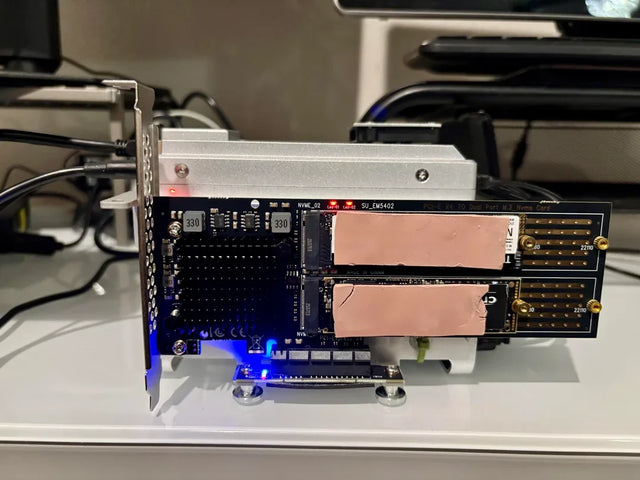
Mini PC Cooling Maintenance Guide for Fans, Vents, and Thermal Baselines
Use repeatable idle and load readings. Clean external airflow first, confirm fan behavior, and open the chassis only when evidence survives a controlled retest.
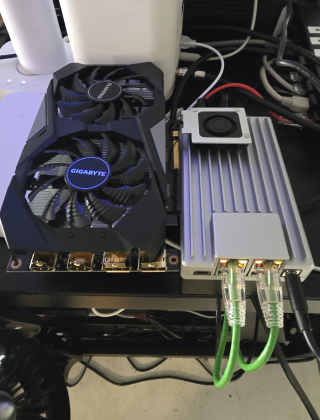
Home Server Firmware Update Checklist for BIOS, Boot Order, and Devices
Capture versions, UEFI entries, storage and passthrough state first. Update one layer at a time and keep console plus rollback access until validation passes.


