
Live TV Recording Storage Guide for Capacity, Retention, and Cleanup


The safe approach is to treat a measured recording budget with separate storage, age and capacity limits, protected exceptions, and verified cleanup as a sequence of observable gates, not a single command.
On a home media server recording live TV to local or NAS storage, the practical risk is recordings can consume the filesystem needed by the media database, app logs, and future scheduled programs. Record the current identity and recovery point, start with the least invasive discriminator, interpret pass and fail results before changing another variable, and stop when storage becomes unstable or the only recoverable copy would be exposed. The workflow below ends only after the original workload succeeds or the evidence reaches an escalation boundary.
Measure recording growth with representative channels
Record several programs from low-, typical-, and high-bitrate channels, including simultaneous tuners if the household uses them. Measure actual bytes per hour, scheduled padding, subtitle or multiple-audio overhead, and temporary post-processing space rather than estimating from resolution alone.
An independent recording-storage planner explains why sustained bitrate, schedule, retention, and headroom determine capacity. Use that bitrate-based recording capacity planning method with your measured streams, then include the maximum concurrent recording rate the storage must sustain.
Write two targets: required history in days and maximum storage the recorder may consume. Add free-space headroom for incomplete recordings, exports, commercial processing, filesystem behavior, and unexpected bitrate spikes.
Separate recordings from application state
Place durable recordings on a dedicated dataset, share, or quota boundary, while keeping the media database, configuration, logs, and container state on protected app storage. Map the host path and container path explicitly and verify the recorder writes to the intended destination.
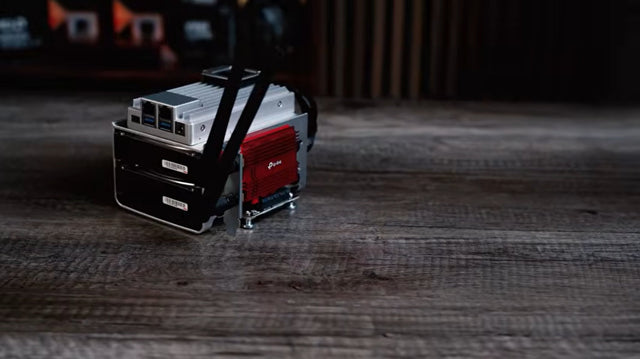
The ZimaSpace configuration on separate Live TV recording storage covers this separation in detail. This guide extends it by adding capacity and retention acceptance, so do not duplicate files into the app-data volume merely to make the library see them.
Test one short recording, playback, rename or library import, restart, and deletion before scheduling important content. If a network share is used, define what happens when it is unavailable; recording into an empty local mountpoint is a failure, not a fallback.
Apply retention with protected exceptions
Use both an age limit and a capacity limit where the recorder supports them. Age answers how far back ordinary programs remain; capacity prevents an unusual bitrate or recording burst from exhausting the filesystem before the day limit is reached.
Define protected recordings, manual archives, failed or partial recordings, and programs awaiting post-processing separately. A self-hosted community request for scheduled media cleanup need shows the operational need to warn or stage deletions, but any plugin or script must be tested against the recorder database rather than deleting indexed files behind its back.
Preview the eligible list or test in a disposable recording group. Cleanup should remove the oldest eligible item in bounded work, preserve protected programs, update the database, and continue accepting new recordings.

Prove cleanup before storage pressure becomes an outage
Lower the test quota or fill a disposable test area until cleanup triggers, then verify the oldest eligible program disappears from both filesystem and library while the newest recording continues. Confirm free space rises and no app database, guide data, or log path shares the exhausted quota.
Let one real schedule cycle run, including overlapping recordings and post-processing. Restart the media server and confirm retention state, protected flags, mount path, upcoming timers, playback, and export all persist.
Adopt the policy only when measured growth fits the budget and cleanup preserves app headroom. Roll back automation if files and database diverge, and escalate when storage errors or mount instability appear; retention cannot make an unreliable destination safe.

Recommended products

Support & Tips
More to Read

Home Media Metadata Recovery Workflow After a Database Restore
Protect the restored state, verify media identity and paths, then repair missing artwork or matches in a pilot library before broad metadata changes.

Jellyfin Client Compatibility Checklist for Audio, Video, and Subtitles
Test representative files one variable at a time and record Direct Play, remux, audio conversion, video transcode, or failure for every client.
Media Library Maintenance Guide for Scans, Metadata, and HDD Spindown
Bundle disk-touching jobs into useful active windows, keep metadata changes scoped, and verify both new-media discovery and a real idle period.


