
Why Do My Eyes Feel Tired After Monitoring a Bright Server Dashboard at Night?


A bright dashboard in a dark room can make your eyes work through a harsh luminance change while sustained attention reduces comfortable blinking.
The same tired, dry, blurred, or headachy feeling can also come from glare, small text, prolonged near focus, or an uncorrected vision problem. Change one reversible viewing factor at a time, compare a timed session, and seek eye care when symptoms persist or include pain, double vision, or sudden visual change.
Separate screen discomfort from urgent warning signs
Note whether symptoms are dry or gritty eyes, transient blur, focusing difficulty, headache, light sensitivity, or neck tension. Record how quickly they begin and whether they resolve after stopping the task.
A peer-reviewed review describes digital eye strain as a group of visual and ocular symptoms rather than one disease with one screen setting. That is why brightness, blink behavior, focus demand, and viewing environment should be tested separately.
Stop self-testing and seek prompt professional advice for persistent pain, new double vision, marked one-sided symptoms, or symptoms that remain away from screens. Sudden vision loss, flashes with a curtain-like shadow, or severe eye pain warrants urgent assessment.
Test the display-to-room brightness mismatch
Turn on a soft room light that illuminates the workspace without reflecting in the screen, then lower display brightness until a white dashboard panel no longer looks like a light source. Keep text contrast and legibility high enough that you do not lean forward or squint.
Use the same dashboard for a fixed interval and compare symptom onset with the previous night. Improvement after room light and brightness matching supports luminance mismatch; no improvement means glare, task demand, blinking, or vision still needs testing.
Avoid treating the brightness percentage as a universal target because displays and rooms differ. Preserve the comfortable setting as a nighttime preset and keep a separate daytime preset if ambient light changes substantially.
Reduce glare, small text, and continuous near focus
Move lamps and the display until reflections disappear from dark dashboard areas. Clean the panel, enlarge dashboard labels, and simplify dense widgets so status can be read without sustained fine-detail inspection.
Use deliberate distance breaks and blink fully when reading rapidly changing metrics. If dryness improves but focus fatigue remains, increase text size and viewing distance rather than lowering brightness until content becomes difficult to read.
The home-server OS guide can help reduce tool sprawl by choosing monitoring and administration paths that fit the server platform, limiting unnecessary late-night window switching.

Run a controlled comparison and decide what remains
Compare two similar sessions: same dashboard and duration, with only the tested lighting or text change different. Record symptom timing, not just whether the screen looked nicer.
Keep changes that delay or remove symptoms, then add the next change separately. Recovery means the planned monitoring session ends without persistent blur, pain, or headache and comfort remains after returning to the same nighttime conditions.
Arrange an eye examination if symptoms recur despite reasonable lighting, breaks, text size, and viewing distance, or if you need increasingly extreme settings. Screen adjustments cannot diagnose dry-eye disease, binocular-vision problems, migraine, or refractive error.

Recommended products

Support & Tips
More to Read
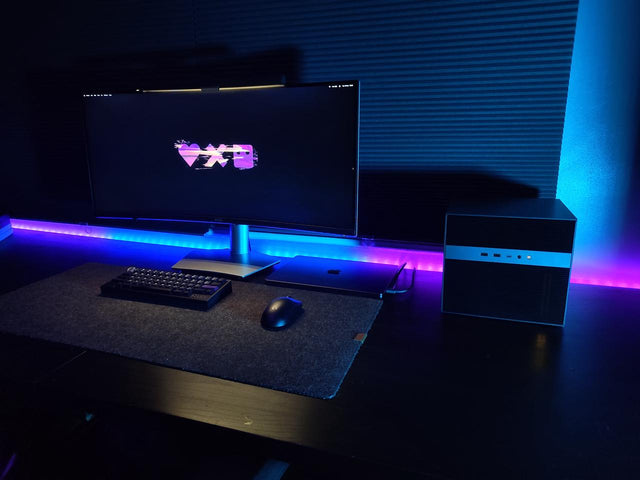
What Display Brightness Helps Reduce Eye Fatigue During Long NAS File Reviews?
There is no universal brightness percentage; match a white screen to the room, control glare, keep text legible, and validate during a timed review.
How to Reduce Neck Strain When a Home Server Console Is Mounted Too Low
Move routine work off the low console or raise the visual target safely while keeping the keyboard lower and retesting a real admin session.
What Are the Warning Signs That a Network Switch Port Is Damaging Transfer Reliability?
A bad switch port is proven when fresh physical errors or loss stay with that port after the cable and endpoint pass controlled swaps.


