Built for more than storage. ZimaCube 2 combines personal cloud, media workflows, self-hosting, and expansion in one powerful system.
More power where it matters. Upgraded Intel processors bring stronger multitasking, smoother media handling, and better everyday responsiveness.
High-speed expansion, built in. Dual Thunderbolt 4, PCIe support, and fast SSD expansion give you more room for demanding setups.
Cooler, quieter, and ready to stay on. A redesigned thermal system keeps performance stable while reducing noise for home or studio use.
Still zero lock-in. Run ZimaOS Plus or choose the operating system that fits the way you want to build.
Before You Start
Q: Which ZimaCube 2 model should I choose? A: Choose Standard for personal cloud, media libraries, backups, and lighter self-hosting or editing workflows. Choose Pro if you want more CPU headroom, 10GbE, and faster SSD expansion for heavier multitasking or more demanding active projects. Choose Creator Pack if you need the most powerful setup, with 64GB RAM, 1TB SSD, and dedicated GPU support for more advanced creative or AI workflows.
Q: Can I run my own OS? A: Yes. ZimaCube 2 is built on standard hardware and follows a zero-lock-in approach. It comes with ZimaOS Plus preinstalled, while remaining compatible with a wide range of other operating systems and self-hosting setups. This openness is also a core part of the official product positioning.
Q: Is the Standard model enough for me? A: For many users, yes. ZimaCube 2 Standard is a strong fit for personal cloud, backups, media libraries, Docker apps, and lighter creative or self-hosting workflows. If your work involves heavier multitasking, faster active project storage, or more demanding editing and expansion needs, Pro version gives you more room to grow.
Q: What does the 7th bay mean in practice? A: The 7th bay is designed for high-speed SSD expansion. On Standard, the shared bandwidth is around 800 MB/s, which is generally suitable for lighter active workflows and fast-access storage. On Pro and Creator Pack, the 7th bay reaches around 3200 MB/s, making it better suited for more demanding editing, scratch storage, and performance-focused workflows.
Q: How quiet is it? A: ZimaCube 2 uses a redesigned thermal system built for cooler and quieter operation. According to the recent launch materials, full-load CPU temperatures are reduced by nearly 30%, while system noise stays around 30 dB.
Shipping & Delivery
Orders are usually arranged within 72 hours after payment (holidays excluded)
Due to the holiday schedule, shipments will begin from April 7th.
For ZimaCube 2, shipments are handled via express carriers such as DHL, FedEx, or UPS. Delivery to most countries takes around 5–7 business days
Questions about the product or shipment? Contact shop@icewhale.org or reach us via the online chatbox
Up to 10 Cores, 12 Threads, 4.4 GHz Max, Intel® Iris® Xe
The Intel Core i5 brings desktop-class power to massive collaborative workflows and real-time processing.
Zero-Lag Collaboration
Both Standard and Pro feature dual Thunderbolt 4 for fast team access to TB-scale datasets and 4K media, with smooth indexing and no loading spin.
4K & Panoramic Transcoding
Process HEVC/H.265 and panoramic footage smoothly. Edit high-res media and run AI photo recognition in real time, without bottlenecks.
Multi-System Sandbox
Turn storage into a computing hub. Run Windows VMs, game servers, and Docker containers at once while keeping data services stable.
6+4
Hybrid Storage. Speed Meets Massive Scale.
A tiered architecture with 212TB (6x 30TB HDD + 4x 8TB NVMe) capacity. One device that accelerates active workflows while securing years of digital assets.
NVMe Performance Tier
Create a lightning-fast "Hot Zone" for active 8K editing, cache, and Docker apps. Eliminate IOPS bottlenecks completely.
HDD Massive Archive
Consolidate your scattered 10TB+ external drives into one central fortress. Stop juggling disks—keep decades of footage online.
"End-Game" Scalability
Start with what you have, expand as you grow. With flexible RAID and 7th-bay expansion, this is the last storage investment you'll need.
Thunderbolt 4
Dual 40 Gbps Instant Link & Pro Expansion.
Direct-connect to your Mac or PC for DAS-level editing speed, or expand with high-performance peripherals. No network setup, just pure velocity.
ZimaCube 2
ZimaCube 2 Pro
Meet ZimaOS
Extremely-friendly Personal Cloud OS
Refined through 3.5 million downloads and the active feedback of 43,000 community members, ZimaOS delivers a streamlined, community-proven experience that makes professional server management effortless for everyone.
Stop wasting weeks moving files. ZimaOS instantly mounts your existing NAS, Cloud drives, and USB disks. Turn scattered data islands into one unified continent—managed from a single dashboard.
Experience the all-new Zima App. One unified portal for files, photos, and backups, powered by a secure P2P connection that bypasses the cloud entirely.
More than just storage. It’s a self-hosting toolbox fueled by the community. Access hundreds of one-click apps or deploy any container to build your private internet. Leverage the Docker ecosystem to deploy open-source alternatives to SaaS. Build your private cloud storage, media server, and automation hub — subscription-free.
Hack Your Cube.
Dual PCIe slots (Gen4+Gen3) waiting for your imagination.
We believe hardware should be an open invitation. Want to turn ZimaCube into a local AI powerhouse? Slot in a GPU. Need to connect to a specialized fiber network? Add a 25GbE card. Want 16TB of pure SSD cache? Go for it. The PCIe slots are your blank canvas—paint whatever function you desire.
Tech That Fits Your Vibe
Sleek metal, quiet fans, and magnetic charm.
We designed ZimaCube to be seen, not hidden in a closet. With its gunmetal finish and compact footprint, it looks stunning next to your Mac Studio or gaming rig. The magnetic faceplate is a joy to click on and off, and the acoustic engineering ensures it whispers, never shouts.
A Server with a Pulse
Subtle RGB that communicates with you.
It’s not just a blinking light; it’s a language. The subtle RGB strip breathes gently when working, alerts you with a red pulse if a drive needs attention, or syncs with your studio’s mood lighting. It adds a touch of cyberpunk soul to your desk setup.
Build Your Cube
Your Next Big Idea Starts Here
What the Press Says
Reviews and launch coverage from global media
"A modern, high-performance NAS with plenty of room to grow - built for users who want more than basic storage."
Watch creators, NAS reviewers, and homelab builders test ZimaCube 2 across storage, self-hosting, local AI, and creator workflows.
NAS Review
NASCompares
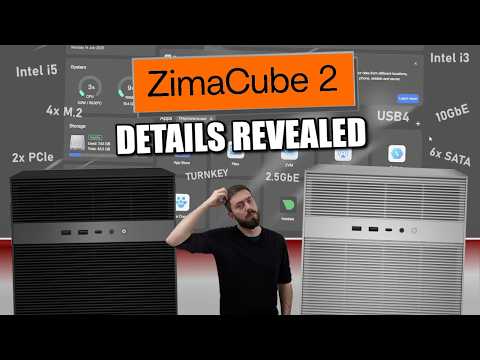
ZimaCube 2 NAS Revealed
A NAS-focused look at ZimaCube 2 for users comparing storage, self-hosting, and expansion options.
DIY Tech
Michael Klements
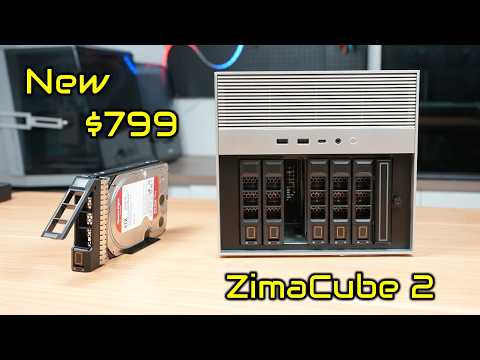
The New $799 ZimaCube 2 Has Features It Shouldn’t
A hands-on hardware review from a DIY and maker perspective, covering why ZimaCube 2 stands out as a compact home server.
Personal Cloud
Tech TRX
This NAS Replaces Your Cloud, PC & Server?!
A practical review showing how ZimaCube 2 can work as a private cloud, media server, and home lab system.
Homelab
Christian Lempa
ZimaCube 2 Review // Worth Upgrading?
A homelab-focused review for users deciding whether ZimaCube 2 is worth upgrading to as a server and storage box.
Self-Hosting
Alpha Nerd Tech
This Isn't Just a NAS... It's a Self-Hosting Powerhouse
A creator-focused look at ZimaCube 2 Pro as more than a NAS - built for self-hosting, personal cloud, and local workloads.
Creator Workflow
ViktorKav
ZimaCube 2: I'll Never Lose a Project Again
A creator workflow video showing how ZimaCube 2 helps protect projects, media files, and studio work.
Real Feedback from the Community
What builders, creators, and homelab enthusiasts are saying about ZimaCube 2.
SaBiTech
Home Server Enthusiast
"The ZimaCube 2.0 is a masterclass in refinement. IceWhale has polished a design we already loved to a professional standard - optimized cabling, a redesigned backplane, and whisper-quiet fan control finally deliver the 'grown-up' personal server the community has been waiting for."
DB Tech
Homelab Enthusiast
"It's exactly what my homelab needs and nothing it doesn't. It further elaborate on that, it's small, discrete, holds a decent amount of drives (especially for its size), and lets me use a GPU for transcoding. My previous homelab was a rackmount chassis that weighed a ton and was power hungry and the ZimaCube does what I need in a smaller footprint and consumes less power."
Effy
AI Tinkerer
"The cooling upgrade looks like a huge step forward. It stays really quiet even under load, and the performance bump is definitely noticeable.
I've been running local AI workloads on it, and honestly it handles them surprisingly well."
journeymangeek
Self-Hosted Enthusiast
"I've run it on ubuntu the entire time - Its a fairly flexible bit of kit, Its open to experimentation and some degree of modification. Its nice that its not locked down."
NeoFight
Hardware Enthusiast
"IceWhale have done something that most enterprise NAS vendors have never bothered with: they made the object feel worth owning before you have turned it on."
cfouche
Tech Enthusiast
"The standard new CPU help much, the thunderbolt 4 ports are new on the base model (and the DDR5)."
Real Builds from the Community
Explore how real users are turning ZimaCube 2 into local AI systems, homelab platforms, personal clouds, and self-hosted workspaces.
@Víctor
Local AIFrigateHome AssistantOpenClaw
Private Local AI & Smart Home Hub
Victor is adding high-performance local AI to his ZimaCube 2 setup, with private LLMs and OpenClaw for AI processing, Frigate for AI surveillance, and Home Assistant Voice for a fully local smart home assistant.
@Grim Oak
ZimaOSHomelabDesktop SetupSelf-Hosting
A Compact ZimaOS Homelab Setup
Grim Oak's setup shows ZimaCube 2 running ZimaOS in a compact desktop homelab environment, ready for hands-on testing, self-hosting, and everyday local services.
@Michael
HomelabDockerZFSLocal AI
All-in-One Homelab for Storage, Docker & Local AI
Michael uses ZimaCube 2 as a compact all-in-one homelab platform for storage, Docker hosting, ZFS, networking, automation, and local AI workloads - with quiet operation, power efficiency, and room to expand.
@sabitech
OS SandboxPodmanOptane CacheMicro-Datacenter
A Quiet Micro-Datacenter for OS Testing
Sabitech uses ZimaCube 2 as a quiet, low-power sandbox for testing home server operating systems, running Rocky Linux, Cockpit, Podman containers, and Intel Optane cache for heavy I/O workloads.
Real builds. Real workflows. Real ZimaCube 2 setups.
it is great for my purpose of gitlab server in the developemnt team
Reviews in Other Languages
Frequently Asked Questions
Choose Standard for personal cloud, media libraries, backups, and lighter self-hosting or editing workflows. Choose Pro if you want more CPU headroom, 10GbE, and faster SSD expansion for heavier multitasking or more demanding active projects. Choose Creator Pack if you need the most powerful setup, with 64GB RAM, 1TB SSD, and dedicated GPU support for more advanced creative or AI workflows.
Yes. ZimaCube 2 is built on standard hardware and follows a zero-lock-in approach. It comes with ZimaOS Plus preinstalled, while remaining compatible with a wide range of other operating systems and self-hosting setups. This openness is also a core part of the official product positioning.
ZimaCube 2 uses a redesigned thermal system built for cooler and quieter operation. According to the recent launch materials, full-load CPU temperatures are reduced by nearly 30%, while system noise stays around 30 dB.
For many everyday workflows, especially lighter or single-stream 4K work, Standard is generally a solid fit. If your setup involves heavier multitasking, faster shared storage needs, or more demanding editing workloads, Pro offers more headroom with a stronger processor, 10GbE, and faster SSD expansion.
The 7th bay is designed for high-speed SSD expansion. On Standard, the shared bandwidth is around 800 MB/s, which is generally suitable for lighter active workflows and fast-access storage. On Pro and Creator Pack, the 7th bay reaches around 3200 MB/s, making it better suited for more demanding editing, scratch storage, and performance-focused workflows.
Yes. A practical setup is to use faster SSD storage for active projects, while keeping larger-capacity drives for long-term storage and archive. This matches creative workflows well and makes ZimaCube 2 easier to use as both active workspace and long-term storage.
ZimaCube 2 is compatible with most mainstream hard drive brands and capacities on the market. You can check the full compatibility list here: Compatibility List
Inside the chassis, ZimaCube 2 supports low-profile GPUs for SFF single-slot or dual-slot installation, with TDP below 75W. For larger or higher-power graphics cards, we recommend using an external GPU dock.



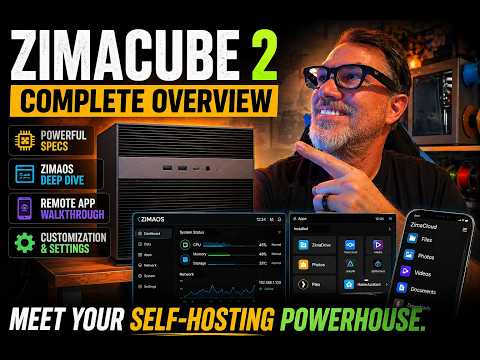
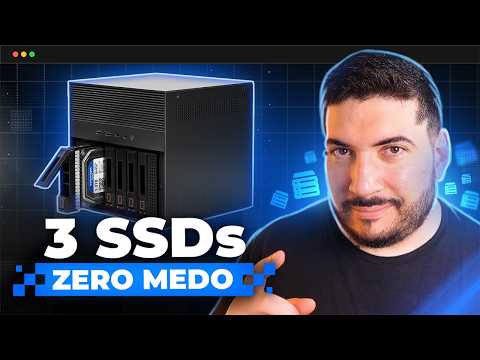


 ZimaCube 2 Personal Cloud Home NAS From $799.00 USD /
 ZimaBoard 2 - Hyper Performance Single Board Home Server From $339.00 USD /
 ZimaBlade - Single Board Server for Cyber Native


