
How Rez Tech Builds His Own Personal Cloud With ZimaBoard 2


Thank you to Rez Tech for turning a familiar frustration—paying for more cloud storage—into a practical ZimaBoard 2 project. Instead of adding another subscription, he connects two local drives to ZimaBoard 2 and uses ZimaOS to build his own personal cloud.
The video follows the build from hardware to daily use. Rez Tech examines the ZimaBoard 2 ports, connects the drives, configures the storage, tests file access and 4K HDR media playback, explores what else can run through ZimaOS, and then shows a cleaner NAS-style hardware configuration.
Watch before reading: the original video shows the complete build and the real hardware in use. Pay particular attention to the transition from a bare ZimaBoard 2 with two attached drives to a system that can handle storage, media, and additional self-hosted applications.
Rez Tech's build shows the main idea clearly: the value is not only replacing part of a cloud-storage subscription. The same local server can provide network storage first, then take on media and self-hosted applications without requiring a separate machine for each job.
This article reorganizes the build around the decisions that matter most: storage connectivity, RAID 1, network performance, media workloads, and the difference between a working two-drive prototype and a more permanent NAS setup. Results will still depend on the drives, network, clients, and applications used in each installation.
Why ZimaBoard 2 Fits This Personal Cloud Build
Rez Tech starts by looking at the physical interfaces on ZimaBoard 2. For this project, the important parts are straightforward: storage connectivity and faster local networking.

Dual 2.5GbE gives the server more local-network headroom than a standard Gigabit connection. That matters when large photos, backups, or video files move between the NAS and another computer.
It does not guarantee a specific transfer speed. The drives, switch, cabling, client adapter, Wi-Fi connection, and file workload can all become the bottleneck.
Two Drives Turn the Board Into Real Network Storage
The next step is physical storage. Rez Tech connects two drives directly to the board rather than treating the server as a compute-only device.

His build uses RAID 1, which mirrors data across two drives. With two drives of the same capacity, the usable space is roughly equivalent to one drive, while the second copy provides protection against a single drive failure.
RAID 1 is not a backup. Accidental deletion, corruption, malware, or loss of the complete server can still affect the data. Important files should also exist on another independent device or off-site destination.
ZimaOS Makes the NAS More Than File Storage
Once the basic storage is running, the project expands beyond shared folders. Rez Tech moves through the ZimaOS environment and its available applications, showing why the same hardware can take on more than one home-server role.

This changes the value of the machine. A device that starts as a personal cloud can also host media tools, backup applications, Docker services, and other self-hosted workloads.
The Real Test Is the Complete Storage Path
A NAS is only useful if moving files feels practical. Rez Tech therefore tests the system instead of stopping once the drives are detected.
Real transfer performance depends on the complete path: the source device, client network connection, switch or router, server Ethernet interface, storage protocol, RAID layer, and destination drive.
This is why the theoretical bandwidth of one interface should not be treated as the expected file-copy speed. A Gigabit switch, Wi-Fi client, or mechanical hard drive can limit the result even when the server itself has 2.5GbE networking.
4K HDR Adds a Different Kind of Workload
Rez Tech also tests 4K HDR media, which asks more from the server than simply storing or copying a file.
If a playback device supports the original media format, the server may be able to direct play the file with little video processing. If the client requires a different codec, resolution, bitrate, subtitle format, or HDR handling, transcoding adds additional processing.
One successful 4K test therefore should not be treated as a guarantee for every media library. Codec, bitrate, client support, subtitles, and simultaneous streams can change the workload significantly.
The Open Two-Drive Setup Already Works
Before showing the more finished NAS configuration, Rez Tech runs the system with ZimaBoard 2 and two exposed drives.

This is useful because it separates what the server needs to function from what it needs to become a cleaner permanent installation. The open setup already provides the core storage functionality.
The NAS Kit Cleans Up the Permanent Build
Later, Rez Tech shows a more integrated arrangement with the board and storage mounted together.

The storage concept does not change. What improves is the physical installation: drive mounting, cable management, protection, and the practicality of leaving the server assembled for long-term use.
Personal Cloud vs Cloud Subscription
Rez Tech begins with the cost of cloud storage, but the practical difference is broader than a monthly fee.
| Factor | Cloud Storage | Self-Hosted NAS |
|---|---|---|
| Storage model | Recurring capacity plan | Capacity from owned drives |
| Upgrades | Change subscription tier | Change or add hardware |
| Maintenance | Handled by provider | Handled by owner |
| Applications | Provider-defined | Can run additional self-hosted services |
| Data location | Provider infrastructure | Local hardware |
The self-hosted approach trades provider-managed convenience for more control over storage and applications. It also means the owner becomes responsible for backups, drive replacement, software maintenance, and secure remote access.
What Rez Tech's Build Shows
The useful part of this project is its progression. Rez Tech does not treat “the drives appeared in the dashboard” as the finish line.
He connects the storage, builds redundancy, tests the server with real files and media, explores the ZimaOS application layer, and then turns the open prototype into a more permanent NAS-style machine.
That is also where ZimaBoard 2 differs from a storage-only appliance. The personal cloud can be the first workload without having to remain the only workload.
FAQ
Can ZimaBoard 2 be used as a personal cloud?
Yes. Rez Tech's build uses local drives and ZimaOS to create network-accessible storage on ZimaBoard 2. Remote access requires an additional secure access method.
Why use two drives?
Rez Tech uses two drives for a RAID 1 mirror. This provides redundancy against a single drive failure but reduces usable capacity compared with combining both drives independently.
Is RAID 1 enough to protect important files?
No. RAID protects against specific hardware failures. Important data should also have an independent backup.
Does 2.5GbE mean files will transfer at full 2.5GbE speed?
No. Actual speed depends on the drives, network equipment, client connection, protocol, and workload.
Can the same ZimaBoard 2 run other self-hosted applications?
Yes. Rez Tech's video also explores the ZimaOS application environment, so the server does not have to remain dedicated only to file storage.
Watch Rez Tech's full video for the original hardware build, storage setup, performance testing, and final NAS configuration.

Recommended products

Zima Campaign Hub
More to Read
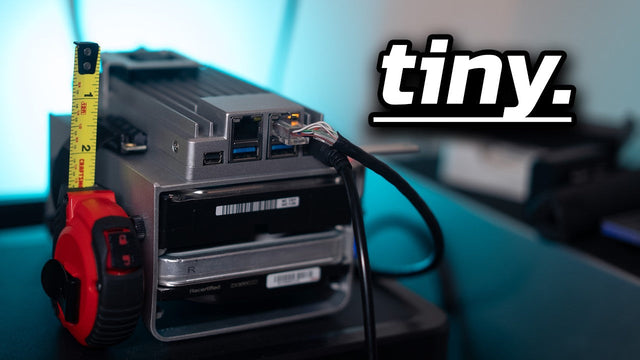
Silicon Steak Shrinks His Homelab With ZimaBoard 2
Silicon Steak explores whether ZimaBoard 2 can replace a much larger homelab machine, testing storage, media playback, Minecraft, Pi-hole, self-hosted apps, and ZimaOS management.
How Smart Life Builds a Private Cloud with ZimaBoard 2
Smart Life turns ZimaBoard 2 into a home destination for phone photos and videos, showing the hardware build, ZimaOS storage setup, phone connection, and...
How ASNetworking Installs Proxmox: ECC, ZFS & Network Pinning
ASNetworking walks through Proxmox host requirements, BIOS settings, installation, filesystem choices, and stable management networking, with ZimaBoard 2 among the lab hardware shown.


