
Raspberry Pi 5: Specs, Release Date & Everything to Know


Quick Answer: Is the Raspberry Pi 5 still worth it in 2026?
Yes, but its role in the self-hosting ecosystem has narrowed. The Raspberry Pi 5 remains an exceptional platform for hardware tinkerers, IoT integration, and low-power Edge AI. However, when evaluating a Raspberry Pi 5 vs mini PC home server purely for Docker containerization, media streaming, or network-attached storage (NAS), an Intel N100/N97 mini PC or an x86 board like the ZimaBoard offers better out-of-the-box value, hardware video transcoding, and universal software compatibility.

Raspberry Pi 5 Specs: The Current Baseline
The Raspberry Pi 5 brought a massive leap in performance over the Pi 4, solidifying its place as a powerhouse single-board computer (SBC). In 2026, the confirmed specifications represent a highly capable baseline for DIY computing:
-
Processor: Broadcom BCM2712, 2.4GHz quad-core 64-bit Arm Cortex-A76 CPU.
-
Memory: 4GB, 8GB, and 16GB LPDDR4X-4267 SDRAM options.
-
Storage Interface: MicroSD slot (SDR104 support) and a single-lane PCIe 2.0 interface.
-
Networking: Gigabit Ethernet, Dual-band 802.11ac Wi-Fi, Bluetooth 5.0/BLE.
-
Power: 5V/5A DC via USB-C (requires official power supply for full peripheral draw).
The Verdict: The CPU is roughly 2-3 times faster than its predecessor, making it viable for lightweight desktop use and responsive server applications.
What Changed After Launch: 16GB Model, Accessories, and OS Support
Since its initial release, the Raspberry Pi 5 ecosystem has matured significantly, shifting how it is deployed in home labs.
-
The 16GB RAM Variant: The introduction of the 16GB model removed the primary memory bottleneck for self-hosters running dozens of containers or memory-hungry database applications.
-
PCIe and NVMe Adoption: The official and third-party M.2 NVMe HATs (Hardware Attached on Top) are now standard practice. Booting from an SD card is no longer recommended for a server; cheap, high-speed NVMe storage has fundamentally changed the Pi 5's I/O performance.
-
OS and Software Maturation: Raspberry Pi OS (based on Debian) and Ubuntu have ironed out early kernel bugs. The software ecosystem for ARM64 architecture is now highly robust, supporting the vast majority of modern containerized applications.
Where the Raspberry Pi 5 Works Well
Despite heavy competition, the Pi 5 retains distinct advantages where mini PCs cannot compete.
-
Hardware and GPIO Projects: If your server needs to interact with the physical world—triggering relays, reading environmental sensors, or managing custom LED arrays—the Pi’s 40-pin GPIO header is indispensable.
-
Edge AI: Paired with an AI accelerator HAT (like the Hailo-8L), the Pi 5 is an incredibly efficient node for local AI inference, such as object detection in Frigate.
-
Learning and Community Support: For beginners, building a Raspberry Pi 5 home server is the ultimate educational sandbox. If you hit a roadblock, the sheer volume of user-generated tutorials is unmatched. As seen in community experiences regarding initial Docker and Portainer setups, the active community makes navigating network configurations and compose files much more forgiving for Linux newcomers.
-
Extreme Space Constraints: It fits practically anywhere—behind a TV, inside a structured wiring cabinet, or integrated directly into a 3D-printed appliance.

Where the Raspberry Pi 5 Falls Short
The romanticized idea of a "$60 server" no longer applies to the Pi 5 when you factor in real-world server requirements.
-
Hidden Costs: A bare board is useless for a server. By the time you add the official 27W power supply, an active cooler, a case, an M.2 NVMe HAT, and an SSD, your total cost easily approaches $150 to $180.
-
Media Transcoding: The BCM2712 lacks hardware video encoders (H.264/H.265). If you want to run a Plex or Jellyfin server and need to transcode 4K media for remote viewing, the Pi 5 will struggle severely.
-
Software Architecture Constraints: While ARM support is excellent today, you will occasionally encounter proprietary software, legacy applications, or specific Docker images that require an x86 processor.
Raspberry Pi 5 vs ZimaBoard / ZimaBlade / x86 Mini PC
When building a home lab today, the primary debate is a Raspberry Pi 5 vs x86 mini PC (or specialized x86 SBCs like the ZimaBoard/ZimaBlade).
A detailed breakdown of performance and architectural differences between single-board computers and mini PCs highlights that while ARM processors excel in compact power efficiency, x86 architecture remains the undisputed standard for broad software compatibility and raw compute performance.
-
Intel N100/N97 Mini PCs: These devices offer unmatched value. For roughly the same price as a fully kitted out Pi 5 ($150-$200), you get a system that includes a case, power supply, RAM, an SSD, and Intel Quick Sync Video (QSV)—the holy grail for media server transcoding.
-
ZimaBoard and ZimaBlade: These devices sit perfectly between a mini PC and a Raspberry Pi. They offer x86 compatibility, dual Gigabit Ethernet ports, and exposed PCIe slots. If you are building a custom pfSense router or a DIY NAS, the ZimaBoard is structurally vastly superior to a Pi 5 due to its native SATA and networking capabilities.
-
For readers who want to understand how ZimaBoard evolved from an x86 SBC concept into a production-ready home server platform, our ZimaBoard product development and supply chain update offers a behind-the-scenes look at material procurement, PVT validation, manufacturing refinements, documentation, and CasaOS development. You can also read the ZimaBoard critical materials and assembly update to see how critical material stocking, supplier selection, and NPI preparation moved the project closer to production.
-
Power Consumption Reality: A lingering myth is that an x86 mini PC will inflate your electricity bill. When evaluating a Raspberry Pi 5 vs mini PC home server, discussions on actual idle power consumption metrics over time reveal that modern Alder Lake-N mini PCs can idle as low as 4 to 6 watts. The real-world cost difference between running a Pi 5 and an N100 mini PC 24/7 is negligible (often less than $10 a year in most regions).
Hardware Comparison Matrix
| Feature | Raspberry Pi 5 (8GB) Setup | Intel N100 Mini PC | ZimaBoard 832 |
| Architecture | ARM64 | x86_64 | x86_64 |
| Estimated Cost | ~$150 (with Cooler, PSU, HAT) | ~$150 - $180 (Complete) | ~$200 (Complete) |
| Hardware Transcoding | No (Software only) | Yes (Intel Quick Sync) | Yes (Intel Quick Sync) |
| Storage Expansion | 1x M.2 NVMe (via HAT) | 1x M.2 NVMe, 1x 2.5" SATA | 2x SATA III, 1x PCIe slot |
| Hardware Hacks (GPIO) | Yes (40-pin) | No | Limited (via PCIe/USB adapters) |
| Idle Power Draw | ~3W | ~5W - 8W | ~6W |
Best Choice by Use Case: NAS, Media Server, Home Assistant, and Docker
Choosing between a Raspberry Pi 5 vs x86 mini PC comes down to the specific services you intend to host. Use the following guide to match your project with the right hardware.
| Use Case | Best Hardware Choice | Why It Wins |
| Home Assistant (Smart Home) | Tie (Pi 5 or Mini PC) | Both are excellent. The Pi 5 natively supports GPIO sensors, while a mini PC offers faster database performance for massive log histories. |
| Media Server (Plex/Jellyfin) | x86 Mini PC | Intel Quick Sync allows multiple concurrent 4K hardware transcodes without breaking a sweat. The Pi 5 cannot do this. |
| Custom Router / Firewall | ZimaBoard / ZimaBlade | Dual native Gigabit/2.5G Ethernet ports and x86 architecture are essential for pfSense or OPNsense. |
| Docker & Self-Hosting Hub | x86 Mini PC | Universal image compatibility and higher single-core performance make managing 30+ containers smoother. |
| DIY NAS (Network Storage) | ZimaBoard / ZimaBlade | Native SATA III ports and an exposed PCIe slot for a 10GbE network card make it a superior storage appliance. |
| AI Edge / IoT Automation | Raspberry Pi 5 | Unrivaled GPIO access, MIPI camera interfaces, and deep integration with Hailo/Coral AI accelerators. |
Frequently Asked Questions (FAQ)
Q1:Which is better for a self-hosting beginner, a Raspberry Pi 5 or a mini PC?
If you want a plug-and-play experience with standard desktop-like performance, an x86 mini PC is easier because it comes pre-assembled with storage and a power supply. However, if your primary goal is to learn Linux commands, hardware interaction, and troubleshooting, the massive community behind the Raspberry Pi makes it an unmatched educational tool.
Q2:Can a Raspberry Pi 5 home server run Windows?
While there are community workarounds to install Windows on ARM-based devices, it is not recommended for a home server. The Pi is designed primarily for Linux (Debian/Ubuntu). If your server applications require a Windows OS environment natively, you must choose an x86 mini PC.
Q3:Is the Raspberry Pi 5 powerful enough for a Plex media server?
It is powerful enough for Direct Play (sending a file to your TV without changing its format). However, because it lacks hardware video transcoding, it will choke if you try to stream a 4K movie to a device that requires the video to be downscaled or converted on the fly.
Q4:How much does a complete Raspberry Pi 5 home server setup cost in 2026?
While the board itself starts at around $60-$80 depending on RAM, a server-ready setup requires an official 27W power supply, an active cooler, a specialized case, an NVMe HAT, and a reliable M.2 SSD. Realistically, you should budget between $140 and $180 for a complete, reliable package.
Q5:Does a mini PC consume too much electricity for a 24/7 home server?
No. Modern entry-level processors like the Intel N100 or N97 are highly efficient. While they have a higher maximum power draw under heavy load than a Pi 5, their idle power consumption (where home servers spend 95% of their time) is usually between 4 and 8 watts. The annual electricity cost difference is negligible.
Q6:Raspberry Pi 5 vs x86 mini PC for Docker: Which should I choose?
If you are running a standard stack (Pi-hole, Nextcloud, Nginx), both will perform beautifully. However, if you are downloading niche, older, or proprietary Docker images, you will occasionally find that an ARM64 image does not exist. An x86 mini PC guarantees 100% Docker image compatibility.

Recommended products

Zima Campaign Hub
More to Read
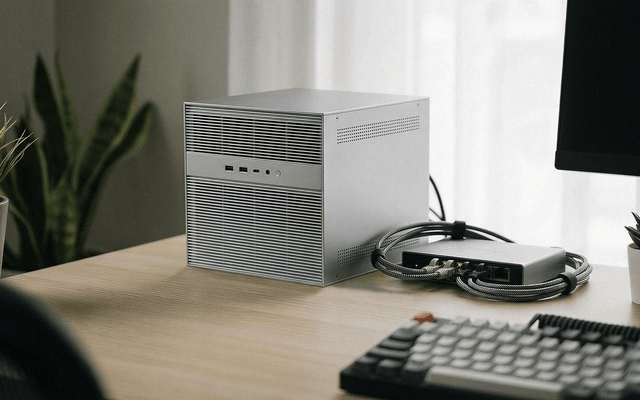
Why I Replaced Rack Servers With a ZimaCube 2 — A Homelab Evolution Story
ZimaCube 2 replaces noisy rack servers and limited mini PC setups with a quiet all-in-one homelab for Docker, ZFS storage, NVMe, backups, self-hosting, and...
Running Docker, CI/CD, and 10+ Self-Hosted Services on the ZimaCube 2
This community spotlight features ZimaCube 2 Pioneer Michael Luckenbill’s full self-hosted infrastructure test. Running 10+ Docker containers, local GitHub Actions CI/CD, dual ZFS HDD/NVMe...
What Happens When Two AI Agents Fight Over One Server?
Zero Noichi’s AI cybersecurity experiment used two ZimaBoard 2 devices to simulate attacker and defender agents, showing how homelab servers can support safe AI,...


