
Top 10 Best CLI AI Tools and Coding Agents in 2026


The terminal used to be where developers escaped distracting interfaces. In 2026, it has become one of the busiest places for AI: today's best AI CLI tools can inspect repositories, edit files, run tests, call tools, and keep working through a coding task without an IDE open.
The harder question is which one fits your workflow. Claude Code, Codex CLI, Gemini CLI, and Copilot CLI offer tightly integrated vendor experiences, while OpenCode, Kilo CLI, Cline, and Aider give developers much more freedom over models, providers, and automation.
How We Ranked the Best AI CLI Tools for Developers
An AI CLI in 2026 means more than typing a prompt and getting a shell command back. A serious coding CLI should be able to inspect project context, plan changes, edit multiple files, execute commands, observe failures, and continue toward a result.
There is also an increasingly important split between two approaches:
- Vendor-native AI CLIs such as Claude Code, Codex CLI, Gemini CLI, GitHub Copilot CLI, and Kiro CLI optimize the experience around a particular model or developer ecosystem.
- Model-agnostic AI CLIs such as OpenCode, Kilo CLI, Cline, and Aider put more emphasis on provider choice, BYOK, custom endpoints, and local models.
Neither approach is automatically better. A team already standardized on Anthropic may value Claude Code's integrated experience more than access to 50 model providers. A developer experimenting with Ollama, Qwen, Claude, and OpenAI may care much more about switching models without changing tools.
We therefore evaluated each tool around six practical factors:
- Agentic capability: Can it complete multi-step coding tasks rather than only generate a response?
- Terminal nativeness: Does it work naturally with repositories, shells, tests, package managers, and Git?
- Model control: Is it vendor-native, multi-provider, BYOK-ready, or compatible with local models?
- Extensibility: Does it support MCP, skills, hooks, custom agents, plugins, or project instructions?
- Automation: Can it run headlessly, consume stdin, return structured output, or fit into CI/CD?
- Governance: Can developers control file writes, shell execution, sandboxes, credentials, and other risky actions?
The numerical order is editorial rather than a synthetic benchmark score. Pricing is also deliberately not used as a primary ranking factor because subscription tiers, free quotas, and model API prices change too quickly to remain accurate for long.
If you are interested in the reusable capabilities these coding agents can load, our guide to AI Agent Skills.md for coding covers the skill layer separately.
Top 10 AI CLI Tools for Developers at a Glance
| Rank | AI CLI | Type | Best For | BYOK / Model Choice | Local Model Path |
|---|---|---|---|---|---|
| 1 | Claude Code | Vendor-native | Complex agentic coding | Claude-centered | Limited |
| 2 | OpenAI Codex CLI | Vendor-centered, open-source CLI | OpenAI coding workflows | OpenAI-centered | Not the main focus |
| 3 | Gemini CLI | Vendor-centered, open source | Headless automation | Gemini-centered | Not the main focus |
| 4 | OpenCode | Model-agnostic, open source | Terminal-first multi-model coding | Broad provider support | Yes |
| 5 | Kilo CLI | Model-agnostic, open source | BYOK and cross-surface workflows | 500+ hosted models and BYOK | Yes |
| 6 | GitHub Copilot CLI | Vendor-native | GitHub-heavy teams | GitHub model ecosystem | Not the main focus |
| 7 | Kiro CLI | Vendor-native | Structured and spec-driven engineering | Kiro-supported models | Not the main focus |
| 8 | Cline CLI | Model-flexible, open source | Headless coding automation | Multi-provider | Yes |
| 9 | Qwen Code | Vendor-centered, open source | Qwen and custom endpoints | Qwen plus custom providers | Yes |
| 10 | Aider | Model-agnostic, open source | Git-first AI pair programming | Broad provider support | Yes |
1. Claude Code — Best for Complex Agentic Coding
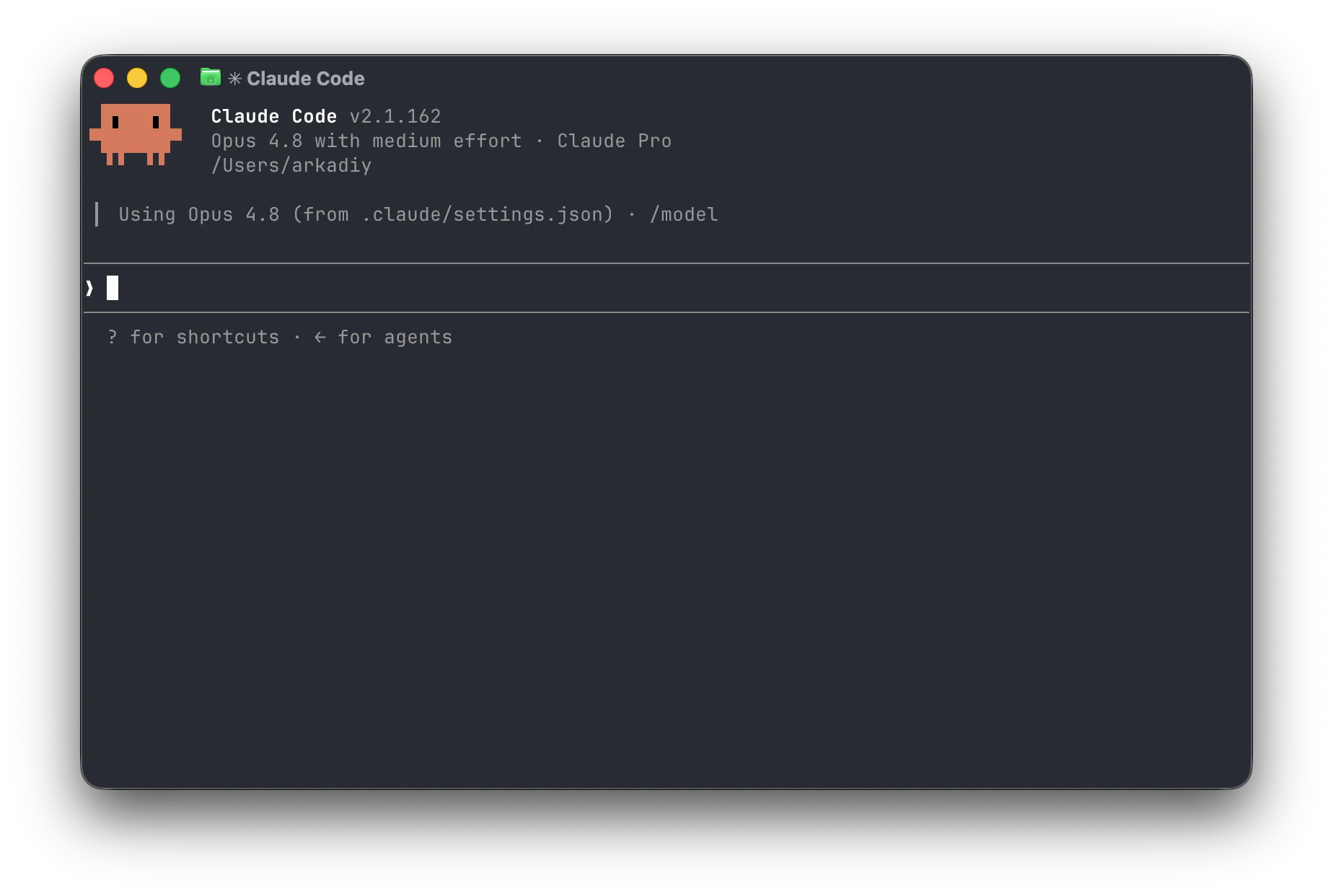
Claude Code is one of the clearest examples of how far AI CLI tools have moved beyond command generation. It is designed to understand a codebase, work through multi-step development tasks, modify files, execute commands, and handle Git workflows directly from the terminal.
Its biggest advantage is not that Claude can generate code. Plenty of tools do that. The advantage is the continuity of the workflow: investigate a bug, inspect the relevant modules, change several files, run tests, read the failures, fix the implementation, and continue without reducing each stage to a separate chat.
The surrounding ecosystem is also becoming part of the product. Project instructions, MCP servers, hooks, reusable skills, specialized agents, and permission controls allow Claude Code to operate more like a developer runtime than a simple chatbot.
That makes it a strong default for developers who value model quality and a polished agent loop more than provider freedom.
Best for: complex repositories, debugging, refactoring, implementation work, Git workflows, and developers already comfortable with Claude.
Trade-off: Claude Code is intentionally Claude-centered. If BYOK breadth, provider switching, or local models are major requirements, OpenCode or Kilo CLI provide substantially more flexibility.
2. OpenAI Codex CLI — Best for OpenAI-Centered Coding
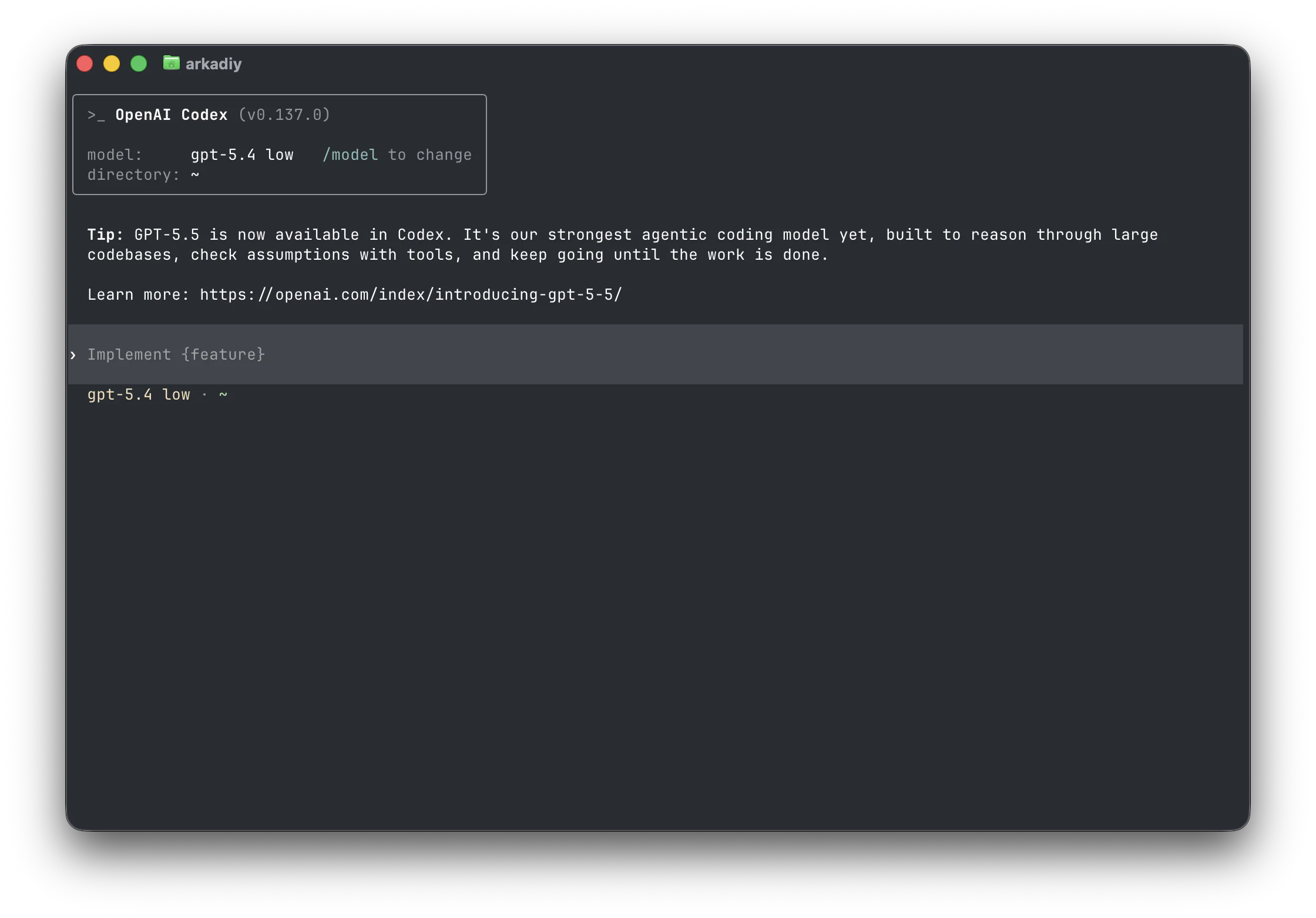
Codex CLI is OpenAI's open-source coding agent for the terminal. It works against a developer's local workspace and is designed around agentic development rather than one-shot code generation.
The natural appeal is ecosystem alignment. Developers already using OpenAI models can bring the Codex workflow directly into a repository without adopting an unrelated agent layer.
Like other modern coding agents, the important capabilities are the actions around the model: understanding project context, changing files, executing commands, and working iteratively instead of returning a block of code and stopping.
Its open-source CLI also gives developers more visibility into the terminal layer than a fully closed client would provide.
Best for: developers and teams already standardized on OpenAI who want a lightweight coding agent directly inside the terminal.
Trade-off: Codex CLI's natural center of gravity is still OpenAI. Developers who regularly move between Anthropic, Google, open-weight models, and local inference may prefer a model-neutral CLI.
3. Gemini CLI — Best for Headless and Structured Automation
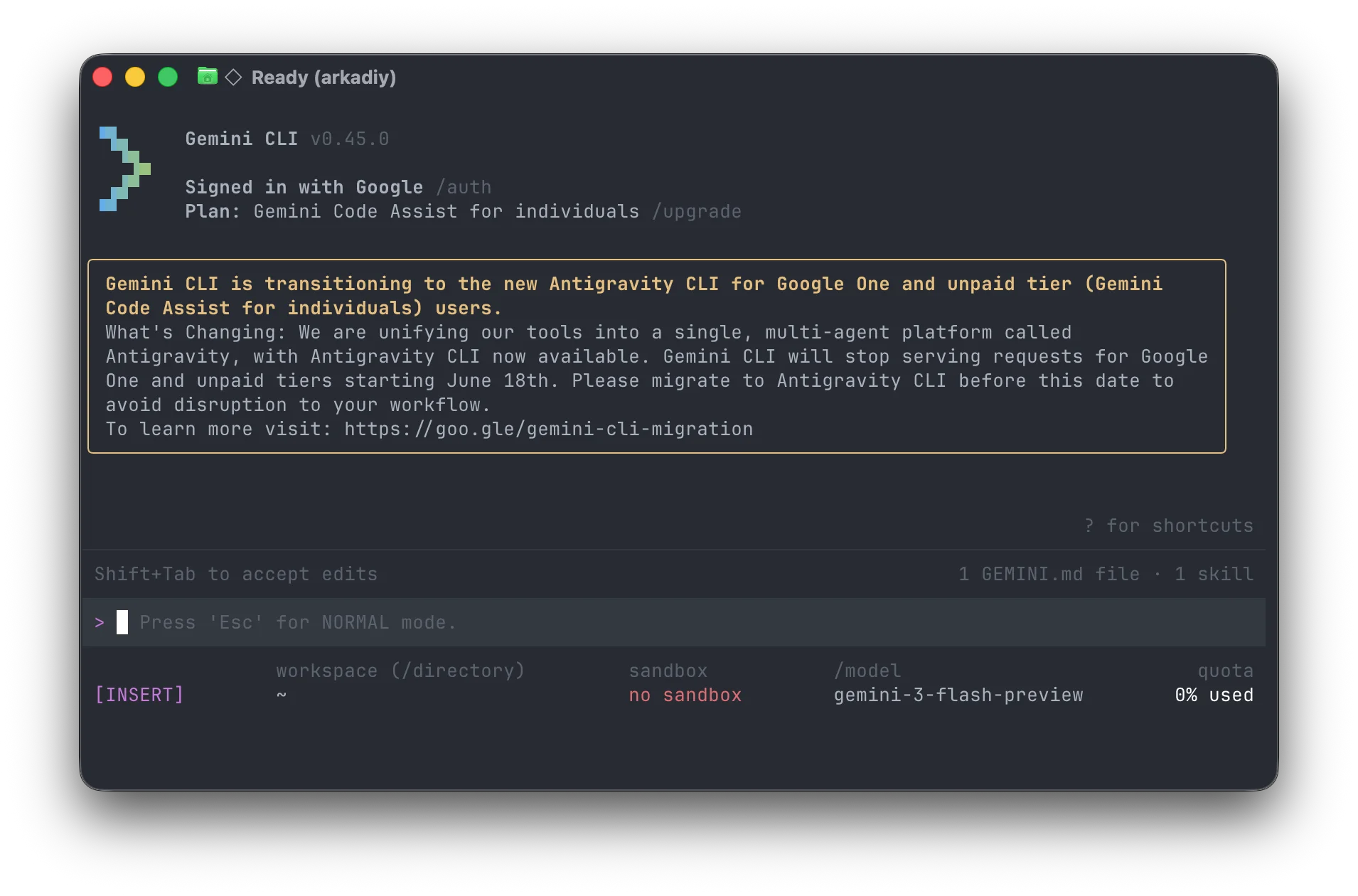
Gemini CLI has evolved well beyond a command-line interface for sending prompts to Gemini. It now combines repository-aware agent behavior with tools, extensibility, subagents, and programmatic execution.
Its strongest differentiator is headless mode.
Gemini CLI can operate without an interactive terminal and return standard text, JSON, or streaming JSONL events. Those events can describe model output, tool calls, tool results, errors, final results, and usage information.
That matters because CI systems and scripts should not have to scrape a colorful terminal interface to work out whether an AI task succeeded.
CI Pipeline
    |
    |-- Invoke Gemini CLI
    |-- Receive structured output
    |-- Inspect tool results
    |-- Validate status
    +-- Continue or fail build
The project also supports subagents, making it possible to separate specialized work instead of forcing every intermediate step into one context.
Best for: developers who want an open-source AI CLI with strong non-interactive execution, structured output, and automation.
Trade-off: although the CLI is open source, the model experience is naturally Gemini-centered. Provider-neutral workflows are better served by OpenCode or Kilo CLI.
4. OpenCode — Best Terminal-First Open-Source Alternative
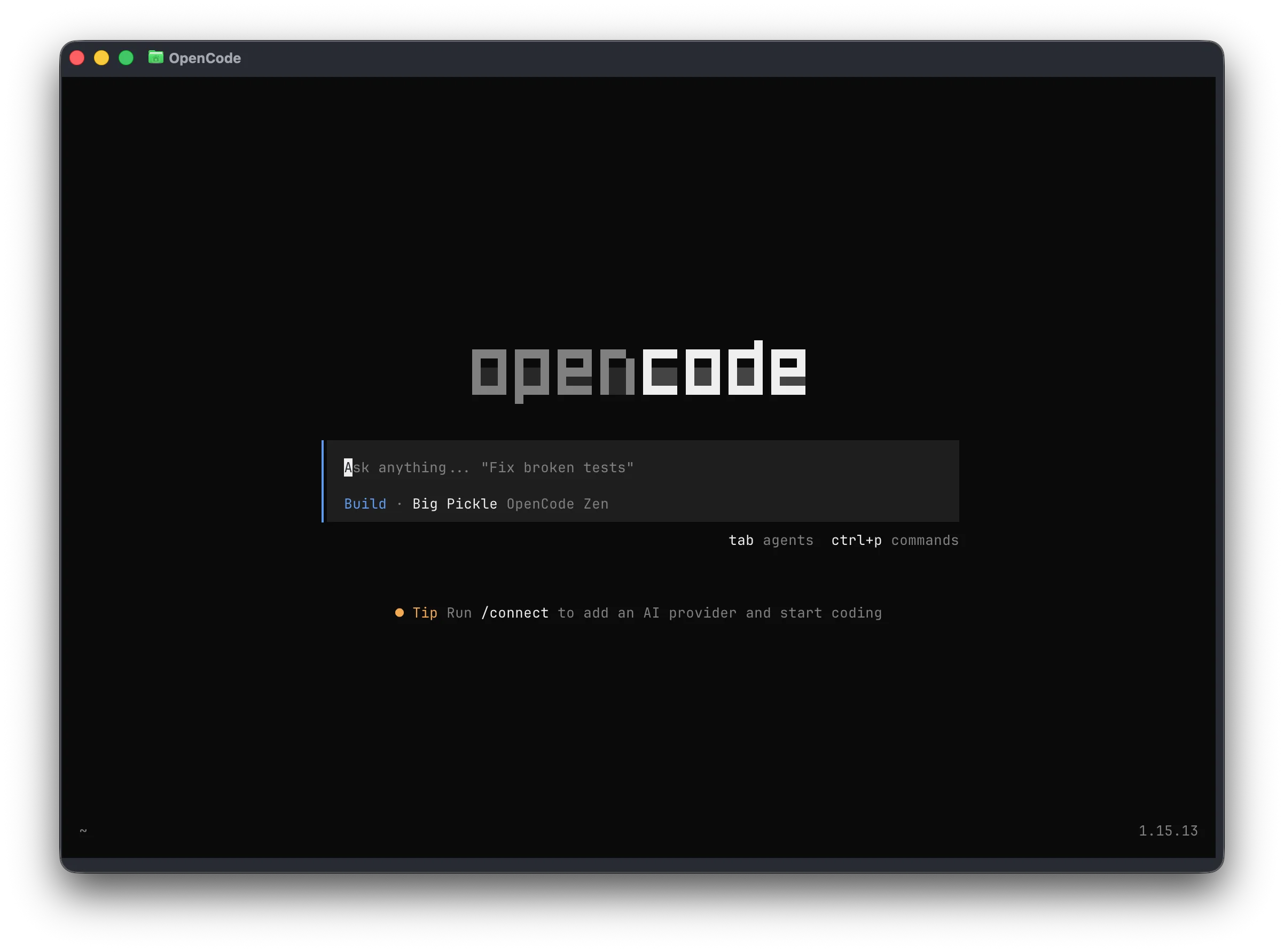
OpenCode is one of the strongest alternatives for developers who want a modern coding agent without tying the terminal workflow to a single model vendor.
Its identity is unapologetically terminal-first. The TUI, provider configuration, project context, agent modes, and permission model are designed around developers who want the shell to remain the primary interface.
OpenCode also makes model choice a first-class concern. Its provider documentation supports a wide range of hosted providers as well as local-model paths such as Ollama.
The agent structure adds another useful distinction. Developers can use an execution-oriented Build agent or a more restrictive Plan workflow that analyzes changes before broad edit permissions are granted.
That separation is useful for real engineering work because not every task should begin with an agent immediately rewriting files.
Best for: developers who want a focused open-source terminal coding experience with broad model choice and local-model support.
Trade-off: provider flexibility means more configuration. Developers who prefer one account and one opinionated model ecosystem may find a vendor-native CLI simpler.
5. Kilo CLI — Best for BYOK and Cross-Surface Model Flexibility
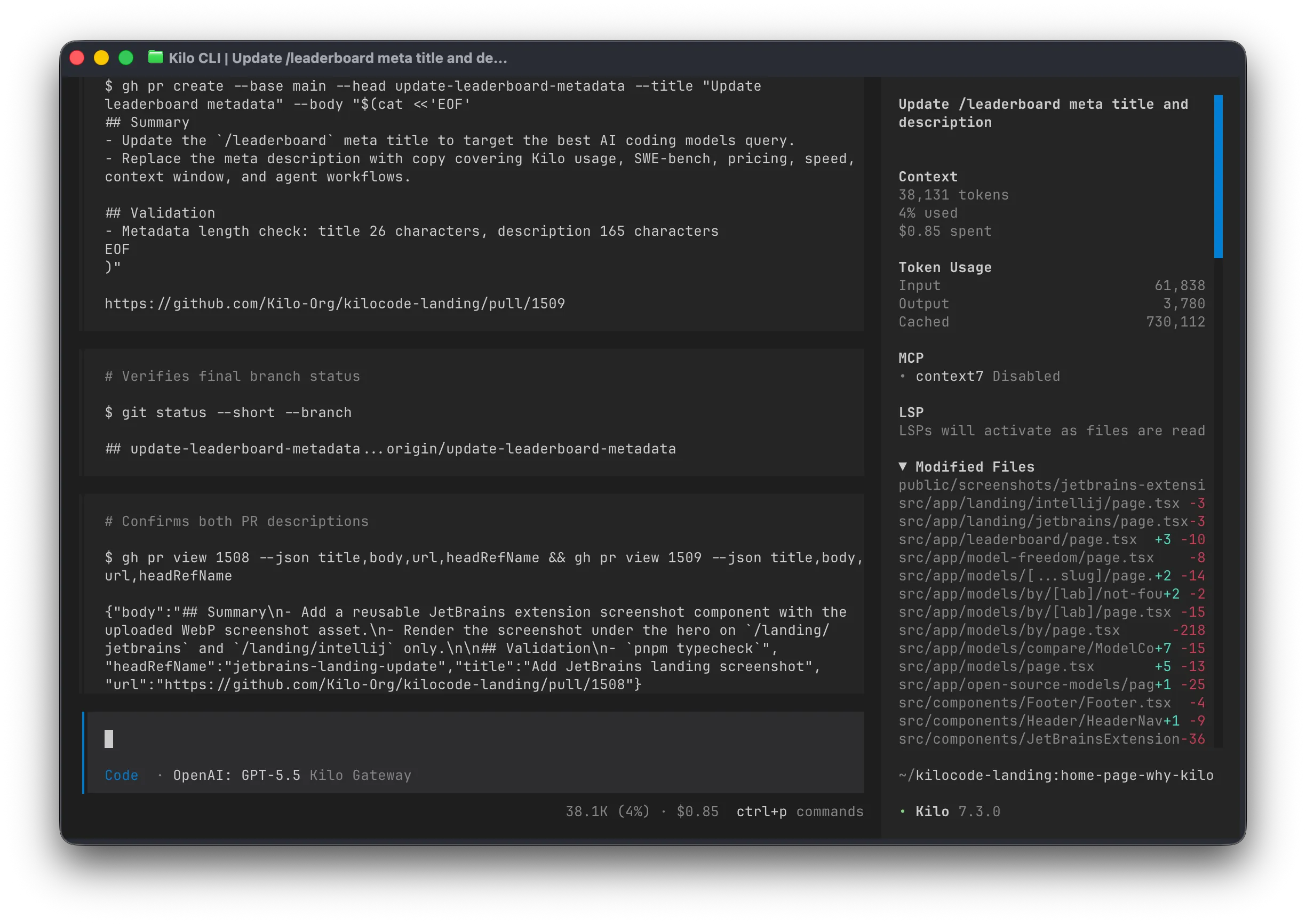
Kilo CLI belongs on a 2026 developer shortlist because it takes model flexibility further than most vendor-native coding agents.
The current CLI supports more than 500 hosted models through the Kilo ecosystem, direct provider connections, BYOK, and local or self-hosted model workflows. Developers can therefore keep the terminal interface while choosing different models for architecture, debugging, routine coding, or low-cost automation.
The official Kilo BYOK documentation currently covers providers including Anthropic, OpenAI, Google AI Studio, DeepSeek, Mistral, AWS Bedrock, Moonshot, and others.
Kilo's other differentiator is surface coverage. The CLI shares an ecosystem with IDE integrations, cloud agents, code review, skills, and other developer surfaces. That is useful for teams that do not want their AI workflow to stop at the terminal.
Its newer CLI also includes sandboxed auto mode and parallel-agent workflows. The official CLI documentation describes modes for architecture, debugging, orchestration, custom agents, and reusable Agent Skills.
There is an important relationship to OpenCode worth making explicit: Kilo's documentation notes that the current Kilo CLI is a fork of OpenCode and supports many of the same configuration patterns. That makes the practical decision less about which one has a completely unrelated technical foundation and more about whether you prefer OpenCode's focused terminal-first experience or Kilo's wider model-routing and platform layer.
Best for: developers who prioritize BYOK, local models, broad provider choice, sandboxed automation, and one AI layer that can extend beyond the CLI.
Trade-off: developers looking for the most minimal, terminal-only open-source experience may prefer OpenCode. Kilo's wider platform is an advantage only if you actually want those additional surfaces.
6. GitHub Copilot CLI — Best for GitHub-Centered Development
GitHub Copilot CLI is most compelling when the repository is only one part of a larger GitHub workflow.
The modern Copilot CLI is designed as an agentic terminal assistant rather than the older pattern of asking AI to explain shell commands. It can work locally against code while connecting naturally to GitHub's surrounding context.
That ecosystem is the real differentiator. Repositories, issues, pull requests, code review, authentication, and developer collaboration already live in one platform for millions of teams.
The official Copilot CLI best-practices guide explicitly discusses delegating coding tasks rather than treating the tool as a simple chat assistant.
Best for: developers and teams whose day-to-day engineering process already revolves around GitHub repositories, issues, pull requests, and Copilot.
Trade-off: its biggest advantage is also a form of ecosystem dependency. If GitHub integration matters less than provider freedom, OpenCode or Kilo CLI may be a better fit.
7. Kiro CLI — Best for Spec-Driven Engineering
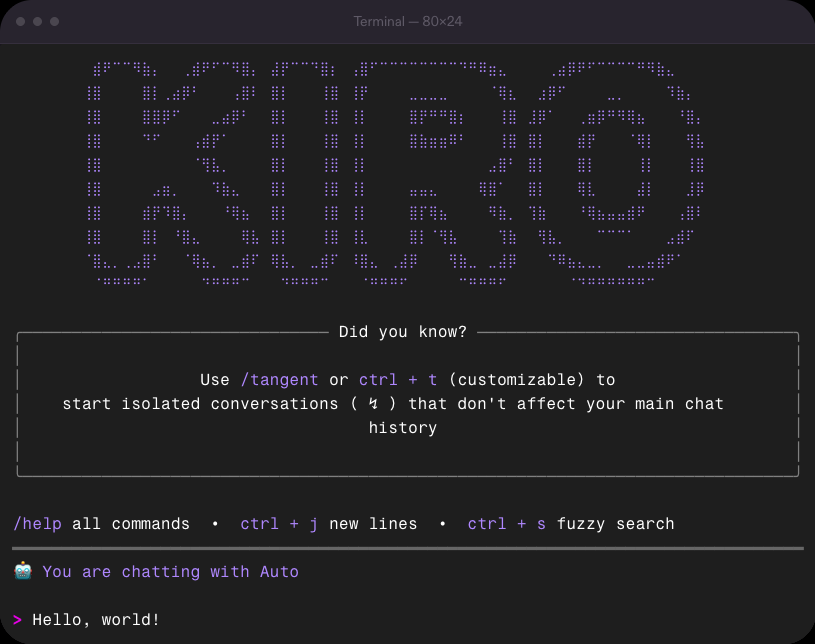
Kiro CLI takes a more structured approach than many terminal coding agents.
Instead of positioning every task as a free-form prompt, Kiro is closely tied to spec-driven development: requirements and intent can be turned into a more deliberate plan before implementation begins.
The CLI combines several components that are becoming standard in 2026 agent runtimes:
- project steering;
- hooks;
- MCP integrations;
- custom agents;
- skills;
- subagents;
- permission controls;
- headless execution.
Its headless mode is aimed at workflows such as code review, test generation, and build troubleshooting.
Kiro also deserves attention because it is the forward-looking path for developers who might previously have considered Amazon Q Developer CLI. AWS announced an end-of-support path for Q Developer and has been directing the newer agentic development experience toward Kiro.
Best for: teams that want AI coding embedded in a structured, permission-aware, reviewable development process.
Trade-off: that structure can feel heavy for quick interactive work. A developer who simply wants to discuss a change and edit a few files may move faster with Aider or OpenCode.
8. Cline CLI — Best for Headless Coding Automation
Cline is still strongly associated with IDE-based coding, but its command-line layer now deserves to be evaluated as a real developer CLI.
The Cline CLI supports interactive work as well as JSON output, configurable working directories, hooks, retries, model selection, and non-interactive execution.
It can move automatically into headless operation when stdin is piped or output is redirected, which creates useful Unix-style workflows:
git diff | cline "review these changes"This is more important than it looks. The difference between an AI tool that humans use in a terminal and an AI tool that another program can invoke reliably is what allows coding agents to move into scheduled jobs, CI pipelines, repository checks, and other automation.
Best for: developers who want an agent that can be used interactively but also called from scripts and headless workflows.
Trade-off: unattended execution changes the risk profile. Use restricted credentials, clean branches, narrow working directories, and post-run review when humans are not approving every action.
9. Qwen Code — Best for Qwen and Custom Model Endpoints
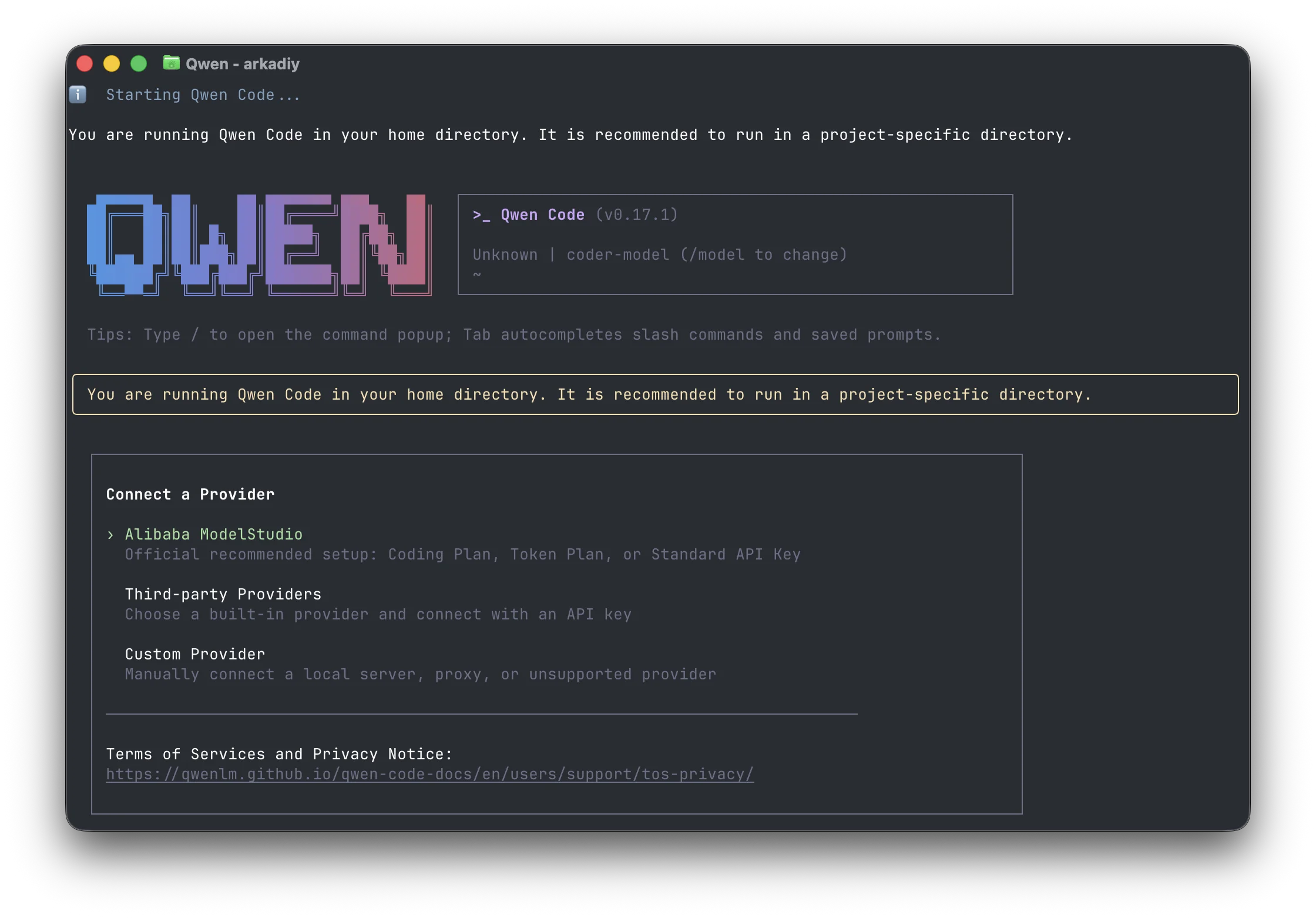
Qwen Code is an open-source terminal coding agent optimized around the Qwen ecosystem but flexible enough to be useful beyond a single provider.
It supports Qwen models as well as third-party and custom endpoints, including configurations that can point toward private or locally served infrastructure.
The official headless documentation covers prompts, stdin, pipes, structured output, exit codes, and session resume.
That combination makes Qwen Code relevant both as a model-specific CLI and as part of a more open automation stack.
Best for: developers already interested in Qwen models, Alibaba's coding ecosystem, open-source CLI tooling, and custom endpoints.
Trade-off: its strongest identity remains Qwen-first. If model neutrality itself is the top requirement, OpenCode or Kilo CLI provide a clearer provider-agnostic story.
10. Aider — Best for Git-First AI Pair Programming
Aider remains useful precisely because it does not try to turn every coding task into a fully autonomous agent run.
Its workflow is easy to understand:
Understand repository
        |
Discuss change
        |
Edit files
        |
Review diff
        |
Git commit
Aider creates a compact repository map that helps models understand important files, classes, functions, and relationships beyond the files directly loaded into a session.
Its Git integration is equally central. AI-generated changes can be committed automatically with descriptive commit messages, making diffs and rollback part of the default workflow.
Aider also supports a wide range of cloud and local models, which keeps it relevant for developers who want model freedom without adopting a more elaborate agent platform.
Best for: developers who want a predictable Git-aware AI pair programmer rather than an autonomous operator.
Trade-off: Aider does less orchestration than newer agent runtimes. If you want subagents, skills, MCP-heavy workflows, or broad autonomous tool use, other CLIs provide a larger execution layer.
Which AI CLI Should You Actually Use?
The most useful decision is not simply "Which model is smartest?" It is deciding how much model lock-in, automation, and agent autonomy you want.
| If You Want... | Start With | Why |
|---|---|---|
| Deep interactive agentic coding | Claude Code | Strong terminal-first implementation workflow |
| OpenAI-centered coding | Codex CLI | Natural fit for the OpenAI coding ecosystem |
| Structured headless automation | Gemini CLI | JSON, JSONL, tools, subagents, and exit codes |
| Pure terminal-first open source | OpenCode | Focused TUI with broad provider choice |
| BYOK and maximum model breadth | Kilo CLI | 500+ models, BYOK, local models, and wider platform coverage |
| GitHub-native team development | GitHub Copilot CLI | Deep GitHub ecosystem fit |
| Spec-driven development | Kiro CLI | Structured agents, hooks, skills, and permissions |
| Headless scripts and pipelines | Cline CLI | stdin, JSON, redirection, and non-interactive operation |
| Qwen or private custom endpoints | Qwen Code | Open-source CLI with Qwen-first and custom-provider paths |
| Git-first pair programming | Aider | Repo map, commits, diffs, and simple rollback |
Vendor-Native vs Model-Agnostic AI CLIs
This is probably the most useful high-level decision in 2026.
Choose a Vendor-Native CLI When the Model Is Already Decided
Claude Code, Codex CLI, Gemini CLI, Copilot CLI, and Kiro all make sense when your organization has already standardized on the surrounding vendor ecosystem.
The benefit is simplicity. Authentication, preferred models, tooling conventions, billing, and integrations can be aligned around one provider.
You spend less time deciding which model to use for every task.
Choose a Model-Agnostic CLI When You Want Control
OpenCode, Kilo CLI, Cline, and Aider are more attractive when the model itself is still a variable.
This matters when developers want to:
- bring existing API keys;
- compare Claude, GPT, Gemini, Qwen, or other models;
- route cheap tasks to lower-cost models;
- use local models for private repositories;
- avoid tying an entire coding workflow to one vendor;
- change model providers without retraining the team on a different CLI.
Model flexibility is not automatically free, however. Someone still has to manage keys, quotas, endpoints, pricing, and model quality.
Claude Code vs Codex CLI vs Gemini CLI
| Area | Claude Code | Codex CLI | Gemini CLI |
|---|---|---|---|
| Primary strength | Deep interactive agentic coding | OpenAI coding workflow | Structured automation |
| Model strategy | Claude-native | OpenAI-centered | Gemini-centered |
| Repository work | Strong | Strong | Strong |
| Headless automation | Strong | Strong | Excellent |
| Structured output | Available in automation workflows | Automation-oriented | JSON and streaming JSONL |
| Best fit | Long interactive coding tasks | OpenAI users | Scripts and CI workflows |
Choose Claude Code when you want the most polished interactive agent experience and are comfortable standardizing on Claude.
Choose Codex CLI when OpenAI is already the model ecosystem you prefer.
Choose Gemini CLI when scripting, structured output, and non-interactive execution matter as much as interactive coding.
If provider lock-in is what you are trying to avoid, compare all three against OpenCode or Kilo CLI rather than choosing only between vendor-native tools.
OpenCode vs Kilo CLI: Which Open-Source Model-Agnostic CLI Is Better?
These two deserve a direct comparison because their technical relationship is closer than the rest of the list.
| Area | OpenCode | Kilo CLI |
|---|---|---|
| Primary identity | Terminal-first coding agent | CLI inside a broader coding-agent platform |
| Provider strategy | Direct multi-provider configuration | 500+ hosted models, direct providers, BYOK |
| Local models | Yes | Yes |
| Terminal focus | Very strong | Strong |
| Other surfaces | More focused | IDE, cloud, review, broader Kilo platform |
| Best fit | Terminal purists | Teams wanting one model-flexible layer across tools |
OpenCode is the cleaner choice if what you want is simply an open-source, terminal-first coding agent with direct provider control.
Kilo CLI becomes more compelling if you want the same model strategy to extend beyond the terminal into IDEs, cloud agents, reviews, or team workflows.
The important detail is that Kilo's documentation identifies its current CLI as a fork of OpenCode. They therefore should not be presented as completely unrelated architectures.
Which AI CLI Is Best for Local Models?
Installing an AI CLI locally does not mean the AI itself is local. A terminal agent may still send repository context to a cloud model.
If the goal is private or self-hosted inference, prioritize tools that support local runtimes or compatible custom endpoints.
The strongest options on this list include:
- OpenCode: broad provider support with explicit local-model paths such as Ollama.
- Kilo CLI: supports local/offline models as well as BYOK and hosted routing.
- Aider: works with many hosted and local models while retaining its Git-first workflow.
- Cline: supports flexible model-provider configurations useful for private environments.
- Qwen Code: supports custom endpoints that can connect to private model infrastructure.
If local AI is the priority, the model should also be selected for agentic coding rather than normal conversation. Tool calling, long context, code understanding, instruction following, and latency all matter.
A practical self-hosted architecture can separate the coding agent from the model server:
Developer Laptop / CI Runner
          |
       AI CLI
          |
       Local LAN
          |
   Ollama / Model Server
          |
       GPU / RAM
          |
 Repositories / Storage
For developers building that kind of private environment, our AI agent skills for local AI workflows explains how model routing, repository access, MCP, and reusable skills fit together.
A storage-centered system such as the ZimaCube 2 local AI homelab can also separate always-on storage and services from a more powerful model runtime.
Which AI CLI Is Best for CI/CD?
A developer sitting at a terminal can stop an agent when it misunderstands a task. A CI runner cannot.
For automation, prioritize different features:
- headless execution;
- stdin and pipe support;
- structured output;
- predictable exit codes;
- restricted filesystem access;
- clear permission controls;
- reproducible configuration;
- logs that humans can audit later.
Gemini CLI is one of the strongest choices because its headless mode exposes JSON and streaming JSONL events.
Cline CLI is useful for Unix-style pipelines because stdin, redirected output, and JSON execution are built into the CLI workflow.
Qwen Code supports structured output, exit codes, stdin, and session resume.
Kiro CLI combines non-interactive execution with explicit capability permissions.
Kilo CLI is also relevant where model routing, sandboxed execution, and non-interactive agent workflows need to coexist.
Start with low-risk tasks such as test generation, code review, failure analysis, documentation, or change summaries before giving a headless agent production credentials.
AI CLI Security Matters More Than a Small Benchmark Lead
An autocomplete tool can suggest bad code. An agent with terminal access can execute it.
That difference is why permission design increasingly matters as much as model quality.
A coding agent may be able to invoke:
git
npm
pip
docker
kubectl
terraform
aws
ssh
rm
A practical deployment should therefore include:
- Git branches and commits: make every autonomous change easy to review and revert.
- Restricted credentials: avoid exposing production tokens when a task does not require them.
- Narrow working directories: one repository rarely needs access to an entire home directory.
- Command approval: distinguish analysis from destructive shell execution.
- Sandboxing: use container, VM, or tool-level isolation when appropriate.
- MCP and skill review: extensions can add more authority than the original CLI.
- Logs: unattended agents should leave an auditable record of what happened.
- Backups: AI-generated mistakes need a recovery path.
Kilo's sandbox mode, Kiro's capability permissions, OpenCode's agent permissions, and the planning modes found across multiple tools all point in the same direction: the next competitive feature in AI coding is not just intelligence, but controlled intelligence.
The same rule applies to third-party agent skills. Our June 2026 AI agent skills guide explains why skills should be reviewed like software dependencies rather than treated as harmless prompt files.
Why Amazon Q Developer CLI and OpenHands CLI Are Missing
A current 2026 list should not preserve familiar names simply because they appeared in older AI CLI roundups.
Amazon Q Developer is the clearest example. AWS announced an end-of-support path for Amazon Q Developer and has shifted its forward-looking agentic development experience toward Kiro.
The official AWS announcement is why Kiro CLI appears in this list instead of treating Q Developer CLI as if its product direction had not changed.
OpenHands CLI is another deliberate exclusion. OpenHands remains an important coding-agent project, but the standalone OpenHands CLI repository explicitly states that it is no longer actively maintained.
For a "best AI CLI tools in 2026" article, current product direction matters more than historical GitHub visibility.
AI CLIs Are Becoming Agent Runtimes, Not Chat Commands
The biggest change in this category is not a new model release. It is the changing job of the CLI itself.
The old pattern looked like this:
Ask AI
   |
Get command
   |
Copy command
   |
Run command
Then coding assistants progressed to:
Read file
   |
Suggest edit
   |
Developer applies change
The stronger 2026 CLI agents now look more like this:
Understand repository
        |
Create plan
        |
Read files
        |
Edit files
        |
Run commands
        |
Execute tests
        |
Inspect failures
        |
Delegate subtasks
        |
Review changes
        |
Continue
That is why features such as MCP, Agent Skills, hooks, subagents, BYOK, sandboxes, headless execution, structured output, and permission rules increasingly matter more than whether a CLI can answer a programming question.
The AI CLI is becoming an execution layer.
For teams that want more of that execution layer to remain private, the next step is connecting local models with private repositories, local storage, and reusable agent procedures. Our AI agent skills for local knowledge bases covers the same architecture from the data and RAG side.
Final Verdict
The easiest way to choose an AI CLI in 2026 is to decide what you are willing to lock in.
Choose Claude Code if you want a mature interactive agent and Claude is already your preferred coding model.
Choose Codex CLI if your development workflow is centered on OpenAI.
Choose Gemini CLI if structured headless automation is a priority.
Choose OpenCode if you want a focused, open-source, terminal-first workflow with broad provider control.
Choose Kilo CLI if you want BYOK, local models, hundreds of model options, and an agent layer that can extend beyond the terminal.
Choose GitHub Copilot CLI if GitHub is already the center of your team's engineering workflow.
Choose Kiro CLI if specifications, permissions, and structured engineering processes matter more than free-form agent autonomy.
Choose Cline CLI if scripting and headless automation are key requirements.
Choose Qwen Code if you want a Qwen-first open-source CLI with custom endpoint flexibility.
Choose Aider if you want AI to remain a Git-aware pair programmer rather than become an autonomous operator.
The bigger decision is no longer simply which AI model writes the best code. It is which execution layer you trust to read, change, test, and increasingly operate your software.
FAQ
What is the best AI CLI for developers in 2026?
Claude Code is one of the strongest overall choices for complex interactive agentic coding. Codex CLI is a strong choice for OpenAI users, while Gemini CLI stands out for structured automation. OpenCode and Kilo CLI are stronger options when model choice, BYOK, or local inference matter.
What is the best open-source alternative to Claude Code?
OpenCode is one of the strongest terminal-first open-source alternatives. Kilo CLI is another strong choice if you want broader model routing, BYOK, local models, and integration across more than the terminal.
What is the difference between OpenCode and Kilo CLI?
OpenCode focuses on a streamlined terminal-first coding experience with broad provider support. Kilo CLI's current architecture is based on an OpenCode fork but adds the wider Kilo platform, including extensive model routing, BYOK, local models, sandboxed workflows, and additional developer surfaces.
Is Gemini CLI open source?
Yes. Gemini CLI is maintained as an open-source project and supports agentic coding, tools, headless execution, structured JSON output, and subagents.
Which AI CLI supports the most model flexibility?
Kilo CLI and OpenCode are two of the strongest choices for model flexibility. Kilo advertises access to more than 500 hosted models along with BYOK and local models, while OpenCode supports a broad set of provider and local-model configurations.
Which AI CLI works with local models?
OpenCode, Kilo CLI, Aider, Cline, and Qwen Code all provide useful paths toward local or privately hosted model endpoints. The quality of the coding experience still depends heavily on whether the chosen local model can handle tools, code context, and multi-step reasoning reliably.
Can AI CLI tools run in CI/CD?
Yes. Gemini CLI, Cline CLI, Qwen Code, Kiro CLI, and other modern agents provide headless or non-interactive capabilities. Use narrow permissions, isolated working directories, structured logs, and human review before deploying AI-generated changes.
What does BYOK mean for an AI coding CLI?
BYOK means Bring Your Own Key. Instead of paying only through the CLI vendor's bundled model service, you connect your own API credentials for providers such as Anthropic, OpenAI, Google, or other model services. This can improve billing control and reduce platform lock-in.
Are AI coding CLIs safe to run on production servers?
They should not automatically be treated as safe. Any AI CLI with shell and filesystem access can make destructive changes when a model misunderstands a task. Use restricted accounts, sandboxes or containers where appropriate, explicit permission rules, Git, logs, and backups.
Is Aider still worth using in 2026?
Yes. Aider remains useful for developers who prefer a controlled pair-programming workflow over broad autonomous execution. Its repository map, Git integration, automatic commits, and multi-model support make it particularly good for reviewable code changes.
What is the difference between an AI CLI and an AI coding agent?
An AI CLI describes the interface: the developer interacts through a terminal. An AI coding agent describes the behavior: it can inspect a repository, plan, use tools, modify files, execute commands, and continue through multiple steps. Most leading AI CLIs in 2026 are increasingly becoming full coding-agent runtimes.

Recommended products

Tech & AI HUB
More to Read

Can Home Cameras Synchronize Events Without Cloud Time Services?
A mechanism-first explanation of camera time without cloud, its shared-resource tradeoffs, three query-fanout FAQs, and a practical verification protocol.

Can a Local AI Service Detect Corrupted Model Layers Before Inference?
A mechanism-first explanation of corrupted model-layer detection, its shared-resource tradeoffs, three query-fanout FAQs, and a practical verification protocol.

Can a RAG System Be Restored Without Regenerating Every Embedding?
A mechanism-first explanation of rag restore without reembedding, its shared-resource tradeoffs, three query-fanout FAQs, and a practical verification protocol.


