
Direct Remote Exposure vs Private VPN Access for Home Assistant: Which Route Is Safer?


A private VPN is the safer default for remote Home Assistant access because the Home Assistant endpoint is reachable only after the remote device joins an authenticated private network. Direct public exposure can also be operated safely, but it creates a permanent internet-facing boundary whose TLS, authentication, reverse proxy, patching, rate limiting, logging, DNS, and recovery all have to remain correct.
The choice is therefore not “VPN equals secure and HTTPS equals insecure.” Compare attack surface, client compatibility, household convenience, CGNAT behavior, background mobile access, failure recovery, and who will maintain the access layer. For most trusted household users, reducing public exposure is the simpler security model.
Private VPN Access Removes the Public Home Assistant Endpoint
With WireGuard, Tailscale, or another private overlay, the phone or laptop authenticates to the private network before it can reach Home Assistant. This prevents the Home Assistant login page and reverse proxy from appearing as an ordinary public target and can work even when the home connection is behind CGNAT.
A 2026 Home Assistant Tailscale deployment on a NAS uses exactly this model: remote control over the private overlay without forwarding the Home Assistant port to the public internet. The tradeoff is that the VPN client, identity provider, and overlay network become dependencies for remote availability.
Choose this route when the required remote users are a small trusted set and every important phone, tablet, or laptop can reliably run the VPN. Document how a replacement phone is enrolled before treating the private path as your only remote administration route.
Direct Exposure Adds a Public Security Boundary You Must Own
A public HTTPS endpoint removes the need for every client to run a VPN, but internet scanners and unsolicited requests can reach the edge service. A secure design therefore needs more than a forwarded port: current software, strong unique accounts, multi-factor authentication, correct TLS, restricted proxy trust, logging, and a fast patch path.
A recent Home Assistant remote-access security comparison explains why public NAT forwarding or reverse-proxy endpoints carry a different threat surface from encrypted point-to-point VPN access.
Do not call a public URL secure merely because it uses HTTPS. TLS protects traffic in transit; it does not remove application vulnerabilities, weak credentials, proxy mistakes, or delayed patching. Public exposure should be a conscious operational choice, not the default produced by a router wizard.
VPNs Trade Attack Surface for Client and Identity Dependencies
Private access can fail when the VPN client is stopped, the device loses authorization, a key expires, a coordination service is unreachable, or a restrictive guest network interferes with the tunnel. That is usually a smaller security surface, but it is still an availability path that needs testing.
An independent remote-access comparison frames the mesh-VPN route as a clean fit for technical households because only authenticated private-network members can reach Home Assistant. That same property can be inconvenient for guests or nontechnical household members who cannot maintain a VPN client.
Test the Companion app on cellular data, hotel or office Wi-Fi, a replacement phone, and after a VPN service restart. If background sensors, notifications, or widgets depend on a connection mode that frequently breaks, security has to be balanced with an access method people can actually keep working.

CGNAT and Dynamic Addresses Often Favor Private Overlays
Direct inbound exposure normally depends on a reachable public address or a tunnel service that creates an outbound path. Carrier-grade NAT can make ordinary port forwarding impossible even when the local router is configured correctly. Dynamic public addresses add another dependency through DNS updates.
A 2026 Tailscale remote-access walkthrough shows how an overlay avoids port forwarding and dynamic-DNS management for Home Assistant. This is especially useful where the ISP topology does not provide a stable inbound path.
If a VPN or managed tunnel solves CGNAT cleanly, do not pay for a public IPv4 address only to recreate an exposed service unless another requirement needs it. If direct public access is required, document the ISP path, DNS behavior, proxy certificate renewal, and the fallback when any of those fail.
Compare Household Friction Before Choosing the Security Model
A secure route that only the administrator understands can become a reliability problem for the rest of the household. Count remote users, supported client platforms, background app requirements, guests, voice assistants, webhooks, and third-party services that need inbound access. Some of those integrations may not be able to join a private VPN directly.
A current 2026 comparison of Home Assistant remote-access methods places port forwarding, VPNs, mesh VPNs, managed access, and tunnels on different convenience and security axes rather than treating one route as universally best.
The ZimaSpace analysis of Home Assistant authentication across local and remote sessions is a useful companion because it separates the network route from the account and token model. That prevents a VPN, proxy, DNS, or certificate problem from being misdiagnosed as an identity problem.
Choose the Route That Passes Both Security and Failure Tests
| Decision area | Private VPN | Direct public endpoint |
|---|---|---|
| Public attack surface | Lower | Higher; edge must be maintained |
| Client setup | VPN enrollment required | Normal HTTPS client access |
| CGNAT | Often easy with overlay VPN | Needs tunnel or reachable inbound path |
| Guests / third parties | Can be awkward | Easier when tightly controlled |
| Failure dependency | VPN identity and routing | DNS, TLS, proxy, firewall, application edge |
For either route, enable strong unique passwords and MFA, keep Home Assistant and the access layer updated, test recovery, and retain a local administration path. Prefer the VPN when all required clients support it. Use direct exposure only when the convenience or integration requirement is real and the public boundary can be continuously maintained rather than merely configured once.

Recommended products

Product Comparisons
More to Read
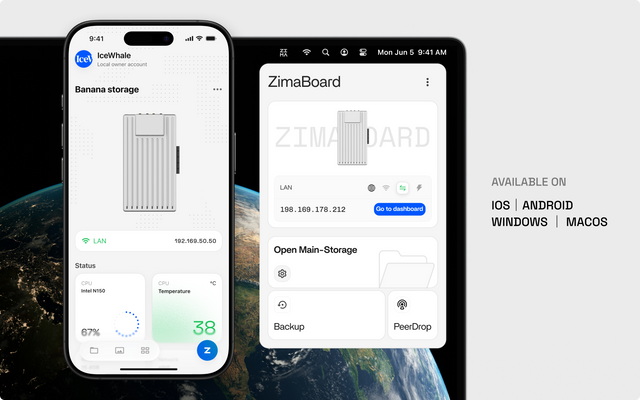
1GbE Line Rate vs Real NAS Throughput: When Is the Gap Normal?
About 110–120 MB/s can be normal for large wired transfers; a wider gap needs link, protocol, storage, CPU, or client tests before an upgrade.
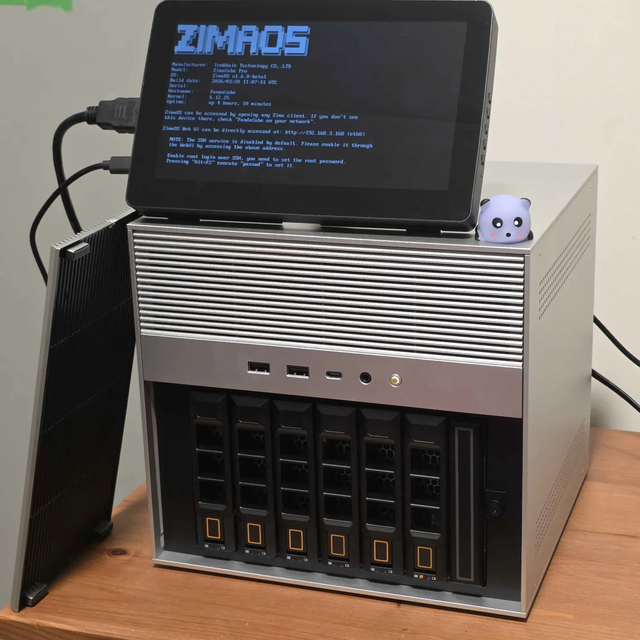
NAS OS vs General Linux After a Boot-Drive Failure: Which Rebuilds More Predictably?
A NAS OS wins with a tested configuration restore; general Linux wins when storage and services are declarative and portable off-host.

LXC vs Docker on Proxmox for App Updates and Rollbacks
Docker gives app-level version control; LXC gives guest-level rollback. The better fit follows the smallest state unit you can restore safely.


