
Top 10 AI Agent Skills for Claude Code in 2026


Quick Answer
The best AI agent skills for Claude Code in 2026 are not generic abilities like “code review,” “debugging,” or “frontend development.” The best skills are concrete, installable, or copyable workflow packages that help Claude Code do one job better: design a UI, test a web app, build an MCP server, improve a React app, work with Supabase, debug production errors, review security issues, implement webhooks, or build automation workflows.
For most Claude Code users, the strongest starting list is frontend-design, webapp-testing, skill-creator, mcp-builder, vercel-react-best-practices, supabase-postgres-best-practices, Sentry for AI, static-analysis, Hookdeck webhook-skills, and n8n-skills.
If you are comparing skills by workflow, ecosystem, or use case, the AI Agent Skill Finder can help you choose the right starting point instead of installing random skills from GitHub.
How We Picked These Claude Code Skills
Claude Code skills should be judged differently from normal AI prompts. A prompt is something you type once. A skill is a reusable package that Claude Code can load when the task matches the skill description. That makes skills more powerful, but also more important to audit.
For this list, the priority is practical value. A skill needs to be real, useful, and tied to a repeated Claude Code workflow. A broad idea like “testing” is not enough. A concrete skill like webapp-testing is useful because it tells Claude Code how to interact with a local web app through Playwright, inspect browser behavior, and verify that a change actually works.
Real SKILL.md Packages, Not Generic Abilities
A real skill should have a visible SKILL.md file, a clear description, and a specific trigger. The skill should tell Claude when to use it and what process to follow. The best skills also include examples, reference files, scripts, or provider-specific details.
This matters because Claude Code already knows how to write code. The value of a skill is not basic syntax knowledge. The value is workflow discipline: how to test, how to avoid common platform mistakes, how to verify a webhook signature, how to inspect a production error, or how to build a safe MCP server.
GitHub and Maintainer Signals
GitHub stars can help, but they are not enough. Official repos from Anthropic, Vercel, Supabase, Sentry, Cloudflare, Trail of Bits, Qdrant, and Hookdeck carry stronger trust signals because they are tied to the tools the skills teach.
Small repos can still be worth using when they solve a narrow problem well. For example, an n8n-specific skill can be more useful than a huge generic coding prompt if your actual problem is building reliable n8n workflows with Claude Code.
Reddit Pain Points From Real Claude Code Users
Reddit discussions show that users care about practical failures: UI that looks AI-generated, browser flows that are not really tested, production errors that are hard to reproduce, and automation workflows where Claude hallucinates node names or parameters.
That is why this list favors skills that reduce real failure modes. The best Claude Code skills are not the flashiest ones. They are the ones that prevent you from spending two hours fixing a mistake the agent could have avoided.
Top 10 AI Agent Skills for Claude Code in 2026
1. frontend-design
frontend-design is the first Claude Code skill many web builders should try. It is an official Anthropic skill for creating distinctive, production-grade frontend interfaces, including landing pages, dashboards, React components, and HTML/CSS layouts.
Best for: landing pages, SaaS dashboards, marketing sites, product UI, React components, visual polish.
Why it matters: Claude Code can generate UI without this skill, but the result often feels generic. frontend-design gives Claude stronger design instructions around hierarchy, typography, layout, colors, motion, and interface quality.
Use it when: you ask Claude Code to build a new page, redesign an existing UI, polish a dashboard, improve a hero section, or make a web app look less like a default AI-generated template.
2. webapp-testing
webapp-testing is an official Anthropic skill for testing local web applications with Playwright. It helps Claude Code interact with a running app, capture screenshots, inspect console logs, debug UI behavior, and verify frontend functionality.
Best for: login flows, forms, dashboard behavior, browser errors, UI regression testing, local app verification.
Why it matters: Claude Code may edit the correct files but still leave the app broken. A browser-testing skill pushes the workflow from “I changed the code” to “I opened the app and verified the behavior.”
Use it when: you want Claude Code to test a user journey, inspect a visual bug, reproduce a client-side error, or verify that a feature works after a refactor.
3. skill-creator
skill-creator is the meta-skill for creating and improving other skills. Its description covers creating new skills, modifying existing skills, measuring skill performance, running evaluations, benchmarking variance, and improving descriptions so Claude triggers the right skill more accurately.
Best for: custom Claude Code workflows, team conventions, internal project rules, repeatable development playbooks.
Why it matters: public skills cannot cover every workflow. If your team has a specific release process, design system, testing checklist, API convention, or deployment policy, skill-creator can help turn that process into a reusable Claude Code skill.
Use it when: you keep repeating the same long prompt, onboarding Claude to the same repo rules, or correcting the same behavior across sessions.
4. mcp-builder
mcp-builder is an official Anthropic skill for creating high-quality Model Context Protocol servers. It guides Claude Code through building MCP servers that connect agents to external APIs, local services, internal tools, or custom data sources.
Best for: custom MCP servers, internal APIs, local tools, agent integrations, private workflow automation.
Why it matters: MCP is how Claude Code becomes more than a code editor assistant. With the right MCP server, Claude can query your tools, inspect data, and operate inside your workflow. mcp-builder helps avoid poorly designed tools with vague names, oversized outputs, or unsafe behavior.
Use it when: you want Claude Code to build a tool interface for your database, analytics, support system, file index, local script, or private API.
5. vercel-react-best-practices
vercel-react-best-practices packages Vercel’s React and Next.js performance guidance into an agent skill. It is designed for writing, reviewing, or refactoring React and Next.js code with better performance patterns.
Best for: React, Next.js, performance optimization, reducing waterfalls, bundle size, server/client component decisions.
Why it matters: generic React code can work and still be slow. This skill helps Claude Code look for higher-impact problems such as unnecessary client-side imports, async waterfalls, avoidable re-renders, and inefficient data-fetching patterns.
Use it when: you are building a Next.js app, improving performance, reviewing a React PR, or asking Claude Code to refactor components without making them slower.
6. supabase-postgres-best-practices
supabase-postgres-best-practices is part of Supabase Agent Skills. It is useful when Claude Code is working with Postgres, Supabase Auth, Row Level Security, schema design, migrations, indexing, connection management, or database performance.
Best for: Supabase apps, Postgres schema design, RLS policies, migrations, indexing, database performance.
Why it matters: AI-generated backend code often looks plausible but fails under real permissions, real data, or production performance constraints. This skill helps Claude Code think about database correctness and safety, not just SQL syntax.
Use it when: you ask Claude Code to add a table, change a policy, write a migration, debug a slow query, or review Supabase backend logic.
7. Sentry for AI
Sentry for AI teaches Claude Code how to set up Sentry, find production issues, debug spikes in errors, configure alerts, and work with real issue context.
Best for: production debugging, issue triage, error monitoring, PR fixes, observability-informed development.
Why it matters: Claude Code is more useful when it can connect a bug report to stack traces, breadcrumbs, traces, releases, and the code that caused the error. Production debugging should be evidence-driven, not guess-driven.
Use it when: users report a bug, Sentry shows a new spike, a release introduces errors, or you want Claude Code to open an issue, suggest a fix, and prepare a PR based on real production data.
8. static-analysis
static-analysis is part of the Trail of Bits Claude Code skills marketplace. Trail of Bits provides a security-focused plugin marketplace for Claude Code, including static analysis, variant analysis, differential review, Semgrep rule creation, insecure defaults, and other security workflows.
Best for: security review, CodeQL, Semgrep, SARIF parsing, vulnerability detection, audit preparation.
Why it matters: Claude Code can produce functional code that still has security problems. A static-analysis skill helps move security review from “please check this” to a more structured workflow using known tools and repeatable analysis patterns.
Use it when: you are reviewing a risky change, auditing a codebase, preparing a security review, or looking for vulnerability patterns across a repo.
9. Hookdeck webhook-skills
Hookdeck webhook-skills is a collection of provider-specific webhook skills for AI coding agents. It covers receiving webhooks, verifying signatures, handling events, implementing idempotency, retrying deliveries, replaying failed events, and debugging integrations for providers such as Stripe, Shopify, GitHub, Clerk, PayPal, and others.
Best for: Stripe webhooks, Shopify webhooks, GitHub webhooks, SaaS integrations, event-driven apps, payment flows.
Why it matters: webhook code is one of the easiest places for AI agents to make subtle mistakes. Raw body handling, middleware order, signature verification, replay safety, and idempotency are all easy to get wrong. Provider-specific skills give Claude Code working patterns instead of stale guesses.
Use it when: Claude Code is implementing billing events, repository events, user lifecycle webhooks, order events, or local webhook testing.
10. n8n-skills
n8n-skills is a Claude Code skillset for building production-ready n8n workflows with n8n MCP. It includes multiple complementary skills, a router skill, and hooks that help Claude Code design, validate, and deploy n8n workflows more reliably.
Best for: n8n workflow building, self-hosted automation, workflow JSON, node validation, expressions, idempotency, deployment.
Why it matters: Claude Code can hallucinate n8n node names, expression syntax, parameter shapes, and workflow behavior. n8n-specific skills reduce that risk by giving the agent workflow patterns and tool-specific constraints.
Use it when: you want Claude Code to build, review, debug, or deploy n8n workflows instead of manually fixing broken workflow JSON.
Which Claude Code Skill Should You Install First?
If You Build Frontend Apps
Start with frontend-design and webapp-testing. The first improves the design direction; the second verifies that the interface actually works in the browser. Add vercel-react-best-practices if your app uses React or Next.js.
If You Ship SaaS or Backend Products
Start with supabase-postgres-best-practices, Hookdeck webhook-skills, and Sentry for AI. This combination covers database safety, event-driven integrations, and production debugging.
If You Care About Production Bugs
Start with Sentry for AI and webapp-testing. Production fixes should follow a loop: reproduce the issue, inspect evidence, make a focused change, test the fix, and verify that the error is reduced.
If You Use Claude Code for Automation
Start with n8n-skills and mcp-builder. n8n-skills helps with workflow automation. mcp-builder helps when your automation needs custom tools, local APIs, or private service integrations.
How to Install and Audit Claude Code Skills Safely
Read the SKILL.md Before Installing
Do not install a skill only because someone recommended it. Open the SKILL.md file and read the description. The description controls when Claude chooses to use the skill, so vague or overbroad descriptions can cause noisy triggering.
Watch for Scripts, Tool Access, and Credentials
Some skills include scripts, references, or tool instructions. That can be useful, but it also increases risk. Be extra careful with skills that touch files, shell commands, credentials, network requests, deployment systems, or production services.
Start With Official or Narrowly Scoped Skills
The safest starting point is an official skill or a narrowly scoped community skill. A skill that only handles GitHub webhook signature verification is easier to audit than a vague “full-stack superpower” skill that claims to improve everything.
For teams, create an allowlist. Pin versions when possible. Test new skills in a low-risk repo before using them on production code.
Conclusion
The best Claude Code skills in 2026 are not just productivity hacks. They are reusable operating procedures that make Claude Code more reliable in specific workflows.
If you want better UI, start with frontend-design. If you want fewer broken browser flows, use webapp-testing. If you build React or Next.js, add Vercel’s React best practices. If you use Supabase, install Supabase skills. If you ship production apps, connect Sentry. If you handle webhooks, use provider-specific webhook skills. If you care about security, use Trail of Bits. If you automate workflows, use n8n-skills. If your workflow is unique, use skill-creator and mcp-builder to create your own stack.
The real goal is not to install more skills. The goal is to install fewer, better-scoped skills that solve problems you repeat every week.
FAQs
What are the best AI agent skills for Claude Code in 2026?
The best starting set is frontend-design, webapp-testing, skill-creator, mcp-builder, vercel-react-best-practices, supabase-postgres-best-practices, Sentry for AI, static-analysis, Hookdeck webhook-skills, and n8n-skills.
Are Claude Code skills the same as prompts?
No. A prompt is a one-time instruction. A Claude Code skill is a reusable folder-based workflow, usually built around a SKILL.md file, that Claude can discover and load when the task matches.
Which Claude Code skill should I install first?
For most web builders, frontend-design is the best first install. If you already have a working app and need verification, install webapp-testing next. If you work with React or Next.js, add Vercel React best practices.
Which Claude Code skill is best for debugging?
Sentry for AI is the strongest production debugging option if you already use Sentry. For frontend bugs, webapp-testing is also important because it helps Claude reproduce and verify behavior in a browser.
Which Claude Code skill is best for backend work?
Supabase skills are useful for Supabase and Postgres projects. Hookdeck webhook-skills are useful for webhook-heavy SaaS apps. Cloudflare and Qdrant skills are also worth considering if your backend depends on edge deployment or vector search.
Are third-party Claude Code skills safe?
Not automatically. Treat skills like dependencies. Read the SKILL.md, inspect scripts, check repo activity, avoid broad permissions, and test in a low-risk project before using a skill on production code.
Can I create my own Claude Code skill?
Yes. You can create a custom skill as a folder with a SKILL.md file. Use skill-creator if you want help turning a repeated workflow, team convention, test checklist, or deployment process into a reusable Claude Code skill.
How many Claude Code skills should I install?
Start with three to five skills tied to workflows you repeat often. Too many skills can create noisy triggering and make your setup harder to audit.

Recommended products

Tech & AI HUB
More to Read
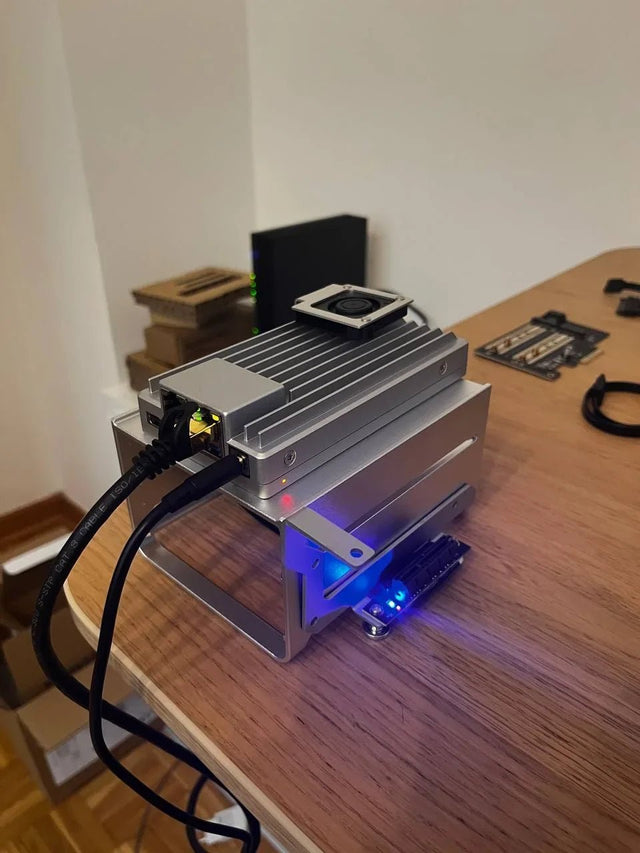
Why Does Local AI Heat Feel Different in an Open Shelf Than in a Closed Cabinet?
Trace heat generation, air exchange, and recirculation across open and enclosed placements, then measure the variables that distinguish them.

Why Does a Home Server Feel Quieter at Night Even at the Same Fan Speed?
Understand why unchanged fan speed does not guarantee unchanged perceived loudness and how to separate masking, room conditions, and real acoustic change.
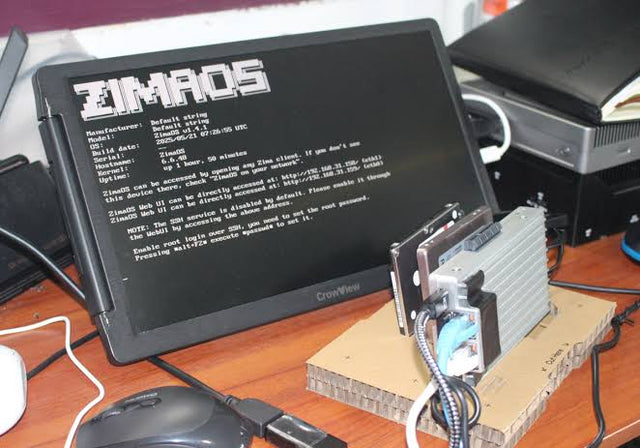
Why Do Deduplicated Backups Look Smaller Than Their Restore Footprint?
See how deduplication changes stored bytes but not restored meaning, why sparse and compressed files complicate totals, and how to size a restore test.


