
ZFW is a community-built host firewall for ZimaOS, not an IceWhale built-in feature. It installs as a host-level system extension, appears as a dashboard tile, and tries to solve a real ZimaOS gap: native services and Docker-published ports can be reachable across the LAN unless another firewall or upstream network device restricts them.
The source post began at ZFW v1.0.10, but that version is no longer the right reference for a current installation. ZFW continued changing rapidly as ZimaOS itself changed. The current upstream release is v1.0.25, and the project has already fixed compatibility problems involving ZimaOS 1.6.2's nf_tables backend, ZimaOS 1.7.x session-token changes, IPv6 Docker exposure, and Zima Net traffic on tun0.
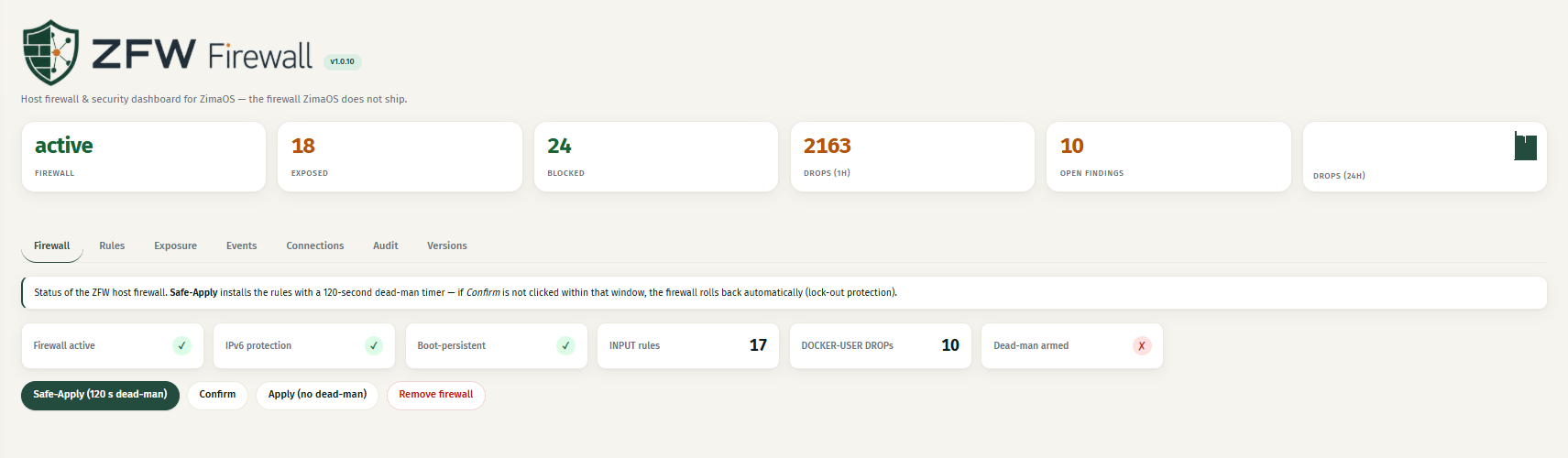
ZFW Is Community Software, Not an IceWhale Firewall
Lintux built and maintains ZFW independently. The source thread contains strong community testing, including users who confirmed rule persistence, blocked ports, rollback behavior, and later compatibility fixes, but no IceWhale announcement turns ZFW into an official ZimaOS firewall.
That distinction matters because ZFW manipulates the host network stack directly. A bad or incompatible rule can block SSH, the WebUI, Docker apps, or remote access.
ZFW Separates Host Services from Docker-Published Ports
ZFW's architecture recognizes that Docker traffic is different from ordinary host INPUT traffic:
- native ZimaOS/host services are controlled through INPUT-style rules;
- Docker-published ports are filtered through
DOCKER-USER; - IPv6 has its own corresponding chains and behavior.
This is more accurate than a firewall tutorial that checks only INPUT and assumes Docker follows the same path.
Safe-Apply Is the Most Important Safety Feature
The source introduced a 120-second dead-man rollback. When a rule set is applied, the user must confirm it before the timer expires. If the rule accidentally locks the user out, the firewall rolls back automatically.
That is especially valuable on a headless NAS because a firewall mistake can otherwise turn into a local-monitor/keyboard recovery job.
The Thread Exposed a Real Default-Allow Gap for the ZimaOS Terminal
A user reported that ZFW blocked TCP 7681, the default ttyd terminal port. Lintux explained that the original starter whitelist included ports such as SSH, HTTP/HTTPS, SMB, and several ZimaOS services, but not 7681.
This is a useful reminder: before enabling a default-deny policy, inventory the services you actually rely on. A firewall can be functioning correctly while still blocking a service the default profile forgot.
ZimaOS 1.6.2 Changed the iptables Backend
One of the most important source-thread updates came after ZimaOS 1.6.2 switched Docker's effective iptables path to the nf_tables backend. Older ZFW builds could write rules into the unused legacy table while the tile still looked healthy.
The later releases added backend detection and additional Docker rule validation. This is why old ZFW installation instructions should never be frozen as a permanent recipe.
The Thread Found and Fixed a Real Docker Fail-Open Condition
During v1.0.16 testing, a user found that DOCKER-USER could end in a simple RETURN without the expected default-deny rules. Lintux confirmed this was a real, unexpected fail-open path and changed the port inventory logic.
Later, the same user reinstalled v1.0.19, reapplied the firewall, and verified that the expected per-port rules and UDP handling were present.
IPv6 Required Several Rounds of Real-World Fixes
The source thread documents cases where IPv6 protection was active but reported incorrectly, and other cases where Docker-published IPv6 ports were blocked unexpectedly. These were not theoretical concerns; users posted live chain output and the maintainer reproduced and fixed specific paths.
For an IPv6-capable home connection, test access from a real external IPv6 network rather than assuming an IPv4 LAN test proves the same policy.
Current ZFW Also Had to Adapt to Zima Net Remote Access
A later upstream release found that ZimaOS's built-in Zima Net remote-access traffic on tun0 could be dropped by older ZFW builds. ZFW v1.0.24 added the necessary bypass handling across the relevant chains.
This is another reason to update both ZimaOS and ZFW together and verify remote access after a firewall upgrade.
Use the Current ZFW Release, Not v1.0.10
As of September 2026, upstream lists ZFW v1.0.25 as the latest release. Review the current ZFW releases and compatibility history before installing or updating.
Verify the Live Firewall, Not Only the Green Dashboard Tile
After enabling ZFW, test:
- SSH and the WebUI from the LAN;
- the ZimaOS terminal;
- important Docker-published ports;
- Tailscale/ZeroTier/Zima Net if used;
- IPv6 from outside the LAN when relevant;
- reboot persistence.
The source history shows why a healthy-looking UI should not be the only evidence that rules reached the live backend.
ZFW FAQ
Is ZFW an official IceWhale firewall?
No. It is a community host-firewall module that integrates deeply with ZimaOS.
Should current users install v1.0.10 from the original post?
No. The project has received many compatibility and security fixes since that version.
Why does ZFW use DOCKER-USER?
Docker-published traffic can bypass ordinary host INPUT filtering, so ZFW uses Docker's dedicated filtering path for container ports.


