
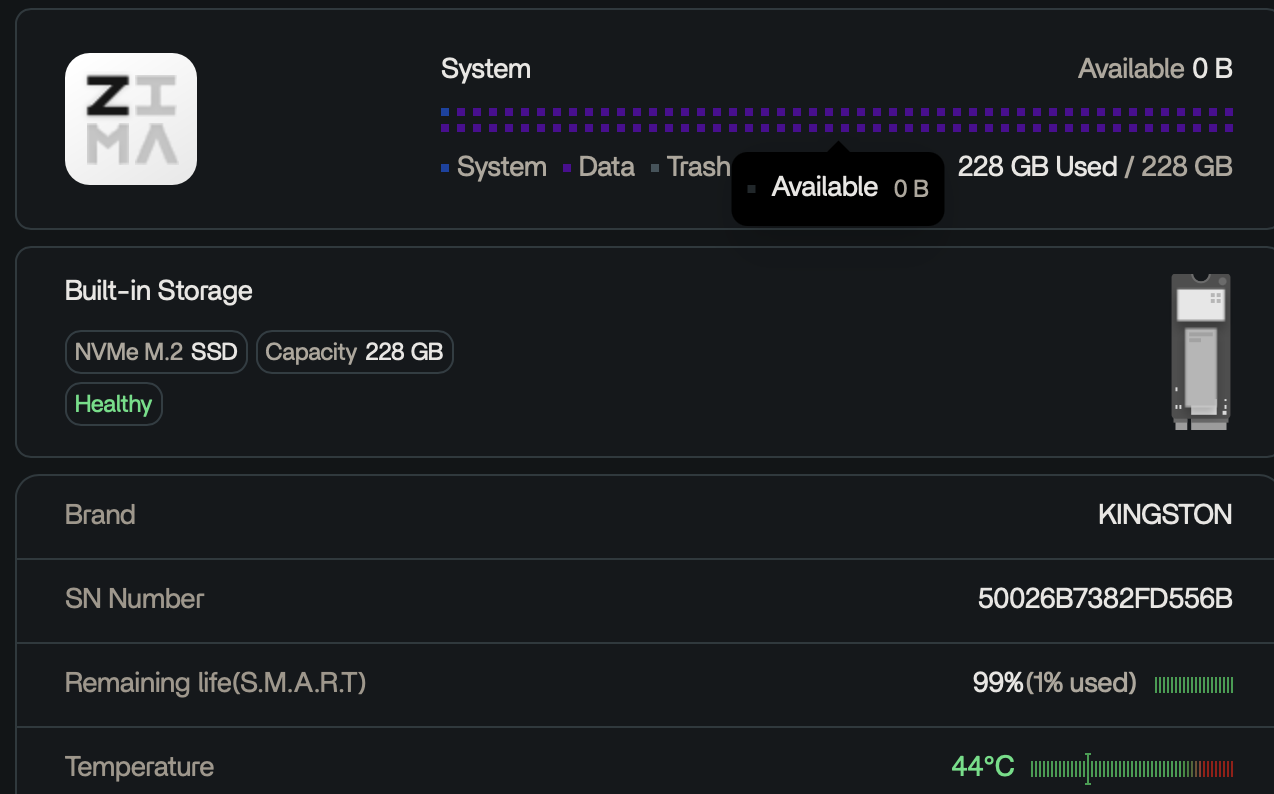
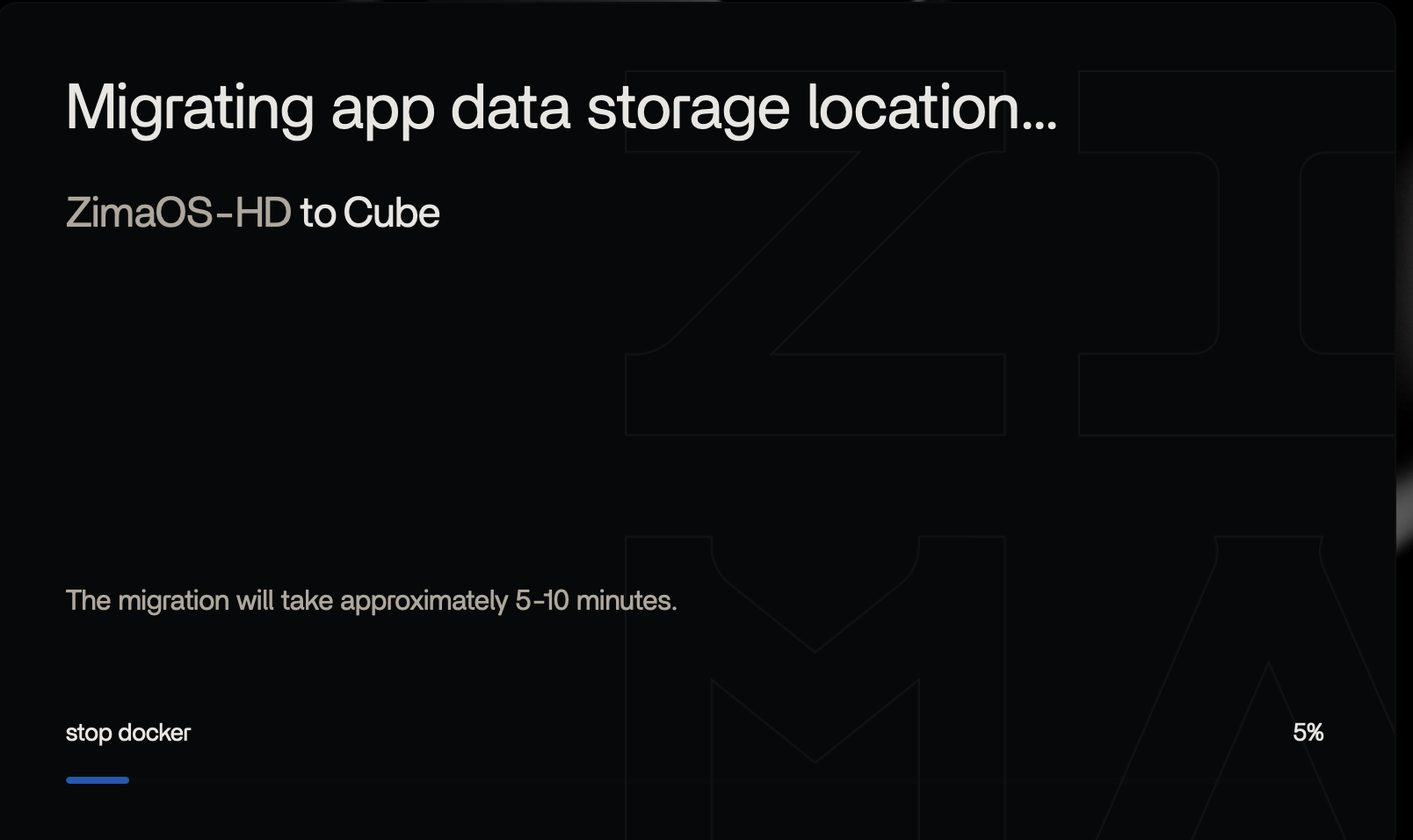
This source shows why a full ZimaOS system disk can make migration look frozen without necessarily destroying the underlying RAID or user data. The ZimaCube's 228 GB system SSD reached 0 B available after Resilio-related indexing/application data grew on the OS drive. SMB and Finder access still worked, but the dashboard became unstable and migration initially sat at 5%.
The migration eventually moved forward—45%, then 49%, then finally completed after more than a day. The original poster later said they also stopped Resilio from continuing to index/write onto the system disk. Current ZimaOS documentation now explicitly recommends keeping AppData off the system drive.
The System SSD Was Completely Full
App Data Migration First Appeared Stuck at 5%
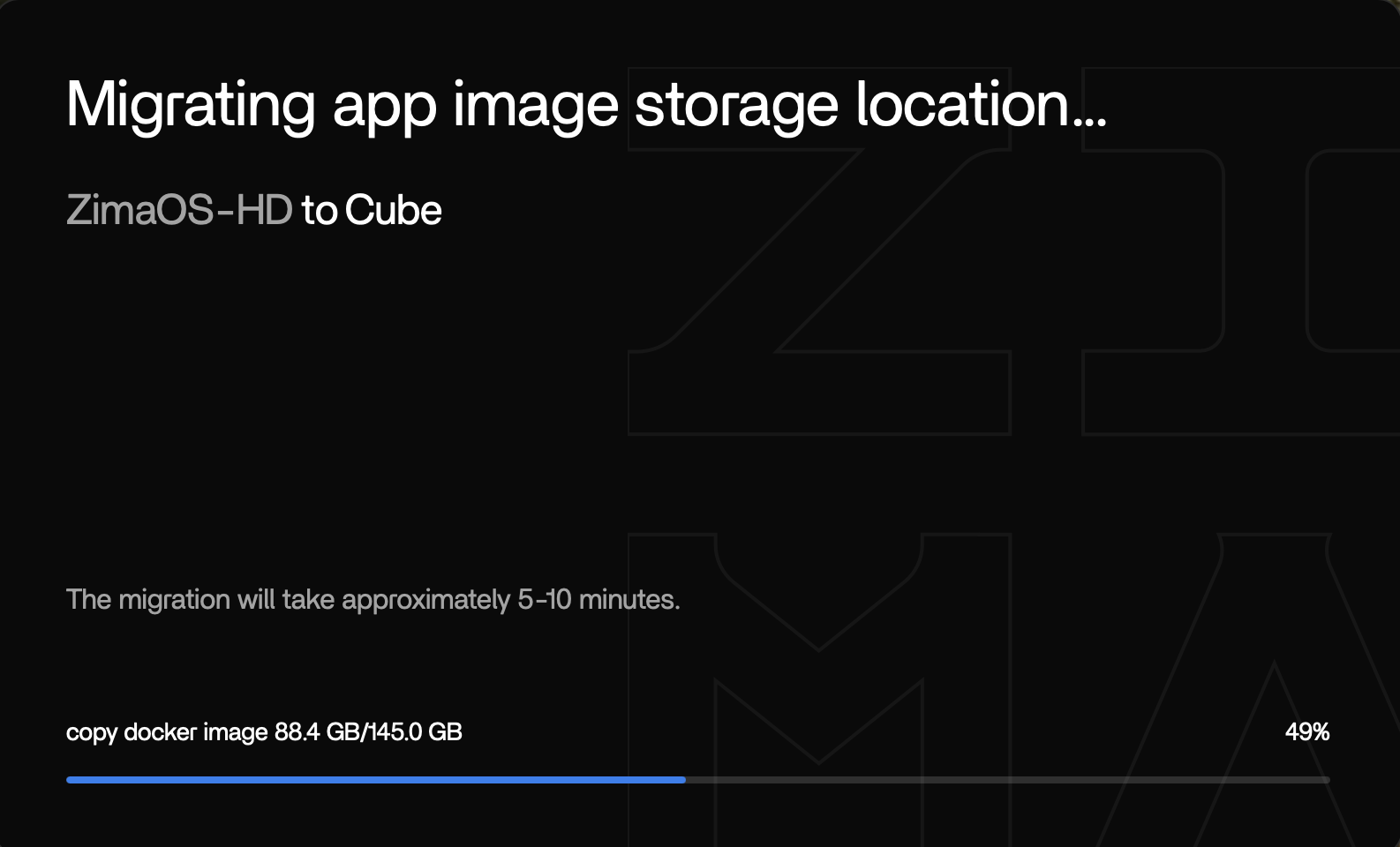
Slow Progress Did Not Mean the Migration Was Permanently Dead
The user later saw migration move to 45% and then 49% overnight. Months later they confirmed it eventually completed, probably after more than a day.
Current IceWhale Guidance Explicitly Warns Against Filling the System Drive with AppData
Current App Storage Paths guidance says application databases, thumbnails, metadata, and other AppData can fill the small system drive and cause updates, apps, and the device itself to behave abnormally.
Use the current AppData storage guidance.
Stop the Application That Is Still Filling the Disk
Freeing a few gigabytes is not useful if Resilio, an LLM model, Immich cache, or another container immediately writes it back. Identify the app consuming system storage and stop it before retrying migration.
Create Working Headroom Before Retrying Migration
A migration process needs space for databases, temporary state, logs, and application operations. Delete or move only data you have positively identified; do not run broad root-level cleanup on unknown system directories.
Use the Current Data Migration Tool Once the System Is Stable
Current ZimaOS can move Docker Images, Docker Application Data, and managed user databases between storage spaces through Settings > Data Migration.
See the current Data Migration workflow.
Huge Numbers of Small Files Can Be Slower Than Their Total Size Suggests
Index databases, thumbnails, and metadata directories can require far more filesystem operations per gigabyte than large media files.
Do Not Manually Relocate Live AppData Mid-Migration
A later participant manually moved an LLM AppData folder while migration was already stuck. That can make the application's configured path, ZimaOS migration state, and real filesystem location disagree.
The Source Also Reported a Separate Resilio Filename Problem
Months later, timothy said Resilio had renamed files containing unsupported characters, making them appear missing in ZimaOS. They explicitly corrected their earlier suspicion that ZimaOS had lost those files.
A Broken Dashboard Does Not Mean the Storage Pool Is Lost
The source could still use SMB and Finder while the dashboard logged out and migration UI behaved strangely. That distinction is important: a full system disk can break control-plane services while the separate data array remains mounted and readable.
Preserve that evidence before taking destructive RAID or reinstall actions.
Triage the System Disk Before Starting Another Migration
Check which directories are consuming the system drive, identify the owning application, and stop the writer. If the app can be removed/recreated safely, remove its disposable cache/image data through supported controls rather than deleting random directories.
Once there is working headroom, restart only the affected service/app as needed and verify free space remains stable before migration.
Current Migration Is a Full-Screen Controlled Operation
Current IceWhale documentation says other operations are unavailable while Data Migration runs. Plan downtime for applications whose data is being moved, avoid simultaneous manual moves, and let the migration reach a clear completion/error state before modifying the same folders.
Reinstall Is a Last Resort, Not the First Response to 0 B Free
If user data and storage are intact, freeing system space and completing AppData migration can recover the system without rebuilding the NAS. If reinstall becomes necessary, back up application data, storage metadata, and critical files first and follow the current recovery/reinstall guidance.
Full System Disk FAQ
Did the source migration eventually finish?
Yes. The original poster later said it completed after more than a day.
Does a migration progress bar sitting at 5% prove the data is lost?
No. In the source it later moved forward, while SMB and the RAID remained accessible.
What should current users do first when ZimaOS-HD is full?
Stop the app that is still writing, safely create free space, then use the current Data Migration/AppData controls rather than deleting unknown system files.


