
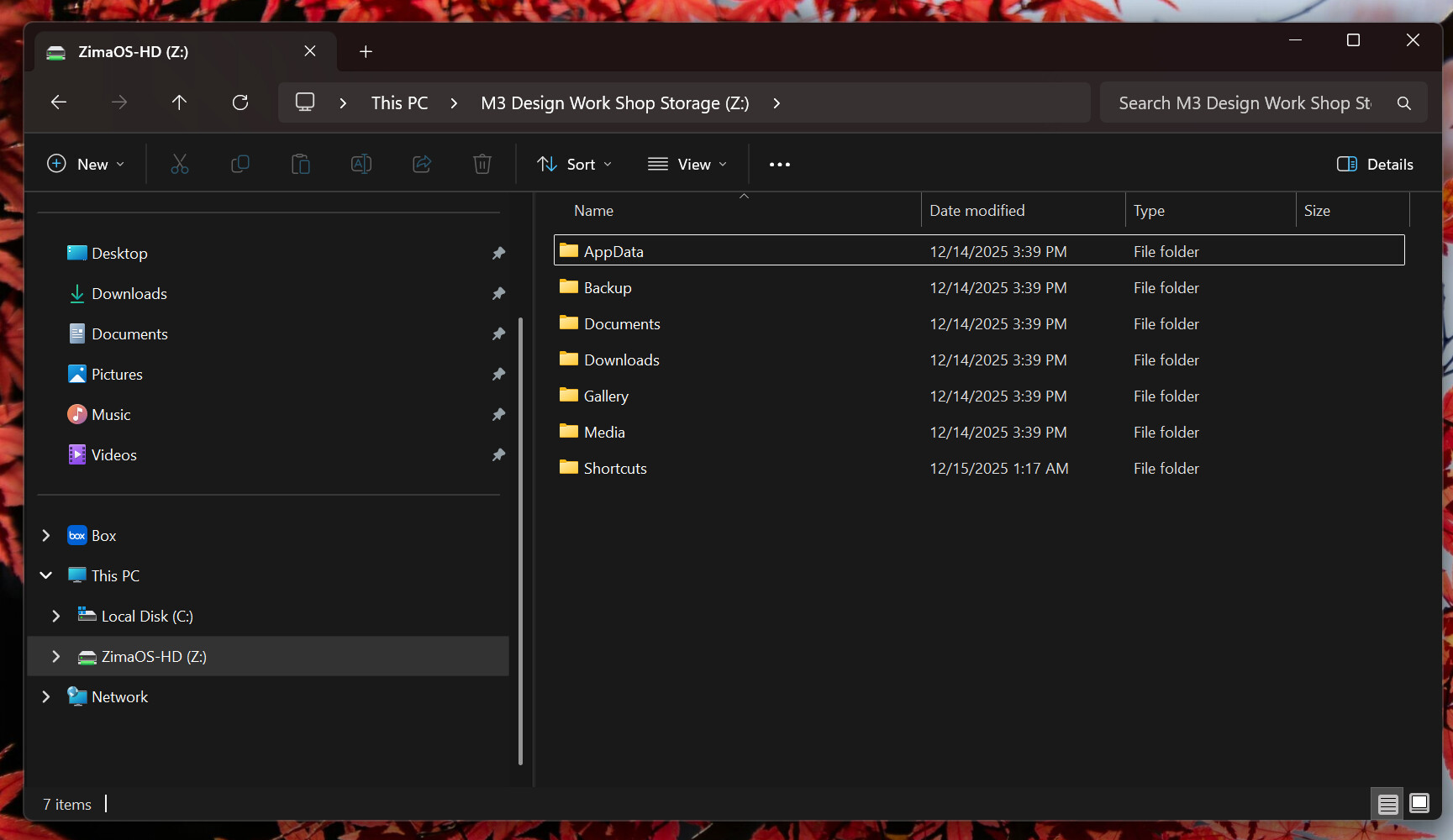
A storage pool existing in ZimaOS does not automatically mean Windows should display the raw disk or RAID object as a normal network folder. In this December 2025 thread, the user had a healthy two-drive RAID 1 pool called M3 Storage, but Windows Explorer showed only ZimaOS-HD. The missing step was to create a folder on the storage pool and share that folder with the intended user.
The original poster confirmed that the share procedure worked. Their broader goal—saving computer files locally and having them copied automatically to ZimaCube—maps even better to current ZimaClient's dedicated Computer Backup workflow.
The RAID 1 Pool Already Existed and Was Healthy
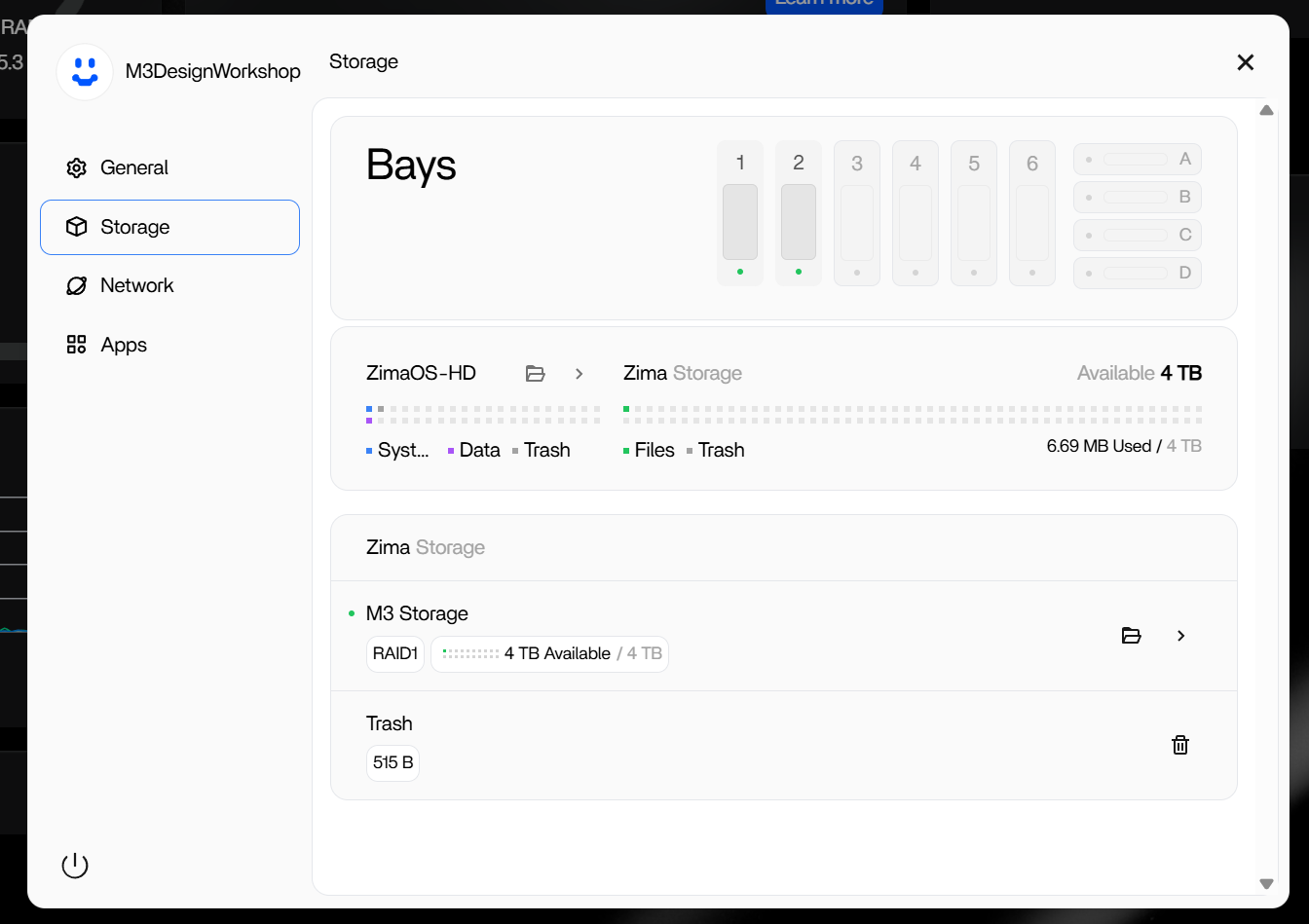
Selecting a Storage Item in ZimaClient Was Not Enough
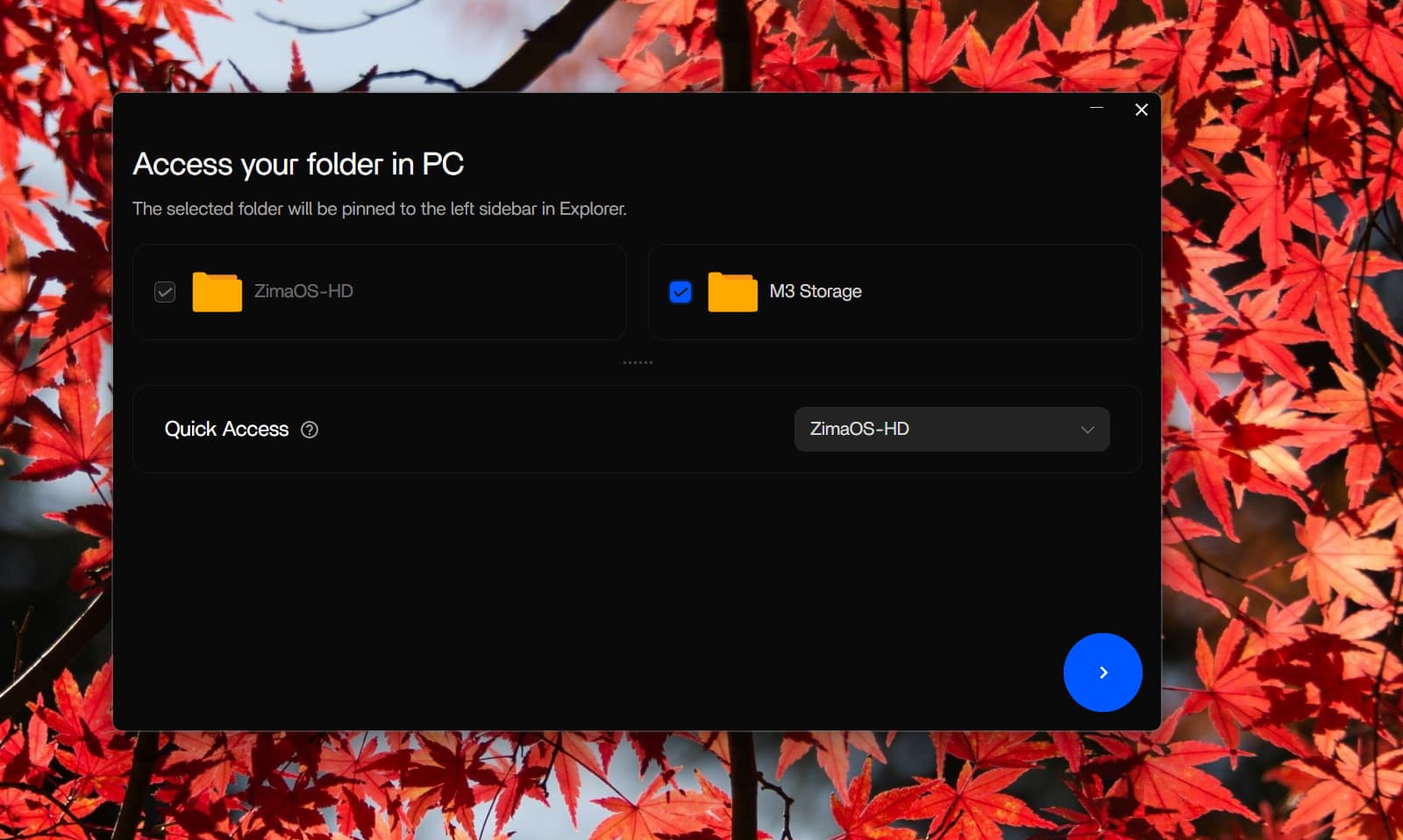
Windows Initially Exposed Only the System Share
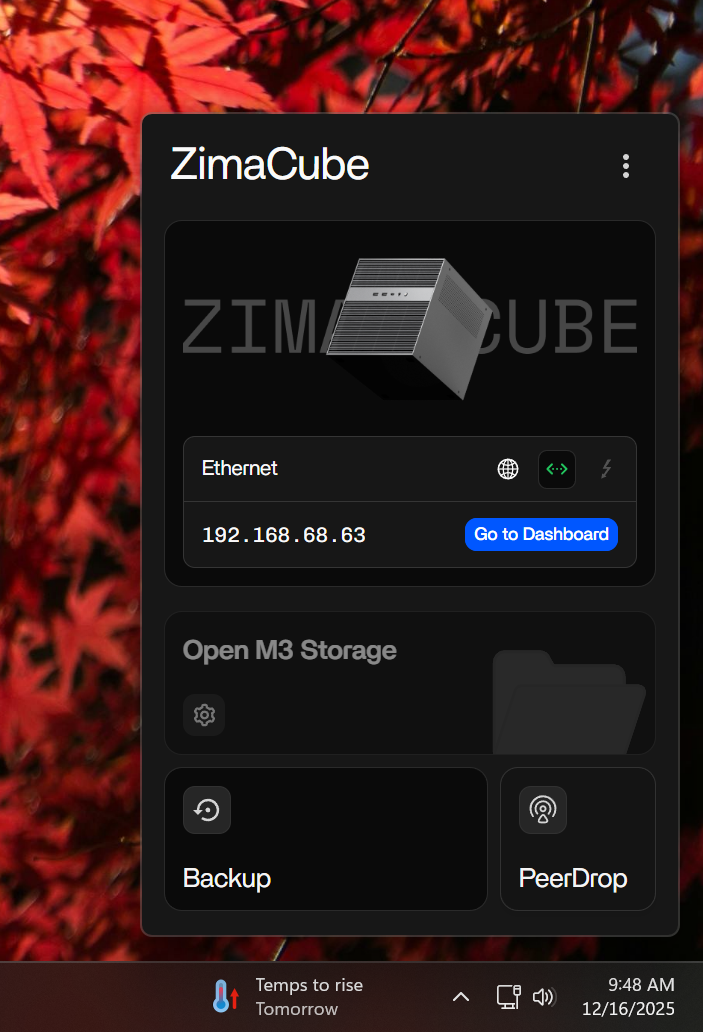
The ZimaClient Shortcut Was Greyed Out
Create a Folder on the Pool and Share That Folder
The source community gave a concrete workflow:
- open Storage;
- open the folder view for the storage pool;
- create a new folder;
- open that folder's menu;
- choose Manage Share;
- grant the intended user Read & Write access;
- use the provided Windows/macOS address.
The original poster replied: “That did work.”
ZimaOS Files Also Showed the Storage as a Separate Area
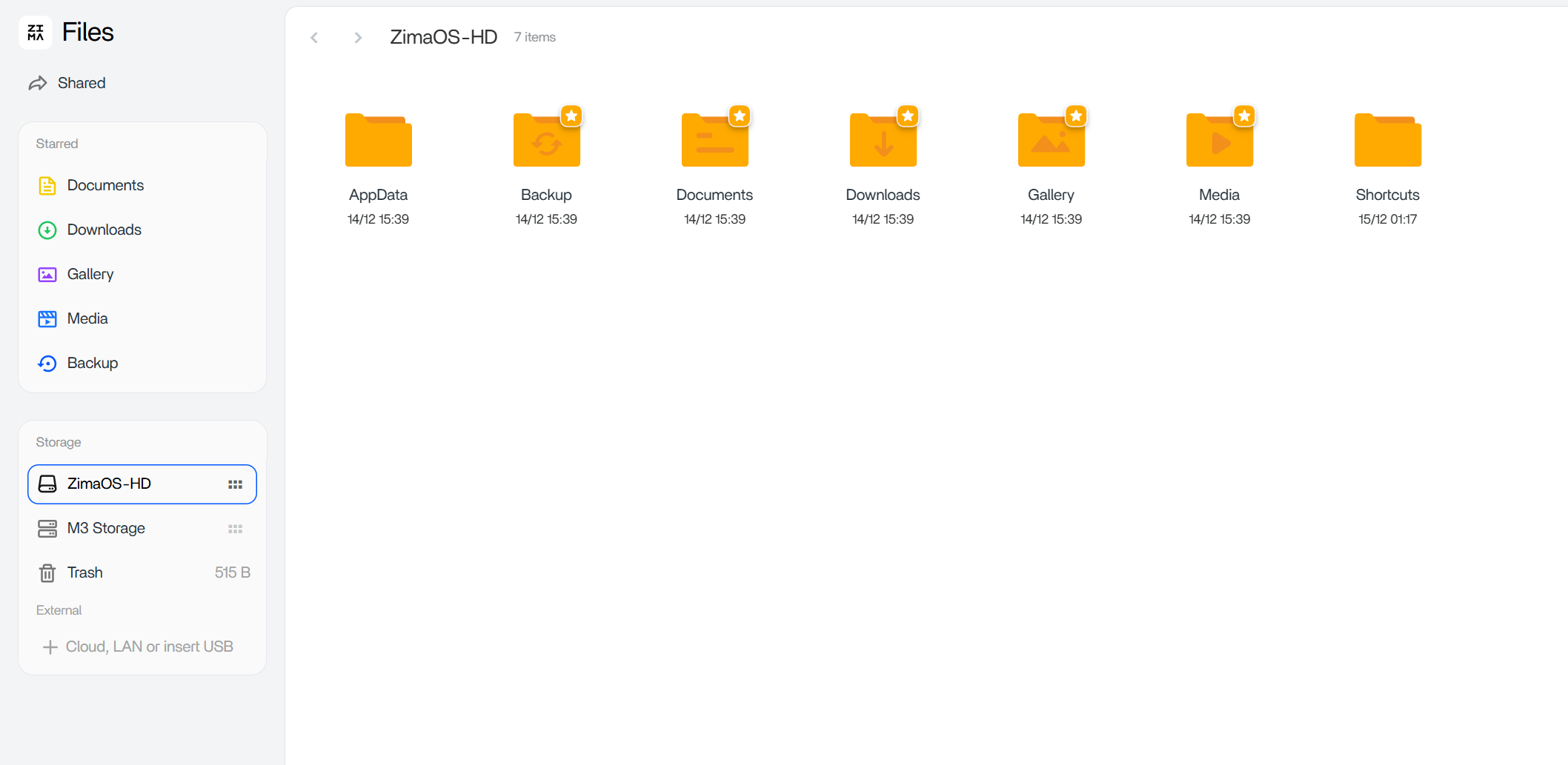
Current ZimaOS Supports Per-User Samba Shares
Current IceWhale documentation now explicitly covers creating a share from a folder, choosing a member or guest, assigning Read or Read & Write permission, and copying the correct Windows/macOS address.
Use the current ZimaOS Samba sharing workflow when you need a folder to appear as a normal network share.
Automatic Computer-to-NAS Backup Is a Separate Feature
The source user ultimately wanted local computer files to be copied to the ZimaCube automatically. Current ZimaClient now has a dedicated Computer Backup feature where users choose source folders and a destination storage space, and the client backs them up in the background on a schedule.
Use the current ZimaClient computer-backup workflow when automatic protection—not just SMB browsing—is the goal.
Do Not Use the Small System Drive as the Backup Destination
Current IceWhale guidance specifically warns users to point computer backups to a normal storage space such as a single disk or RAID array, not the ZimaOS system drive.
This is especially relevant to the source user, who had already created a 4 TB RAID 1 pool specifically for working data.
A Storage Pool Is Not the Same Object as an SMB Share
This distinction explains most of the confusion in the source thread. Storage settings describe physical disks and arrays. Files describes folders that exist on those storage spaces. Samba shares expose selected folders to another computer over the network.
Windows normally connects to the shared folder namespace rather than mounting the raw RAID object itself. Creating the RAID is therefore only the storage layer; creating and sharing a folder is the user-access layer.
Read & Write Permission Must Be Assigned to the Account You Actually Use
The community instructions did more than create a folder: they also told the user to open Manage Share and make sure the intended account had Read & Write access. If the share appears but uploads, renames, or deletes fail, re-check the account and permission level before changing the RAID.
Current ZimaOS also supports separate member accounts, so a family or team does not need to share one administrator password just to access a project folder.
Quick Access Is a Convenience Layer, Not Storage Initialization
The source user saw M3 Storage in the ZimaClient Quick Access setup and assumed selecting it should make the pool fully usable in Explorer. The later fix showed why that assumption was incomplete: Quick Access can surface an accessible folder/location, but it does not replace creating the folder/share permissions on the server.
When troubleshooting, first verify the folder exists in ZimaOS Files and is shared correctly; then use ZimaClient to make access convenient on the computer.
File Sharing, Sync, and Backup Are Different User Goals
The source replies sometimes used “sync” loosely. A network share lets Windows open files stored on the NAS. A synchronization workflow keeps selected copies aligned. A backup workflow protects a source with a separate copy and ideally retention/restore behavior.
Current ZimaClient's Computer Backup is the clearer fit for the original poster's stated goal of keeping local computer work protected automatically on the RAID pool.
Verify from the Client After Changing the Share
After creating the folder and permissions, disconnect stale Windows sessions if necessary, reconnect with the intended ZimaOS account, create a small test file, rename it, and open it again. This verifies both visibility and write permission before moving an entire work archive onto the NAS.
Storage Share FAQ
Was the RAID itself broken in the source case?
No. The pool existed and reported healthy.
What step actually made the storage usable from Windows?
The user created a folder on the storage pool and shared it with the correct account/permissions.
Should automatic PC backup be done by manually copying to SMB?
Current ZimaClient provides a dedicated Computer Backup workflow for scheduled background backups.


