
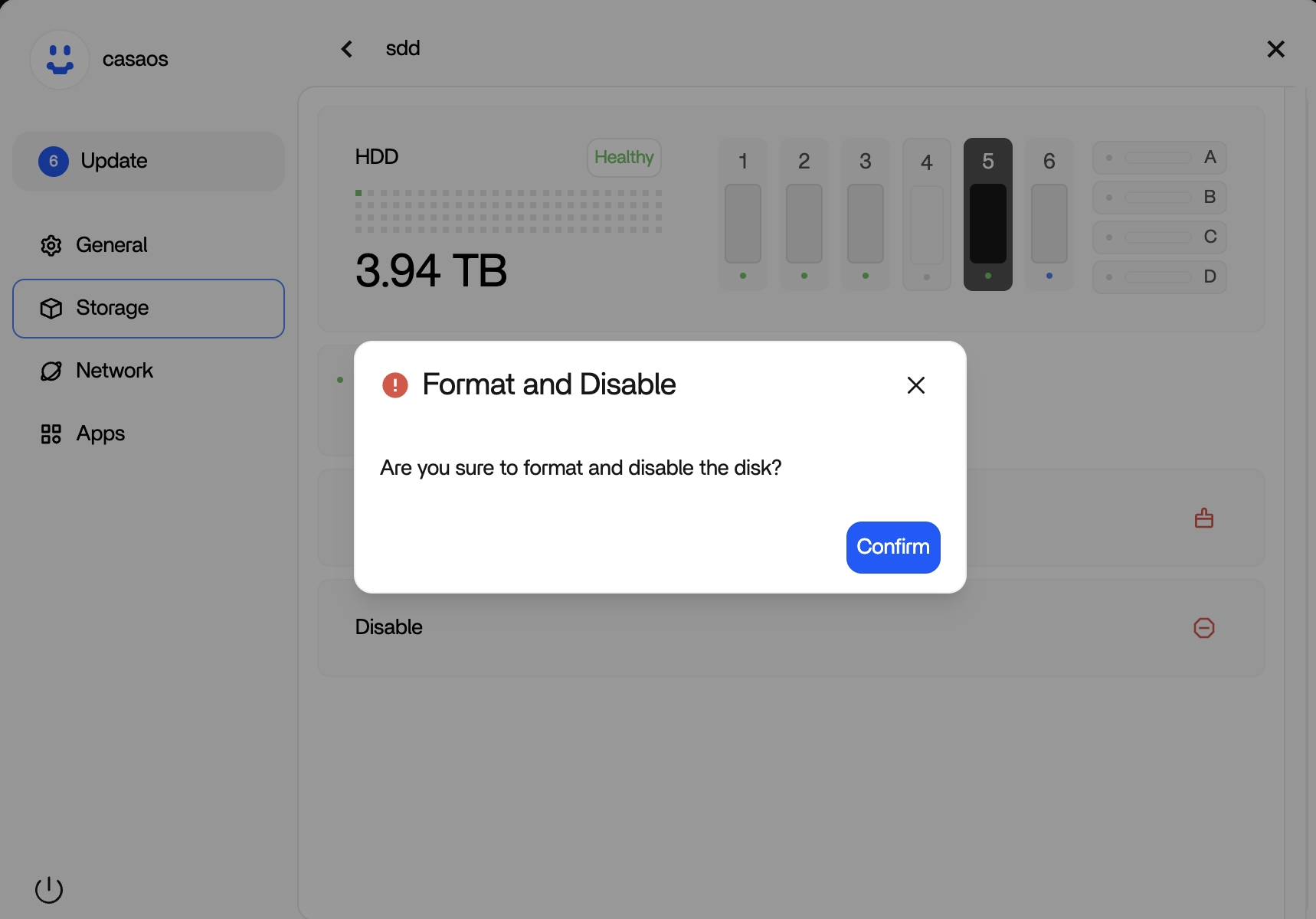
The source user wanted to return a test NVMe to an unmanaged state after experimenting with ZimaOS 1.5.3. They did not care about the test data. 777-Spider's official/community-team response was to open the disk details, choose Disable, confirm the Format and Disable dialog, wait for completion, and then physically remove the drive. The original poster confirmed that workflow worked.
There is an important version caveat: a separate ZimaOS 1.5.4 report later showed that the Disable confirmation could say the disk would be formatted while the data actually remained after re-enabling it. Therefore the 2025 dialog text should not be treated as a precise guarantee of what current Disable does to data. If data matters, back it up before any Disable/Format operation.
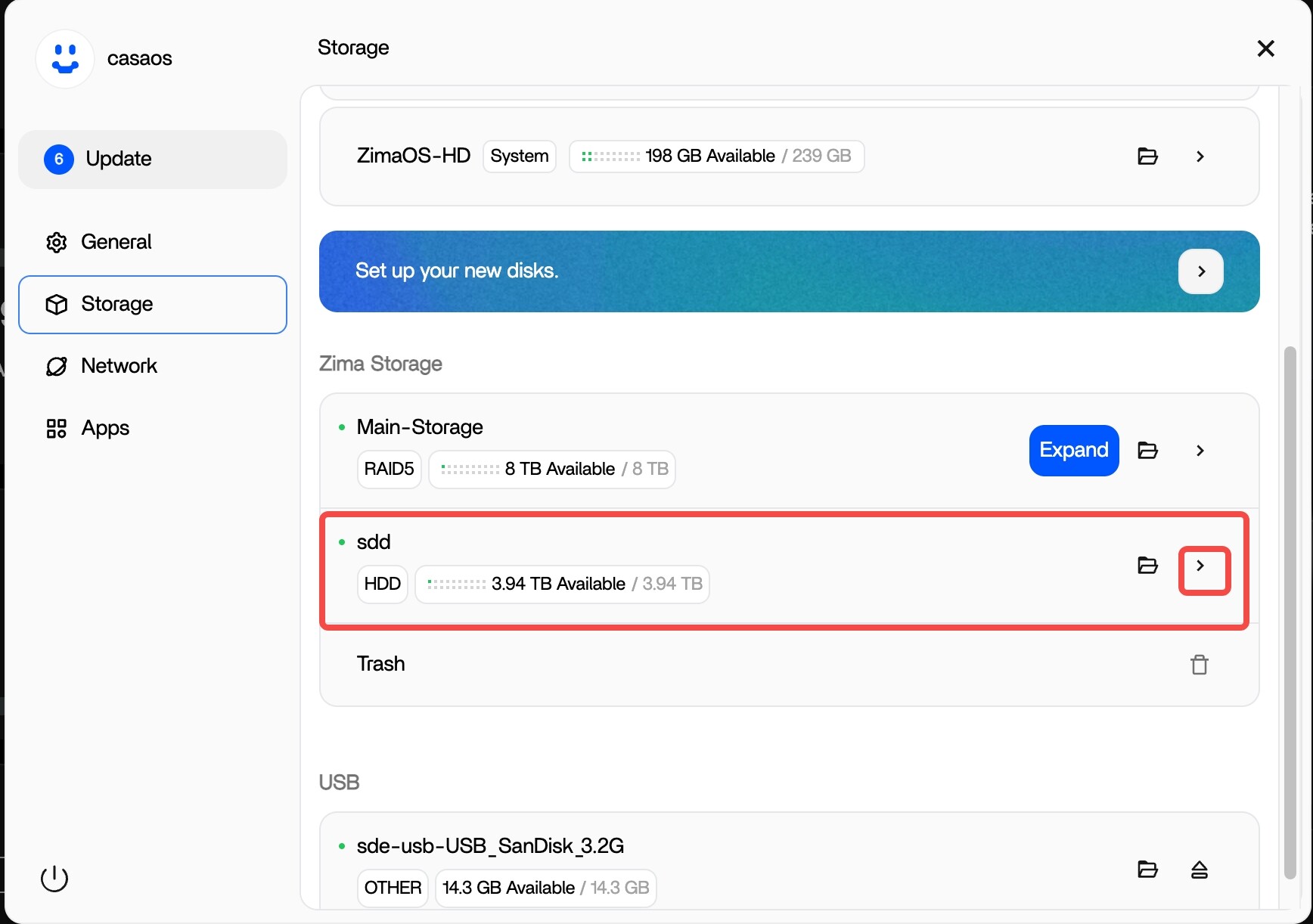
Open the Disk Details Instead of Dropping to SSH First
The user initially considered manually unmounting or deleting partitions from SSH because the Storage page appeared to have no removal control. The missing action was simply behind the small arrow on the disk row.
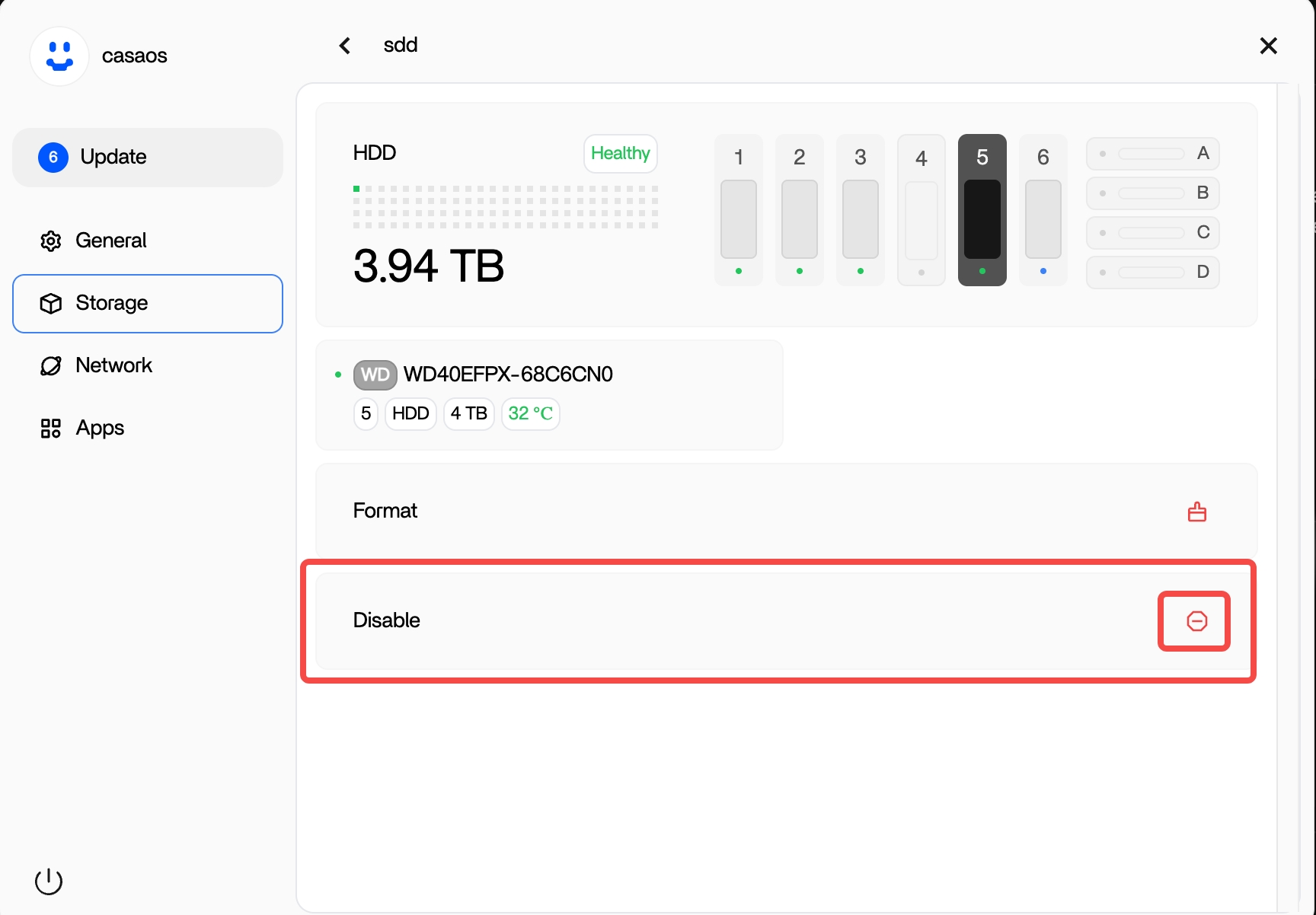
The Source Disable Workflow Was Confirmed Successful
777-Spider instructed:
- open the target disk;
- choose Disable;
- confirm the destructive-looking dialog;
- wait until the disk is removed from managed storage;
- physically remove it afterward.
Carolus64 replied that it worked as expected.
The 1.5.3 Dialog Explicitly Said Format and Disable
A Later 1.5.4 Report Said Disable Did Not Actually Erase the Data
In February 2026, another user demonstrated that after disabling and re-enabling a test storage disk, the test folder remained. They called the dialog misleading and suggested separating Disable from optional formatting.
This later evidence means the UI wording and actual erase behavior were not consistently aligned across those versions.
Treat Disable and Format as Potentially Destructive Until Verified
For current ZimaOS, the safest rule is:
- back up data you care about;
- identify the exact disk by model/serial/capacity;
- confirm whether it is standalone or part of an array;
- read the current confirmation dialog;
- do not depend on an old thread to guarantee preservation or erasure.
Removing a Standalone Disk Is Not the Same as Removing a RAID Member
The source disk was standalone test storage. Removing a member from RAID 1/5/6 or another pooled layout has very different redundancy and rebuild implications.
Do not use this Disable sequence as a generic “shrink my RAID” procedure.
Move AppData Before Disabling a Disk That Hosts Applications
The source user had installed and then removed a WebDAV app. On a real system, the target disk may still host AppData, databases, Docker volumes, backup destinations, or custom bind mounts.
Use the current ZimaOS Data Migration workflow before detaching storage that holds managed application data.
The Source Also Found a Firefox Popup Rendering Problem
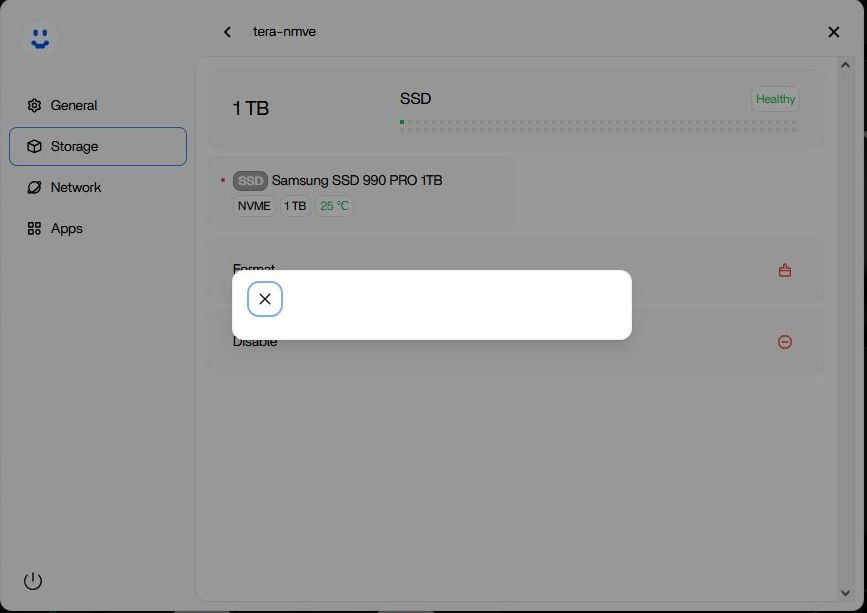
If a current confirmation dialog looks blank or clipped, try the current stable ZimaOS release and another browser before performing storage actions blindly.
Disk Removal FAQ
Did the source user successfully remove the standalone NVMe through Disable?
Yes. They confirmed the managed UI workflow worked.
Does historical “Format and Disable” wording prove the disk is securely erased?
No. A later 1.5.4 report showed data remaining after Disable, so verify the current behavior separately.
Can the same workflow be used to remove a RAID member?
Do not assume so. Array-member removal has different data and redundancy requirements.


