
If ZimaOS refuses to assign UDP port 67 to Pi-hole, first decide whether Pi-hole actually needs to act as your DHCP server. Port 67 is the standard DHCP server port, but Pi-hole's core DNS filtering does not require it.
In the February 2025 community thread, IceWhale confirmed that dnsmasq was already listening on port 67 because ZimaOS used it for ZVM virtual-machine networking. The immediate command shared in that thread could free the port, but it also disabled ZVM networking. For most home networks, the cleaner solution is to leave DHCP on the router and run Pi-hole only for DNS filtering.
The Original ZimaOS Port 67 Error
The original user tried to install Pi-hole on ZimaOS 1.3.2-beta2 and found that port 67 was unavailable.
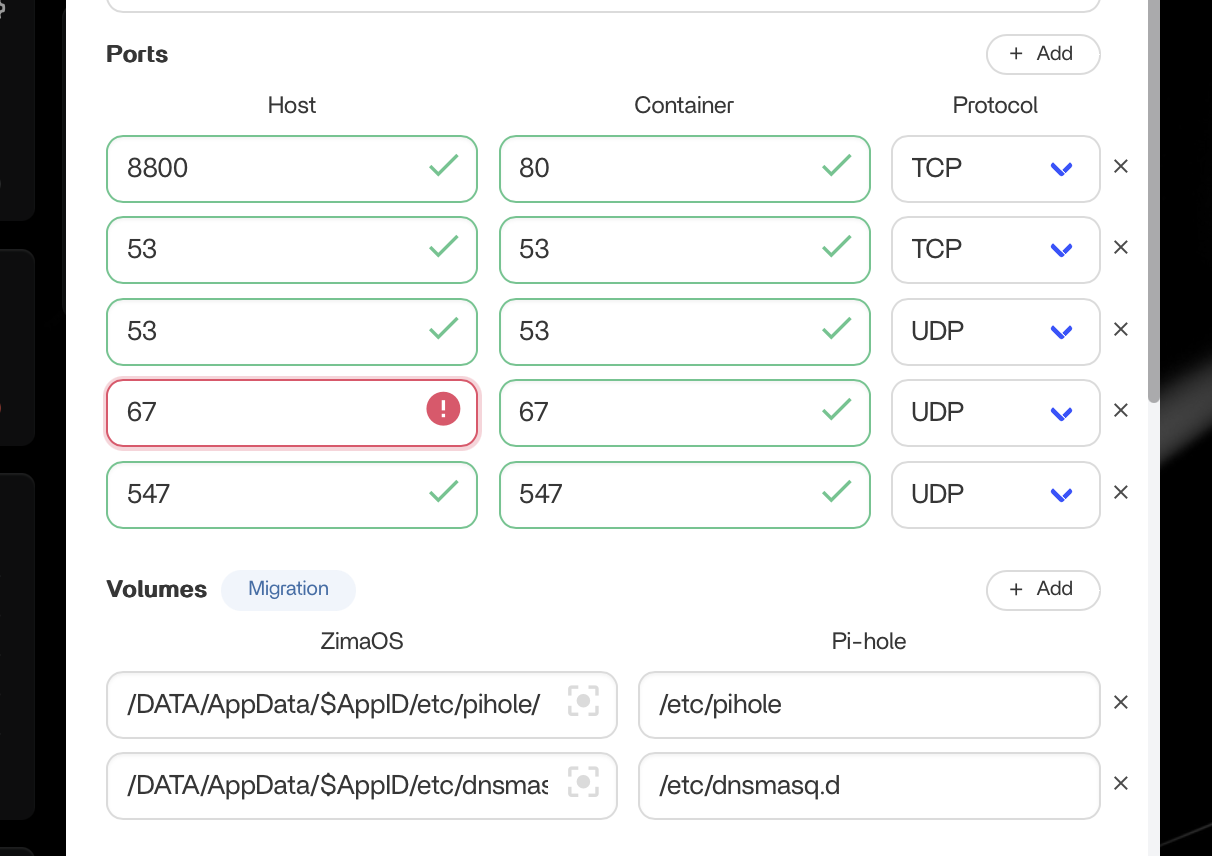
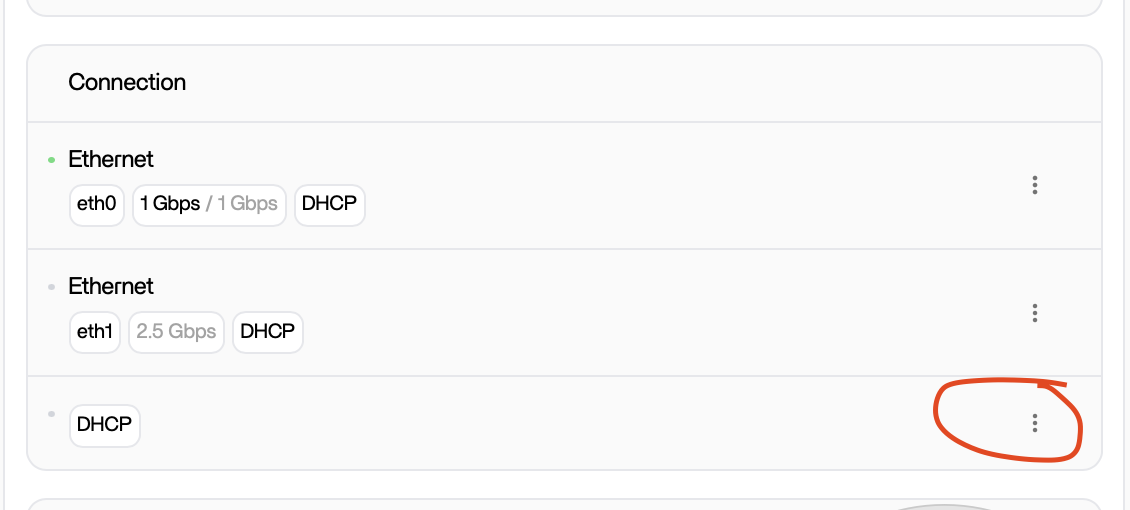
The same user also found that the DHCP-related controls shown in the ZimaOS interface were not clickable in that beta release.
What Was Using Port 67?
The IceWhale reply identified:
dnsmasqas the process listening on port 67. In that ZimaOS architecture, the service was used to assign addresses to ZVM virtual machines.
You can identify the current process with:
sudo ss -ulnp | grep :67or, on systems where it is available:
netstat -tulnp | grep :67Pi-hole Does Not Need Port 67 for DNS Filtering
Current Pi-hole Docker documentation only maps port 67/udp when Pi-hole is being used as the DHCP server. Its DNS service uses port 53 instead.
A minimal functional role is:
53/tcp → DNS
53/udp → DNS
WebUI port → Pi-hole administration
and DHCP port 67 remains unused by Pi-hole.
Recommended Layout: Router Handles DHCP, Pi-hole Handles DNS
If your router already provides DHCP, the simplest ZimaOS architecture is:
Router
  └─ DHCP server

ZimaOS
  ├─ ZVM dnsmasq / virtual networking
  └─ Pi-hole
       └─ DNS filtering only
Configure the router's DHCP service to hand out the Pi-hole IP address as the DNS server, or configure DNS according to the capabilities of your router.
This avoids a fight over UDP 67 and preserves ZVM networking.
The Historical Source Fix: Stop dnsmasq
The 2025 reply suggested identifying dnsmasq and then running:
killall -9 dnsmasqThe reply included an explicit warning: stopping that service makes ZVM networking unavailable.
That command is therefore not a neutral Pi-hole setup step. It is a trade-off that disables another ZimaOS function, and a supervised system service may also be restarted later.
Current ZimaOS Pi-hole Documentation Still Treats Port 67 as a Conflict to Resolve Deliberately
The current ZimaOS Pi-hole deployment guide recommends checking the process using UDP 67:
sudo ss -ulnp | grep :67and, when the conflicting service is intentionally being disabled, terminating the relevant PID.
ZimaOS Pi-hole deployment guide
Before doing that, identify what the process provides. On a system using ZVM, killing the DHCP service can remove VM network functionality.
If Pi-hole Must Be Your DHCP Server
Some routers do not allow custom DNS assignment, so Pi-hole DHCP can be useful. In that case, you cannot have two DHCP servers competing for the same local network role without deliberate segmentation.
Before freeing port 67:
- confirm whether you use ZVM;
- confirm which process owns UDP 67;
- understand whether that service will be restarted automatically;
- make sure only one DHCP server will answer clients on the target LAN;
- record your existing router DHCP settings before disabling them;
- prepare a recovery method in case clients stop receiving addresses.
Do Not Run Two DHCP Servers on the Same Broadcast Network by Accident
If both your router and Pi-hole answer DHCP requests on the same LAN, clients may receive inconsistent gateways, DNS servers, or lease ranges.
When moving DHCP responsibility to Pi-hole, disable the old DHCP server only after the Pi-hole configuration is ready and reachable.
Why ZVM Changes the Decision
ZVM virtual machines need network configuration that is separate from a normal Docker application's port mapping. The source thread tied ZimaOS's dnsmasq process directly to ZVM address assignment.
If you rely on ZVM, using Pi-hole only as DNS is normally the lower-risk architecture.
Current ZimaOS Network Settings Are Different from the 2025 Beta Screenshot
Current ZimaOS documentation shows the Networking page under:
Settings → Networkand documents DHCP/manual addressing for physical interfaces. The unclickable menu shown in the original 1.3.2 beta report is therefore historical UI behavior.
Current ZimaOS Networking documentation
Pi-hole Port 67 Checklist on ZimaOS
- Decide whether Pi-hole needs DHCP at all.
- If the router can handle DHCP, leave Pi-hole DHCP disabled.
- Map Pi-hole DNS ports 53 TCP and UDP.
- Check UDP 67 with
sudo ss -ulnp | grep :67. - If
dnsmasqowns the port, remember that it may be serving ZVM networking. - Do not kill system DHCP services casually.
- If Pi-hole must become DHCP server, plan the router/ZVM consequences before changing anything.
- After changes, verify that LAN clients receive valid IP, gateway, and DNS settings.
ZimaOS Port 67 FAQ
Why is port 67 already occupied on ZimaOS?
In the source thread, ZimaOS dnsmasq used UDP 67 to assign addresses to ZVM virtual machines.
Does Pi-hole need port 67 to block ads?
No. Pi-hole needs port 67 only when it acts as the DHCP server. DNS filtering itself uses port 53.
Can I kill dnsmasq to install Pi-hole?
The historical thread did that as a workaround, but IceWhale warned that ZVM networking would stop. Treat it as a deliberate system trade-off, not the default setup.
What is the simplest setup?
Let the router provide DHCP and use Pi-hole for DNS filtering, unless your network specifically requires Pi-hole to become the DHCP server.


