
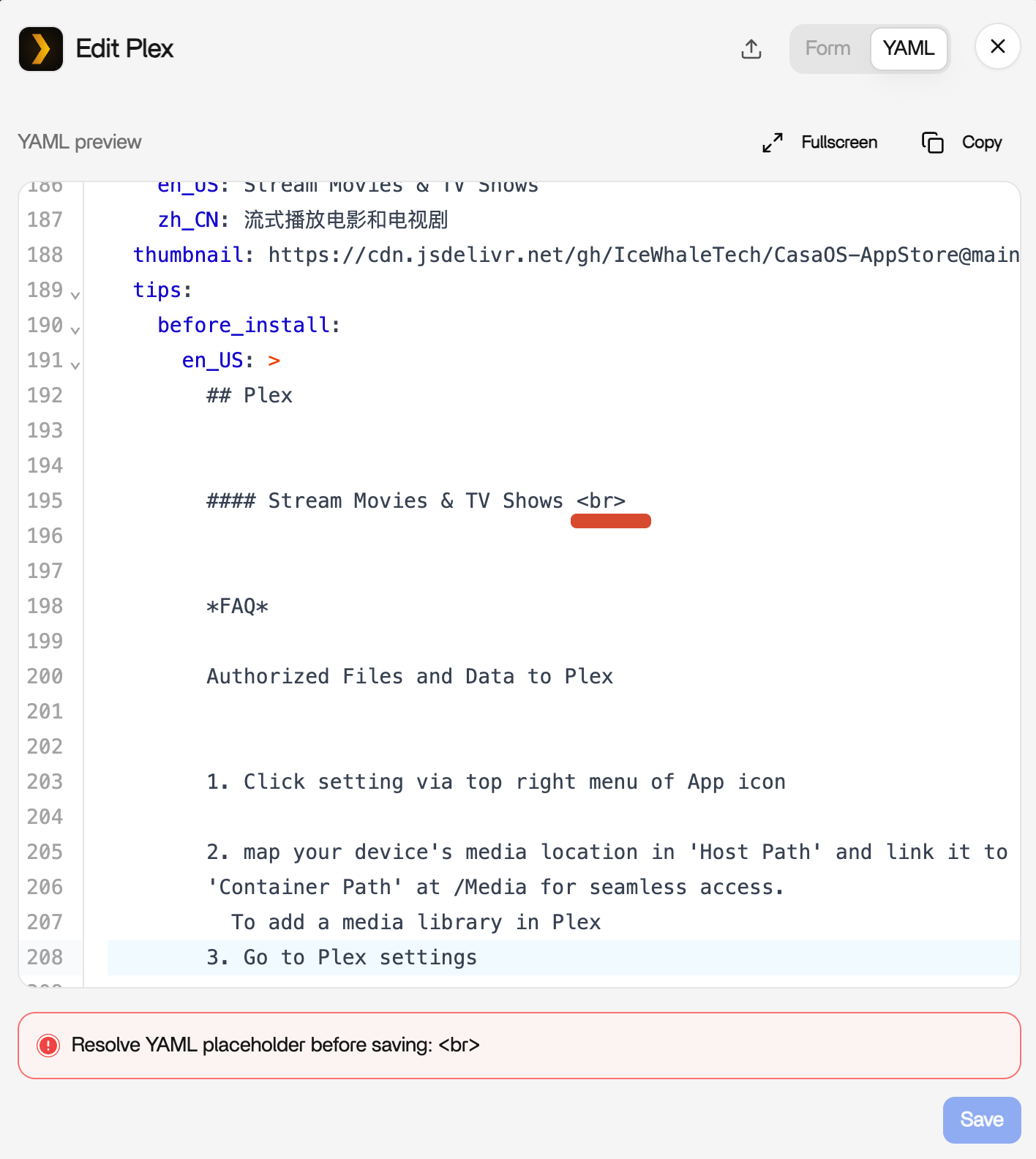
If Plex stopped opening or its app editor says “Resolve YAML placeholder before saving” after ZimaOS 1.7.0, update to ZimaOS 1.7.1 or newer before uninstalling the app. 1.7.1 specifically improved YAML save compatibility and fixed an issue where uninstalling an app could delete its configuration folder.
The source user recovered by reinstalling Plex, but IceWhale immediately warned that uninstalling Plex on 1.7.0 deleted AppData by default. That makes reinstall a poor first step unless Plex configuration is already backed up.
Update ZimaOS Before Editing YAML Manually
The official ZimaOS 1.7.1 release notes lists improved YAML saving compatibility and a fix for app uninstall deleting configuration folders.
What Caused the Placeholder Warning
IceWhale support told the user to remove <br> from the tips text in the old Plex YAML. That was a packaging/parser compatibility problem, not a Plex database failure.
Check Whether Plex Is Actually Running
docker ps | grep -i plex
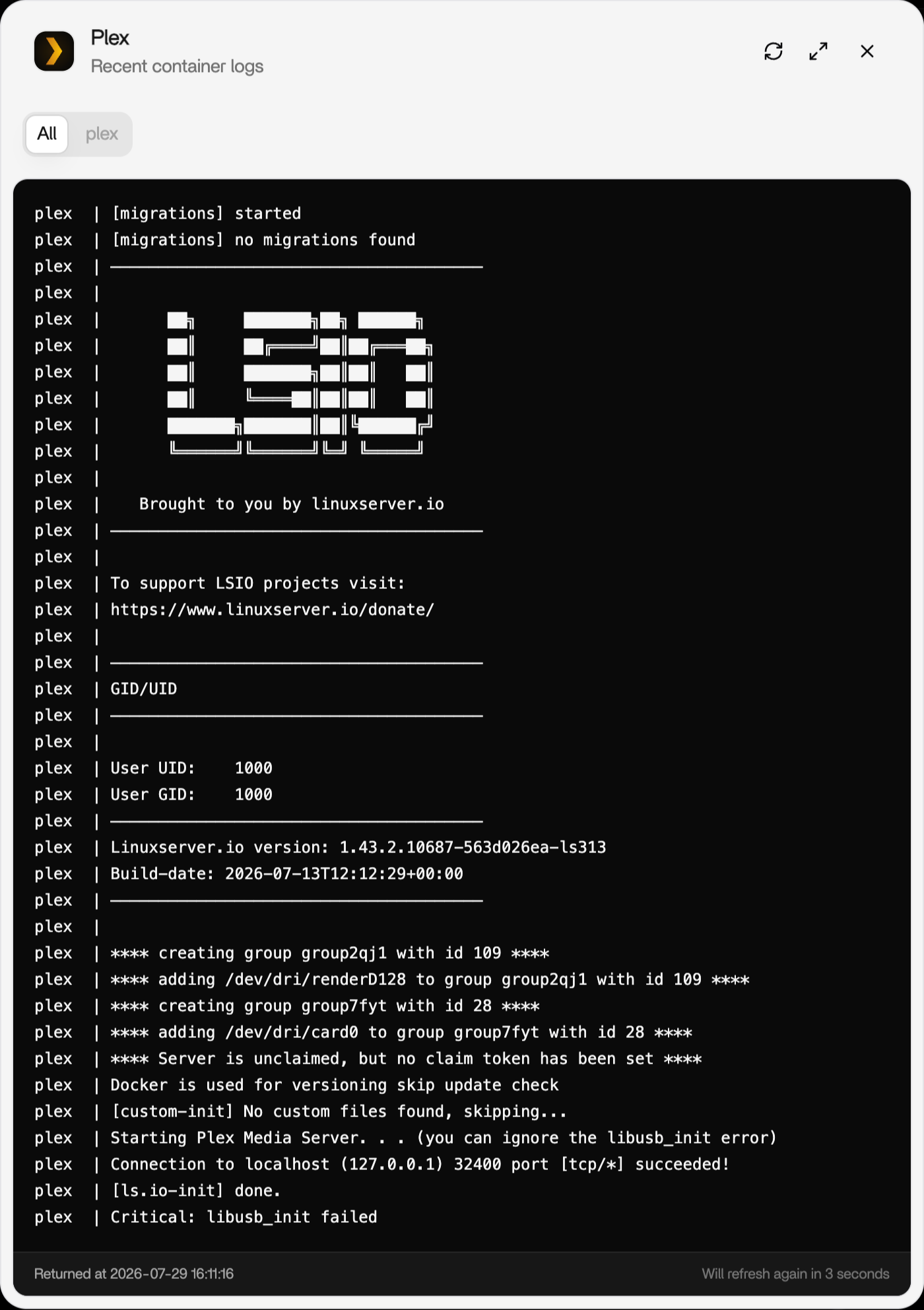
docker logs --tail 200 plex
A healthy LinuxServer Plex container should reach its internal web service on port 32400.
Back Up Plex AppData Before Reinstalling
Plex metadata contains library databases, watch state, posters, and server identity. Verify the mapped Plex config directory and back it up before deleting or recreating the container.
Use the Current App Store Package
The current ZimaOS Plex App Store page lists the maintained 1.43.2 release line.
Verify Media Volume Mapping
If Plex starts but libraries are empty, open app settings and confirm the host media path is still mapped to the container path Plex uses. The current Plex setup guide shows the supported storage workflow.
Check GPU Devices Separately
The source logs showed /dev/dri/renderD128 and /dev/dri/card0 permissions were good. If playback works but transcoding fails, diagnose GPU mapping separately from the YAML error.
The Plex hardware guide helps with that branch.
Verify the Plex Claim State
The source logs showed one run as already claimed and another as unclaimed. If Plex opens but presents the wrong server/account state, verify the persistent config volume survived and that you are logging into the intended Plex account before regenerating claim tokens.
Check the Container Image After Updating ZimaOS
docker inspect plex --format '{{.Config.Image}}'Compare the running image with the current App Store package. A healthy ZimaOS update does not automatically mean an old manually pinned Plex image changed.
Restore AppData Before Rebuilding Libraries
If AppData was backed up before uninstall, restore the config directory before deciding your library metadata is lost. Re-adding terabytes of media to a fresh Plex database can trigger long rescans and metadata downloads that are avoidable when the original database is intact.
FAQ
Should I uninstall Plex to fix the 1.7.0 error?
Not before backing up AppData. On 1.7.0, IceWhale warned uninstall could delete the configuration folder.
What did the br placeholder error mean?
The app editor misinterpreted text in the YAML tips field; support suggested removing the <br> entry.
Does 1.7.1 address this class of problem?
Yes. Its changelog includes YAML-save compatibility and app-config deletion fixes.
Why is Plex running but no media appears?
Check the host-to-container media volume mapping and rescan the Plex library.


