
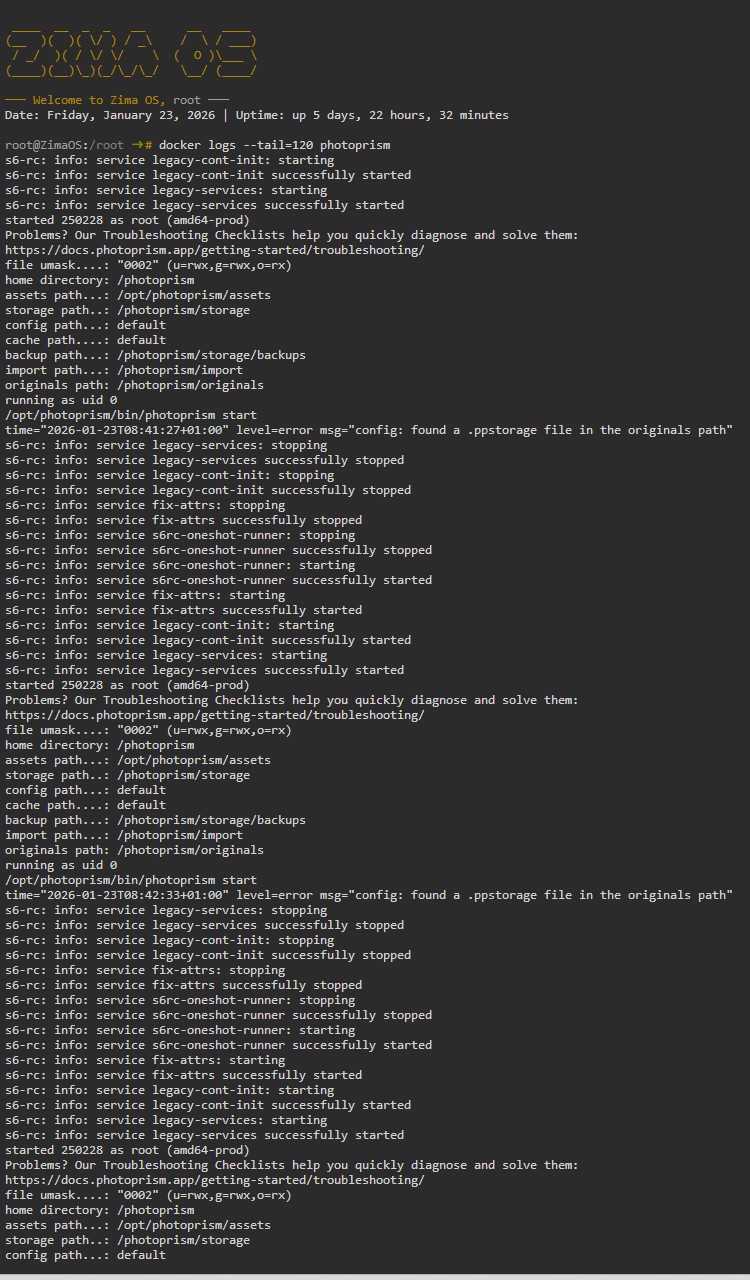
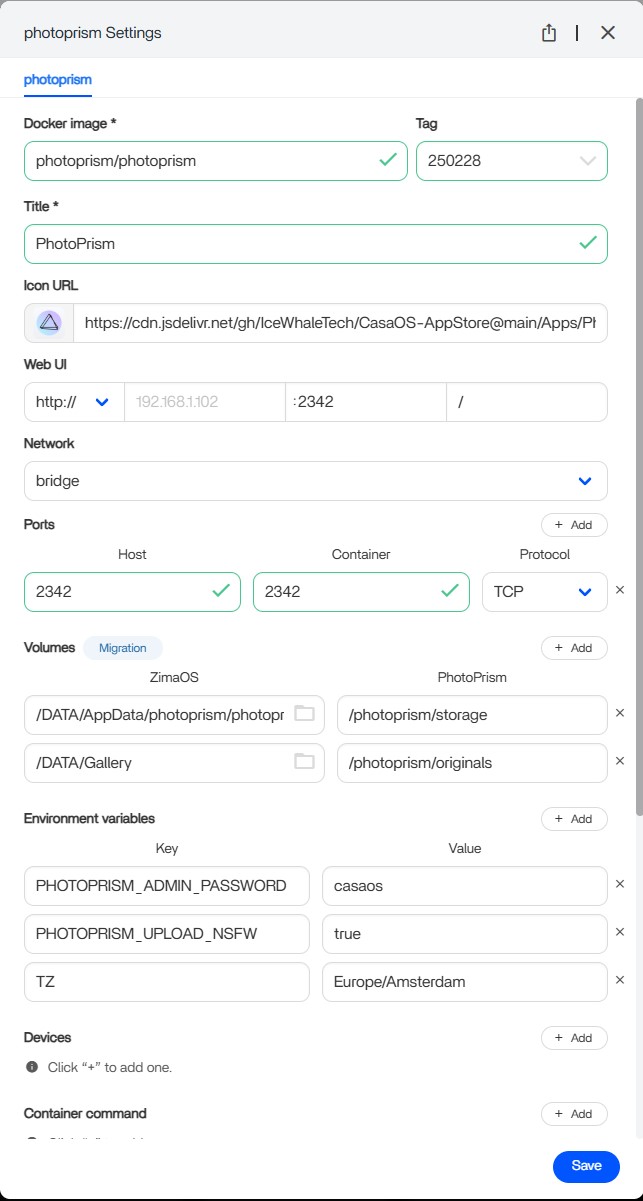
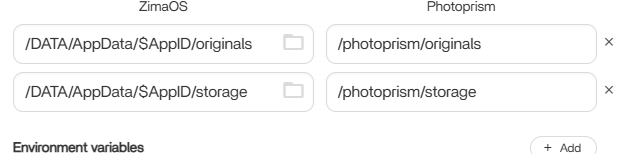
The final fix in this thread was not “delete .ppstorage every time.” The file returned because the underlying volume layout was still wrong. The useful diagnosis came from the logs, and the durable change was to correct which host directory was mapped to PhotoPrism's Originals path.
The Log Message Was a Clue, Not the Whole Fix
A reply noticed a .ppstorage marker inside /DATA/Gallery and suggested deleting it. The user did so, but PhotoPrism recreated the files and continued failing. That showed the path relationship—not only the file—needed correction.
PhotoPrism Separates Originals from Storage
The official PhotoPrism storage folders says the storage folder holds config, cache, backup, thumbnails, and sidecar data and should not normally be configured inside Originals unless it uses a hidden-name arrangement supported by PhotoPrism. That upstream rule explains why mapping application storage into the photo Originals tree can create problems.
The first Docker app explains the host-path/container-path model in ZimaOS, while the ZimaOS App Store requirements provides the current package-level context when more than one template or dependency stack exists.
Use Logs Before Changing Databases or Permissions
The official PhotoPrism Docker troubleshooting recommends checking Docker logs and specifically calls out disk, permission, route, and storage errors. In this case, the log gave enough information to avoid randomly rebuilding MariaDB, changing ports, or reinstalling the entire OS.
What the Working Community Change Proved
The user compared the BigBear template with the ZimaOS App Store mapping, changed the Originals link, and PhotoPrism started. That confirms the storage mapping was decisive for this installation; it does not prove every current PhotoPrism package uses the same exact host path.
Bottom Line
If PhotoPrism installs but exits immediately, read the logs before changing everything at once. In this community case the repeated .ppstorage symptom pointed to an incorrect relationship between PhotoPrism storage and Originals. Correcting the volume mapping—not repeatedly deleting the marker—allowed the app to start.


