
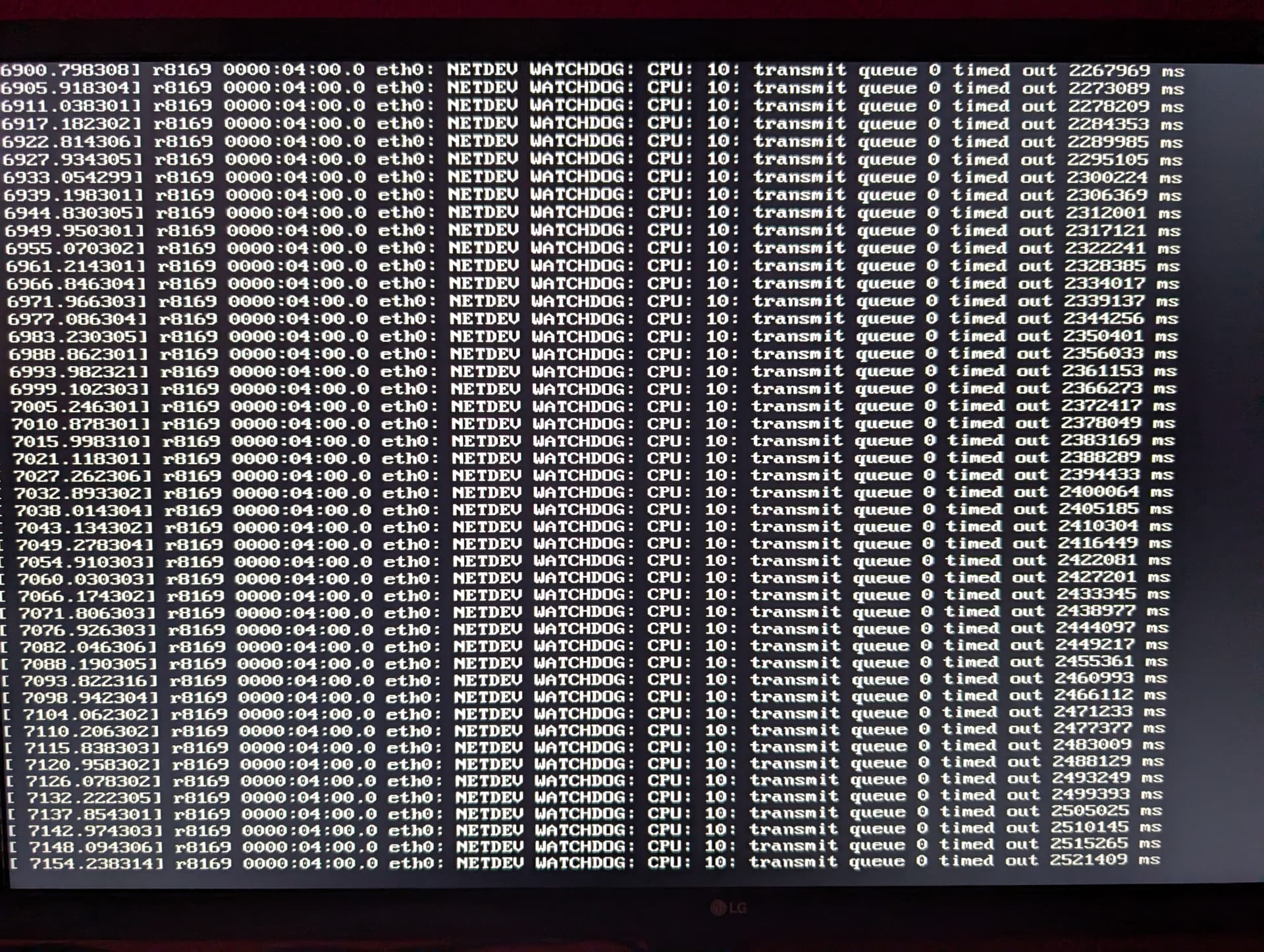
The console message shows a network transmit queue that stopped making progress:
r8169 ... eth0:
NETDEV WATCHDOG:
transmit queue 0 timed out
That is consistent with the source symptom—ZimaOS kept running locally while the server became unreachable over the network. The community reasonably focused on the NIC/driver/link layer, but the claim that the Linux r8169 driver is simply “known to be unstable” is too broad to carry forward as a universal ZimaOS conclusion.
The Source Hardware Used an Older Gigabyte AB350 Platform
The system was a Ryzen 5 1600X on a Gigabyte AB350-Gaming 3 running ZimaOS 1.5.0, with Jellyfin as the only app. The log identified the active Ethernet driver as r8169.
Before applying this diagnosis elsewhere, identify the exact NIC:
lspci -nnk | grep -A3 -i ethernet
ip link
dmesg | grep -i -E "r8169|eth0|watchdog|link"
First Rule Out the Physical Link
A community reply correctly suggested trying another cable and another switch/router port. A marginal PHY, cable, connector, or switch port can produce hangs/resets that look like a software driver fault.
Update ZimaOS Before Reproducing a 1.5.0 NIC Problem
Current ZimaOS is 1.7.1 and includes substantial kernel/driver/network changes after the source release. Reproduce the failure on the current stable build before designing around a two-version-old driver stack.
Current IceWhale Documentation Explicitly Supports Several Realtek NICs
IceWhale's current compatibility list includes RTL8111 and RTL8125/RTL8125B adapters. Therefore the source's community statement should not be generalized into “Realtek is unsupported on ZimaOS.”
Use the current ZimaOS network-adapter list.
The Intel I210 Replacement Was Suggested, Not Verified
The OP ordered an Intel I210 after the community recommendation. The thread ends before they report whether it solved the watchdog timeout.
Do not label I210 as the source-confirmed fix. If replacing hardware today, choose a NIC/chipset supported by current documentation and your motherboard's available PCIe lanes.
Do Not Install r8168 Packages into the ZimaOS Host Like Debian
The community suggested trying r8168 instead of r8169. ZimaOS is an appliance-style, largely read-only system rather than a normal Debian host. Driver replacement should come through supported ZimaOS kernel/module integration, not arbitrary apt instructions.
BIOS Power-State Changes Are a Controlled Test, Not a Default Fix
Disabling PCIe power saving/C-states was also suggested. Those settings can affect link stability on some older platforms, but they also affect idle power and system behavior. Change one setting at a time and verify long-term uptime.
Capture Link and Driver State Before Rebooting
If the console still works while the network is dead, collect the evidence before power-cycling:
ethtool eth0
ip -s link show eth0
dmesg | tail -200
Look for link flaps, carrier changes, transmit errors, resets, or watchdog messages. A reboot may temporarily restore the NIC but erase the timing context that helps distinguish driver, PHY, cable, and switch behavior.
Change One Network Component at a Time
A clean isolation sequence is:
- replace the Ethernet cable;
- move to another switch/router port;
- disable unnecessary NIC power-saving features if the firmware exposes them;
- test a known-compatible add-in NIC;
- only then conclude the onboard adapter/driver path is the likely fault.
If several variables change together, a stable result does not reveal which change mattered.
The Presence of Jellyfin Does Not Prove the Media Server Caused the Watchdog
The source had Jellyfin installed, but the watchdog message came from the Ethernet driver and transmit queue. Heavy streaming traffic can make a marginal network path fail sooner, yet uninstalling Jellyfin would not repair a defective cable, PHY, driver, or PCIe power-state interaction.
Generic x86 Support Still Depends on Exact Device IDs
ZimaOS supports generic x86-64 hardware, but no compatibility list can cover every motherboard revision, NIC PHY, BIOS, and add-in card. Include the exact PCI vendor/device ID and current ZimaOS version in a support report so IceWhale can distinguish a known-supported chipset from a board-specific driver problem.
NETDEV WATCHDOG FAQ
Did the source confirm that the Intel I210 fixed the issue?
No. The user ordered the card but did not post a result.
Does the error prove every r8169/Realtek NIC is unstable on ZimaOS?
No. Current IceWhale compatibility documentation includes several Realtek NIC families.
What should be tested before replacing the NIC?
Current ZimaOS, another cable/port, exact NIC/driver identification, and kernel/link logs during the failure.


