
A drive can be perfectly visible in ZimaOS Files and still be unavailable as a destination for moving Docker images or AppData. That distinction caused much of the confusion in this December 2025 thread.
The original poster connected a 2 TB USB SSD, could browse it in Files, but found the AppData migration control disabled. Early community replies assumed the drive needed to be reformatted or initialized differently. Later testing disproved that theory, and the most authoritative answer arrived in July 2026 when IceWhale clarified that USB drives were not supported as AppData migration destinations at that time.
What the Disabled Migration Control Looked Like
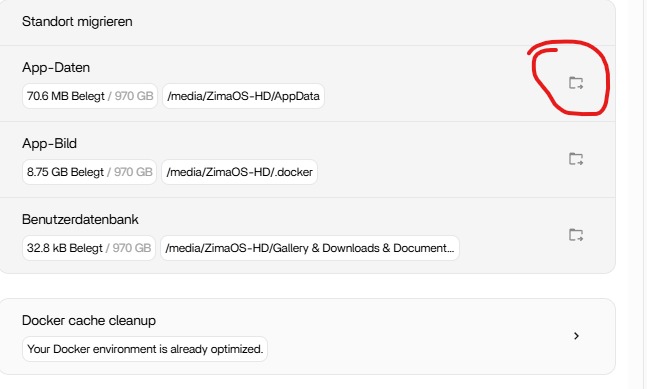
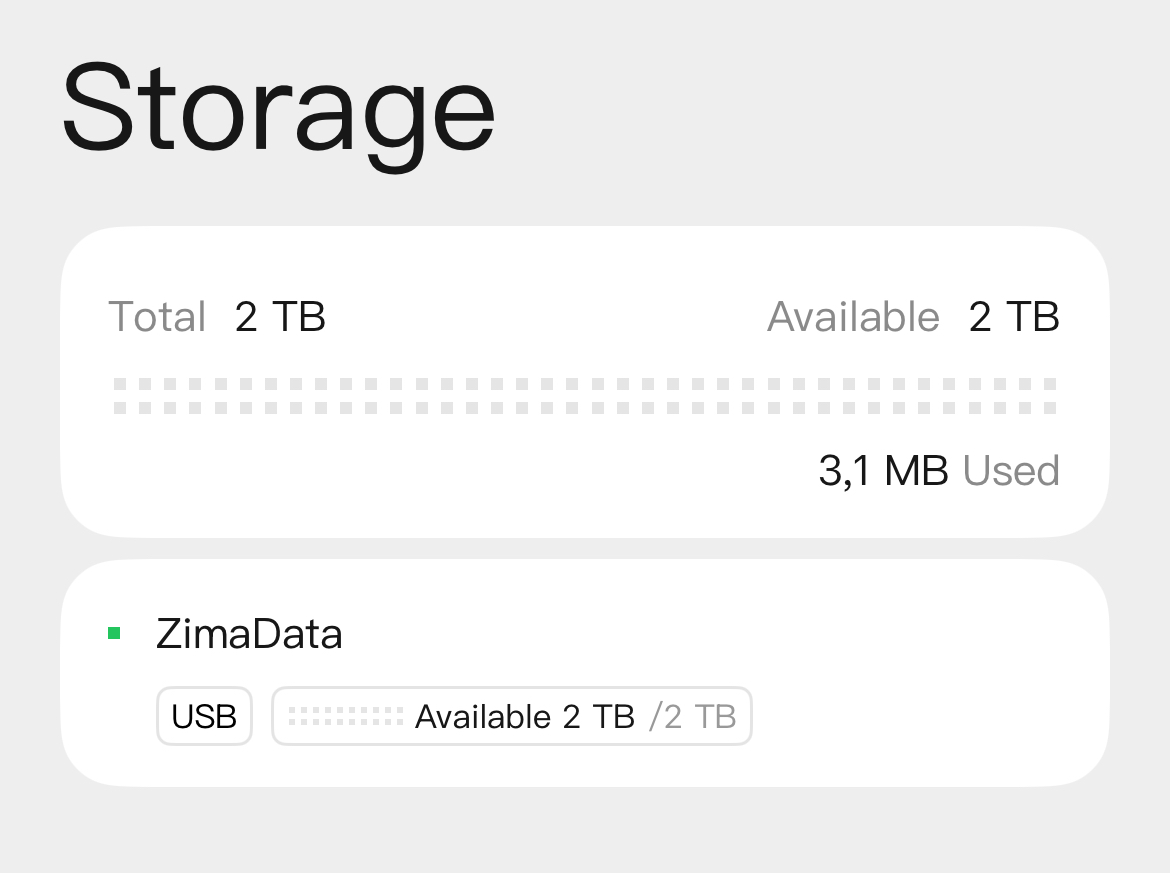
Visible in Files Does Not Mean Eligible for AppData Migration
The user's USB disk appeared normally in the Files interface and Storage summary:

Wiping the Drive Was Not a Proven Fix
Community replies suggested removing GPT metadata, filesystem signatures, and partitions so ZimaOS could treat the device as a new managed disk. The original poster tried those ideas and reported that they did not solve the problem. Another user repeated similar wiping attempts in ZimaOS 1.6.1 and 1.6.2 with the same result.
Because the destructive disk-wipe commands in this thread came from community participants and failed to resolve the underlying limitation, they should not be promoted as a recovery procedure. Do not erase a disk merely to make a disabled migration button clickable.
IceWhale Confirmed the USB Limitation in July 2026
On July 10, 2026, 777-Spider gave the decisive clarification: the affected drive was connected through USB, and ZimaOS did not support USB drives as AppData migration destinations at that time. The same reply explicitly said this was not a ZimaOS+ paid-feature restriction.
That official reply overrides the earlier community theory that the drive simply needed to be made “raw” or initialized in a special way.
Current ZimaOS Still Has a Built-In Data Migration Tool
Current ZimaOS instructions describe moving Docker images, application data, and user databases from Settings > Data Migration to another storage space. They do not explicitly state that every USB device is an eligible AppData target.
Use the current Data Migration workflow to see what destinations your installed release actually presents. Do not infer from “USB storage is usable” that USB must also be accepted for AppData migration.
Per-App Volume Mapping Can Be an Alternative
A later user found a workaround for Nextcloud by downloading the app YAML, importing it as a customized app, and changing the host-side AppData mapping to a folder on external storage. That was a community workaround, not an IceWhale recommendation for every app.
Current ZimaOS also recommends deciding where app data lives before filling the system drive. The explanation of how persistent app folders map to real storage is the safer starting point when an individual app needs to live on a larger disk.
ZimaOS AppData Migration FAQ
Why is the AppData migration button greyed out even though Files can see my USB drive?
In the source thread, the final IceWhale answer was that USB was not supported as an AppData migration destination at that time. File access and AppData migration are separate features.
Was the limitation caused by ZimaOS+?
No. 777-Spider explicitly said it was not related to ZimaOS+ or a paid feature.
Should I wipe my USB drive to unlock migration?
Not based on this thread. Multiple destructive wipe attempts did not solve the limitation.
Can I still put an individual app's data on another drive?
Many Docker apps can use host-side volume mappings to another storage location. Test the app's required paths carefully and back up its existing data before changing them.


