
The source fix is simple and official: Jellyfin was installed with the container environment variable TZ=Europe/London, but the user lived in the United States. Zima-Jerry told them to replace the value with an appropriate IANA time-zone identifier such as America/New_York. The user changed it and immediately confirmed that it worked.
This is a container configuration issue, not a reason to reinstall Jellyfin or change the ZimaOS host clock. Current Jellyfin container examples continue to use a TZ environment variable with region-style values such as America/Los_Angeles.
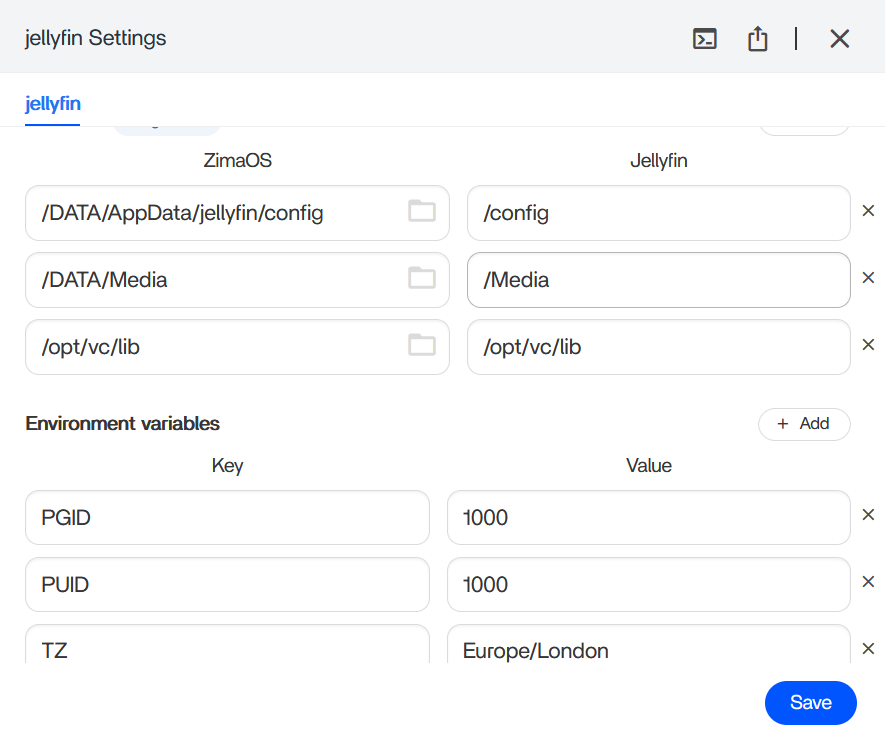
Change the TZ Environment Variable
Open Jellyfin's app settings in ZimaOS, find the environment variable named TZ, and replace the value with the correct IANA region/city identifier.
Examples include:
-
America/New_York; -
America/Chicago; -
America/Denver; -
America/Los_Angeles; -
Europe/London; -
Asia/Tokyo.
Use Region/City Names, Not a Fixed UTC Offset
An IANA time zone understands daylight-saving transitions and historical rule changes. A fixed value such as UTC-5 can be wrong for part of the year in locations that observe daylight saving time.
Save the App Settings and Let the Container Restart
Environment variables are injected when the container starts. After changing TZ, save the app settings and allow Jellyfin to restart/recreate as ZimaOS requires.
Then confirm the time in Jellyfin logs, scheduled tasks, and any date-sensitive UI.
Do Not Change the ZimaOS System Clock Just to Fix One Container
If the ZimaOS dashboard already shows the correct time but Jellyfin does not, change Jellyfin's container time zone first. Host NTP/time settings and container presentation time are separate layers.
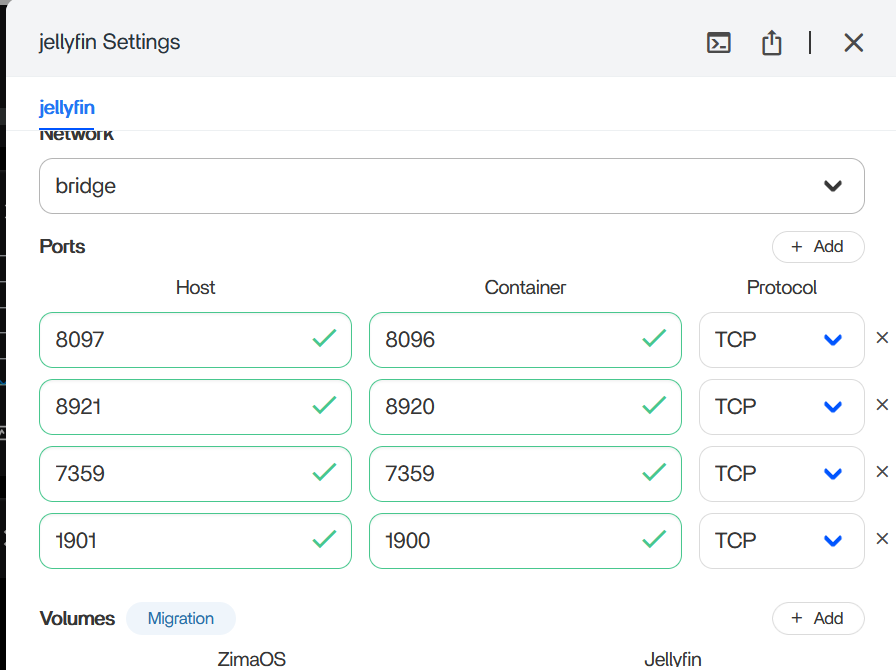
The Source's Custom Port Mappings Were Not Part of the TZ Fix
GPU Device Mappings Are a Separate Jellyfin Issue
Current Jellyfin Docker Examples Use the Same TZ Pattern
Jellyfin's current container documentation includes environment settings such as:
TZ=America/Los_AngelesSee the current Jellyfin container environment pattern.
Why the Time Zone Matters Beyond the Clock Display
Jellyfin uses time information for logs, scheduled maintenance, library tasks, activity history, and other date-sensitive behavior. A wrong TZ value can therefore make a healthy server look confusing even when media playback itself works.
After changing the variable, verify at least one scheduled-task timestamp or recent log entry so you know the container—not just the browser—now sees the intended zone.
Jellyfin Time Zone FAQ
Did changing TZ fix the source user's problem?
Yes. The user explicitly replied that it worked.
Should the value be EST or PST?
Prefer an IANA region such as America/New_York or America/Los_Angeles so daylight-saving rules are handled correctly.
Do Jellyfin port or GPU settings need to change for the time zone fix?
No. Those settings are separate from the TZ environment variable.


