
If Immich on ZimaOS stays on an old version after you edit only the immich-server image tag, stop changing one container at a time and identify the package/stack first. Immich is a multi-service application; server, machine learning, database, and cache components must remain compatible, and some ZimaOS packages are maintained by different app-store sources.
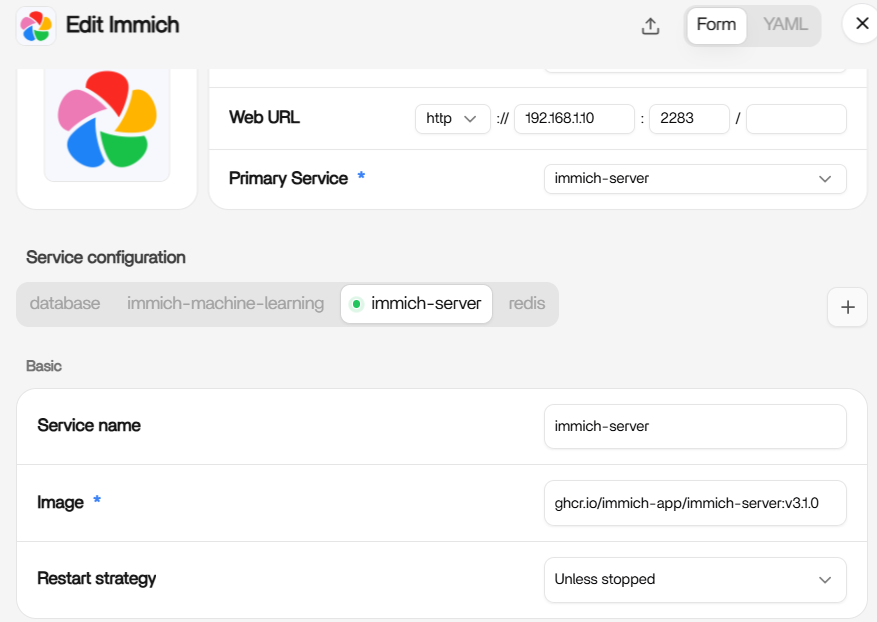
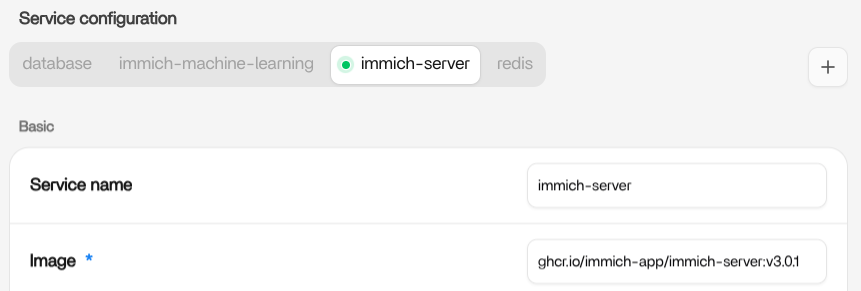
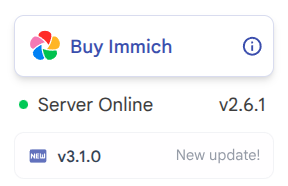
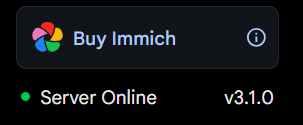
The source thread shows why a one-field update can fail: the user changed the server image, saw network download activity, restarted, and Immich still reported v2.6.1. Another user showed a working v3.1.0 setup with matching service images. The correct guide is therefore “back up, identify the stack, update coherently, verify,” not “type a newer number into one field.”
Step 1: Identify Which Immich Package You Installed
ZimaOS can have official and third-party/community store packages. Open the app settings and record every service image, not only immich-server.
Also note the app-store source so you know who controls update metadata.
Step 2: Back Up Immich Before Any Major Update
Back up the photo library and the PostgreSQL database. Current Immich backup and restore guide documents a database dump workflow.
Do not treat a container recreation as a backup.
Step 3: Check All Service Versions
The source comparison listed:
- Immich server;
- Immich machine learning;
- Postgres;
- Valkey/Redis.
Record the full image tags. If the app store maintains them as a tested bundle, prefer its Update action over manually moving one component ahead of the others.
Step 4: Use the App Store Update When Available
Current ZimaOS documentation says the latest Immich package can be installed from the App Store. If an update button is available, use it so the package maintainer's Compose definition updates together.
The current ZimaOS Immich guide is the current official ZimaOS starting point.
Why Editing One Tag Can Appear to Download but Not Update
The app manager may pull a new image but recreate the service from store metadata, another saved YAML value, or a different image definition. The running container may therefore return to the old tag.
Check the actual running image with:
docker ps --format '{.Names} {.Image}'Do Not Jump Across Immich Major Versions Blindly
Immich releases can include database/schema and service changes. Read the upstream release/upgrade notes for the versions you are crossing. Update the stack as a unit rather than guessing compatible combinations.
If You Use a BigBear or Other Third-Party Package
A separate ZimaSpace community guide documents that changing image tags worked for some BigBear packages, while later users found the same trick was not universal across packages. Identify the packaging source before applying that workaround.
The Immich update guide explains that package-specific boundary.
Verify the Update After Recreating the Stack
Check three places:
- the running Docker image tags;
- Immich's own server version display;
- container logs for migrations or compatibility errors.
Do Not Delete the Database or Upload Folder to Force an Update
Removing volumes is a destructive reset, not an update method. Preserve the database and photo library unless you have a tested backup and intentionally want a fresh installation.
FAQ
Why does Immich still show 2.6.1 after changing the server tag?
The app may be recreating the old service definition or the stack may not have been updated coherently. Check the actual running image and package source.
Should machine learning match the server version exactly?
Follow the tested versions in the Immich release/Compose definition you are deploying. Do not invent independent tags for each service.
Can I update only immich-server?
Avoid that as the default. Immich is a multi-service stack and upgrades can require coordinated changes.
What should I back up first?
The PostgreSQL database and your media/upload storage. Verify the backup before major version changes.


