
If your browser warns that the ZimaOS dashboard or apps are “Not Secure,” first separate the main ZimaOS dashboard from the applications running behind their own ports. The source thread eventually established that these are two different HTTPS problems.
ZimaOS can generate a local certificate for https://zimaos.local. Trusting that certificate can remove the browser warning for the ZimaOS dashboard. It does not automatically give HTTPS to Plex, Jellyfin, Emby, AdGuard, or other Docker apps because those are separate HTTP services. To put many apps behind trusted HTTPS names, use a reverse proxy such as Nginx Proxy Manager or Caddy with appropriate certificates.
The Original Browser Warning
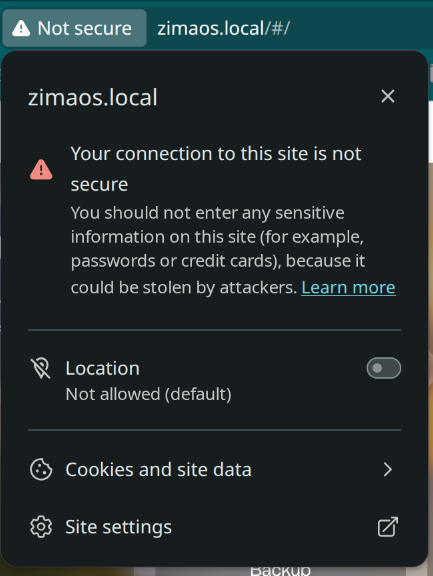
Option 1: Disable HTTPS for the Local ZimaOS Dashboard
Zima-Giorgio replied that HTTPS could be turned off in the ZimaOS Settings panel. For a trusted private LAN, plain HTTP may remove certificate-warning friction, but it also removes transport encryption between the browser and dashboard.
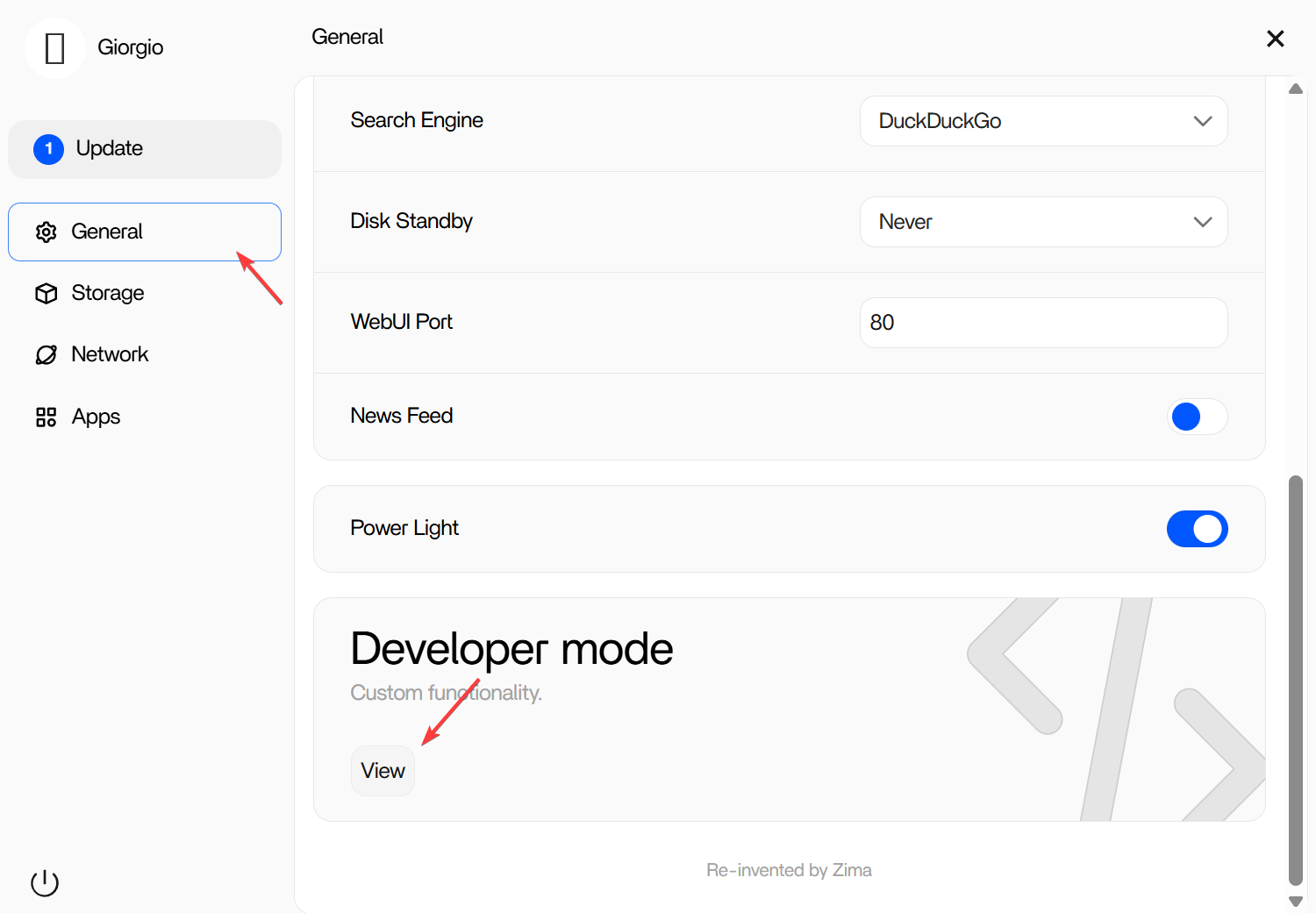
For laptops or devices that move between networks, trusting the ZimaOS certificate is usually preferable to globally weakening browser security.
Option 2: Download and Trust the ZimaOS Local Certificate
The official reply recommended downloading the generated CRT file and trusting it on the client. After trust is configured, use:
https://zimaos.local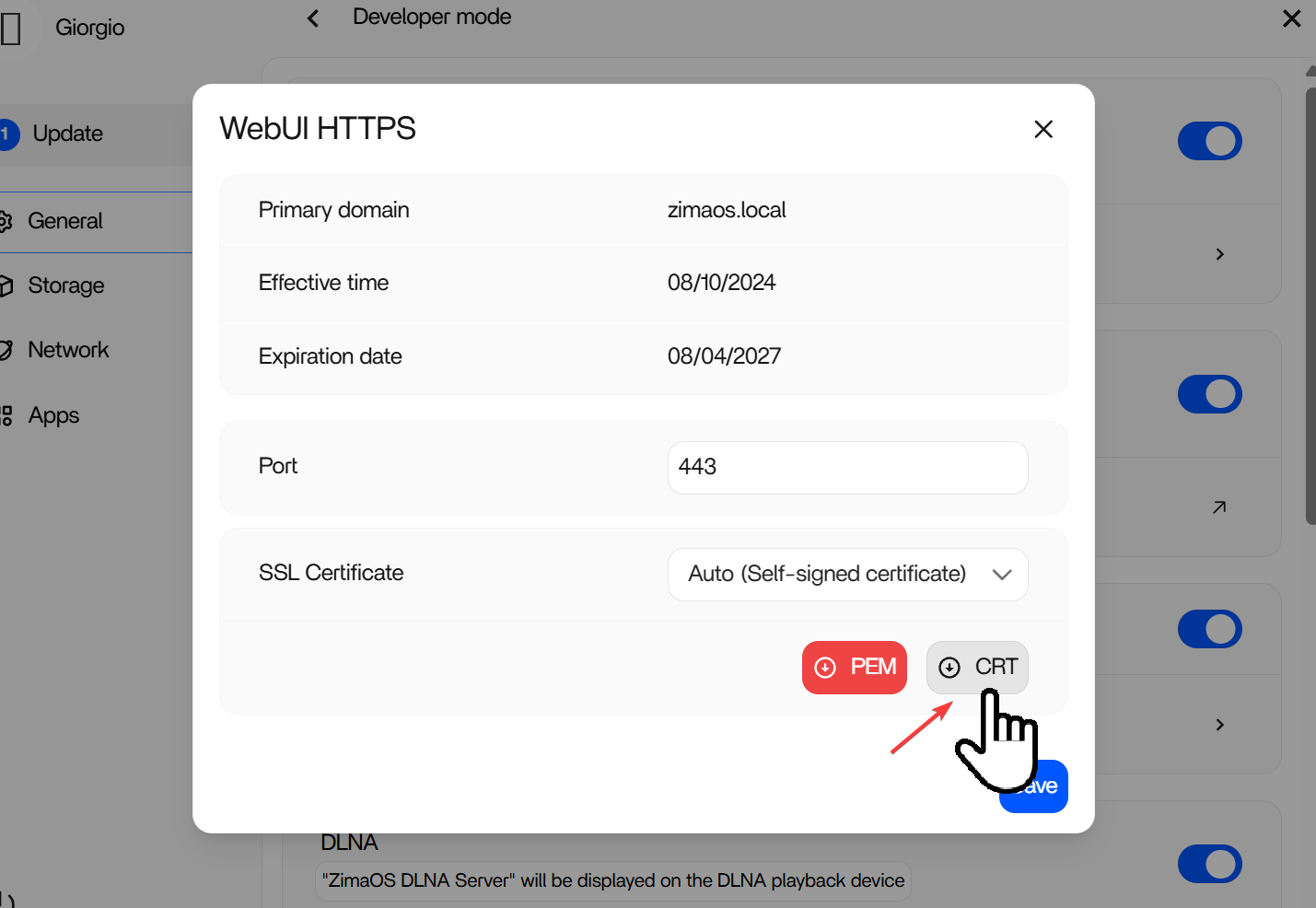
Trust the ZimaOS CRT on Windows
The source reply gave this Windows process:
- Press
Win + R. - Run
certmgr.msc. - Open Trusted Root Certification Authorities → Certificates.
- Choose All Tasks → Import.
- Select the CRT downloaded from your own ZimaOS system.
- Place it in Trusted Root Certification Authorities.
- Restart the browser.
Only trust a certificate you obtained from your own known ZimaOS instance. Installing a root certificate means trusting it to validate connections on that client.
Why the ZimaOS Certificate Does Not Secure Jellyfin, Plex, or Emby
The original author later imported the certificate successfully on Pop!_OS and confirmed that zimaos.local worked, but Plex, Emby, and Jellyfin still appeared insecure.
A 2026 reply explained why: those apps listen on separate services and ports. Examples include:
Jellyfin: http://ZIMAOS_IP:8096
Plex:     http://ZIMAOS_IP:32400
They do not automatically inherit the ZimaOS dashboard certificate. That behavior is expected, not evidence that importing the CRT failed.
Use a Reverse Proxy for HTTPS Across Multiple Apps
To give applications names such as:
https://jellyfin.example.com
https://emby.example.com
https://adguard.example.com
place a reverse proxy in front of them. The proxy handles TLS certificates and then forwards each request to the application's internal HTTP port.
Nginx Proxy Manager is currently available in the ZimaOS App Store:
Nginx Proxy Manager for ZimaOS
Why Nginx Proxy Manager Reports Ports 80 or 443 Already in Use
The source author tried installing a proxy and immediately hit a port conflict. Current Nginx Proxy Manager documentation expects these standard ports:
80  → public HTTP
443 → public HTTPS
81  → NPM administration UI
If ZimaOS already owns host ports 80 or 443, NPM cannot bind the same host port simultaneously.
Official Nginx Proxy Manager setup
Port 81 Is Not the Public HTTPS Destination
A later user in the same thread forwarded router ports 80 and 443 to internal port 81. The community corrected this:
Router 80  → NPM port 80
Router 443 → NPM port 443
Port 81 is the NPM admin interface. It should not receive ordinary public website traffic.
HTTP Challenge vs DNS Challenge
The thread also separated two Let's Encrypt validation methods:
- HTTP challenge: normally requires the certificate authority to reach the proxy over port 80.
- DNS challenge: validates control of the domain through DNS provider records/API and can avoid inbound port-80 validation.
Choose one method intentionally. Do not combine settings from both approaches without understanding which validation path NPM is using.
Do You Need MySQL Just to Run Nginx Proxy Manager?
No. Current Nginx Proxy Manager setup supports SQLite for a simple single-container installation. An external MySQL/MariaDB/PostgreSQL database is optional.
That corrects another concern raised in the source thread: a beginner does not need to deploy MySQL merely to start reverse-proxying a few home services.
Changing the ZimaOS Web Port Has a Trade-Off
Later in the thread, a user moved ZimaOS away from port 80 and was then able to install Nginx Proxy Manager. However, separate 2026 community reports indicate that changing the ZimaOS dashboard port can interfere with Zima desktop/mobile client behavior.
So “move ZimaOS off port 80” is not a risk-free universal fix. Before changing it, decide which is more important in your environment:
- standard 80/443 ownership by a reverse proxy;
- or preserving the default ZimaOS client/discovery behavior.
Local-Only HTTPS vs Public HTTPS
If you only use applications inside your home:
- you can keep direct HTTP on a trusted LAN;
- use locally trusted certificates;
- or run an internal reverse proxy and internal DNS.
If you want internet-facing HTTPS, use a domain, strong authentication, correctly issued certificates, and a deliberate remote-access/security design. Do not expose application admin ports or the NPM admin UI merely to make the browser padlock appear.
ZimaOS HTTPS Checklist
- Decide whether the warning concerns
zimaos.localor a separate application. - For the ZimaOS dashboard, download and trust the generated CRT if you want local HTTPS without warnings.
- Use
https://zimaos.localafter the certificate is trusted. - Do not expect the ZimaOS CRT to secure separate app ports.
- Use a reverse proxy for HTTPS hostnames across multiple apps.
- Confirm which service owns ports 80 and 443 before installing NPM.
- Keep NPM port 81 for administration, not public website forwarding.
- Choose either HTTP or DNS certificate validation according to your network.
- Do not expose unnecessary admin services to the public internet.
ZimaOS HTTPS FAQ
Why is zimaos.local secure but Jellyfin is still HTTP?
Because the ZimaOS certificate applies to the dashboard hostname. Jellyfin is a separate service listening on its own port.
Can one reverse proxy secure all my ZimaOS apps?
It can terminate HTTPS for multiple HTTP services, provided each proxy host is configured correctly and the proxy can reach the target app.
Why can't Nginx Proxy Manager start on port 443?
Another service is already bound to that host port. The source thread encountered this with ZimaOS and NPM competing for standard web ports.
Is port 81 where I forward public HTTPS traffic?
No. Port 81 is the NPM admin UI. Normal public traffic should arrive at ports 80 and 443.


