
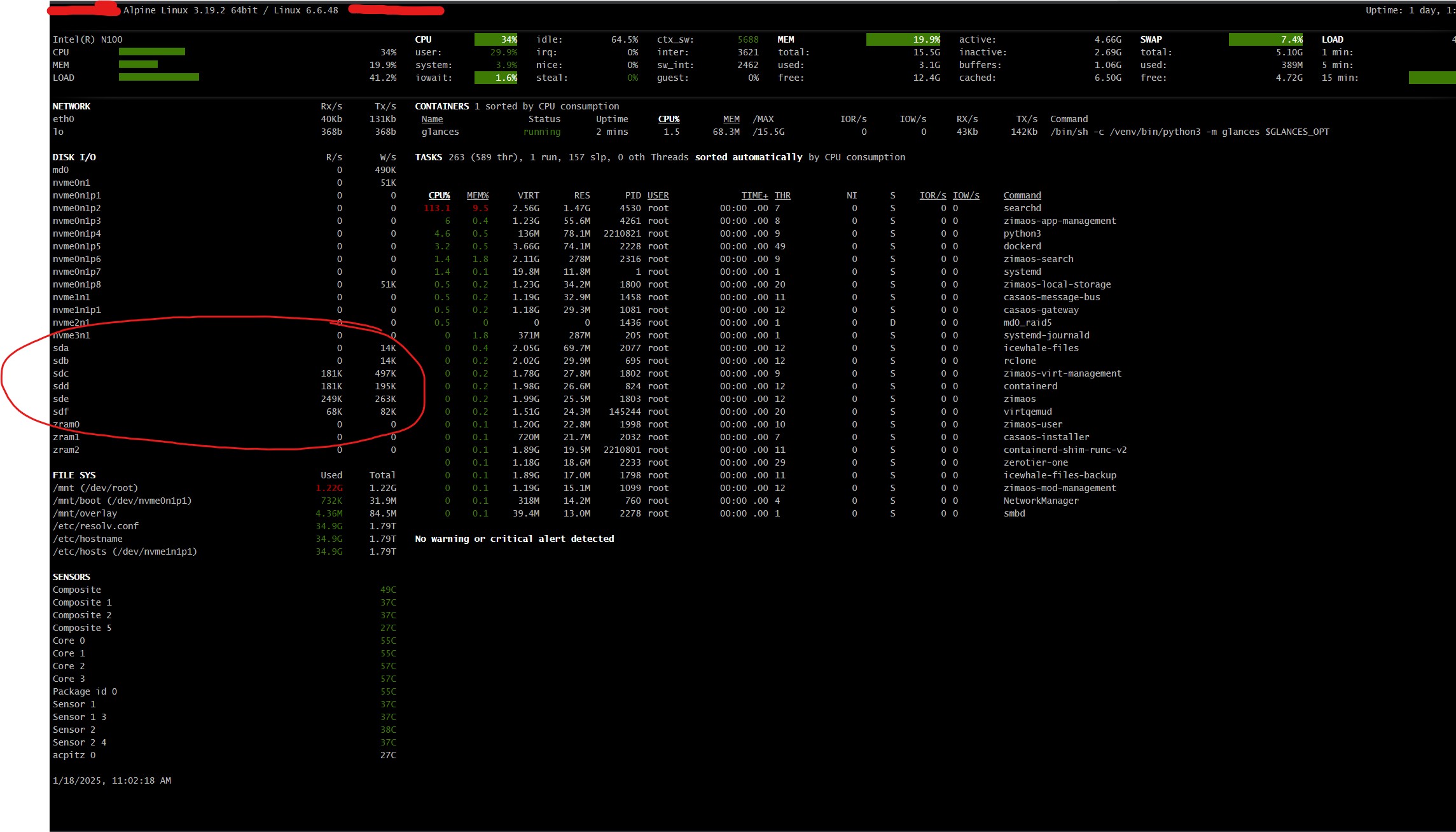
This source is stronger than a generic “my drives never sleep” complaint because IceWhale responded with both a product fix plan and a diagnostic method. The six RAID5 HDDs remained active even after Docker applications were stopped, so the investigation moved to ZimaOS storage/health services and possible kernel-level activity.
ZimaOS 1.3.2 then reduced unnecessary disk queries and improved standby behavior. Much later, ZimaOS 1.6.0 fixed another specific issue where smartd intermittently woke sleeping disks. Those releases solve known wake sources, but a current disk that still stays awake may be accessed by another app, backup, indexer, filesystem task, USB bridge, or kernel service.
IceWhale Changed Storage Polling in ZimaOS 1.3.2
orca-zhang described three specific optimizations planned for 1.3.2:
- simpler health-check logic;
- disk-data cache refresh only when a disk change is detected;
- no longer trying to fetch information such as temperature or power-on time from a disk that is already in standby.
The reason matters: some HDDs or controllers cannot answer those queries from cache, so asking for health data wakes the physical disk.
Current 1.3.2 release notes summarize this work as reducing unnecessary read/write activity and improving Disk Standby.
IceWhale Provided a Process-Access Query
The official source response suggested identifying processes that currently have a filesystem/device open:
for pid in $(fuser -m <device_path> 2>/dev/null); do
  ps -p $pid -o comm=
done | uniq
Replace <device_path> with the actual disk or mounted storage path. This is diagnostic, not destructive.
IceWhale Also Suggested Temporarily Stopping Storage/File Services
For troubleshooting, the source suggested testing standby after stopping:
systemctl stop zimaos-local-storage
systemctl stop icewhale-files
IceWhale warned that parts of Settings and Files would stop working while these services were down. Use this only as a controlled diagnostic, then restart the services or reboot.
ZimaOS 1.6.0 Fixed Another Known Wake Source
The official 1.6.0 changelog later added a separate fix: disks could not enter normal sleep because the smartd service intermittently woke them.
See the official smartd standby fix.
Moving AppData to NVMe Does Not Guarantee HDDs Stay Idle
The source user had already migrated Docker databases to NVMe. HDDs can still be touched by media scanning, Backup, thumbnails, SMB clients, SMART checks, RAID/parity tasks, Files indexing, or a process that holds a path open.
Use actual access evidence rather than assuming “all apps are on NVMe” means the array has zero I/O.
RAID5 Can Add Its Own Background Activity
Parity checks, rebuilds, scrubs, filesystem metadata activity, and monitoring can legitimately access every member. Confirm the RAID is not in a long-running maintenance operation before diagnosing standby.
Current ZimaOS Should Be Tested Before Applying Old Service Workarounds
Current ZimaOS is 1.7.1 and includes years of storage-management changes after this January 2025 report. First reproduce the problem on the current release, then identify the wake source. Do not permanently disable health/storage services just to force spin-down.
Disk Standby FAQ
Did IceWhale acknowledge the standby issue in the source?
Yes. Staff said it was under investigation and documented 1.3.2 optimizations.
Can checking drive temperature/health wake some disks?
Yes. IceWhale specifically said some drives without cached information could wake when queried.
Was smartd later identified as another wake source?
Yes. ZimaOS 1.6.0 explicitly fixed intermittent smartd wake-ups that prevented normal sleep.


