
A ZimaOS user initially saw a GeForce GTX 1050 Ti but could not confirm Jellyfin hardware transcoding. They then installed the separate RTX 50XX driver extension on this older Pascal GPU. Jellyfin and Immich stopped starting with nvml error: driver not loaded.
The thread ultimately established two separate stages: first restore a working host NVIDIA driver, then prove that Jellyfin is actually transcoding through NVENC. A low general GPU percentage alone is not enough evidence either way.
The NVML Error Was a Host-Driver Failure
The NVIDIA container runtime needs the host kernel driver and NVML before a GPU-enabled container can start. If nvidia-smi fails on the ZimaOS host, changing Jellyfin settings cannot fix the container.
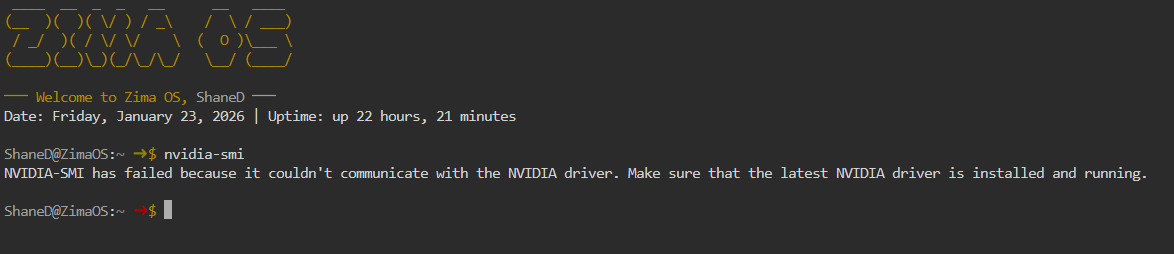

Remove the Mismatched RTX 50XX Extension
An IceWhale team member provided the recovery command used in this exact thread:
uninstall-nvidia-kernel-openThe user then rebooted and confirmed the system returned to its earlier state. This command applies to the extension installed by the linked RTX 50XX tutorial; do not use it to remove unrelated driver packages. Preserve app data and maintain local console access before changing kernel extensions.
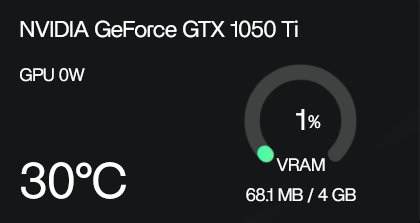
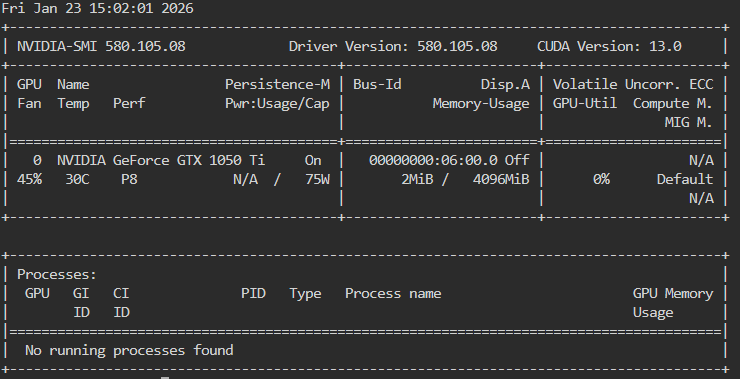
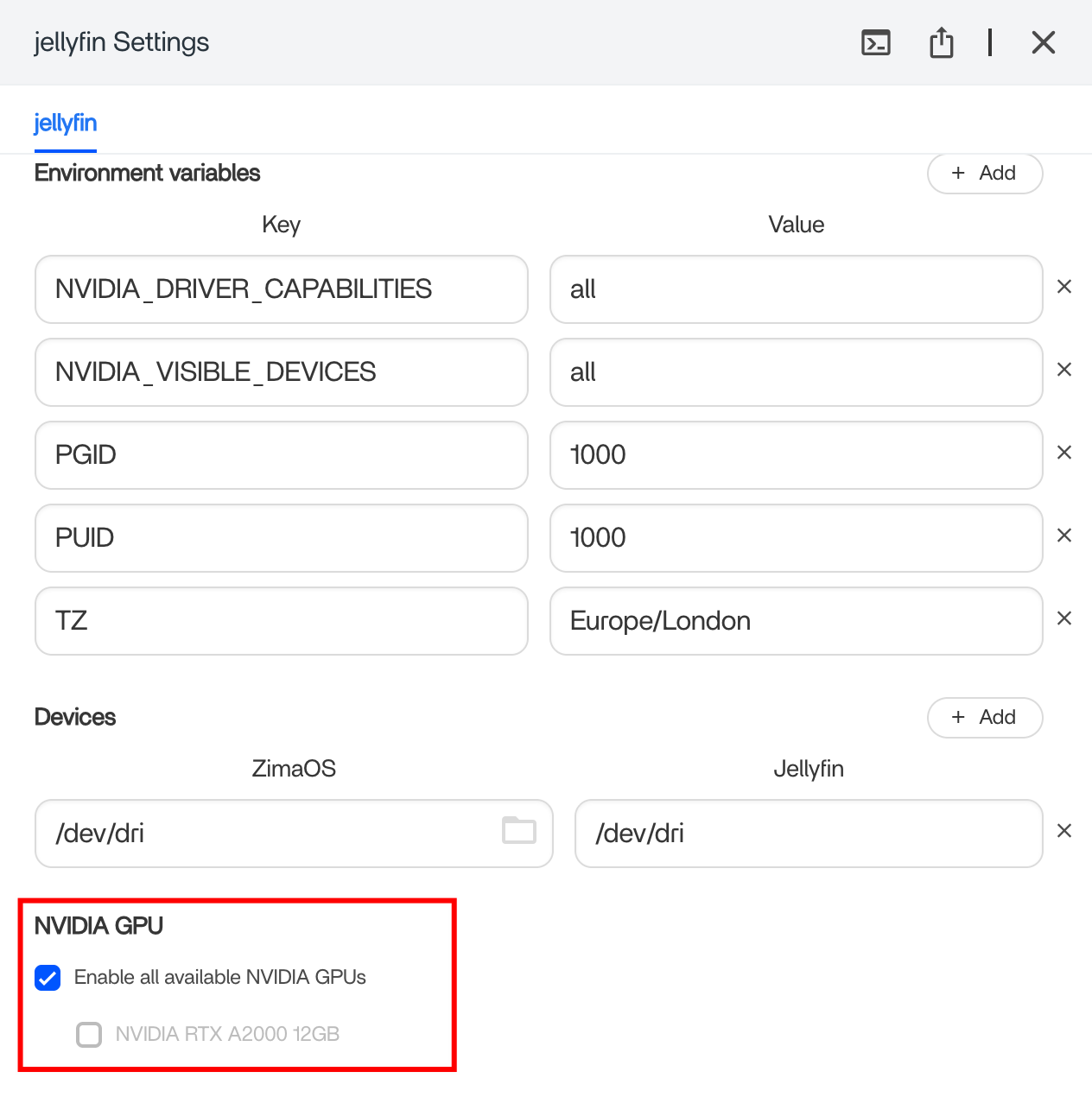
Enable NVIDIA Access for the Jellyfin Container
Open the Jellyfin app settings in ZimaOS and enable NVIDIA GPU support for that container. Installing the NVIDIA-specific app image does not guarantee the device has been passed through if the toggle or runtime configuration is missing.
Enable NVENC in Jellyfin
In Jellyfin’s transcoding settings, select NVIDIA NVENC and enable only codecs supported by the GTX 1050 Ti. The current Jellyfin NVIDIA hardware-acceleration guide explains the driver and codec boundaries.
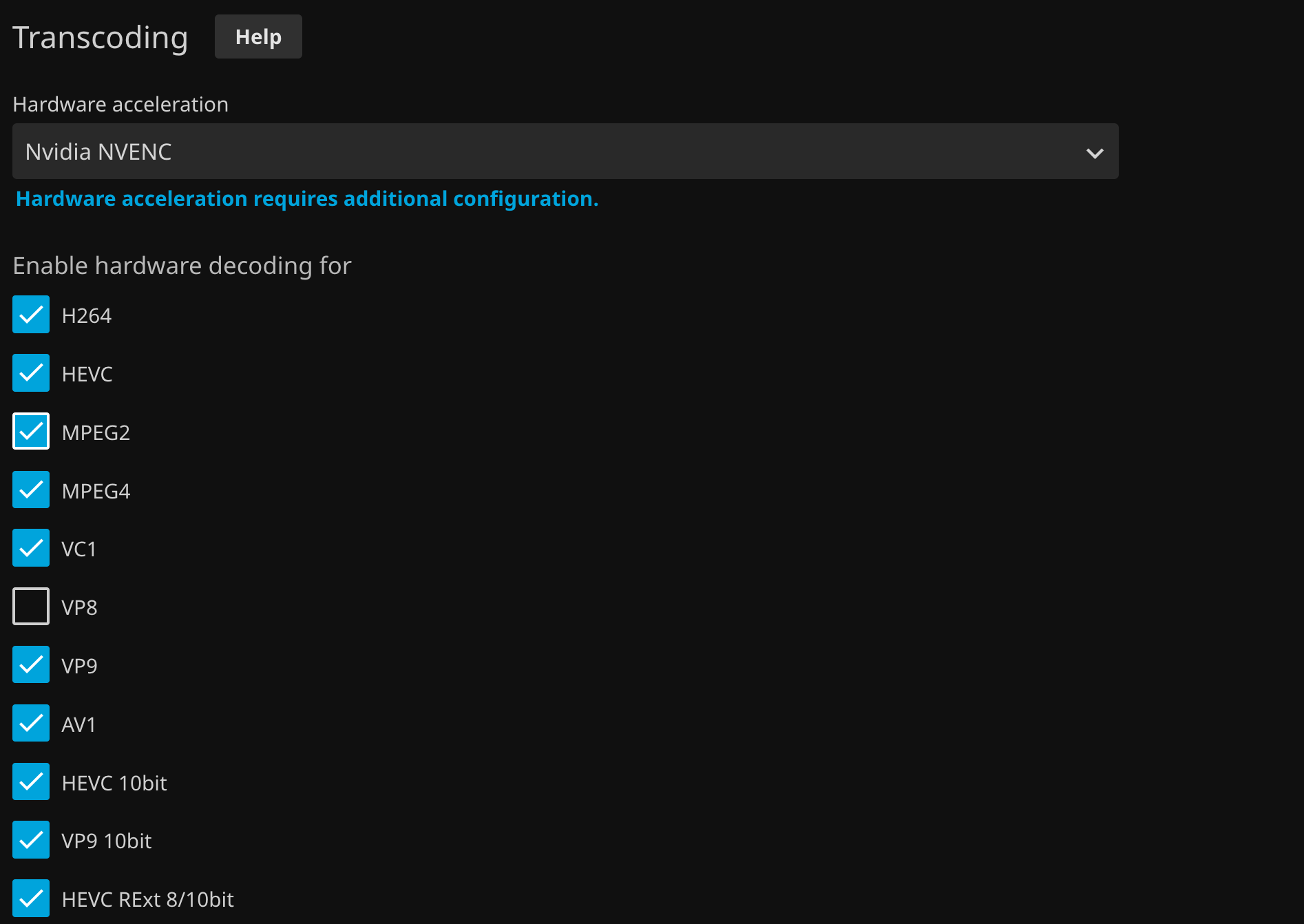
Force a Real Transcode and Look for ffmpeg
Direct Play sends the original media and may leave the encoder idle. Start playback that actually requires transcoding, then check the Jellyfin dashboard playback details and run nvidia-smi. The expected proof is an ffmpeg process using the GPU.
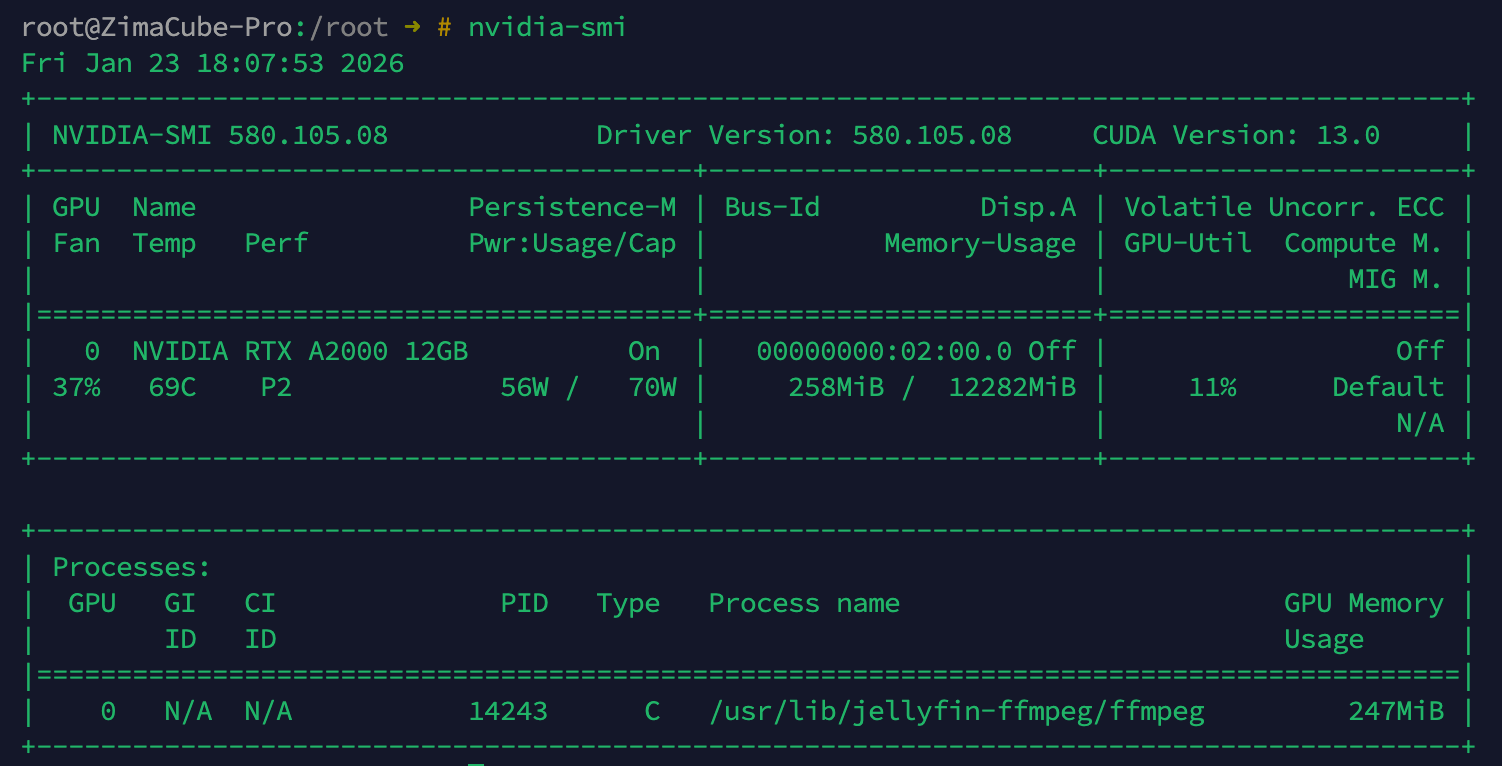
The final source post still did not show ffmpeg during its 4K test, so the thread did not confirm a complete transcoding fix. Check playback mode, codec support, subtitles, tone mapping, and Jellyfin logs rather than relying on one percentage widget.
GTX 1050 Ti Jellyfin FAQ
Can a GPU sit near 1% while hardware video encoding works?
Yes. General 3D utilization can stay low; verify the video engine and the ffmpeg process.
Should the RTX 50XX extension be installed on a GTX 1050 Ti?
No. The source user’s mismatched installation caused the host driver to stop loading.
Did the thread prove the final 4K transcode used NVENC?
No. Driver recovery succeeded, but the last screenshots still lacked ffmpeg in nvidia-smi.


