
Use the ZimaOS Web UI for Normal Port Changes
The official community tutorial states that the ZimaOS dashboard port should normally be changed from the Web UI. The CLI procedure below is intended for emergency or rescue situations, such as when the port was changed accidentally or a deliberate change made the dashboard unreachable.
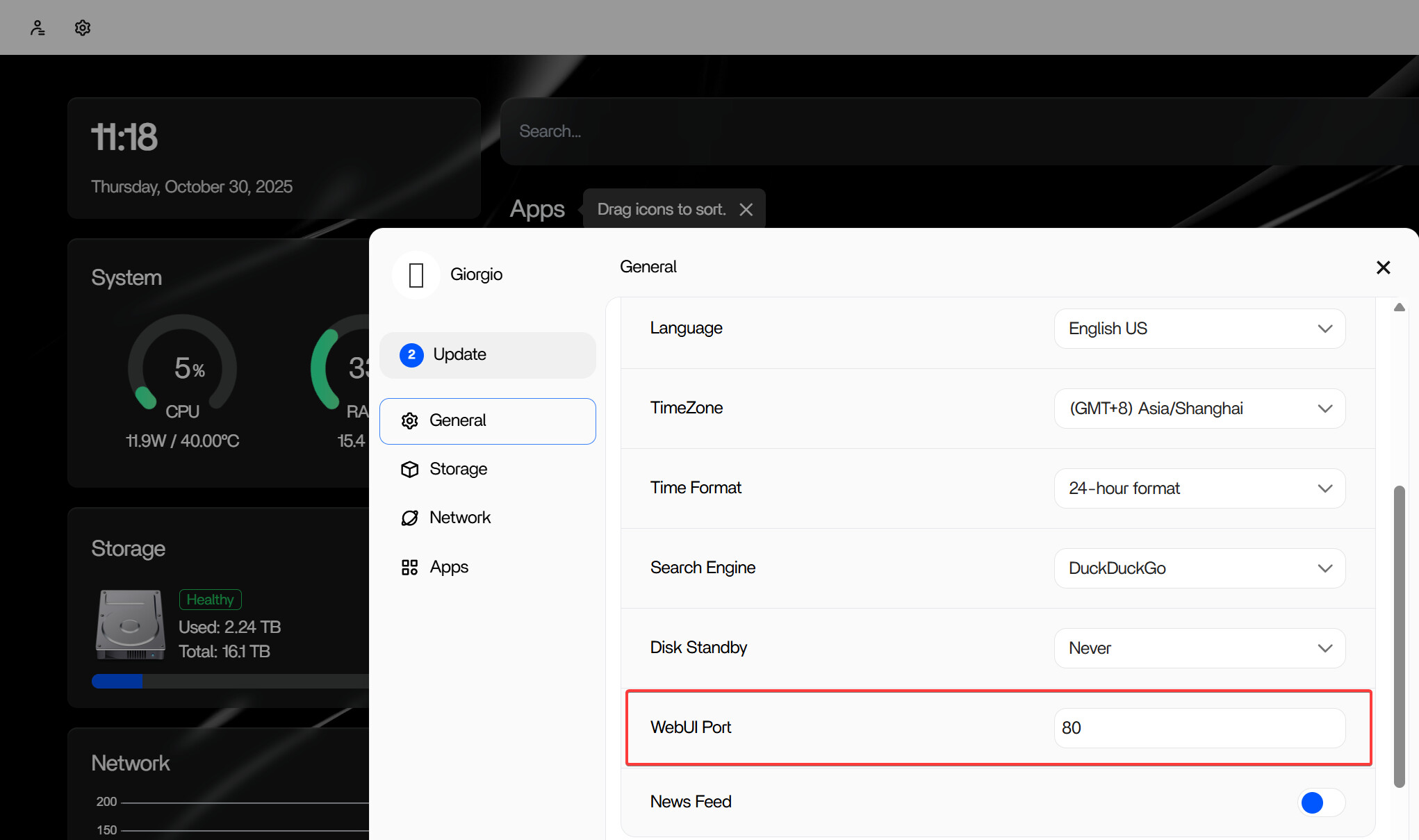
When the CLI Rescue Method Is Useful
The tutorial identifies two common cases: the dashboard port was changed by mistake, or it was changed intentionally and the new configuration no longer works as expected. Its recovery target is port 80, with the goal of restoring access to the ZimaOS dashboard.
This tutorial was published in April 2025. Configuration paths and service names can change in later releases, so confirm the current behavior on the current ZimaOS page before using this historical rescue procedure on a substantially newer version.
Reset the Dashboard Port from the Local CLI
This procedure changes a system configuration file and restarts a ZimaOS service. Record the current setting before editing it, and make sure important data is backed up before performing system-level recovery work.
1. Connect a Keyboard and Monitor
The tutorial begins with direct physical access to the ZimaOS machine. Connect a keyboard and monitor so you can work locally even when the dashboard is unavailable over the network.
2. Open the CLI and Switch to Root
Press Alt + F3 to switch to the command-line interface, log in, and then elevate to root privileges:
sudo -i3. Open the Gateway Configuration
Use the VI editor to open the gateway configuration file:
vi /etc/casaos/gateway.iniLocate the line that defines the dashboard port. The tutorial uses a changed value such as:
port = 8080Reset it to:
port = 80To save the file in VI, press Esc, type :wq, and press Enter.
4. Restart the ZimaOS Gateway Service
Apply the configuration change by restarting the gateway service:
systemctl restart zimaos-gateway.serviceAfter the service restarts, try opening the dashboard again using the restored port.
Why Port 80 Is Used in This Tutorial
The recovery guide specifically resets the dashboard to port 80 as a known target for restoring access. That does not mean every deployment must permanently use port 80; once access is restored, normal port management should be handled through the Web UI described by the tutorial.
Frequently Asked Questions
Should I use the CLI every time I want to change the ZimaOS dashboard port?
No. The tutorial explicitly presents the Web UI as the normal method and the CLI workflow as an emergency or rescue option.
Which configuration file does the tutorial edit?
The April 2025 procedure edits /etc/casaos/gateway.ini. Because this is a version-specific system path, verify it before applying the same step to a newer ZimaOS release.
Which service is restarted after changing the port?
The tutorial restarts zimaos-gateway.service with systemctl so the new gateway configuration can take effect.
What should I do if the dashboard still does not load?
The source tutorial does not provide a deeper diagnostic sequence after the gateway restart. Avoid repeatedly changing unrelated system settings; instead, confirm the version-specific ZimaOS guidance and seek support with the exact port, configuration, and service status you observed.


