
ZimaOS scheduled-task support evolved several times after this thread started. In February 2025, users were creating custom systemd timers because there was no convenient cron UI. In March, Zima-Giorgio announced that dcron would be added and later said it was included in the 1.4.0 beta. By 2026, IceWhale published a Zima Cron tutorial using the ZimaOS module package manager, while community developers later rewrote the scheduler again to improve persistence and add a full web interface.
The practical lesson is not “install cron with apt.” ZimaOS is an immutable appliance OS. Choose a scheduling method that survives the lifecycle you actually need—reboot, OTA update, module restart—and test that persistence before trusting it with backups or destructive maintenance.
The Source Users Wanted More Than One Kind of Scheduled Job
Use cases included:
- daily reboot;
- hourly
chmod/chownscripts; - Nextcloud background jobs and RSS updates;
- scheduled backup scripts;
- S.M.A.R.T. tests;
- nightly SnapRAID jobs;
- startup actions for Pi-hole conflicts.
These are not equally well served by one scheduler. Startup service dependencies are often better handled by systemd, while periodic user commands fit cron-style scheduling.
Community systemd Timers Worked and Survived at Least Some Updates
WuzzyFeasel created a restart timer under /etc/systemd/system/ and later reported that custom systemd timers survived a ZimaOS update. That was useful community validation.
Zima-Giorgio also recommended systemd specifically for a startup job when a user wanted Pi-hole-related work to run after boot.
IceWhale Announced dcron for ZimaOS 1.4.0
On March 5, 2025, Zima-Giorgio wrote: “the dcron will be added.” In April he clarified that dcron was included in the 1.4.0 beta and would be added to the stable release.
This is an official historical product statement, not a community guess.
Having crontab Available Did Not Guarantee Persistent User Jobs
Later users on 1.5.x reported that crontab entries disappeared after reboot or that scheduler tasks did not persist reliably. This is why simply seeing a crontab command does not prove the user's saved jobs survive the immutable-system lifecycle.
Always reboot once and verify the task still exists before depending on it.
IceWhale Later Published a Zima Cron Module Tutorial
In January 2026, 777-Spider published a separate tutorial for Zima Cron using:
zpkg install zima_cronThe tutorial included interval and cron-expression scheduling plus task logs. It was a module-level scheduler rather than a Debian package installed with APT.
Use the Zima Cron module workflow and its later discussion before assuming a specific module name/version is still current.
A Community Cron Rewrite Added a Full Scheduler UI
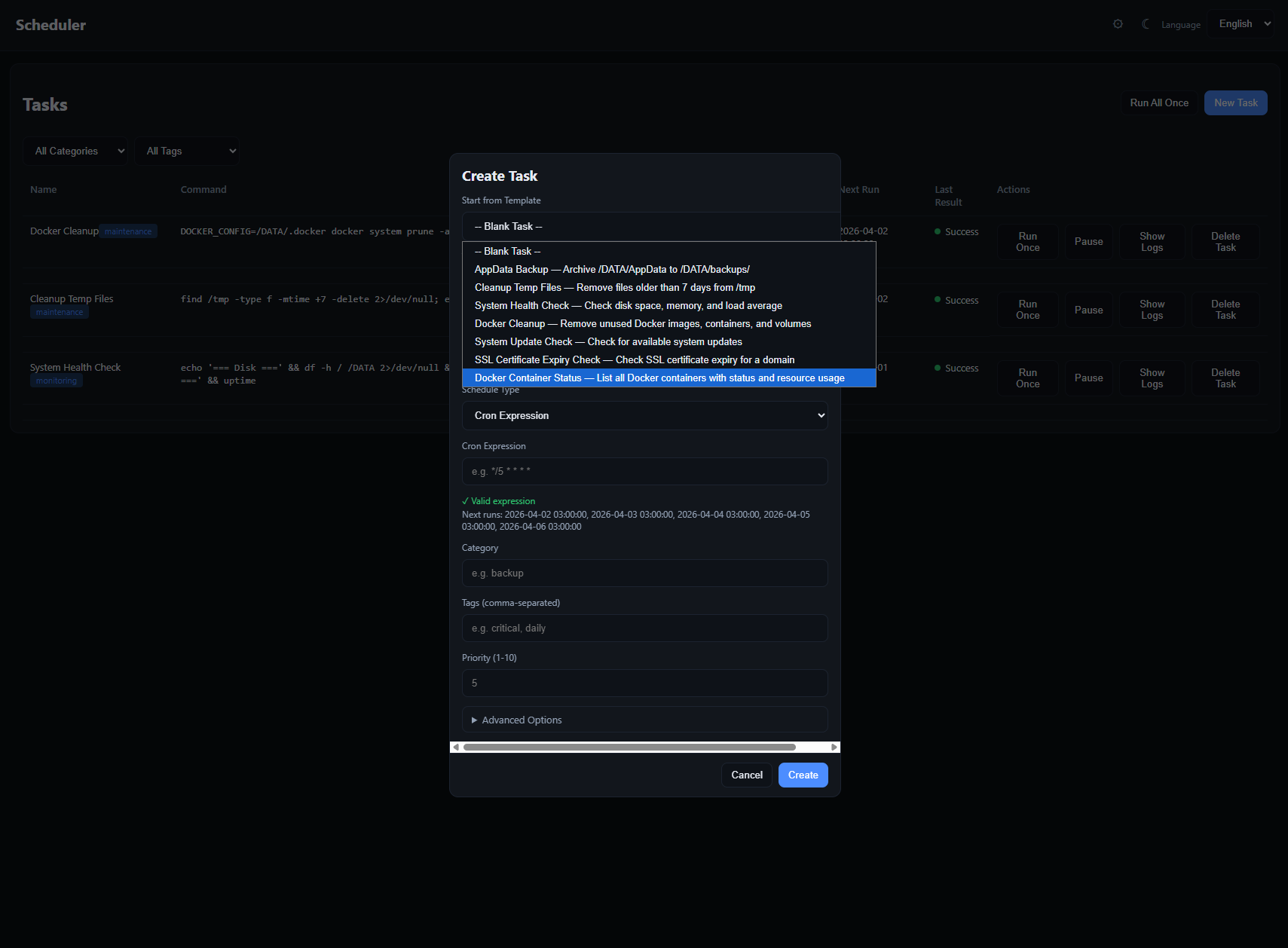
Lintux's v0.2.0 rewrite advertised persistent tasks, templates, logs, notifications, retries, dependencies, priorities, and tags. It was distributed as a cron.raw module and could be installed with zpkg.
This module is community software, not the same thing as IceWhale's original dcron implementation.
ZimaOS 1.6.1 Fixed a Module-Service Reboot Issue
IceWhale's 1.6.1 release notes include a fix where mod modules would not start services according to the service policy after reboot. That is relevant to scheduler modules that need to return automatically after a restart.
It does not prove every historical Cron persistence bug disappeared; it establishes a later platform fix for module service startup behavior.
Do Not Use an Untested Scheduler as the Only Backup Controller
A scheduled backup is only useful if:
- the task persists after reboot/update;
- the destination is mounted;
- the command returns a meaningful status;
- logs are retained;
- a restore has been tested.
Automating a script that stops all containers also creates an outage and can leave services down if the script fails halfway through.
Hourly chmod/chown Is Usually a Symptom, Not the Best Long-Term Fix
The original poster wanted hourly ownership changes because files copied from Windows were not readable by the media app. A better design is to fix SMB user/group permissions and container UID/GID/mount permissions so new files are created with usable access from the start.
A scheduler that repeatedly applies recursive ownership changes can be slow and can damage permissions expected by another application.
Which Scheduler Should You Use?
- Boot/startup dependency: prefer a properly designed systemd service/timer when appropriate.
- Simple periodic task: use a scheduler/module available and supported on your current ZimaOS release.
- Complex workflow: consider a dedicated automation container, but test reboot persistence and Docker-socket security.
ZimaOS Cron FAQ
Did IceWhale officially say dcron would be added?
Yes. Zima-Giorgio said it was included in the 1.4.0 beta and planned for stable.
Did every later crontab task persist across reboots?
No. Several later users reported lost jobs or scheduler persistence problems.
Is the 2026 dark Scheduler UI an IceWhale built-in feature?
It came from a community Cron module rewrite and should be treated as third-party module software.


